N7201A616E00_0317.pdf - 第148页
NPM-W 2 EJM7DE-MB-02O-0 0 Chec king the f eeder a ttac hment condition 1 (intelligent feeder) 1 1 Check whether the production materials that have been mounted to the feeder table are in conformance to the corresponding …
NPM-W2 EJM7DE-MB-02O-00
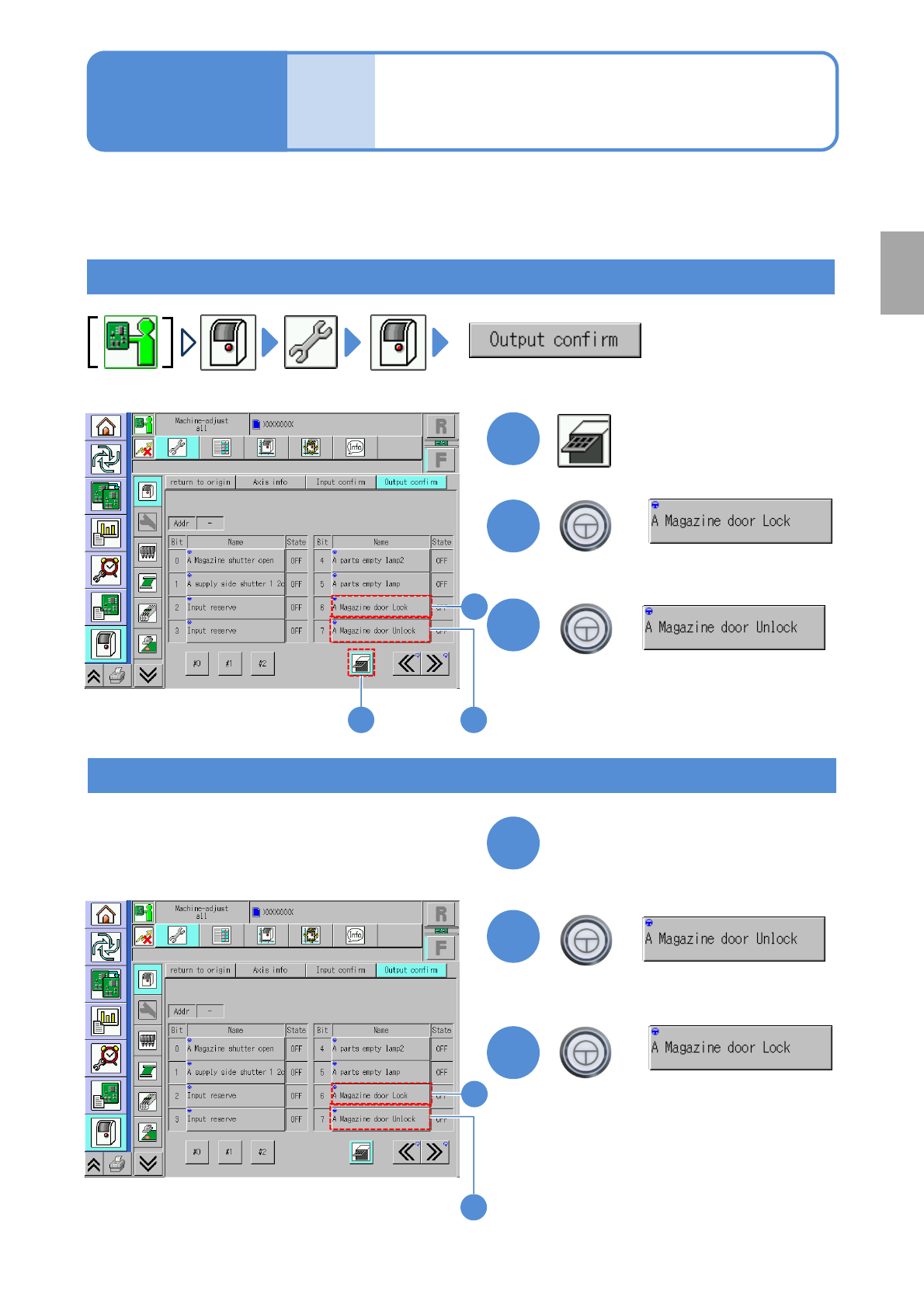
Unlocking the
magazine door
2-4-3
In the case that you are not in the normal operation mode
*1)
because of a tray feeder error, the following
operations help you unlock and open the door.
*1)
( →P.2-4-2-5) ‘Removing the magazine from the tray feeder’
To unlock
Operating procedure
2-4-3
Prepara-
tions
before
produc-
tion
1
1 3
3
1
Close the magazine door
+
To lock again
(The magazine door is locked)
+
2
+
(The magazine door is unlocked and
opens)
3
2
2
(Status is OFF)
+
(Status is ON)
(Status is OFF)
(Status is ON)
2
3
Preparation
NPM-W2 EJM7DE-MB-02O-00
Checking the feeder
attachment condition 1
(intelligent feeder)
1
1
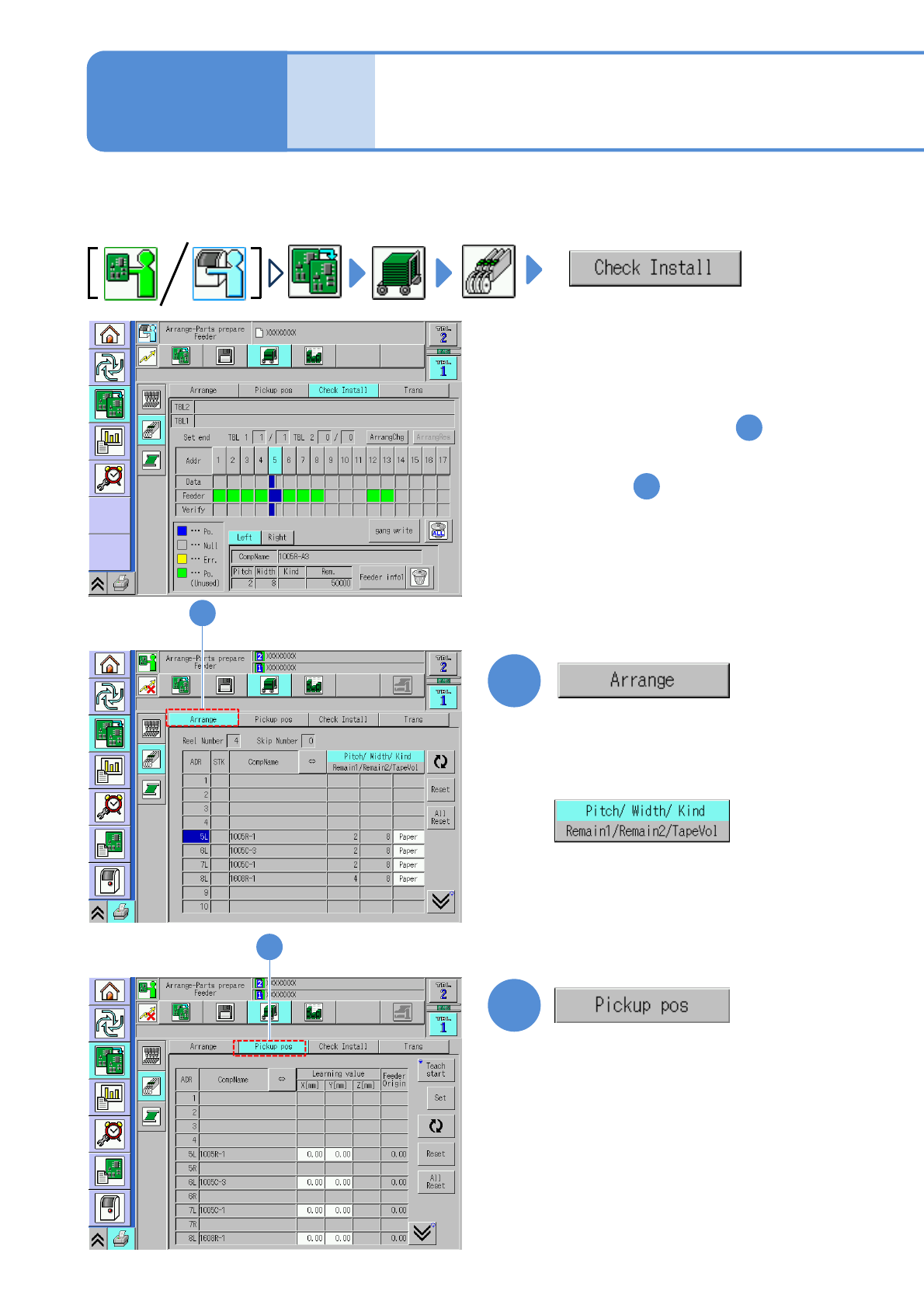
Check whether the production materials that have been mounted to the feeder table are in
conformance to the corresponding data.
●Replacing the intelligent feeder (→P.2-4-1)
2-4-4-1
2
●Check components and the feeder
type and then reconfigure the
feeder settings.
2
Operating procedure
2-4-4
Prepara-
tions
before
produc-
tion
●If they are not in conformance with
each other To the step
2
1
●Check whether the feeder being
actually installed is in conformance
to the stock data.
(→P.2-4-4-5 ‘Pickup pos. screen’)
●To confirm the pickup positions
To step
(The display changes)
(→P.2-4-4
-4 ‘Arrangement screen’)
●The correction values obtained
using the pickup position learning
during production can be checked on
a per-feeder address basis.
NPM-W2 EJM7DE-MB-02O-00
2-4-4-2
Preparation
C
E
F
G
H
D
A
F G HED
BA
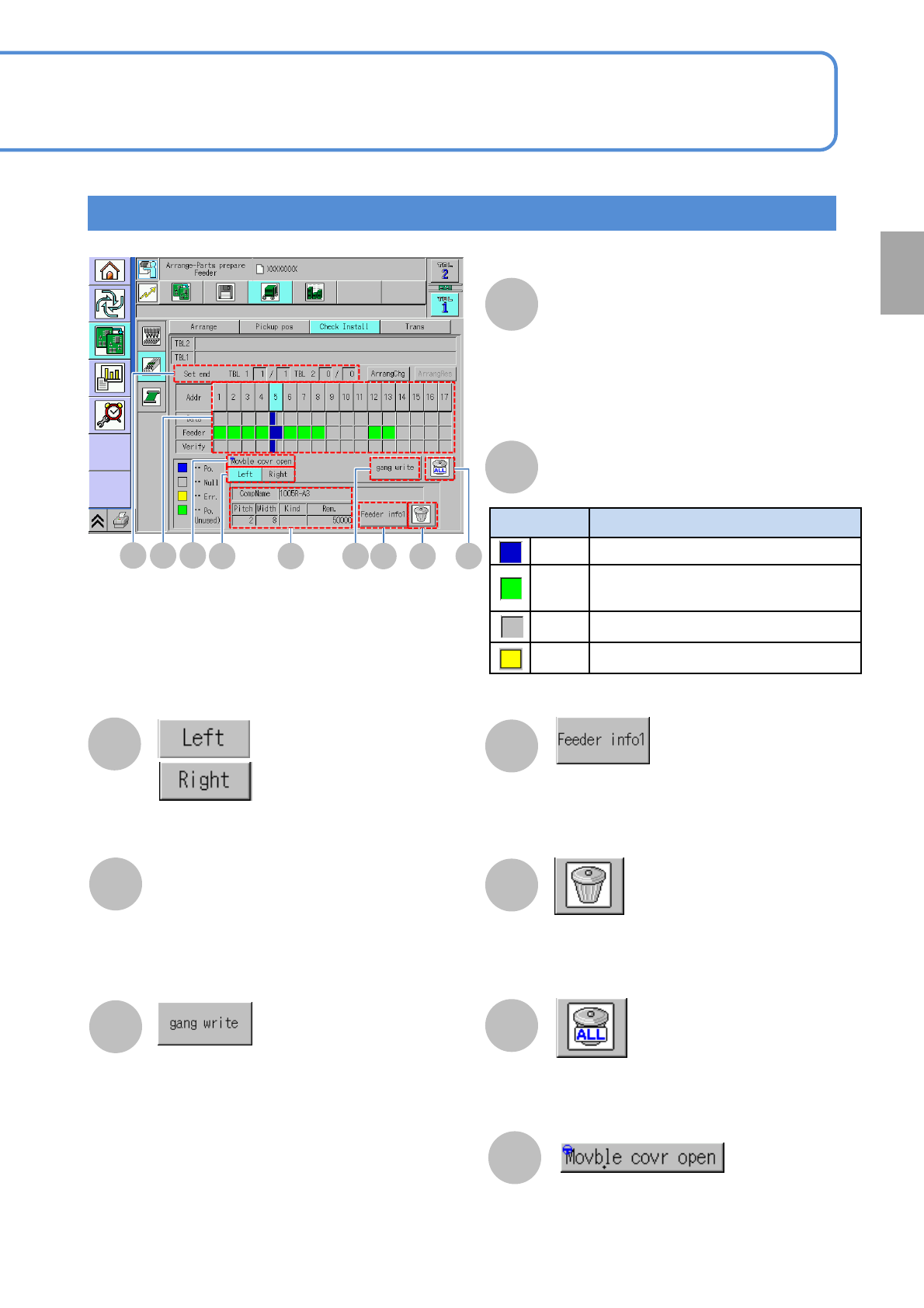
Check Install screen
Color Feeder condition
Blue Feeder that exists in production data
Green
Feeder that does not exist in
production data
Gray
No feeder exists
Yellow
Error
B
Feeder condition
Displays the feeder info details screen
(→P.2-4-4
-3 ‘Details window screen of feeder
information’)
Component on the left side
of the feeder is displayed
Component on the right side
of the feeder is displayed
Collectively writes production data-based
component information on the feeders
●Displayed only when “ the feeder
parts collation” as an option is set to
ON
(→P.7-1-1)
Resets component information written on the
feeder in the address you have selected
Resets component information written on all
feeders
Component Name
Overall number of feeders that have already
been installed
●Those feeders not to be used in
production are not included in the count.
Set end
Pitch: Tape feed pitch
Rem.: The quantity of remaining components
Width: Tape width
Kind: Tape type
(Paper / Emboss)
●Use with double tape / thin type tape
feeders
I
C
I
Open / Close the movable cover
●Displays only for the machine that the
independent changeover support unit
(option) is installed