N7201A616E00_0317.pdf - 第192页
NPM-W 2 EJM7DE-MB-02O-0 0 Operating procedure 2-5-8 Individu- al prepara- tion Installing suppor t pins (for automatic change) 6 2-5-8 -11 PCB size and the number of pins that can be retracted The machine determines the …
NPM-W2 EJM7DE-MB-02O-00
2-5-8-10
Preparation
3
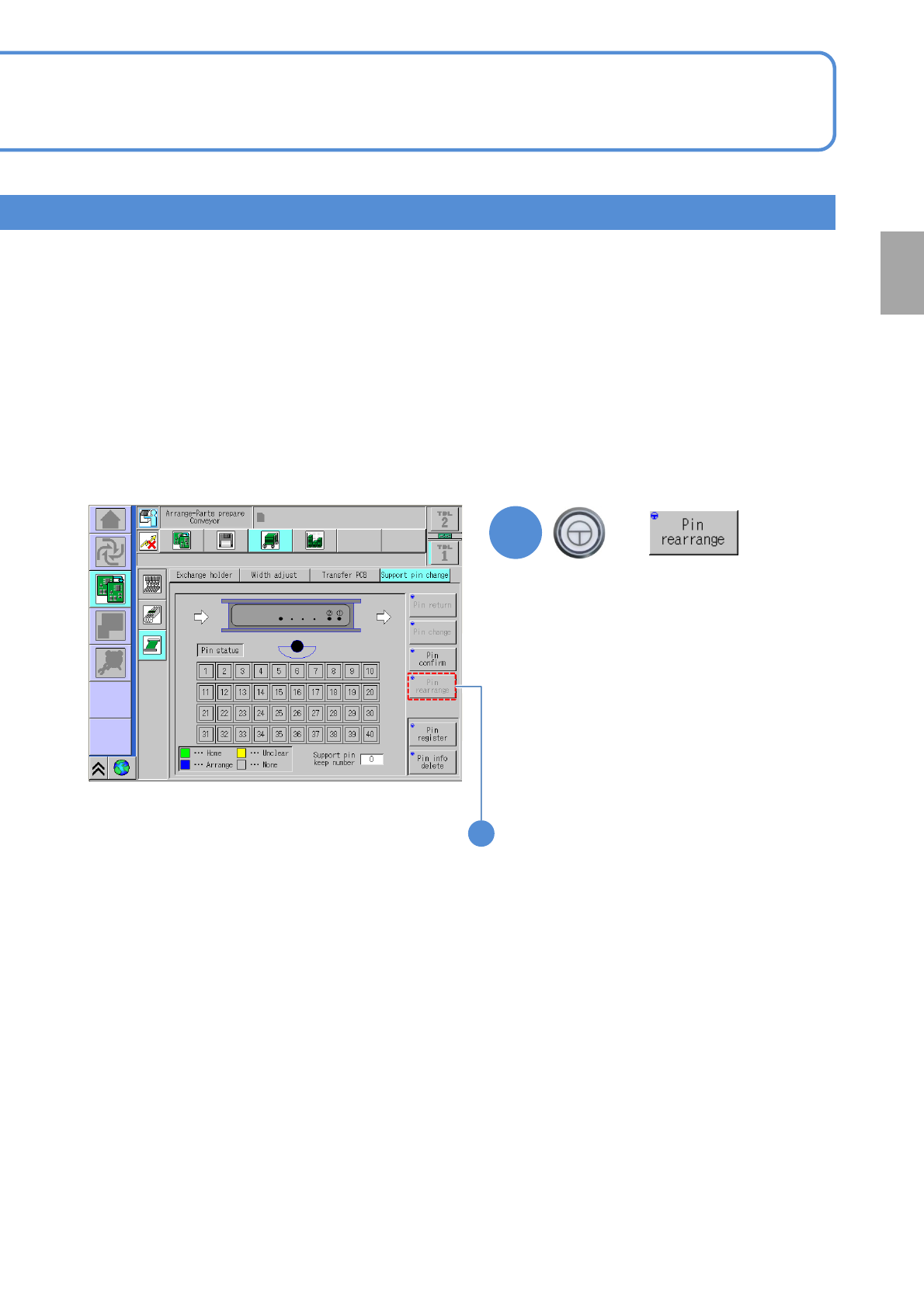
■In the absence of a support pin
whose status is displayed as Unclear
on the screen
Rearrange the support pins
■In the presence of a support pin
whose status is displayed as Unclear
on the screen
Return all the support pins to the home
position by hand, and start again from
the beginning of “Checking the number of
support pins.” (→P2-5-8
-7)
+
(Only the pins in the wrong position will
be rearranged)
3
NPM-W2 EJM7DE-MB-02O-00
Operating procedure
2-5-8
Individu-
al
prepara-
tion
Installing support pins
(for automatic change) 6
2-5-8-11
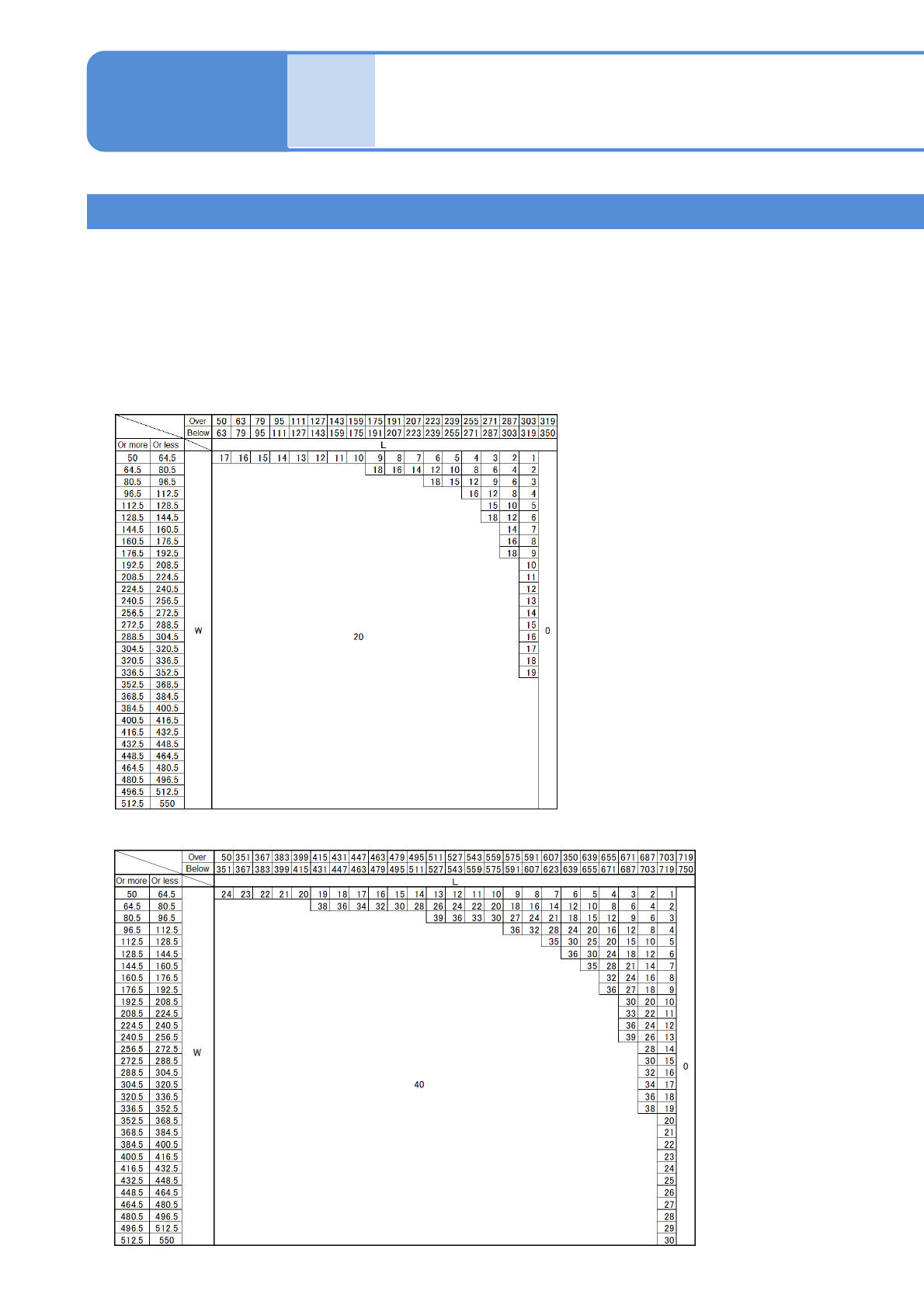
PCB size and the number of pins that can be retracted
The machine determines the number of pins to be retracted according to the size of the PCB used, and the pins not
used in production can be automatically retracted within the limits of the number specified by the following table.
When setting support pins to the home position, make sure to set the correct number of the support pins based on
the number of the pins that are arranged in the production data and also the number of the ones that can be
retracted.
(The more the number of the pins that can be retracted, the longer the time to change pins)
■Single conveyor
●S size PCB 2
nd
position Placement: when turned to ON
●S size PCB 2
nd
position Placement : when turned to OFF
NPM-W2 EJM7DE-MB-02O-00
2-5-8-12
Preparation
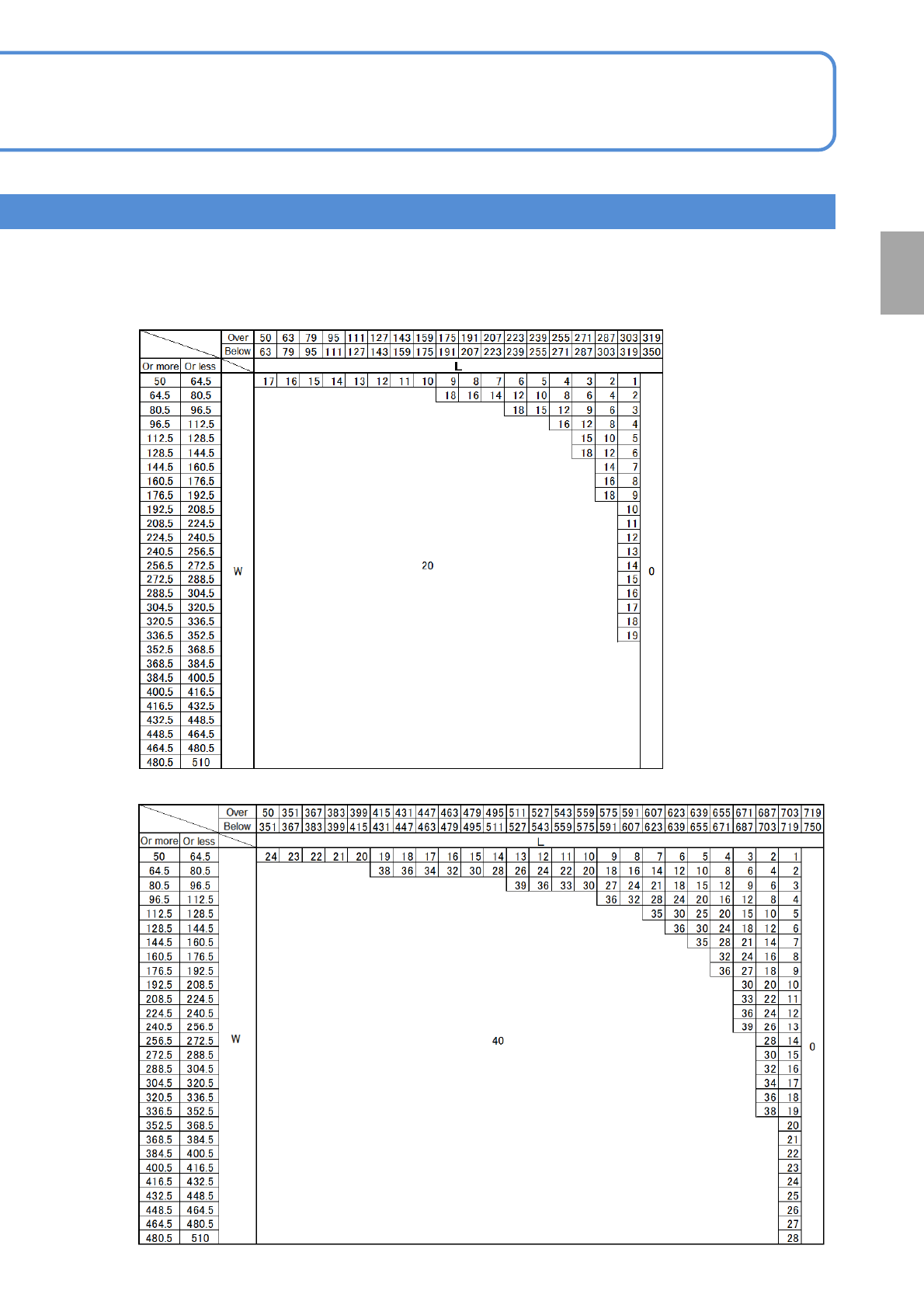
■Dual conveyor
●S size PCB 2
nd
position Placement: when turned to ON
●S size PCB 2
nd
position Placement : when turned to OFF