N7201A616E00_0317.pdf - 第198页
NPM-W 2 EJM7DE-MB-02 O-00 Pr epar ation in independent mode You can prepare for the lane during production in the independ ent mode. 1 2 ● The lane under cycle stop is displayed in yellow color. 2-8 Operating procedure 2…
NPM-W2 EJM7DE-MB-02O-00
2-7-2
DE K L M
D
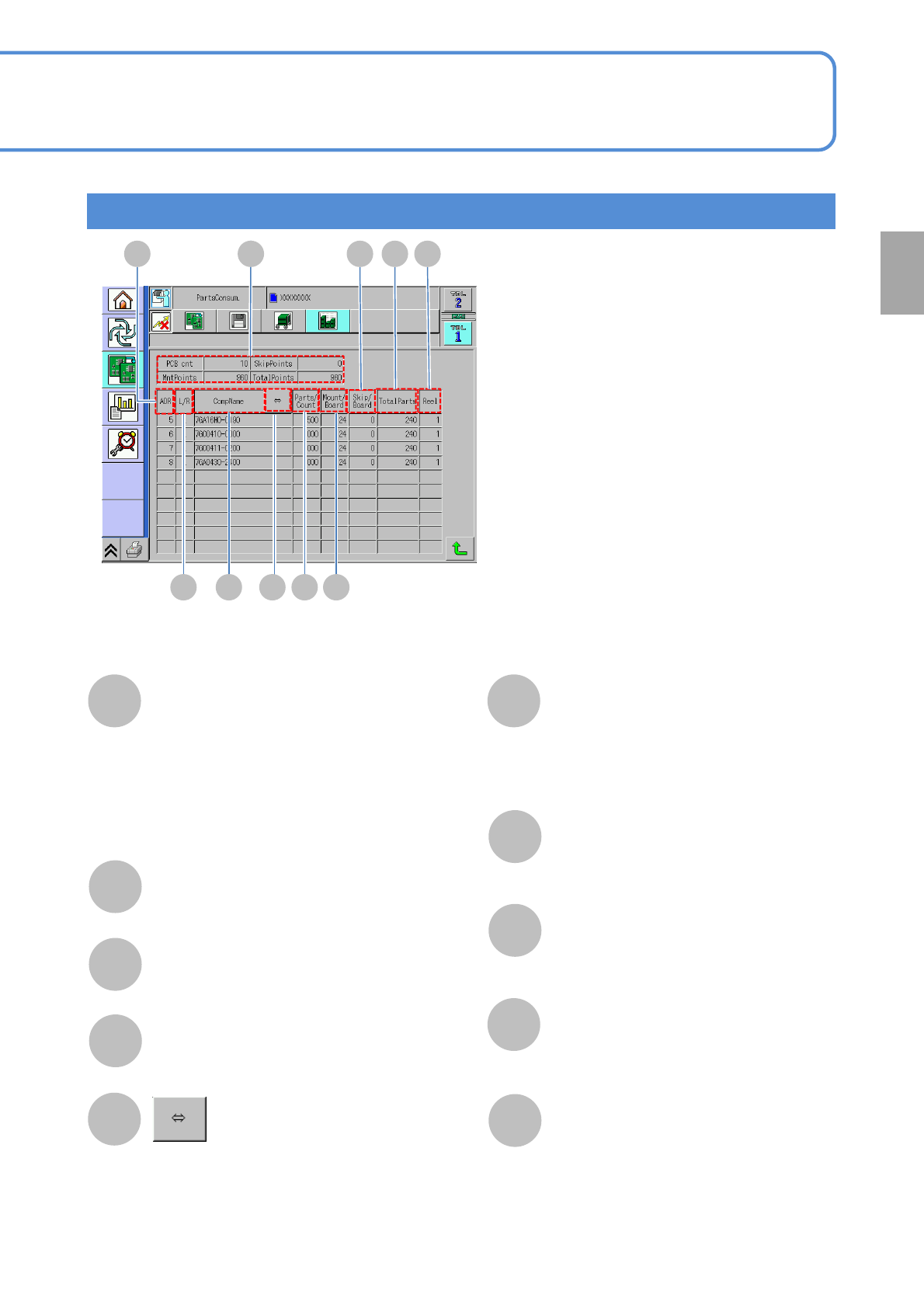
Displays component consumption
PCB cnt: total number of PCBs produced
MutPoints: total number of components
placed to PCBs
SkipPoints: total number of components
not placed to PCBs
TotalPoints: placement points + skip points
F
E
G
I
H
J
ADR (Address)
The number (address) of the slot on
which the feeder is placed.
L/R
The tape placement position.
CompName
Scrolls and displays a long component
name.
Parts/Count
The number of components relative to
a single feeder.
K
L
M
Mount/Board
The number of parts relative to a single
PCB.
Skip/Board
The number of skip points with respect
to a single PCB.
TotalParts
The total number of components.
Reel
The number of feeders.
F G H I J
Preparation
Displays component consumption screen
NPM-W2 EJM7DE-MB-02O-00
Preparation in
independent mode
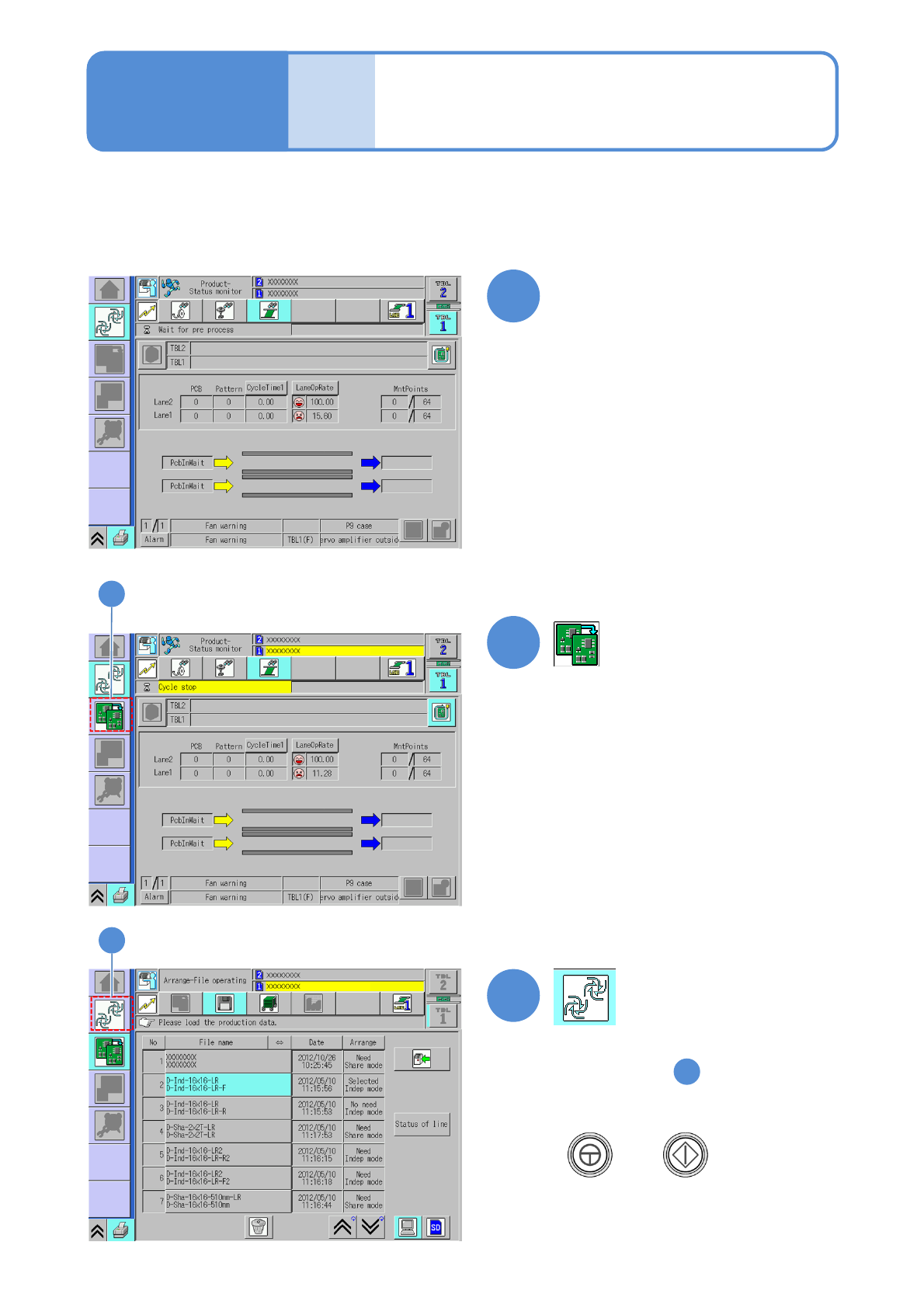
You can prepare for the lane during production in the independent mode.
1
2
●The lane under cycle stop is
displayed in yellow color.
2-8
Operating procedure
2-8
2
3
3
(→P.2-3-2 to P.2-5-5)
(→3-1-1)
(→P.3-1-2)
1
Select a lane on the screen in
production and perform cycle
stop
●Displays step screen.
●When you resume production
+

3 Production