N7201A616E00_0317.pdf - 第222页
NPM-W 2 EJM7DE-MB-03O-0 0 3-2-2 -1 Operating time information is dis played for ea ch machine. ● For dual lane mode, you need to choose a lane in advance. Produc- tion informa- tion Operating procedure 3-2-2 Oper a ting …

NPM-W2 EJM7DE-MB-03O-00
3-2-1-14
Production
NPM-W2 EJM7DE-MB-03O-00
3-2-2-1
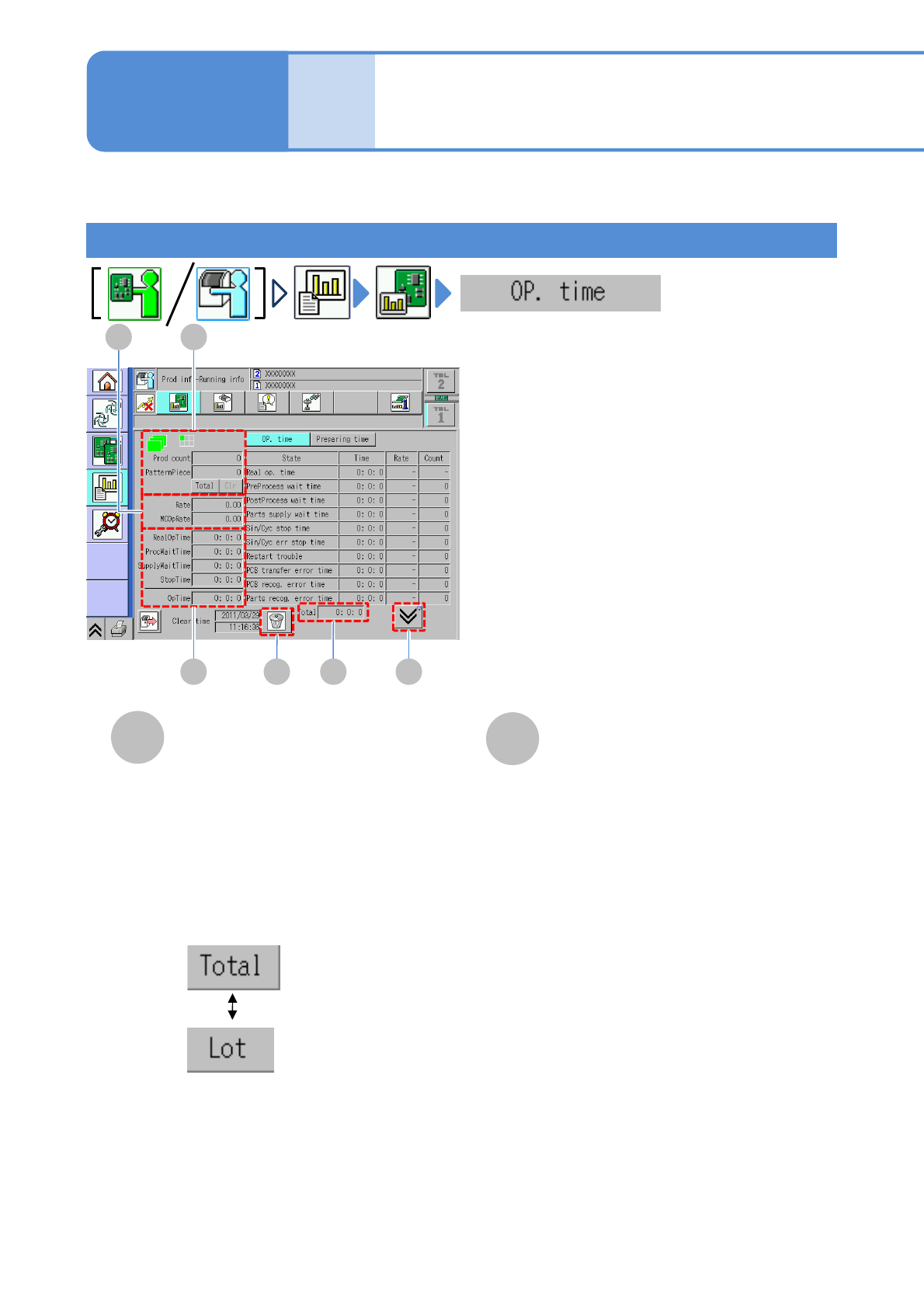
Operating time information is displayed for each machine.
●For dual lane mode, you need to choose a lane in advance.
Produc-
tion
informa-
tion
Operating procedure
3-2-2
Operating information
1
B A
ED FC
B
A
Prod count
●Prod count
The number of PCBs passed through
the specified stage.
●PatternPiece
The number of PCBs produced
(components are placed).
●Total/Lot
●Clear
Clears the count.
Rate
●Rate
Rate of the actual operating time for
operating time.
●MCOpRate
Rate of actual operating time and
process waiting time for operating
time.
Choose the display type.
:The total number of
PCBs after switching
the production data
:The number of PCBs
per lot
Running time
NPM-W2 EJM7DE-MB-03O-00
3-2-2-2
B A
EDC
C
D
E
F
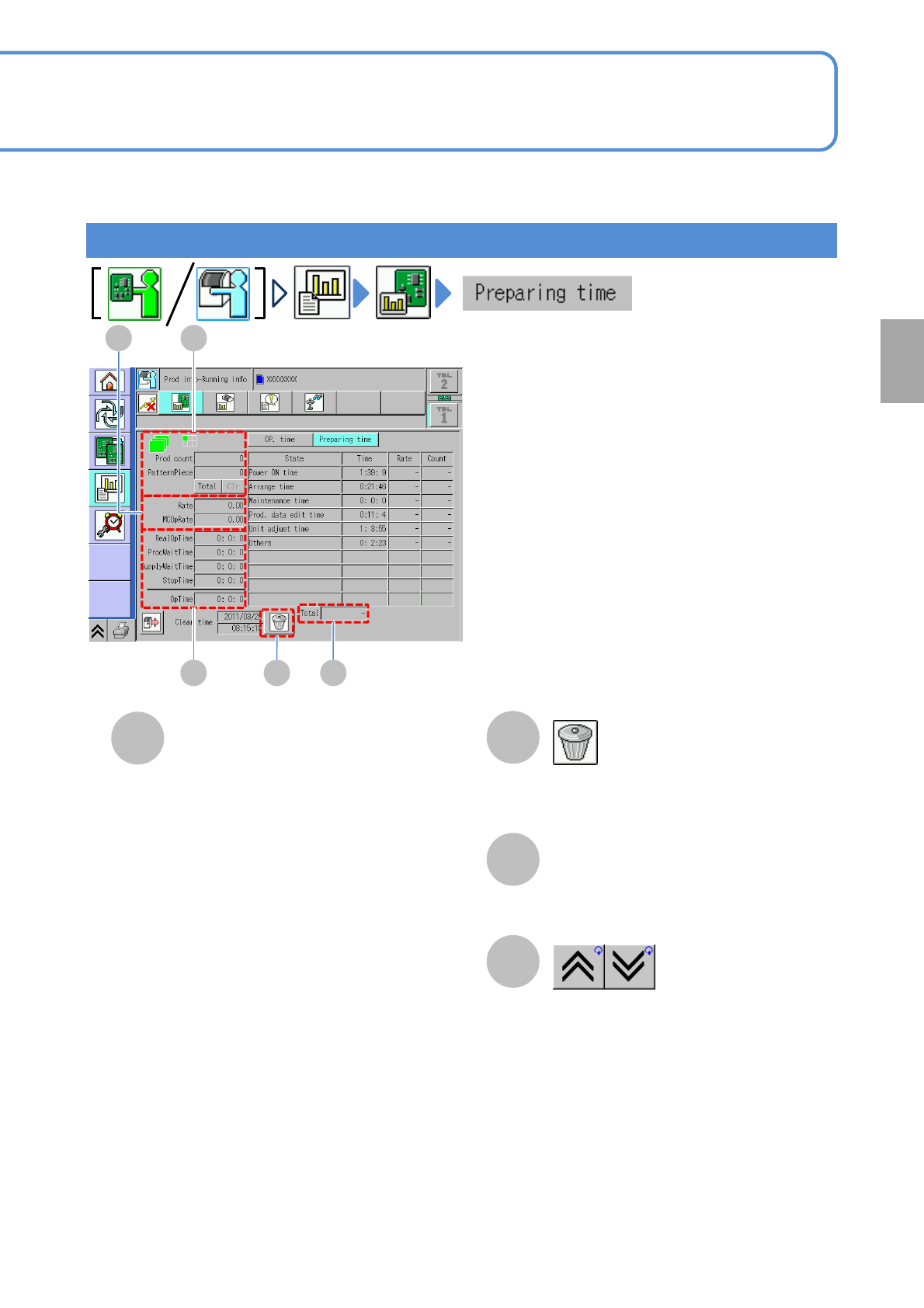
Operating time
●RealOpTime
■For single lane mode:
Time that previous and next processes
waiting time and stop time caused by error
are subtracted from time in production
mode.
(RealOpeTime
=OpeTime - Total Stop time)
■For dual lane mode:
me that previous and next processes
waiting time, stop time caused by error
and transfer time are subtracted from time
in production mode.
(RealOpeTime
=OpeTime - Total Stop time-Transfer
time)
●ProcWaitTime
Preparation time for previous and next
processes.
●SupplyWaitTime
Waiting time for component supply.
●StopTime
Downtime during production.
●OpTime
Time that the machine is in production
mode.
Clears production information.
Total time
Shows the previous or next table.
Preparation time
Production