N7201A616E00_0317.pdf - 第233页
NPM-W 2 EJM7DE-MB-03O-0 0 3-2-4 -4 7 ■ T o check the data 8 (The recognition error image is displayed) ■ T o save the data 9 10 11 Confirm the message or Confirm the message ■ When you do not save the data ■ T o cancel 1…
NPM-W2 EJM7DE-MB-03O-00
Produc-
tion
informa-
tion
Operating procedure
3-2-4
3-2-4-3
Head pickup
information 2
B CA
34
7
4
A
B
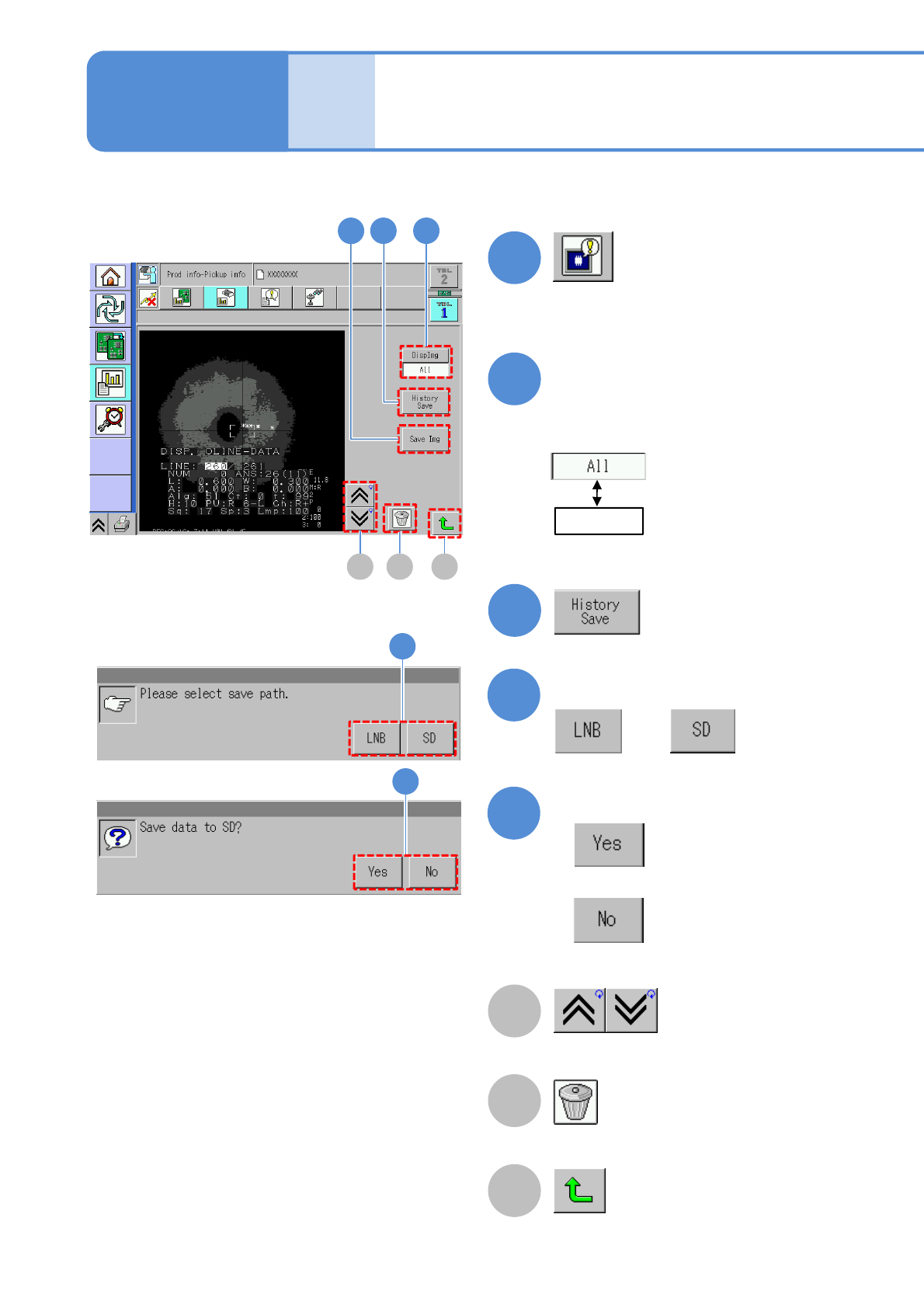
Deletes the image.
Go to the previous/next image.
C
Returns to the previous screen.
5
6
Confirm the message
or
Confirm the message
■When you do not save the data
5
6
Choose an image to display
●All error images in the selected table
are displayed in reverse chronological
order.
2
(Recognition error image information
is displayed)
3
Select
: Displays all images.
:Displays the image of
the head number
specified on the
previous screen.
NPM-W2 EJM7DE-MB-03O-00
3-2-4-4
7
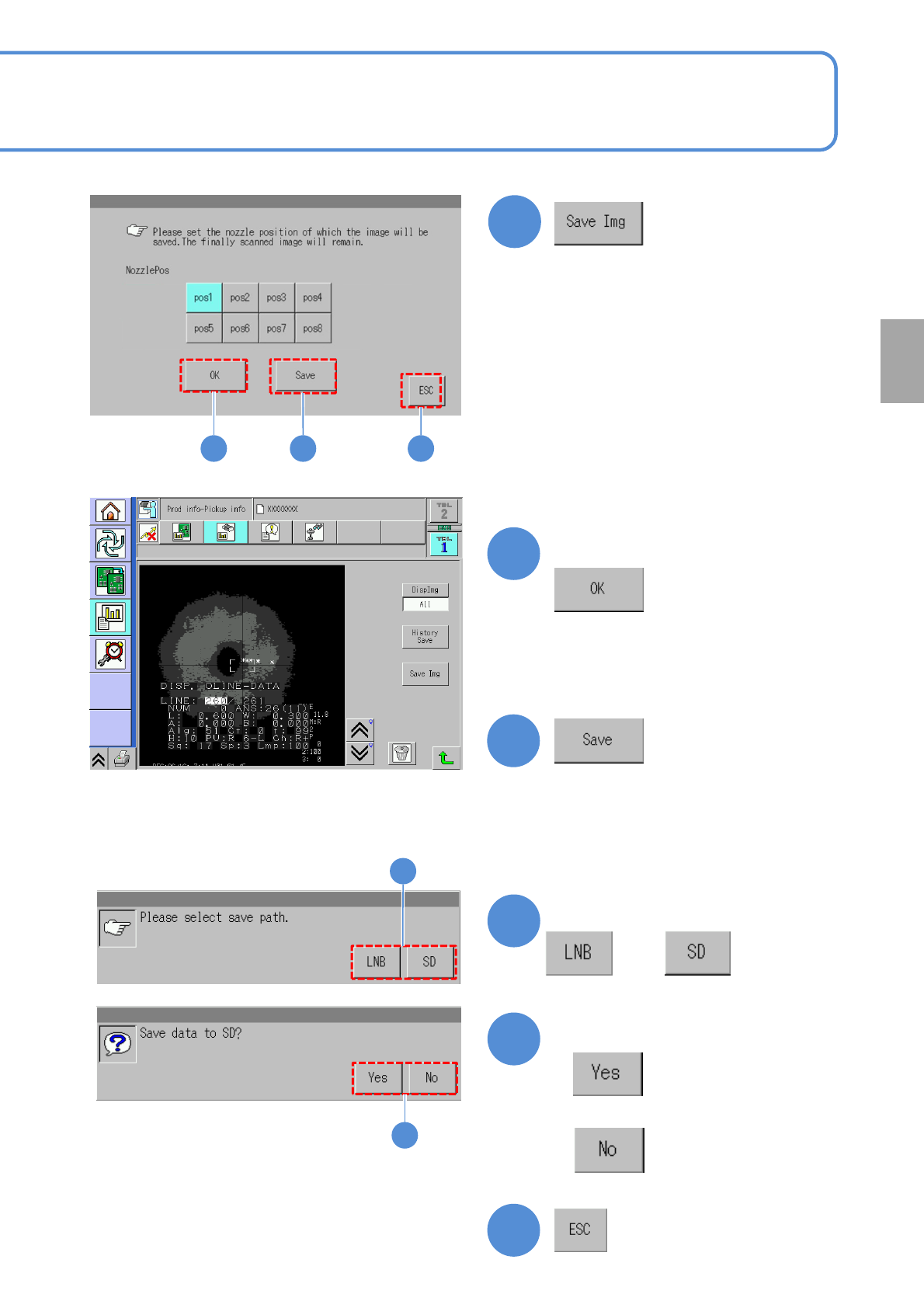
■To check the data
8
(The recognition error image is displayed)
■To save the data
9
10
11
Confirm the message
or
Confirm the message
■When you do not save the data
■To cancel
12
10
11
8 9 12
●You can check the image in error per
nozzle and save the data.
Choose the nozzle position
Production
NPM-W2 EJM7DE-MB-03O-00
Produc-
tion
informa-
tion
Head dispensing
information
Operating procedure
3-2-5
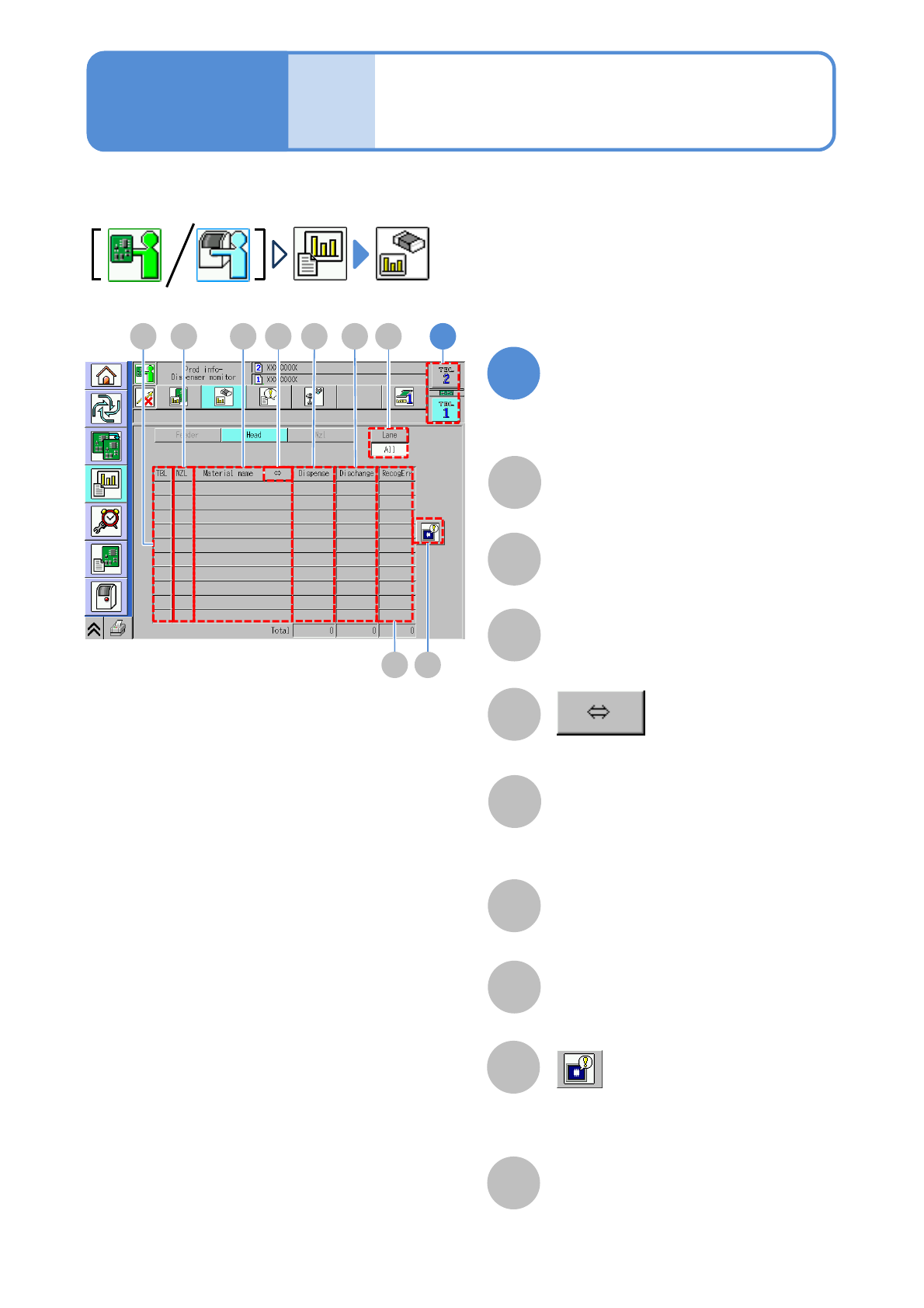
Dispensing information in production is displayed per head.
C
B
NZL
Displays a nozzle holder position.
A
TBL (table)
G
F
Dummy
Displays the number of dummy
dispensing.
E
Dispensing
Displays the number of dispensing.
Even if the action is only movement,
it is counted as one action.
H
Displays recognition error image
information.
(→P.3-2-4
-3)
Material name
Recognition error
Displays the number of dummy
dispensing recognition error.
Choose a table on the
dispensing head
1
D
Shows the rest of the component name
by scrolling.
3-2-5-1
EA CB F
G H
1D I
Lane
Change the display item to “All” or
“Lane”. When “Lane” is selected, also
select the lane by the lane change
button.
I