N7201A616E00_0317.pdf - 第240页
NPM-W 2 EJM7DE-MB-03 O-00 3-2-7 -1 Produc- tion informa- tion Operating procedure 3-2-7 Stop histor y confir ma tion 1 C A B D You can check up to 50 records of stop information, caused by emergency stop errors, in rever…
NPM-W2 EJM7DE-MB-03O-00
3-2-6-4
6
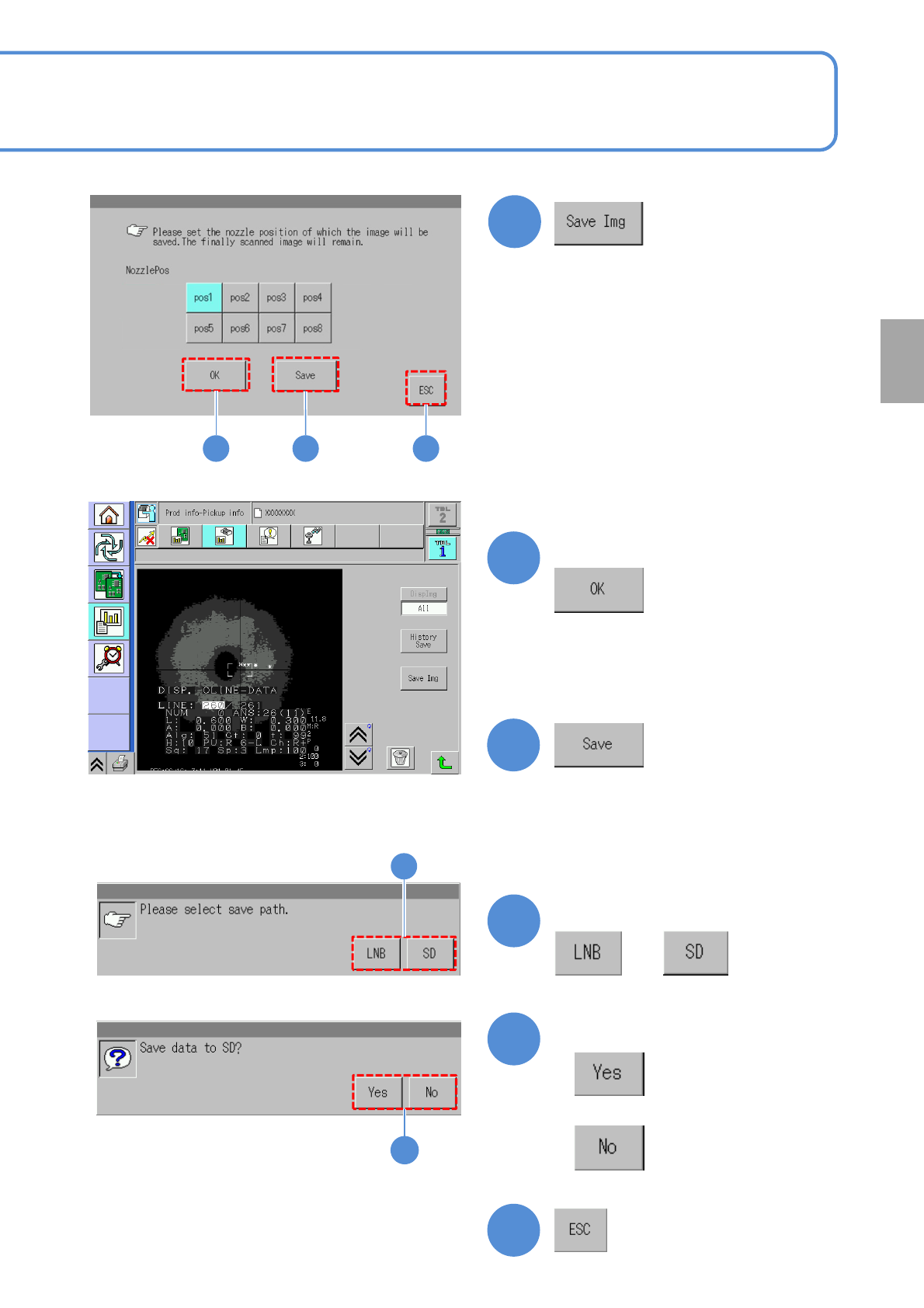
■To check the data
7
(The recognition error image is displayed)
■To save the data
8
9
10
Confirm the message
or
Confirm the message
■When you do not save the data
■To cancel
11
9
10
7 8 11
●You can check the image per nozzle
resulting in error and save the data.
Choose the nozzle position
Production
NPM-W2 EJM7DE-MB-03O-00
3-2-7-1
Produc-
tion
informa-
tion
Operating procedure
3-2-7
Stop history
confirmation
1
C
A
B
D
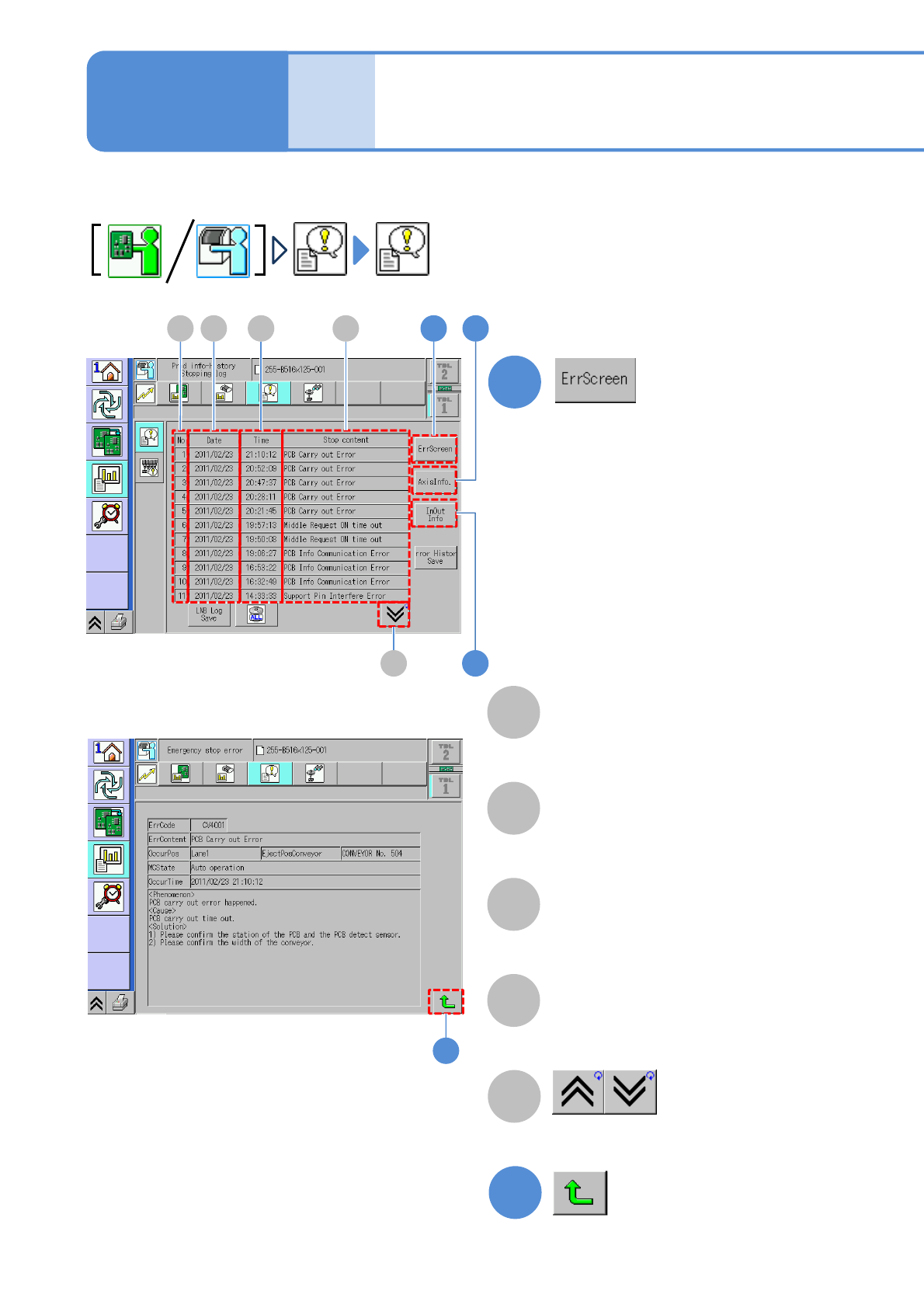
You can check up to 50 records of stop information, caused by emergency stop errors, in reverse
chronological order.
No
Data number.
Date
The date on which the
machine stopped.
E
Stop content
Shows the previous or next table.
E
A D
2
5
3B C
1
(An image occurring recognition error
is displayed)
Time
The time at which the
machine stopped.
2
(Returns to the stop history screen)
NPM-W2 EJM7DE-MB-03O-00
3-2-7-2
5
3
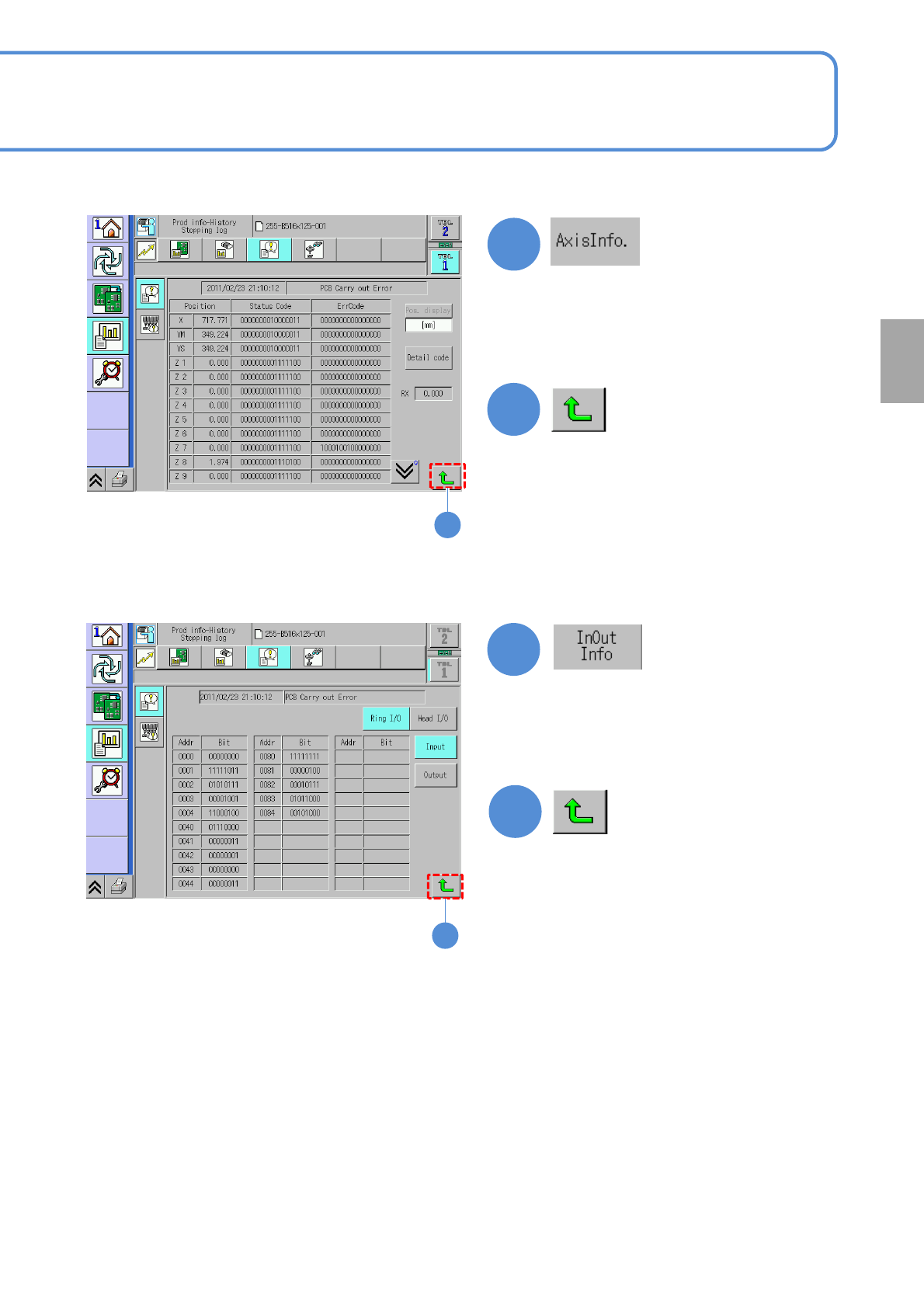
Axis information of the selecting error
is displayed.
(→P.7-2-2)
Displays input and output information
when error occurred in selecting item
is displayed.
(→P.7-2-3, P.7-2-4)
4
6
6
4
(Returns to the stop history screen)
(Returns to the stop history screen)
Production