N7201A616E00_0317.pdf - 第259页
NPM-W 2 EJM7DE-MB-03 O-00 3-2-16 -2 3 Remove the error PCB from the machine 4 After confirming removal (Production starts) 5 After occurring PCB position error 5 Production +
NPM-W2 EJM7DE-MB-03O-00
3-2-16-1
Produc-
tion
informa-
tion
Operating procedure
3-2-16
PCB warpage detection
error 1
Describes how to handle the PCB warpage detection error.
1
●There are five types for error;
A:PCB warpage range over, B:PCB warpage possible range error, C:PCB warpage result grade error, D:PCB
warpage measurement error, E:PCB warpage correction disabled
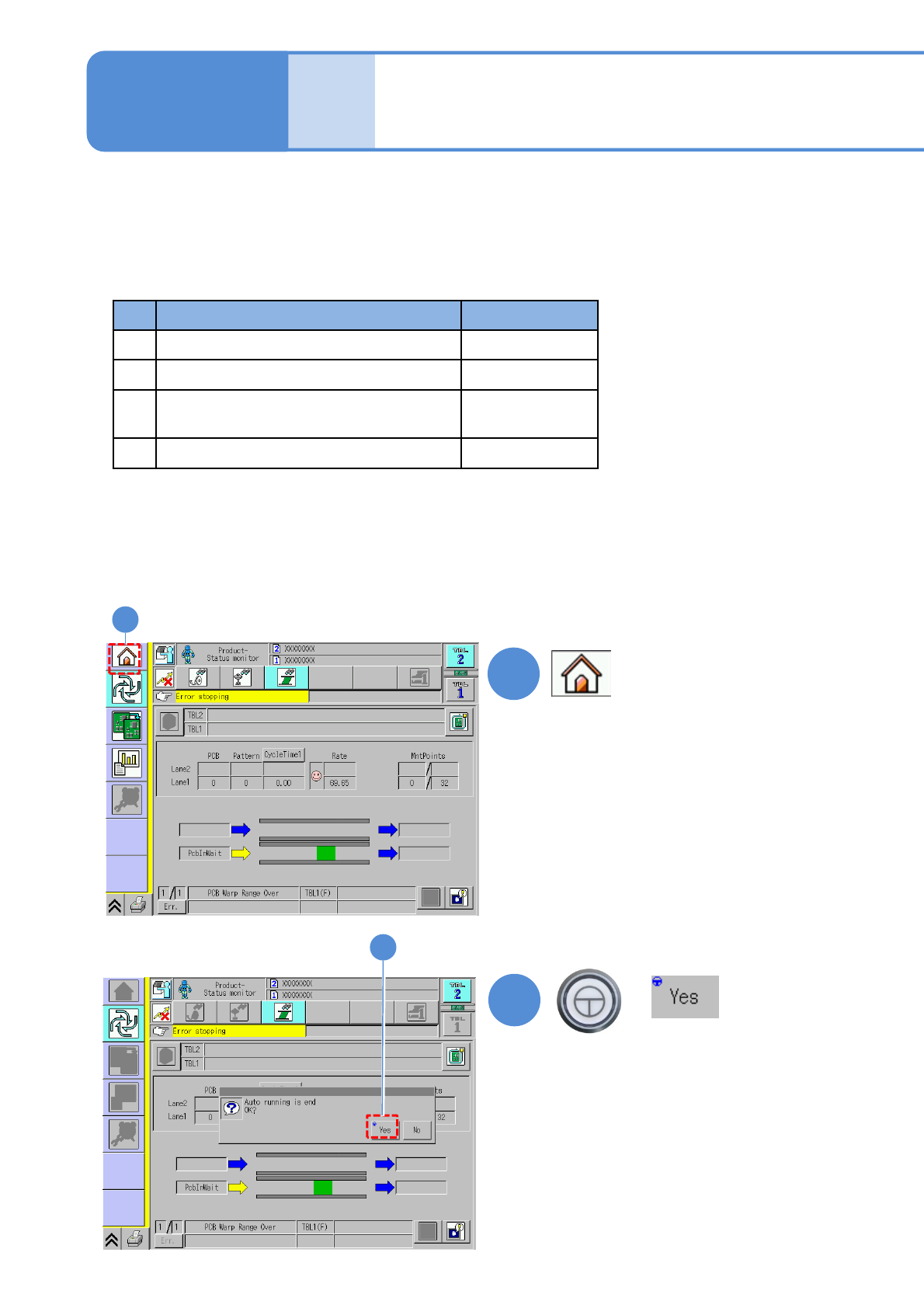
●If PCB warpage detection error occurs, the following four types of handling methods are available.
(1)Re-measuring the PCB warpage shape
Return to the main menu and start the production again
(2)Removing the error PCB
Perform the following flow
+
2
2
(Return to the Home screen)
1
Handling method Error type
(1) Re-measuring the PCB warpage shape A, B, C
(2) Removing the error PCB A, B, C
(3) Changing the PCB warpage grade
tolerance
C
(4) Teaching PCB warpage measurement A, B, C, D, E
NPM-W2 EJM7DE-MB-03O-00
3-2-16-2
3
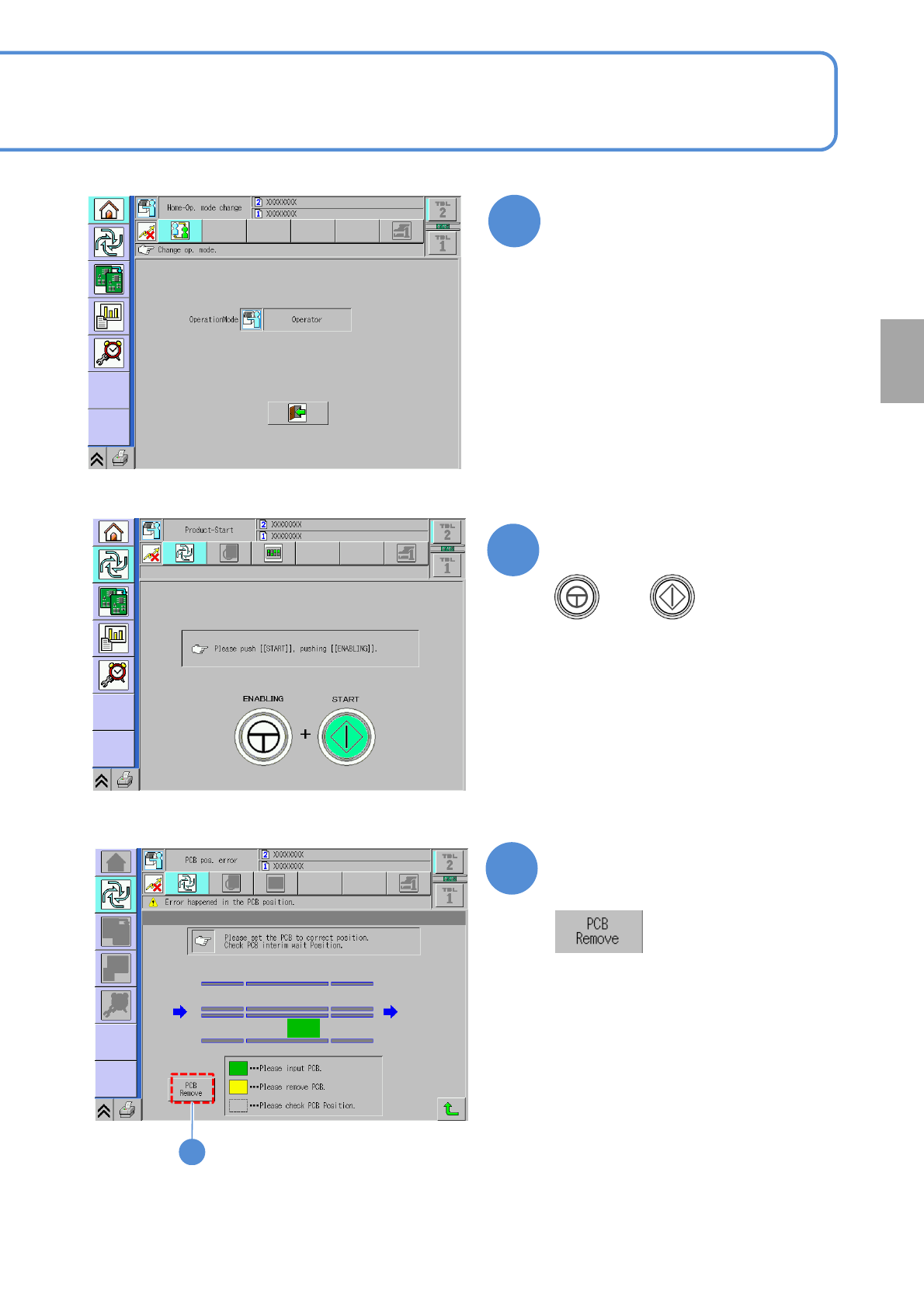
Remove the error PCB from
the machine
4
After confirming removal
(Production starts)
5
After occurring PCB position
error
5
Production
+
NPM-W2 EJM7DE-MB-03O-00
Produc-
tion
informa-
tion
Operating procedure
3-2-16
PCB warpage detection
error 2
6
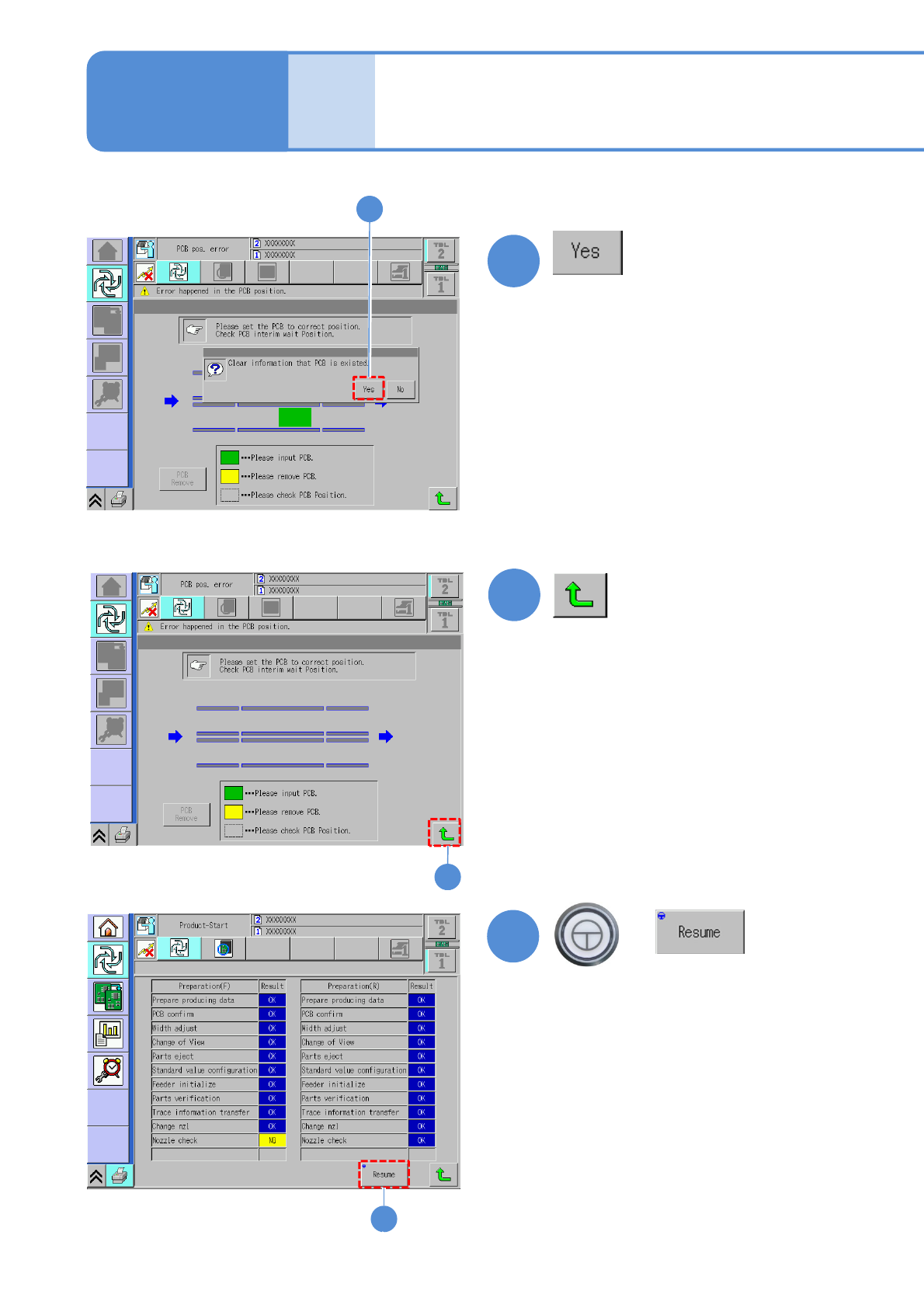
(PCB information of error occurrence
position is deleted)
7
6
(Returns to the production preparation
screen)
8
7
8
3-2-16-3
+
●PCB removal operation completes.
(Resumes production)