N7201A616E00_0317.pdf - 第283页
NPM-W 2 EJM7DE-MB-04O-0 0 4-3-2 -2 5 5 Confirm the data name Component inspection
NPM-W2 EJM7DE-MB-04O-00
4-3-2-1
Capturing the images of
teaching PCB
(PCB after component
placed)
1
Loading the production data
1
Operating procedure
4-3-2
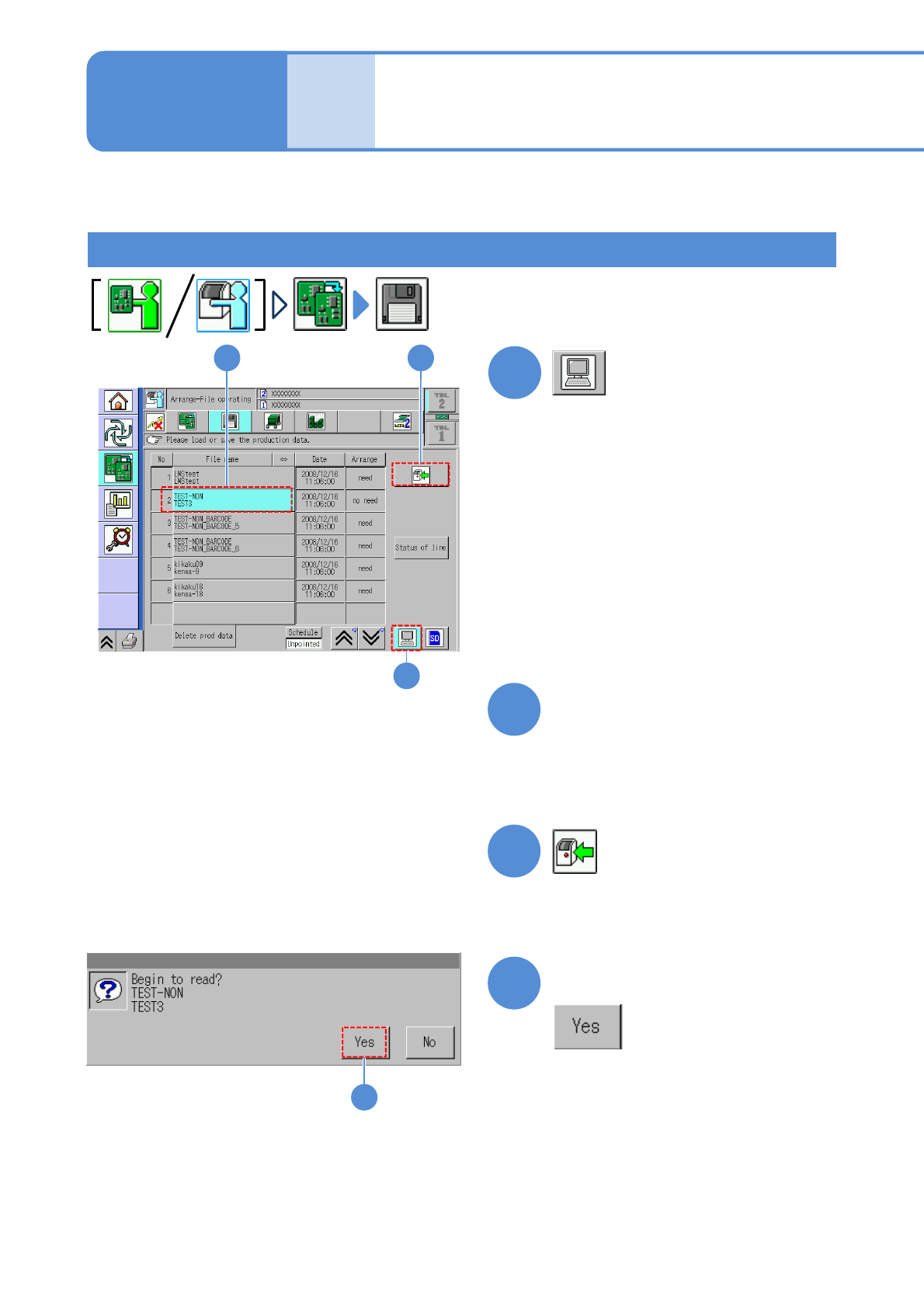
●The target device is switched to LNB.
(The file name of the data registered in
an LNB list is displayed.)
Choose the desired filename.
(The selected filename is displayed in
light blue.)
● Pressing [Date] sorts the filename in
descending order of date.
2
3
4
(The data starts downloading)
Produc-
tion data
and
teach
32
4
1
Confirm the message
This section describes how to capture an image of a PCB with components placed, which is used for data
edit on “2D inspection editor”.
NPM-W2 EJM7DE-MB-04O-00
4-3-2-2
5
5
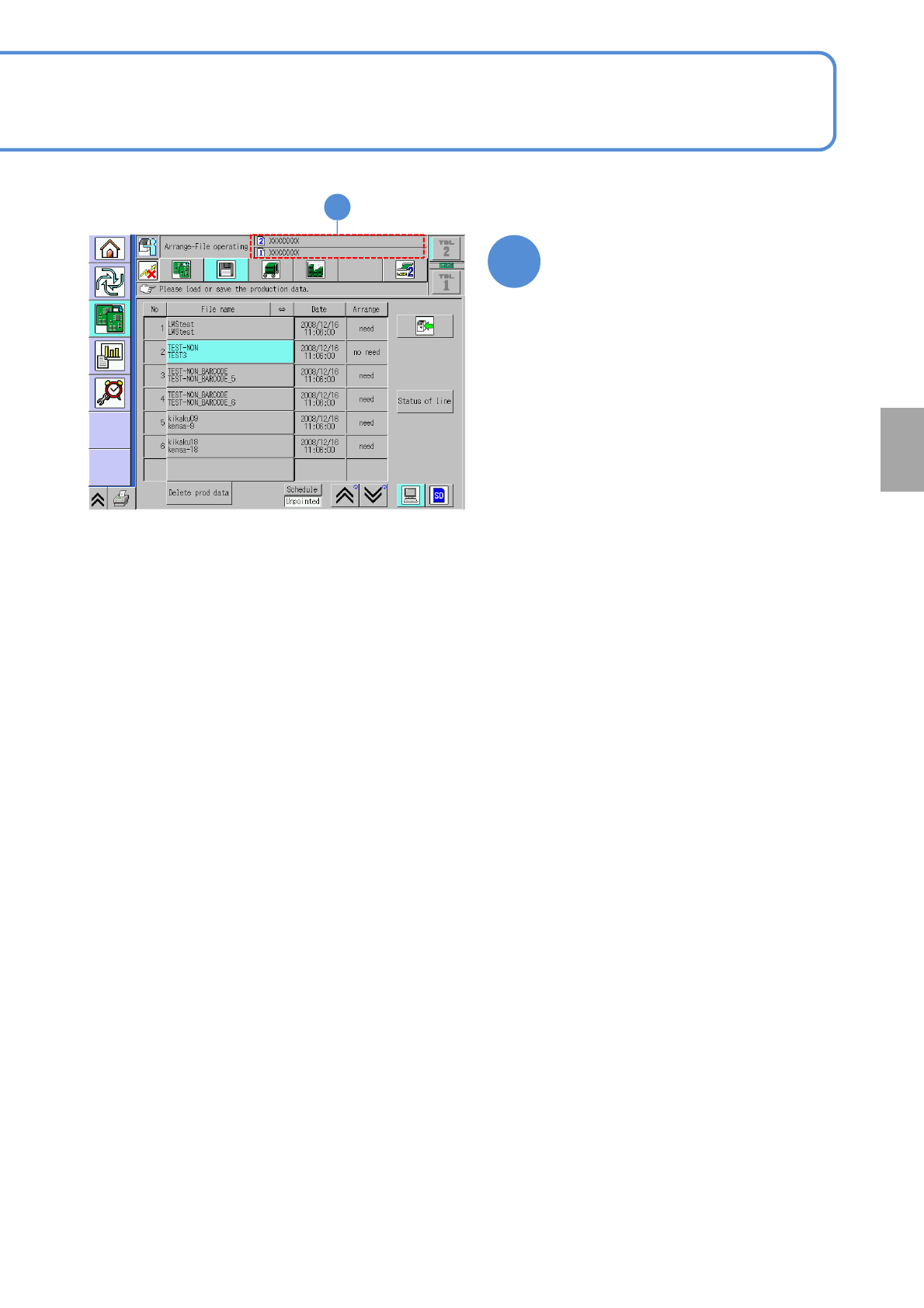
Confirm the data name
Component
inspection
NPM-W2 EJM7DE-MB-04O-00
4-3-2-3
Capturing the images of teaching PCB
1
2
+
1 2
3
Confirm the message
4
Confirm the message
3
Capturing the images of
teaching PCB
(PCB after component
placed)
2
Operating procedure
4-3-2
Produc-
tion data
and
teach
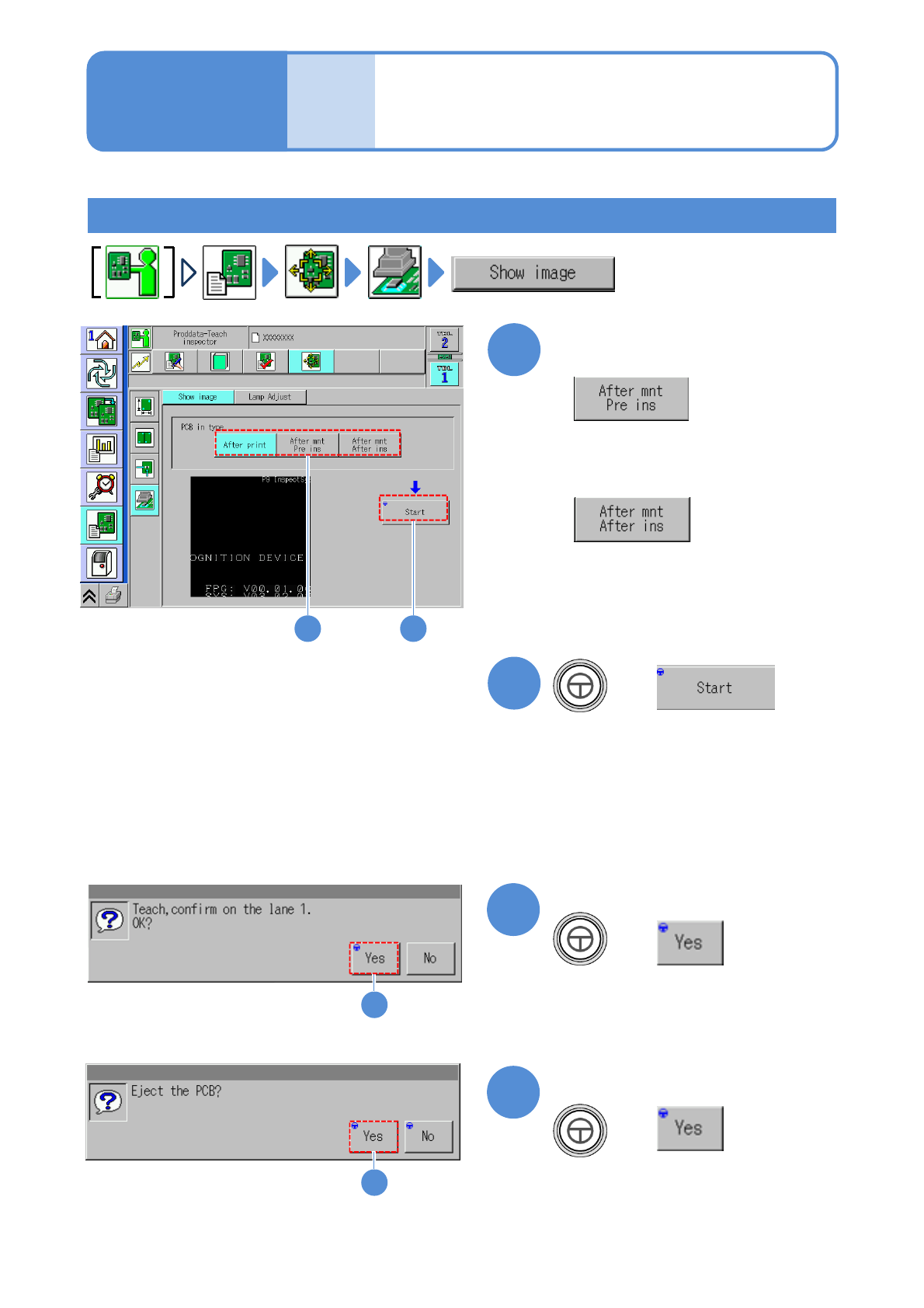
Choose the type of a PCB to
load
PCB with components placed by the
machine other than the inspection-head-
installed one
●Used to set the PCB color.
PCB with components placed by the
inspection-head-installed machine
●Mainly used to set component
inspection parameters.
+
+
4
(Starts capturing the images of an entire
PCB. The images captured will be
stored in the inspection BOX)
●The PCB is unloaded after the images
are taken.
●A message appears in the absence of
any PCBs in the upstream machine.