N7201A616E00_0317.pdf - 第288页
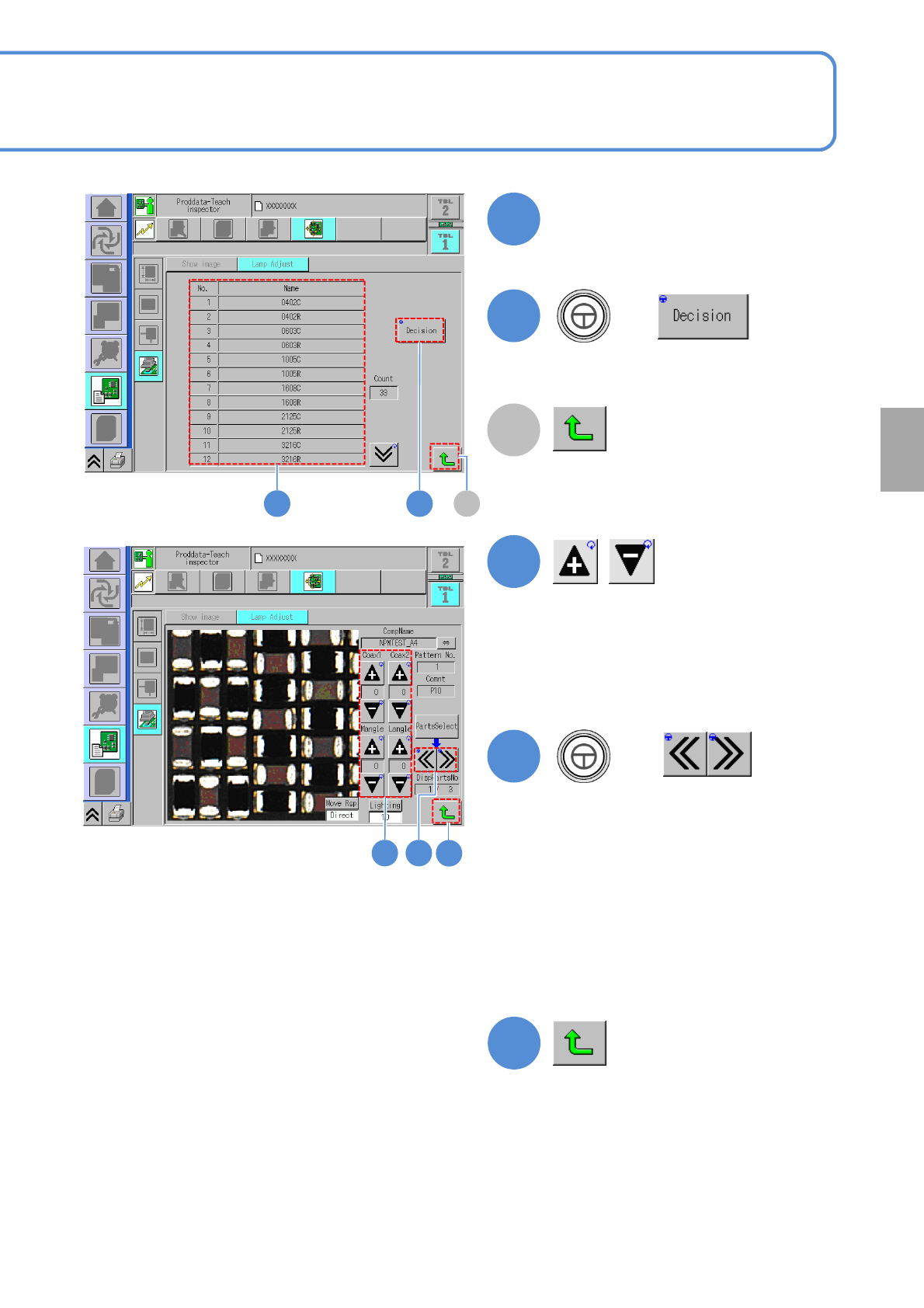
NPM-W 2 EJM7DE-MB-04O-0 0 Operating procedure 4-3-2 1 ■ When the mode is comment 1 (The screen where you select the componen t to check its image condition is displayed.) 2 3 5 4 Enter the pattern number and the comment …
NPM-W2 EJM7DE-MB-04O-00
2
Choose a component name
2
3
+
●The head moves to the selected
component position.
A
4
●Change each lighting value of coaxial1,
coaxial2, middle angle and lower angle
then adjust the image which is suitable
for inspection.
5
+
3
4 5
A
(Returns to the next layer up.)
4-3-2-6
Component
inspection
(Returns to the next layer up.)
(The inspection head moves to another
part of the same component name)
●Use to check an image of another part.
●Check the screen for the imaging
capability suitable for inspection while
changing each lighting value.
●In adopting the adjusted lighting value
to inspection condition, record the
adjusted value
6
6
NPM-W2 EJM7DE-MB-04O-00
Operating procedure
4-3-2
1
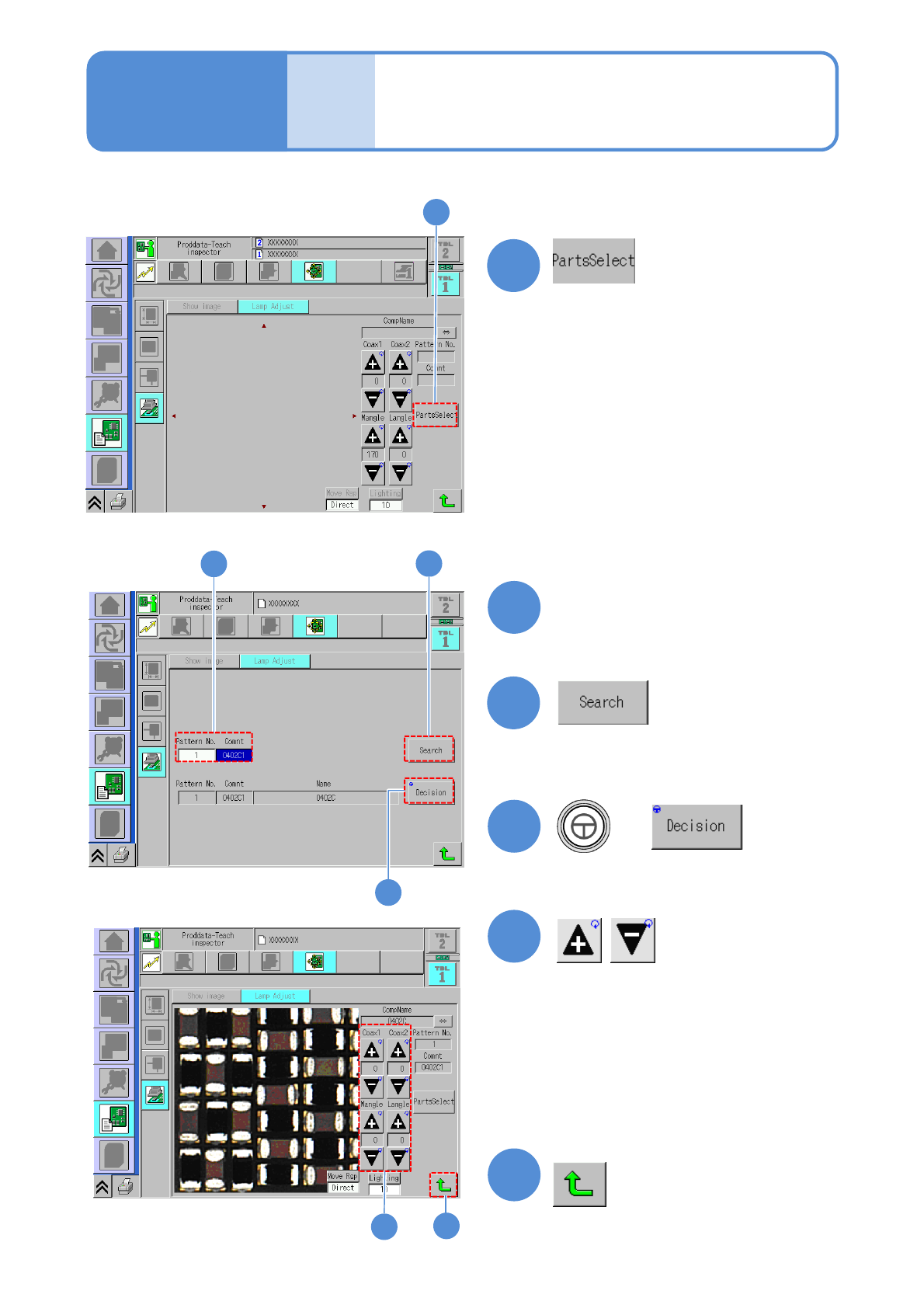
■When the mode is comment
1
(The screen where you select the
component to check its image condition
is displayed.)
2
3
5
4
Enter the pattern number and
the comment
2
3
(The comment information that matches
the entered data is displayed on the
screen.)
4
+
●The head moves to the selected
component position.
5
Produc-
tion data
and
teach
Capturing the images of
teaching PCB
(PCB after component
placed)
4
(Returns to the next layer up.)
4-3-2-7
●Change each lighting value of coaxial1,
coaxial2, middle angle and lower angle
then adjust the image which is suitable
for inspection.
●Check the screen for the imaging
capability suitable for inspection while
changing each lighting value.
●In adopting the adjusted lighting value to
inspection condition, record the adjusted
value
6
6
NPM-W2 EJM7DE-MB-04O-00
4-4-1
2
2
1
3
+
Starting production
Operating procedure
4-4-1
Produc-
tion
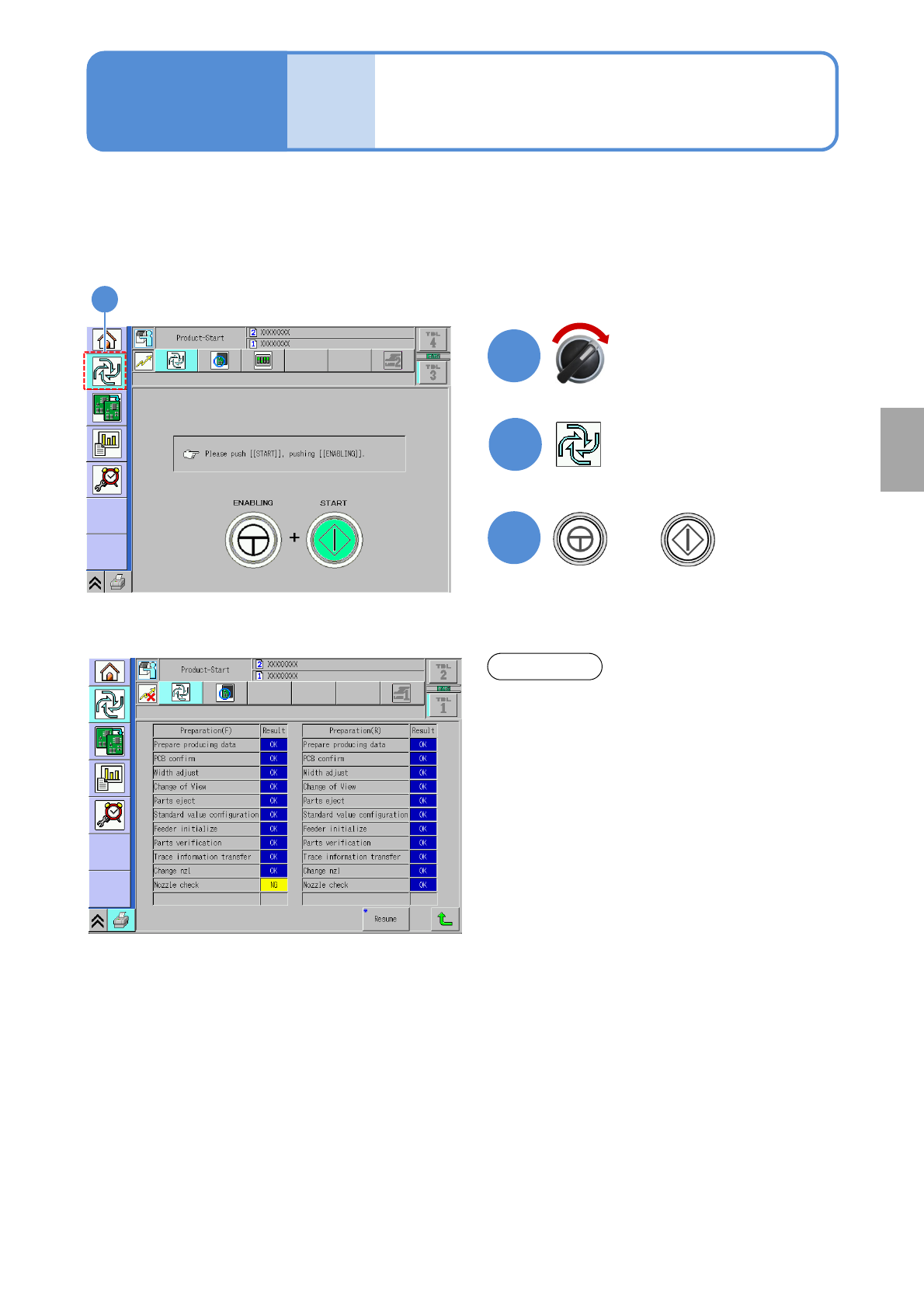
When the production data teach ends, the production starts.
●Ensure that the power supply of the peripheral devices such as barcode reader is turned ON when
starting the production.
When an error occurs during self-diagnosis, the
corresponding item will be shown. Handle the error
accordingly.
NOTICE
Servo switch ON
Component
inspection