N7201A616E00_0317.pdf - 第314页
NPM-W 2 EJM7DE-MB-04 O-00 4-5-2 -4 Bar code scanner- based oper a tion 3 Operating procedure 4-5-2 Defec- tive PCB process 1 ● Unloading of PCBs on the upstream side stops and the machine comes to an immediate (single) s…
NPM-W2 EJM7DE-MB-04O-00
4-5-2-3
Component
inspection
A
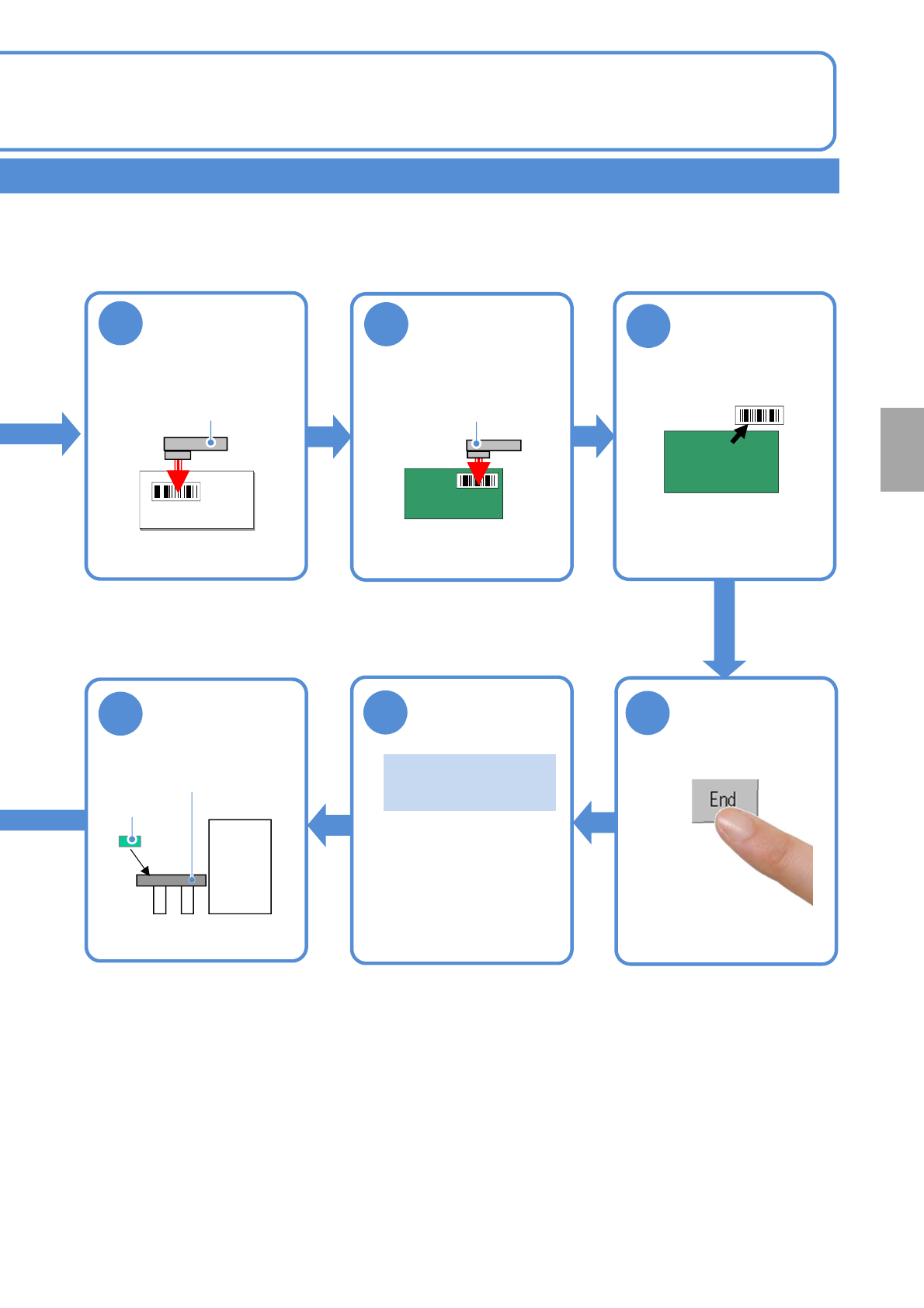
Upon completion of barcode reading, you can begin production of the next PCB.
A
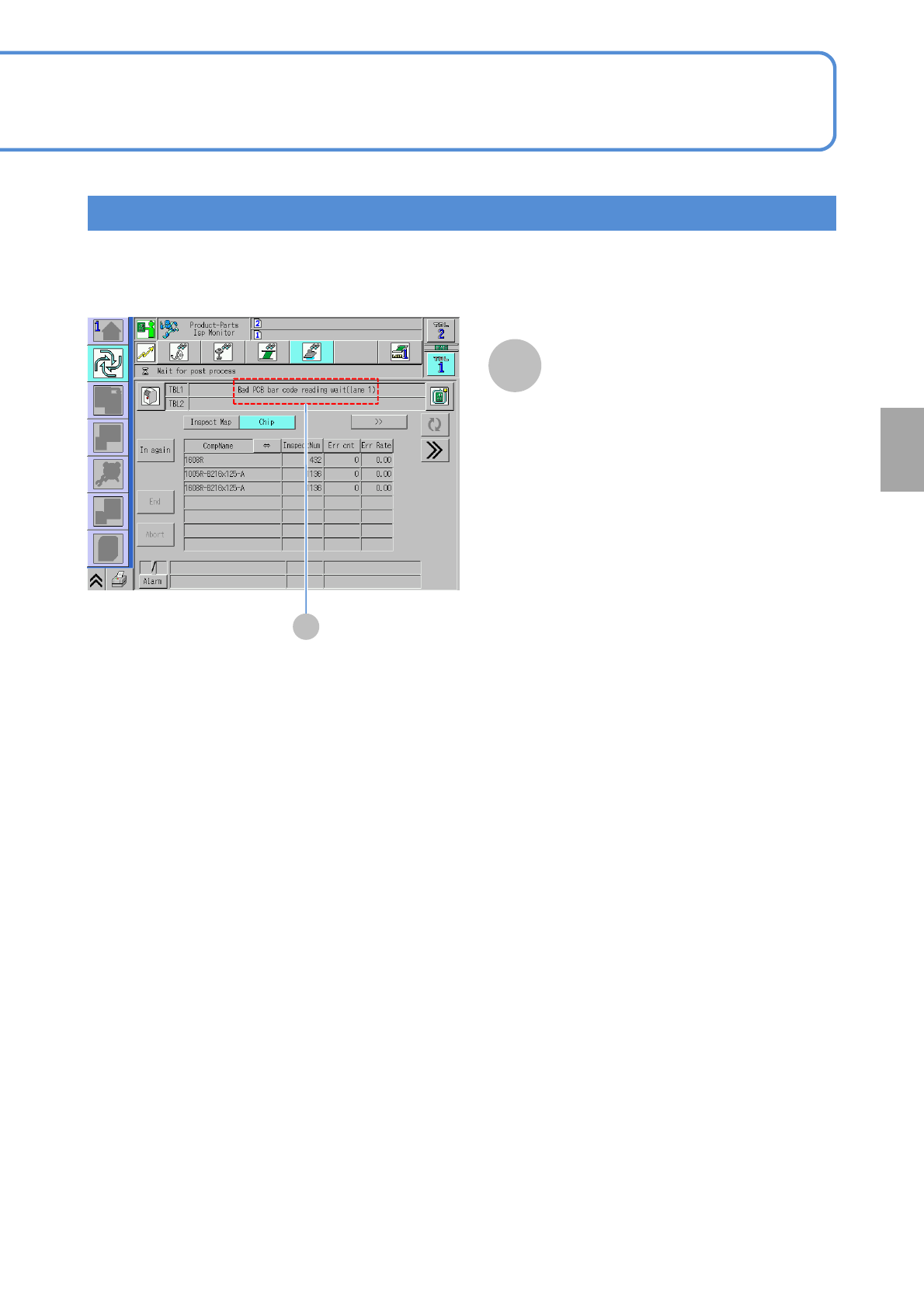
Confirm the message
●When it is ready for barcode reading,
the message saying “Bad PCB bar
code reading wait” is displayed. So,
using the scanner, read the reload
barcode.
●This message disappears as the
barcode reading is complete.
Reload barcode scanning screen
NPM-W2 EJM7DE-MB-04O-00
4-5-2-4
Barcode scanner-
based operation 3
Operating procedure
4-5-2
Defec-
tive PCB
process
1
●Unloading of PCBs on the
upstream side stops and the
machine comes to an immediate
(single) stop .
●When there is any PCB(s)
already loaded into the machine,
the machine comes to an
immediate stop after the PCB(s)
is unloaded from the machine.
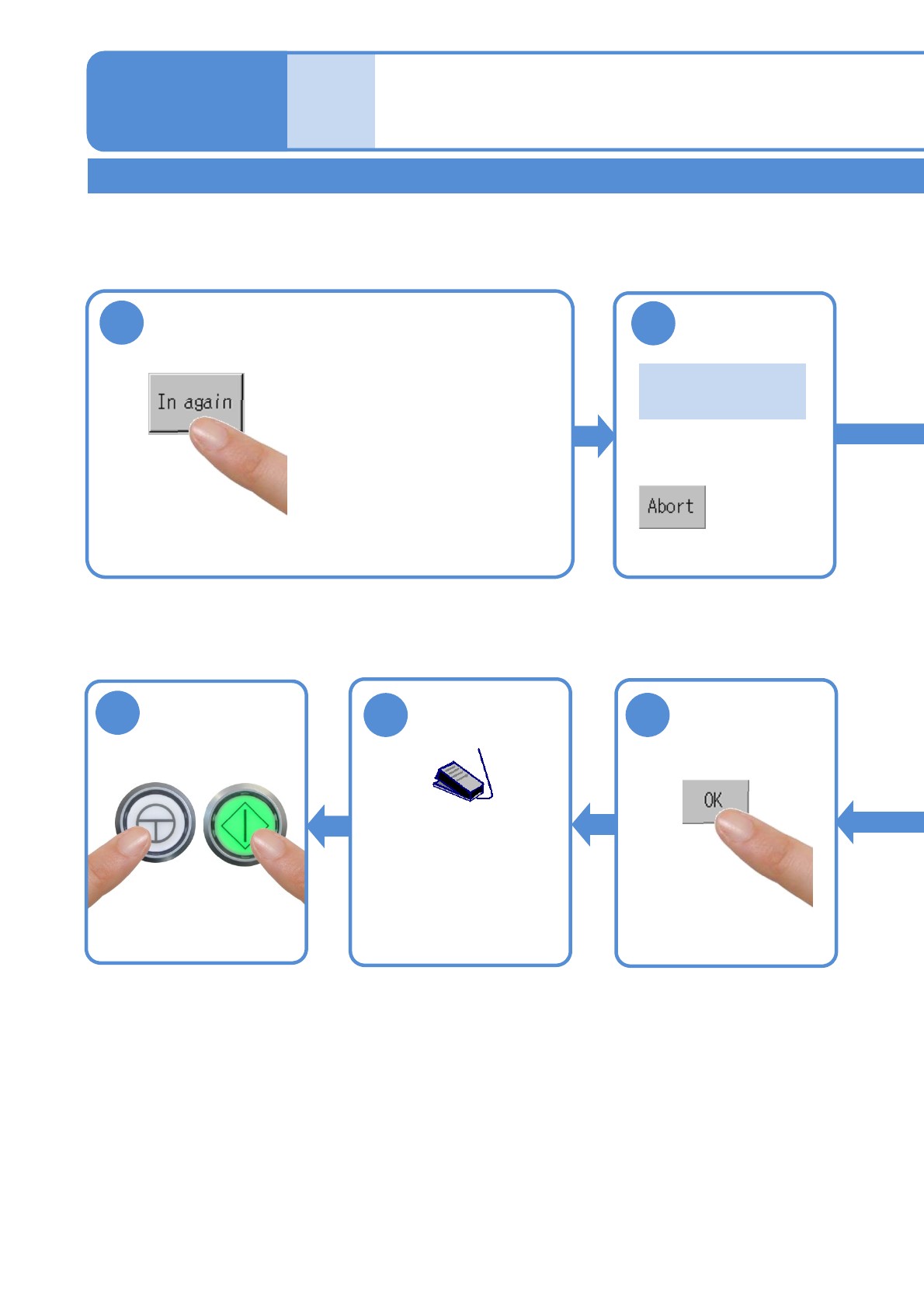
This section describes the procedures of removing defective PCBs from the inspection ejection conveyor for
repair and reloading the PCBs repaired.
2
Confirm the
message
Work flow for reloading repaired PCBs
『Please scan
the bar code.』
9
11
10
■To abort reloading
Start production Start PCB
transportation
ENABLING
START
●Turn ON the
transportation restart
switch to start transporting
a PCB on the reload
conveyor.
NPM-W2 EJM7DE-MB-04O-00
4-5-2-5
Component
inspection
8
Put the PCB on
the reload
conveyor
Reload conveyor
Repaired
PCB
3
Read the “reload
PCB ID” set on
LNB
Reload PCB ID
Barcode
scanner
4
Read the reload
barcode
Barcode
scanner
7
Confirm the
message
『Please put the
PCB.』
Remove the
reload barcode
5
6