N7201A616E00_0317.pdf - 第341页
NPM-W 2 EJM7DE-MB-05O-0 0 5-4-3 -2 Solder inspection
NPM-W2 EJM7DE-MB-05O-00
Operating procedure
5-4-3
Produc-
tion
5-4-3-1
1
A B
D E G
2
F H
1
2
2
C
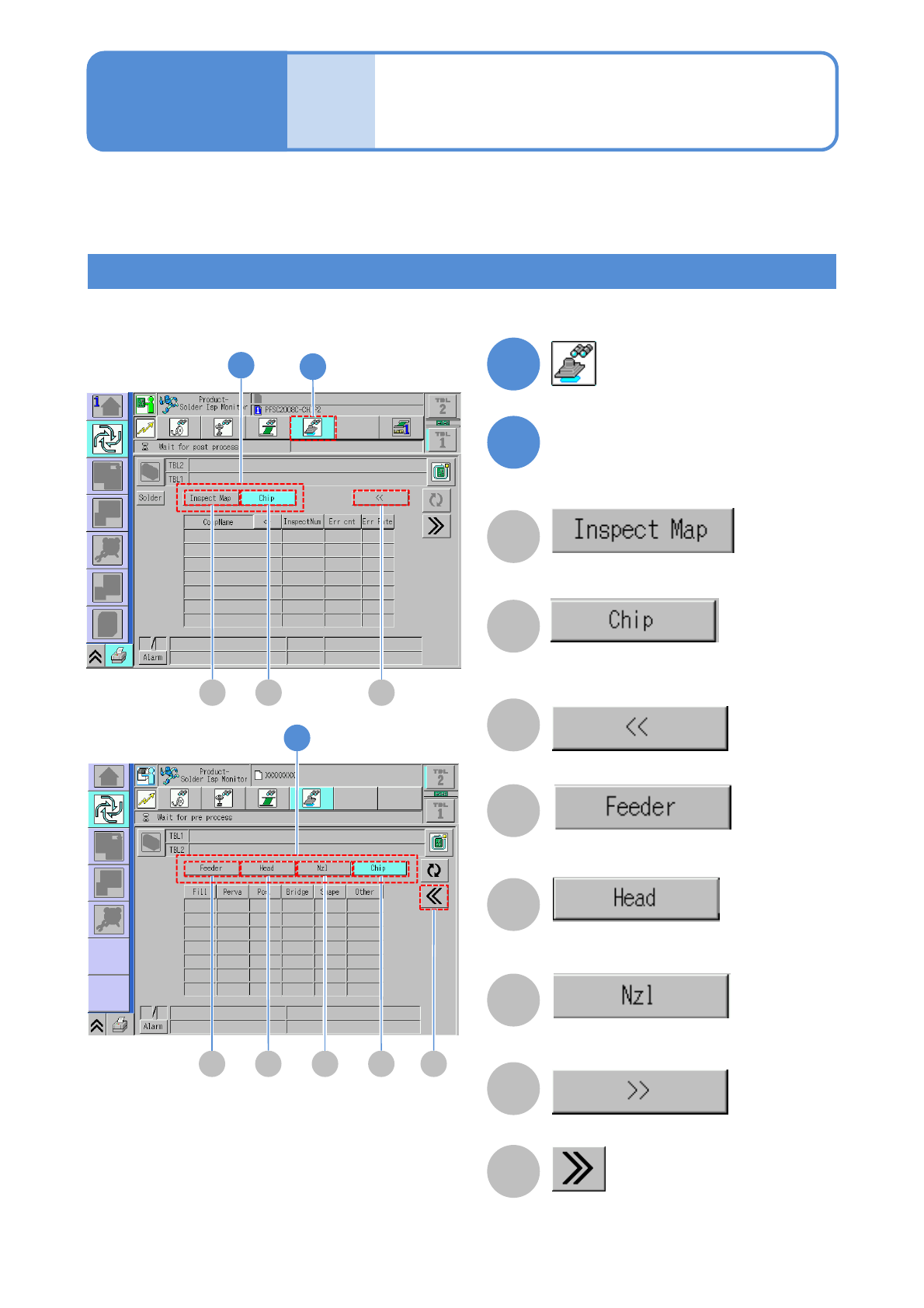
Inspection monitor 1
■First page
■Second page
Choose a display item
A
NG position on a PCB is displayed on the
map.
B
The inspection result information is
displayed on a per-component basis.
C
Displays the next (second) page.
D
The inspection result information is
displayed on a per-feeder basis.
E
The inspection result information is
displayed on a per-head basis.
F
The inspection result information is
displayed on a per-nozzle basis.
G
Displays the previous (first) page.
H
Switches the screen to the detailed.
Error information collected in LNB can be checked on screen or via the production information menu on
during production. The error information cannot be displayed without establishing connection to LNB.
Inspection information display

NPM-W2 EJM7DE-MB-05O-00
5-4-3-2
Solder
inspection
NPM-W2 EJM7DE-MB-05O-00
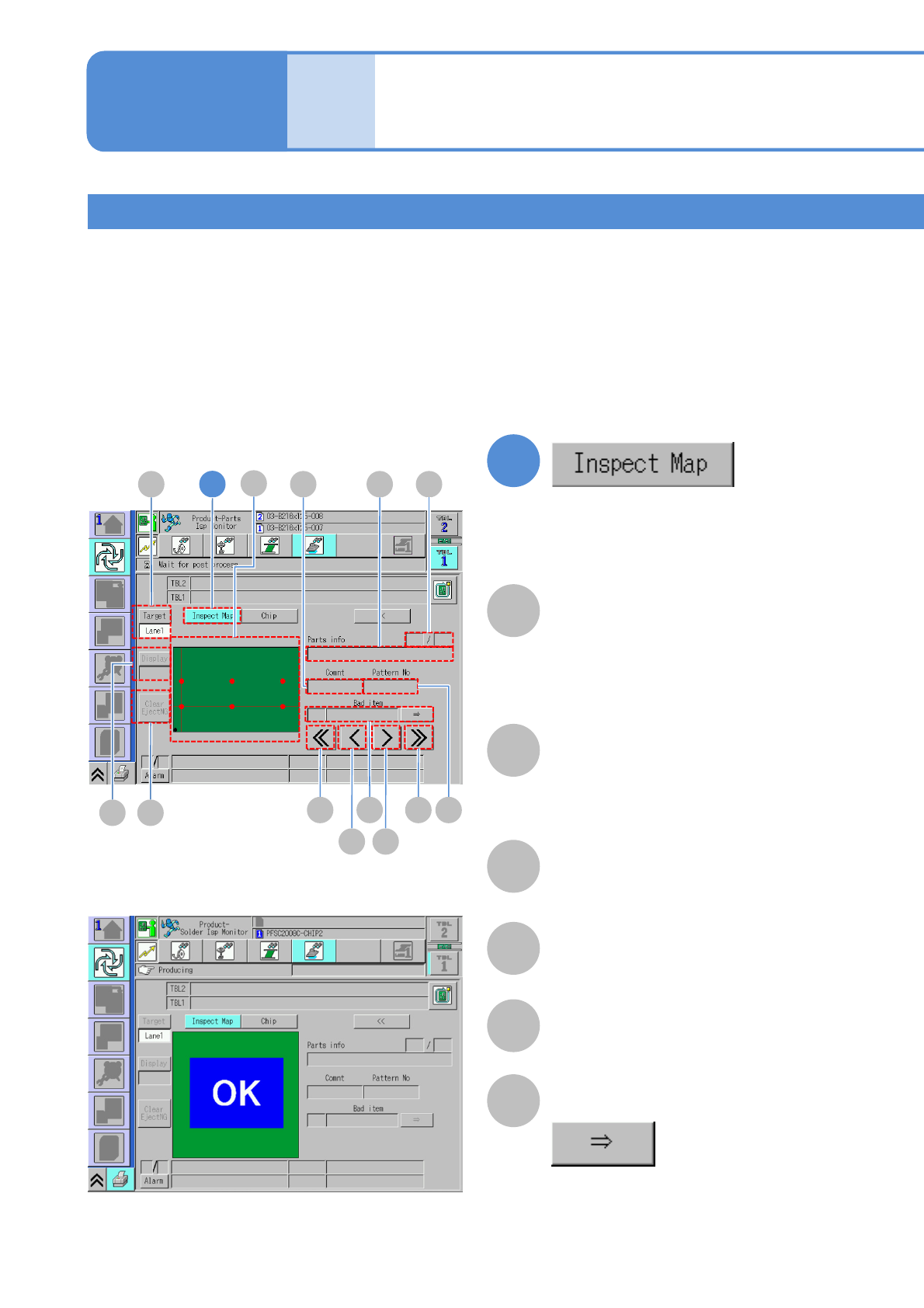
Inspection map
Denominator/Numerator
Denominator: The order of the displayed
inspection NGs.
Numerator: The total number of
inspection NGs.
Comment
Pattern No
Parts info
The name of the placement component .
Inspection monitor 2
Operating procedure
5-4-3
Produc-
tion
1
A
B
D
E
F
C
5-4-3-3
1
F E
A
BCD
G H
K
ML
I J
Check the NG location of the last NG PCB unloaded on the map.
The details of the NG location can be checked by displaying the nature or cause of the defect or enlarging the
display of the NG location map.
●Do not press the foot switch of the conveyor before completing the inspection or repair of the NG location.
If the next PCB happened to be unloaded, the map would also be updated based on the information on the
next PCB.
●When an inspection results in NG, a PCB, after being ejected, comes to rest on the ejection conveyor. Also,
the signal tower blinks and a buzzer sounds.
Explanation of the screen
■Where inspection results in NG
■Where inspection results in OK
■Where defect is yet to be inspected
Displays the NG location on a PCB on
the map.
●Touching the screen enlarges a
selected defect, with a focus on the
defect.
Bad item
Displays other defective items.