N7201A616E00_0317.pdf - 第347页
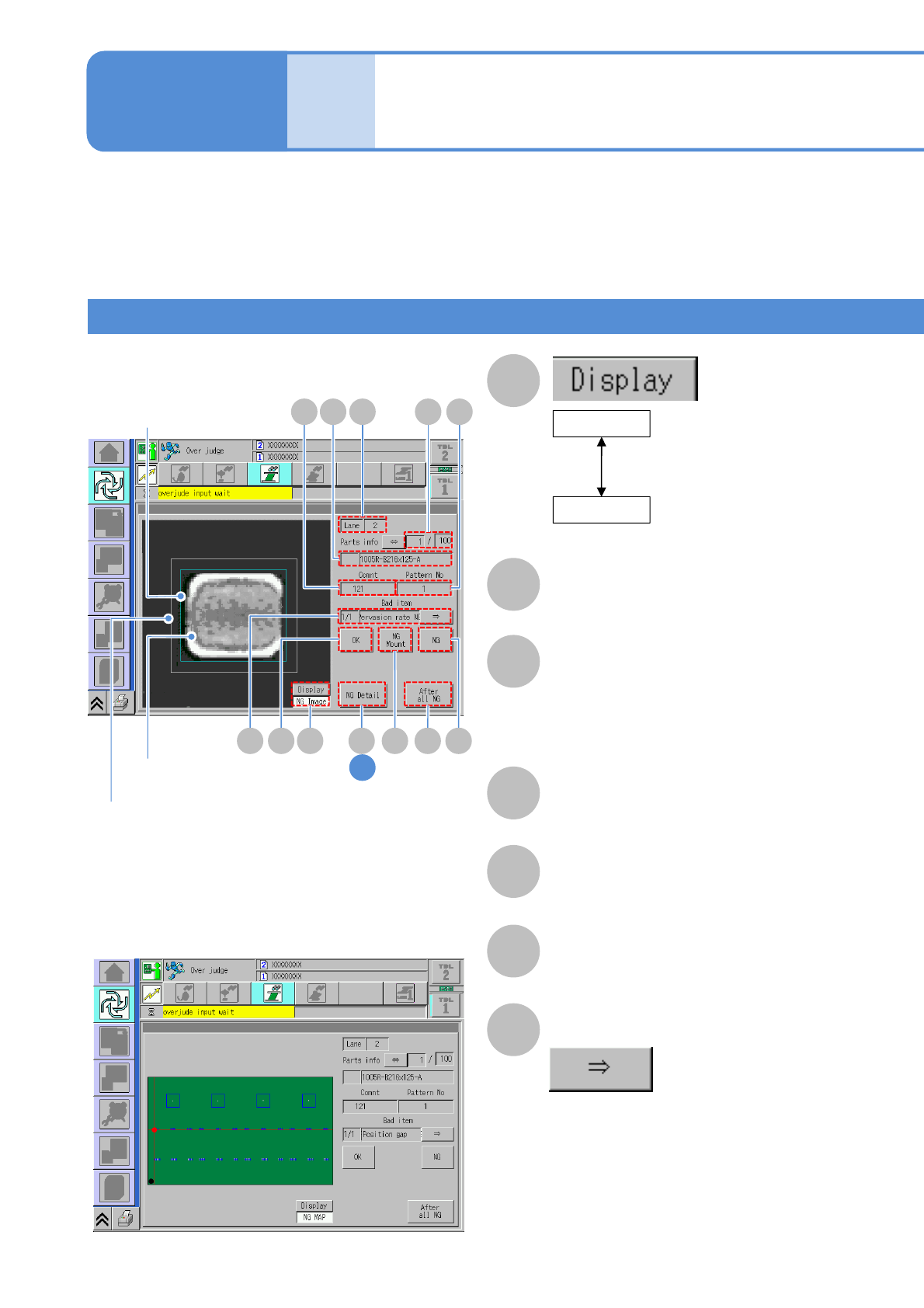
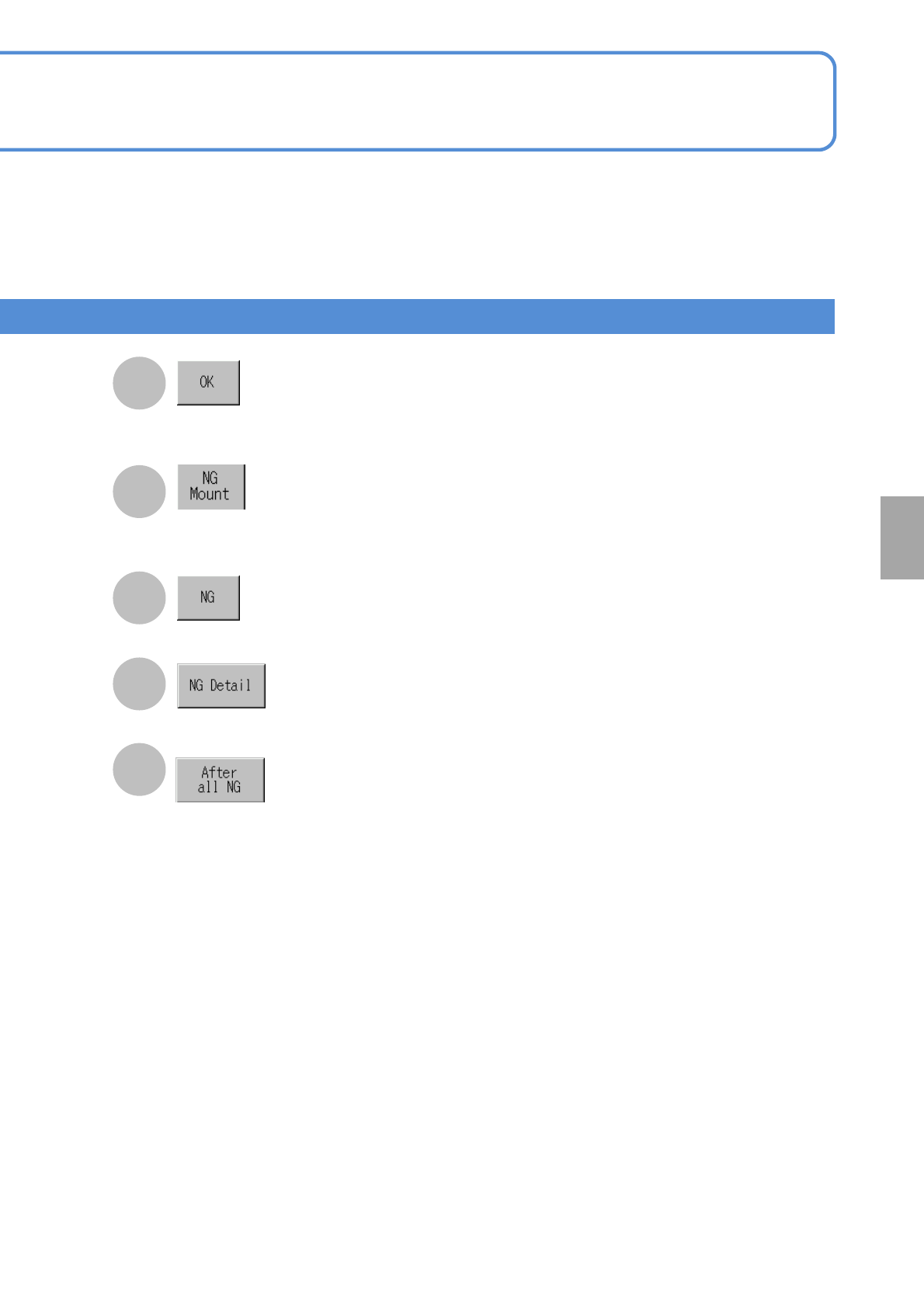
NPM-W 2 EJM7DE-MB-05O-0 0 H The displayed inspectio n point is set as misjudgment (confo rming). I The displayed inspectio n point is set as nonconfo rming but placement to the position is carried out. J The displayed in…
NPM-W2 EJM7DE-MB-05O-00
Wrong judgment input
screen 1
Operating procedure
5-4-4
The wrong judgment screen is displayed when an inspection result turns out to be defective.
(The following screen will not be displayed and a defective PCB is unloaded as it is if the soft switch (→P.5-2-
1) for [Over judge check] is OFF.)
●Check visually any inspection-NG location displayed on the screen and set it as either nonconforming or
conforming (misjudgment) before resuming production.
●If you want to set solder inspection condition during placement processing after wrong judgment input,
(→P.5-5-2)
A
B
E
Comment
F
Pattern No
C
Lane
D
Comp info
Name of placement component (part
name).
■NG image display
■NG MAP display
(Component inspection /
solder inspection)
Displays the image that
makes a nonconforming
judgment at the moment
Lane No.
Blue frame in the image:
Solder position misalignment
tolerance
Green frame in the image:
Solder data external frame
White frame in the image:
Solder search area
G
CDE F
H JLA
B
NG image
(Component inspection /
solder inspection)
Displays any NG location
on PCB on the map.
NG MAP
IK
G
Produc-
tion
5-4-4-1
1
Over judgment input
Bad item
Displays other defective items.
Denominator/Numerator
Denominator: The order of inspection
NGs.
Numerator: The total number of
inspection NGs.
NPM-W2 EJM7DE-MB-05O-00
H
The displayed inspection point is set as
misjudgment (conforming).
I
The displayed inspection point is set as
nonconforming but placement to the
position is carried out.
J
The displayed inspection point is set as
nonconforming.
K
Displays the screen for NG detail
information.
L
All the undefined inspection-NG points
are collectively set as nonconforming.
●The batch setting button cannot be
used unless all inspections are
complete.
5-4-4-2
Solder
inspection
NPM-W2 EJM7DE-MB-05O-00
Wrong judgment input
screen 2
Operating procedure
5-4-4
A
E
B
Comment
C
Pattern No
G
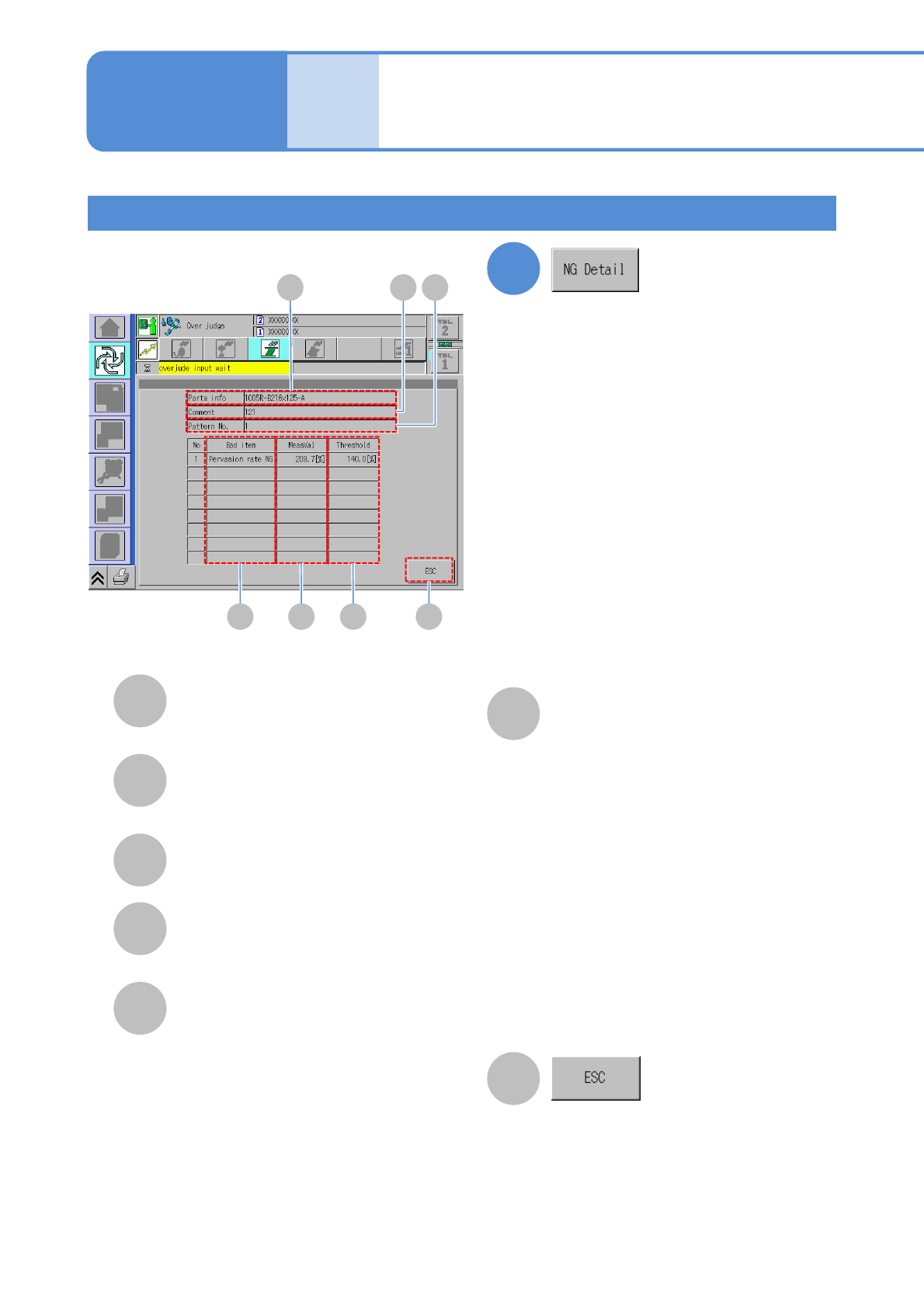
Return to the previous screen.
MeasVal
Displays the measurement value per defect
item.
Fill rate NG: Area rate [%]
Pervasion rate NG: Area rate [%]
Bridge NG: Bridge width [mm]
Misalignment X NG: Misalignment X [mm]
Misalignment amount Y NG: Misalignment
Y [mm]
Shape error NG: Abnormal shape rate [%]
GD
A
D
Bad item
Displays the defect item name regarding
solder displayed on the screen.
B C
E F
Comp info
Name of a placement component (part
name).
F
Threshold
Display the threshold per defect item
Fill rate NG:
Lower limit threshold of area rate NG [%]
Pervasion rate NG:
Upper limit threshold of area rate NG [%]
Bridge NG:
Upper limit threshold of bridge width
NG [mm]
Misalignment amount X NG:
Upper limit threshold of misalignment X
NG [mm] (±)
Misalignment amount Y NG:
Upper limit threshold of misalignment Y
NG [mm] (±)
Shape error NG:
Upper limit threshold of abnormal shape
rate NG [%]
Produc-
tion
5-4-4-3
1
Over judge input
(Displays detailed NG information)