N7201A616E00_0317.pdf - 第369页
NPM-W 2 EJM7DE-MB-06O-0 0 6-1-5 -2 Setting change
NPM-W2 EJM7DE-MB-06O-00
Data
editing
Support pin data edit
Operating procedure
6-1-5
A
A
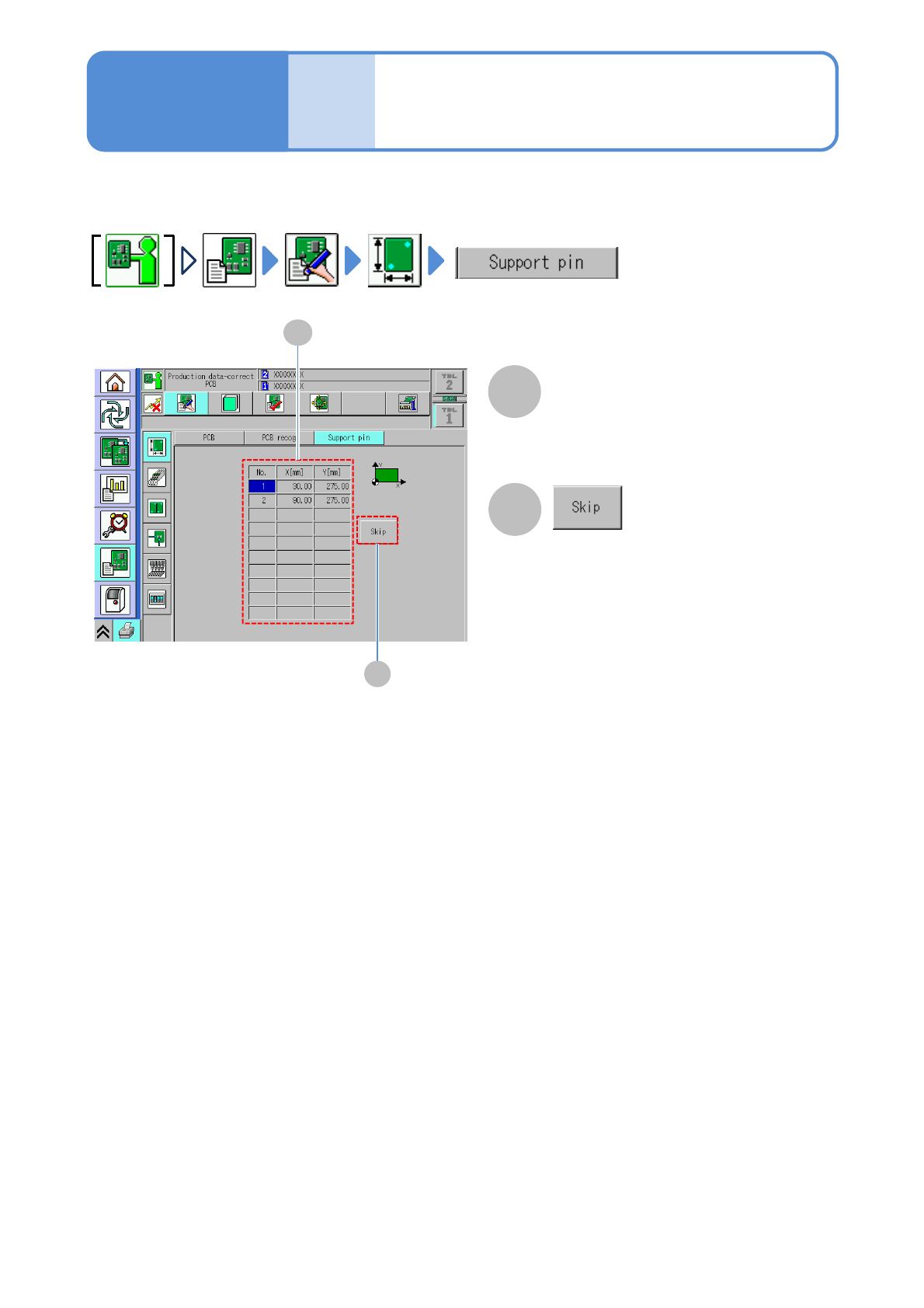
Arrangement coordinates (X,Y) of the
support pin are displayed. You can edit
arrangement coordinates by DGS.
B
Support pin arrangement
coordinate data
B
Skips selected coordinates. The skipped
coordinates become disabled and you
are not arrange the support pin.
Describes how to check and edit the support pin (for automatic change) data.
6-1-5-1

NPM-W2 EJM7DE-MB-06O-00
6-1-5-2
Setting
change
NPM-W2 EJM7DE-MB-06O-00
Data
editing
Checking and editing
the arrangement list
6-1-6-1
Explains how to check and edit the arrangement of the feeders on the feeder table or pallets,
on the tray, or stock condition.
Operating procedure
6-1-6
Intelligent feeder
C
D E
A
H
F
G
B I
J
K
Edit the data of the desired
field on the screen
●Touching the screen opens the input
window.
1
A
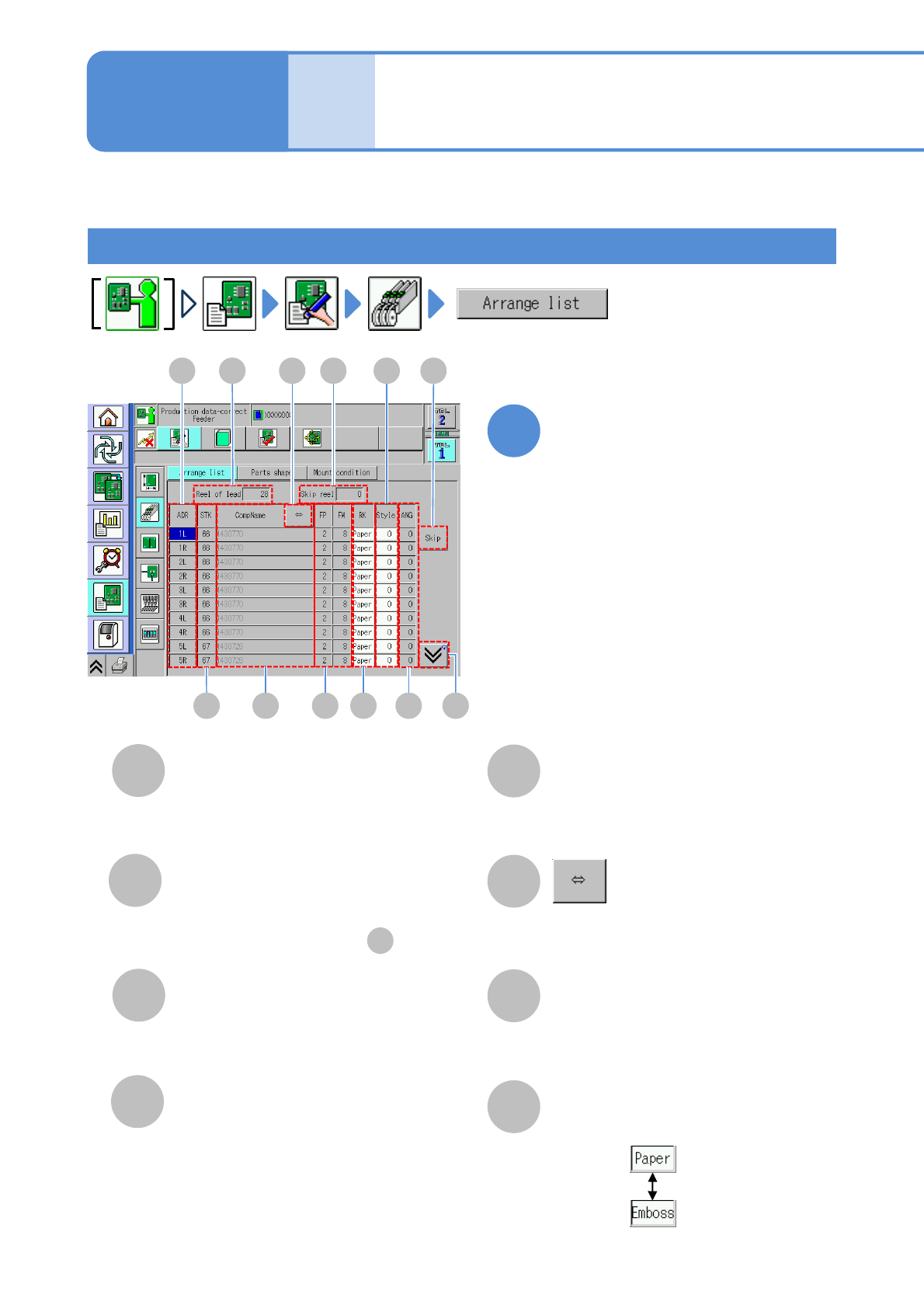
Reel of lead/Pallets
The total number of reels or pallets
registered in the selected table.
B
Skip reel
The total number of reels or pallets
specified to be skipped in .
C
ADR (address)
D
STK (stock)
ID number of stock component.
(Only when there is stock)
K
E
CompName
Shows the rest of the component name
by scrolling.
F
FP/FW
G
H
Choose a tape type.
RK
L
●FP: Tape feed pitch.
●FW: Tape feed width.
Address of a feeder.
(→P.3-2-3
-1)