N7201A616E00_0317.pdf - 第383页
NPM-W 2 EJM7DE-MB-06O-0 0 A CompNam T olerance of a component size, pickup/ mount information B C E Ball float F Tolerance of ball float. ● Unit: mm. G Returns to the previous screen. Ball pitch Recog height (mm) Eject h…
NPM-W2 EJM7DE-MB-06O-00
BGA 1
B
A
D2
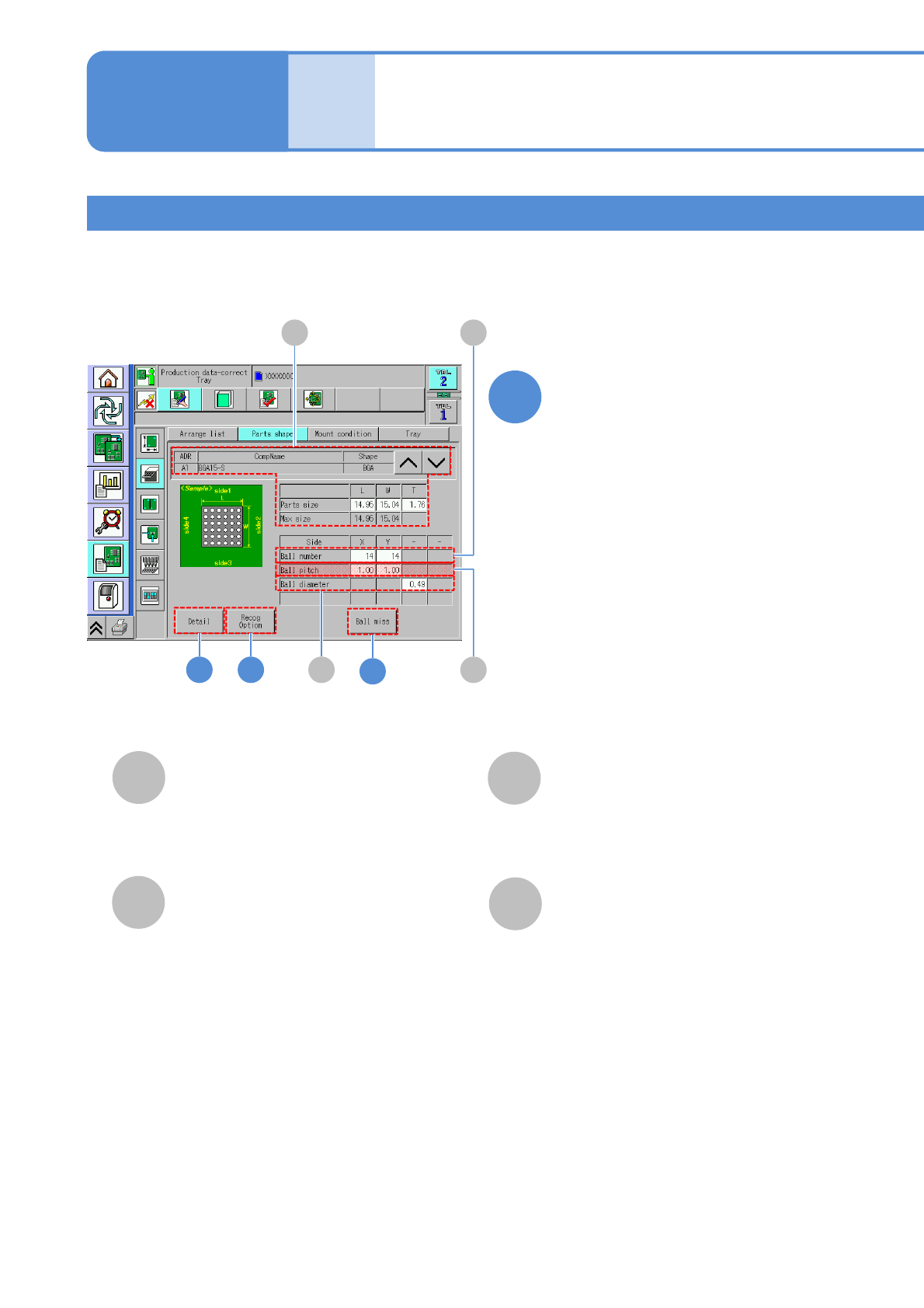
X: The number of balls on side 1 and side 3.
Y: The number of balls on side 2 and side 4.
●Unit: piece.
3
A
CompName
(→P.6-1-8-1)
Ball number
C
B
C
X: Ball pitch on side 1 and side 3.
Y: Ball pitch on side 2 and side 4.
●Unit: mm.
Ball pitch
D
●Unit: mm.
Ball diameter
Edit the data of the desired
field on the screen
●Touching the screen opens the input
window.
1
BGA 1
Data
editing
Component shape data
edit 5
Operating procedure
6-1-8
6-1-8-9
4
NPM-W2 EJM7DE-MB-06O-00
A
CompNam
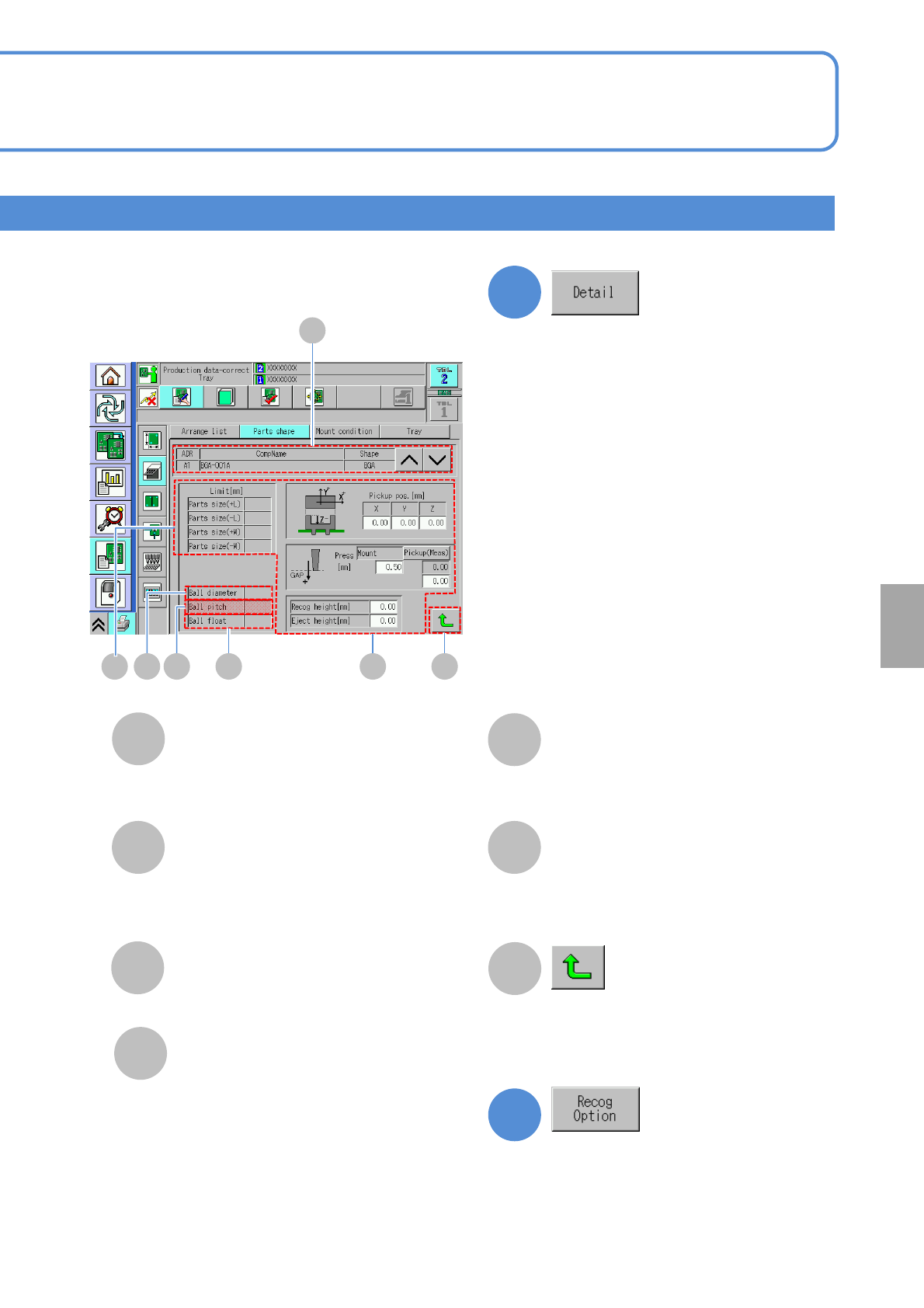
Tolerance of a component size,
pickup/ mount information
B
C
E
Ball float
F
Tolerance of ball float.
●Unit: mm.
G
Returns to the previous screen.
Ball pitch
Recog height (mm)
Eject height (mm)
Tolerance of ball pitch in X and Y
direction.
●Unit: mm.
2
D
Ball diameter
Tolerance of component ball diameter.
●Unit: mm.
3
Confirm and edit the detailed data.
6-1-8-10
Confirm and edit the recognition option
data.
(→P.6-1-8
-3)
(→P.6-1-8
-1)
Setting
change
D E F
A
C GB
(→P.6-1-8-2)
NPM-W2 EJM7DE-MB-06O-00
6-1-8-11
C
B
F
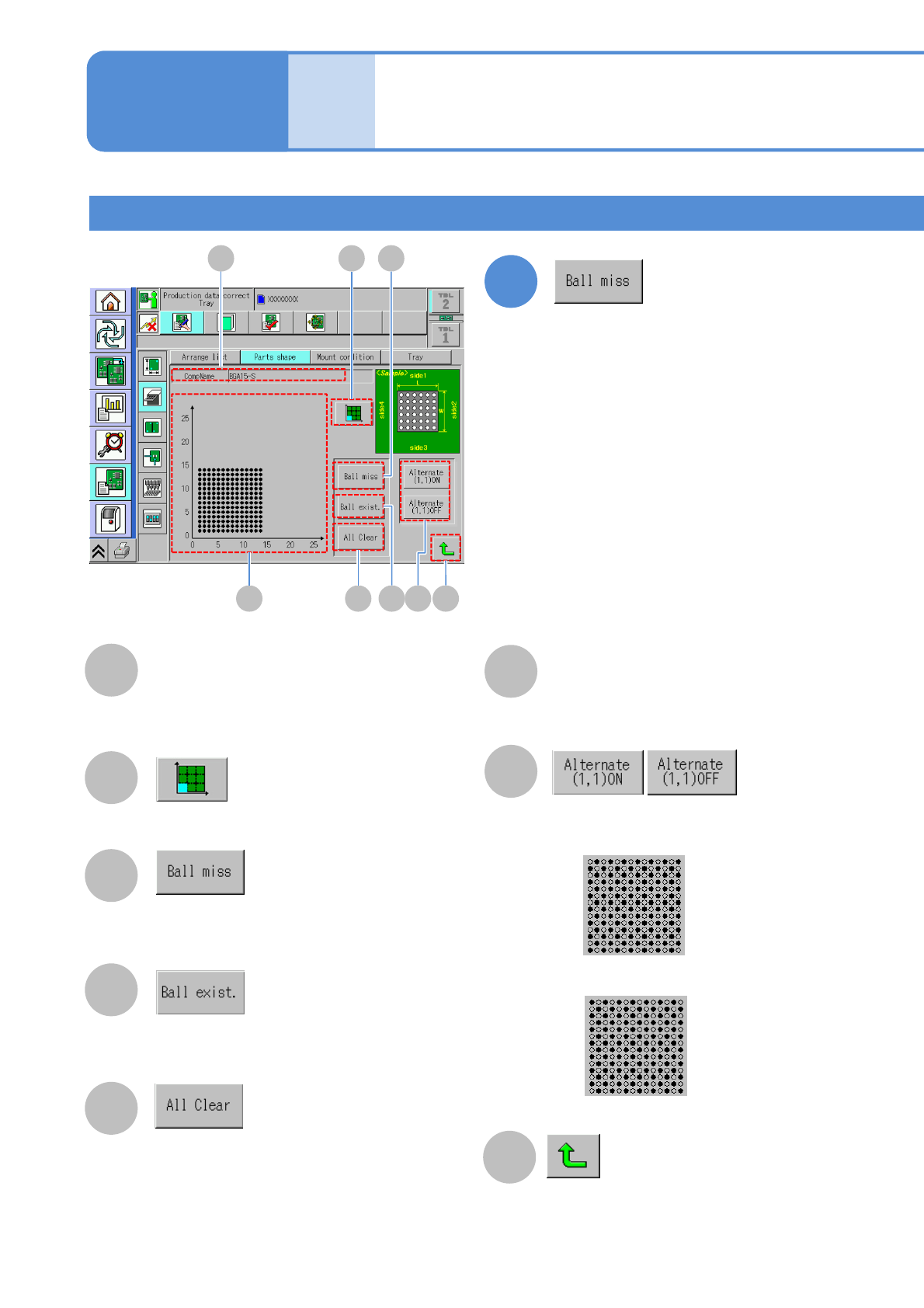
Displays the screen to set the
coordinate display area.
F
D
Restores the setting of ball mission of
the selected ball position.
E
Displays the screen to set ball
existence position.
G
D
C
E
Displays the screen to set ball missing
position.
B
Coordinate drawing
G
Component ball mission information.
●: Ball existence
○: Ball absence.
A
CompName
H
Returns to the previous screen.
H
A
BGA 2
Data
editing
Component shape data
edit 6
■ Alternate ON (coordinate drawing)
■ Alternate OFF (coordinate drawing)
Operating procedure
6-1-8
4
Confirm and edit the missing ball
information.
Choose existence of selected alternate.