N7201A616E00_0317.pdf - 第388页
NPM-W 2 EJM7DE-MB-06O-0 0 Data editing 6-1-9 -1 Descr ibes how to check a nd edit the pl acement condition d ata for the components regis tered in each feeder address. C B D B C Item name Set data Placement conditio n of…
NPM-W2 EJM7DE-MB-06O-00
6-1-8-14
4
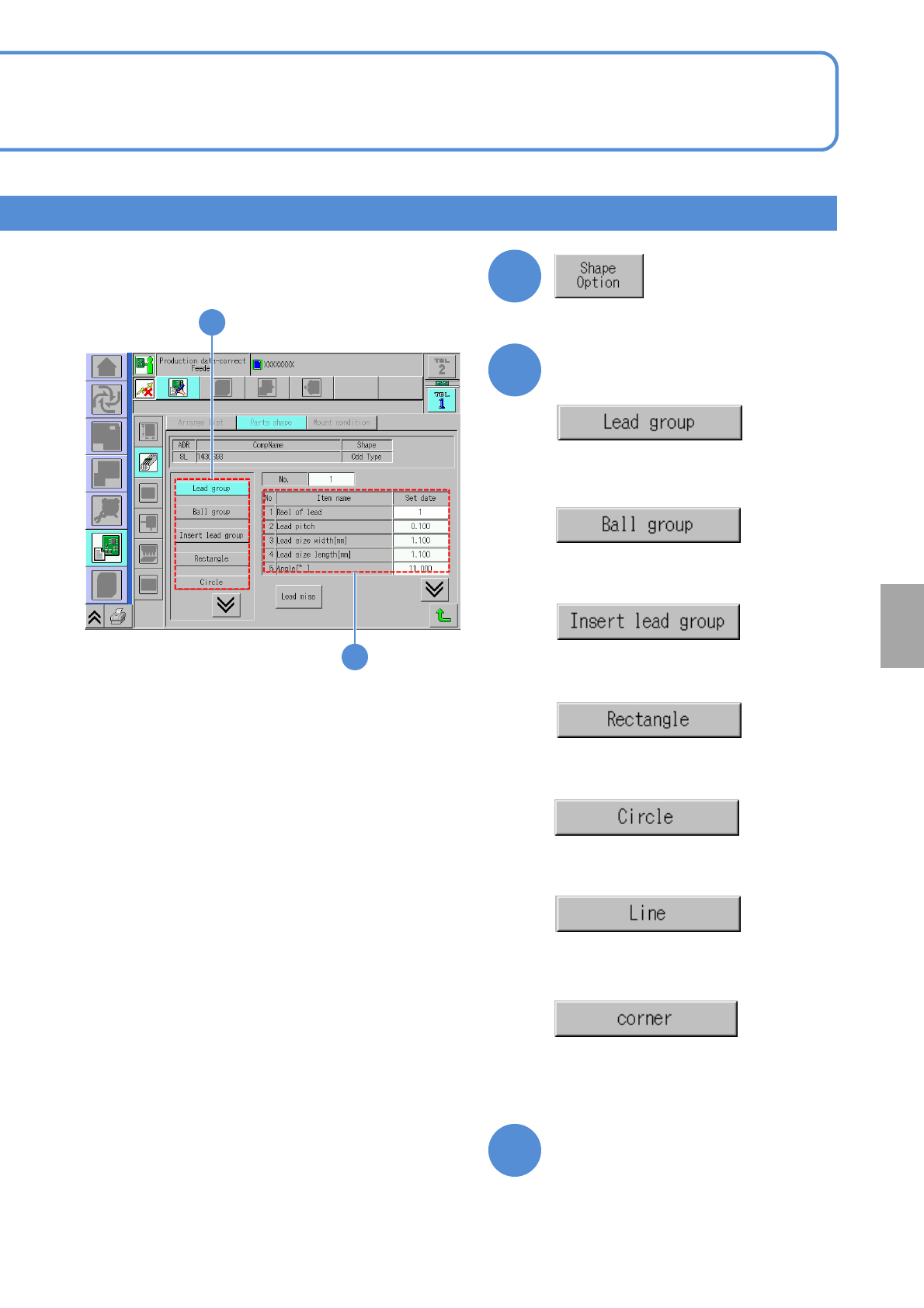
●Displays data related to lead group
information.
Confirm and edit the shape option data.
5
5
6
●Displays data related to ball group
information.
●Displays data related to insertion
lead group.
●Displays data related to rectangle
information.
●Displays data related to circle
information.
●Displays data related to line
information.
●Displays data related to corner
information.
6
Choose the desired item to
confirm
Confirm and edit the data of
the desired field
Setting
change
NPM-W2 EJM7DE-MB-06O-00
Data
editing
6-1-9-1
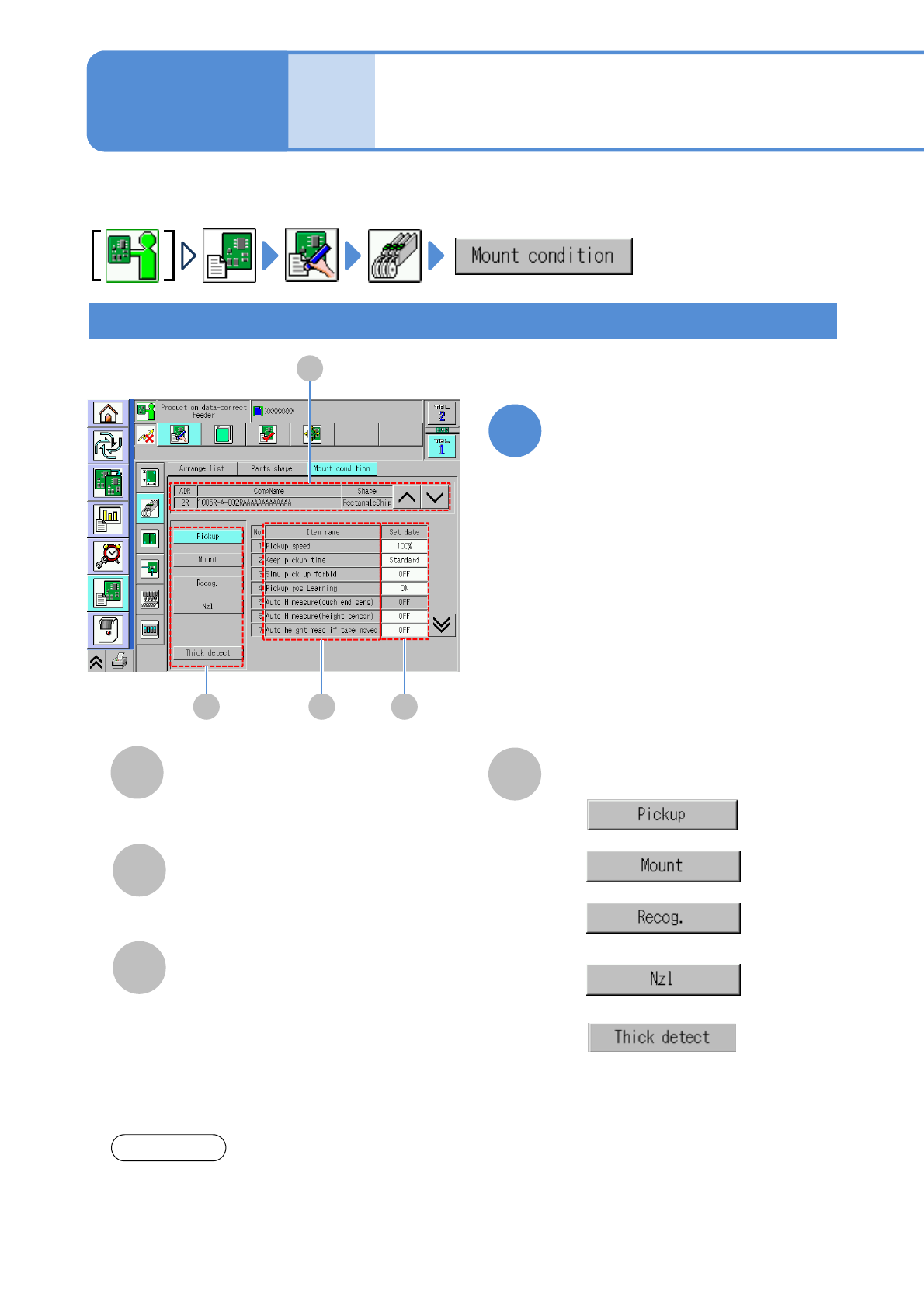
Describes how to check and edit the placement condition data for the components registered in each feeder
address.
C
B
D B C
Item name
Set data
Placement condition of each item.
Checking and editing pickup, placement, nozzle condition
Placement condition
data edit
D
Switching condition setting
Please see the Operating manual of NPM-DGS for setting of each item.
NOTICE
A
A
CompName
(→P.6-1-8)
Edit the data of the desired
field on the screen
●Touching the screen opens the input
window.
1
Operating procedure
6-1-9
●
●
●
●
●
Displays either ‘Type 2’ or ‘Type 3’
of the multi-recognition camera is
installed and ‘Yes’ is selected in
“Part Thickness Measurement”of
“Component data”.
NPM-W2 EJM7DE-MB-06O-00
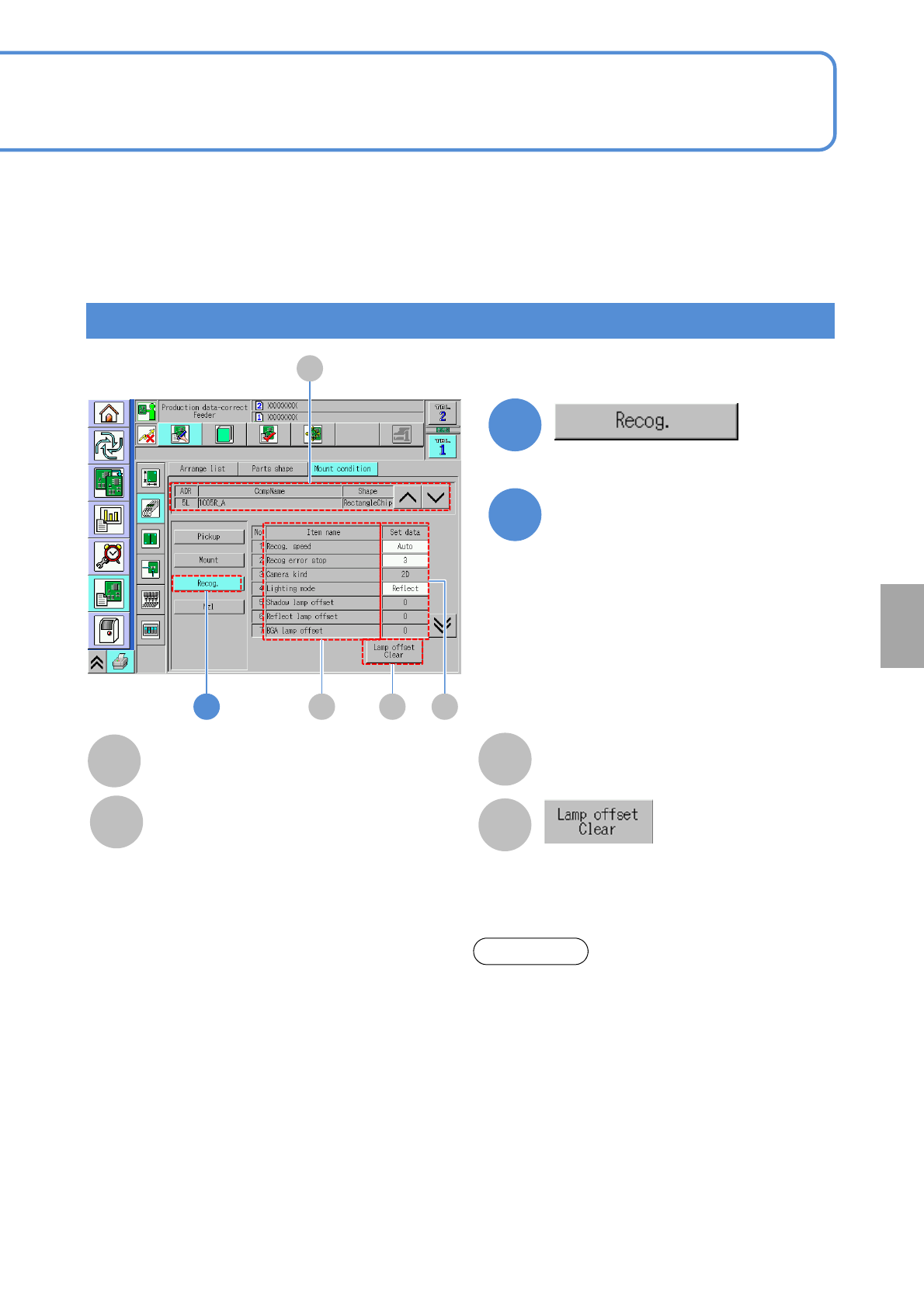
The offset data of lamp value is
initialized.
1
1
Checking and editing the recognition condition
6-1-9-2
B CD
C
B
Item name
Set data
Placement condition of each item.
D
A
A
CompName
(→P.6-1-8)
Edit the data of the desired
field on the screen
●Touching the screen opens the input
window.
2
Setting
change
Recog. Speed:
・(Auto / Fast / Mid / Slow)
Recog error stop:
・(1 / 3)
Camera kind:
・(2D / 3D / 3D(Multi))
Lighting mode:
・(Shadow / Reflect / BGA)
Shadow lamp offset:
・Shadow lamp offset value for component
recognition
Reflect lamp offset:
・Reflect lamp offset value for component recognition
BGA lamp offset:
・BGA lamp offset for component recognition
polarity:
・The presence / absence of component polarity
Chk adhesion around the parts:
・Picking up 2 components results in a recognition
error. Prevents an extra component from falling on a
PCB.
About the light setting of the multi-recognition
camera [Type 3].
1. When the reflecting light is illuminated, the BGA
ball height inspection is not performed.
2. The BGA lamp value is automatically converted
inside the system. Therefore, when the BGA ball
height inspection is performed, the different
value from the one set on the recognition screen
may be displayed.
3.To keep the 3D inspection condition, sometimes
the recognition system automatically changes
the lamp value.
ATTENTION