N7201A616E00_0317.pdf - 第391页
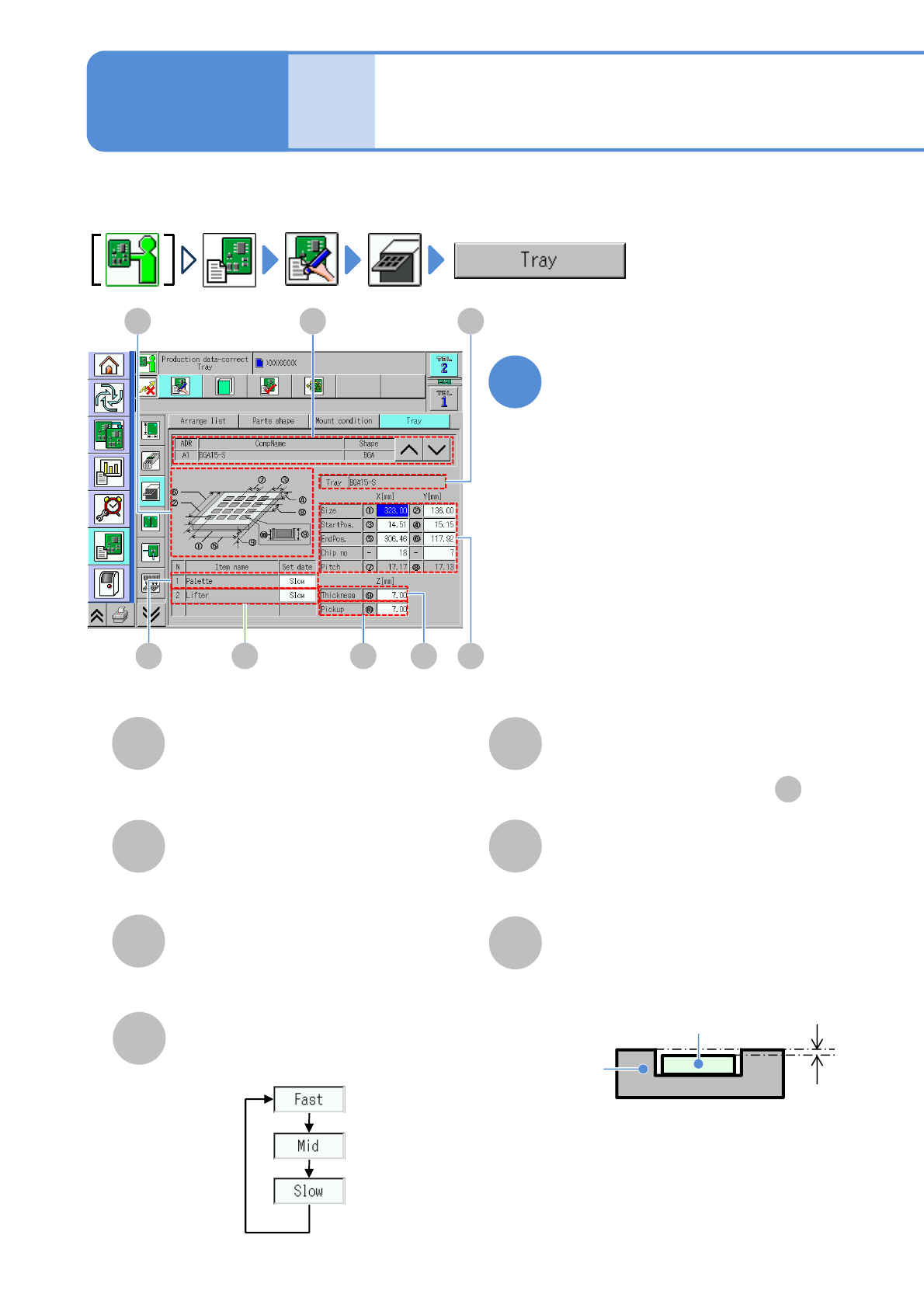
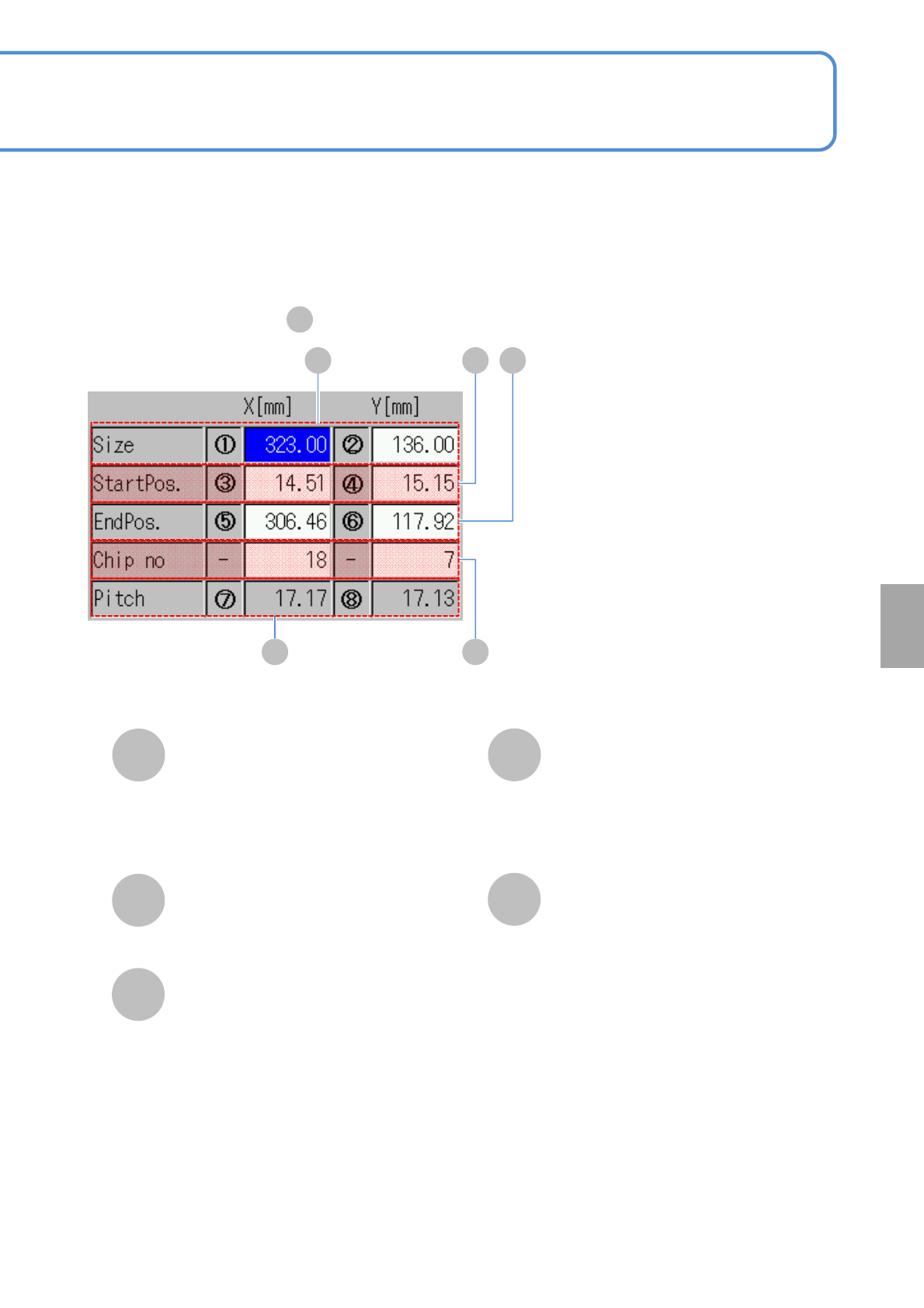
NPM-W 2 EJM7DE-MB-06O-0 0 Size H StartPos. Chip no Pitch 6-1-10 -2 ■ Enlarged drawing of C K L H I J Enter the outer dimensions of a tray. X: Dimension of long er side. Y: Dimension of sho rter side. I Enter the first pi…
NPM-W2 EJM7DE-MB-06O-00
Data
editing
6-1-10-1
Describes how to check and edit tray information.
B
CD E F G
Tray data edit
(tray feeder)
AH
A
CompName
(→P.6-1-6)
B
Tray
Tray name.
C
Basic information
(→P.6-1-6)
Choose a moving speed of pallet axis.
D
Pallet axis speed
E
Lifter axis speed
Choose a moving speed of lifter-axis.
●Choose the same set data as .
D
F
Tray thickness
G
Pickup height
Tray
Electric
component
Pickup
height
Enter the pickup height.
Edit the data of the desired
field on the screen
●Touching the screen opens the input
window.
1
Operating procedure
6-1-10
NPM-W2 EJM7DE-MB-06O-00
Size
H
StartPos.
Chip no
Pitch
6-1-10-2
■Enlarged drawing of
C
KL
H I J
Enter the outer dimensions of a tray.
X: Dimension of longer side.
Y: Dimension of shorter side.
I
Enter the first pickup point coordinates.
J
EndPos.
Enter the last pickup point coordinates.
K
X: The number of components stored in
the longer side.
Y: The number of components stored in
the shorter side.
●Unit: piece.
L
Pitch between components.
Setting
change
NPM-W2 EJM7DE-MB-06O-00
1
Data
editing
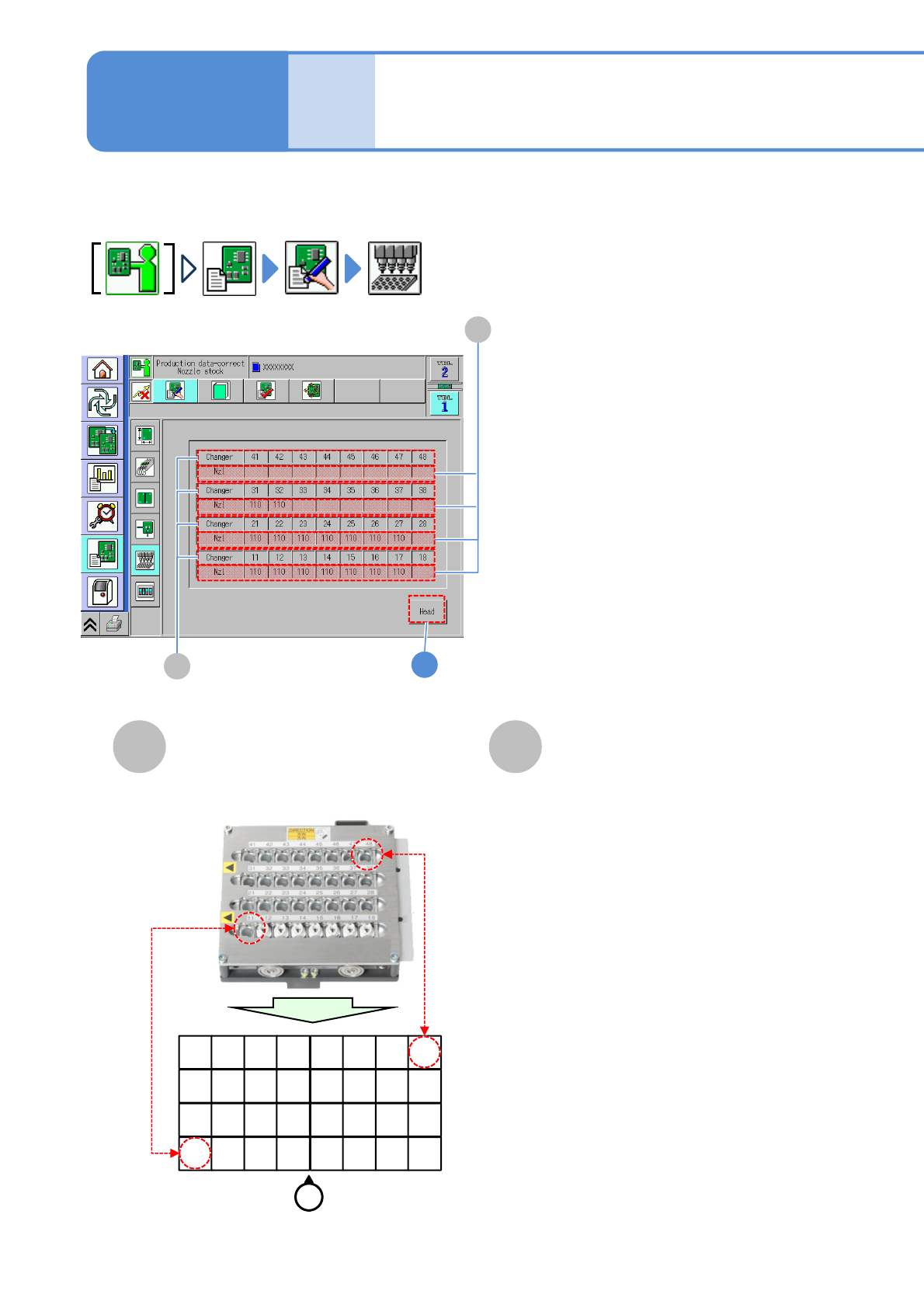
Describes how to check nozzle information stored in the nozzle changer.
A B
Changer
B
A
Nzl
Nozzle changer
arrangement edit
Nozzle changer number.
The nozzle number in the changer.
11 12 13 14 15 16 17 18
21 22 23 24 25 26 27 28
31 32 33 34 35 36 37 38
41 42 43 44 45 46 47 48
Operator
6-1-11-1
●Example (For 12-/Light weight 16-head nozzle)
Operating procedure
6-1-11