N7201A616E00_0317.pdf - 第402页
NPM-W 2 EJM7DE-MB-06O-0 0 6-1-14 -1 G Sets or resets the skipping operation . A A Component list confir ma tion and edit (dispensing head) Count How to confirm and modify c omponent list information for d ispensing is de…
NPM-W2 EJM7DE-MB-06O-00
6-1-13-6
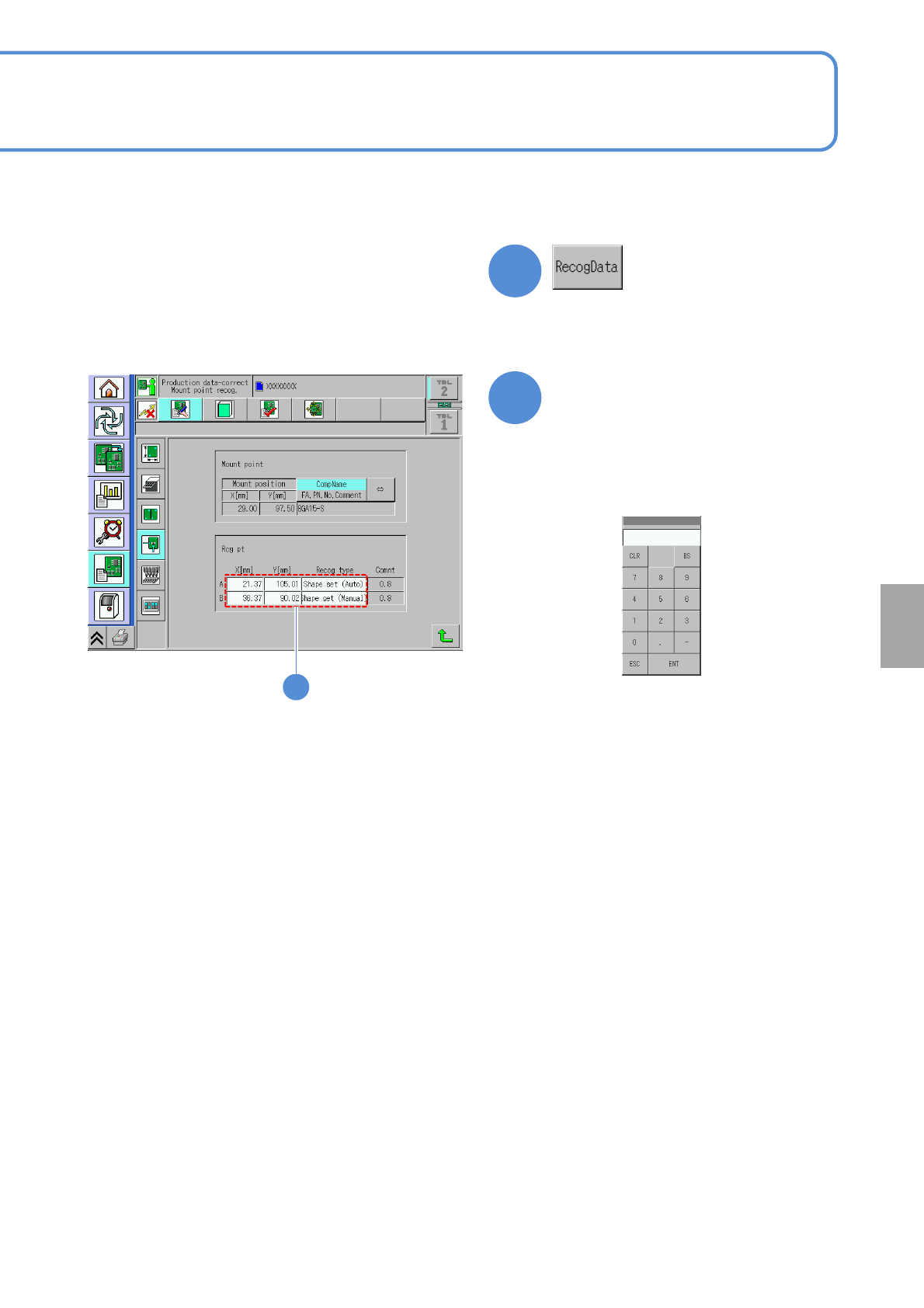
Edit the data of the desired
field on the screen
●Touching the screen opens the
input window.
5
4
●It is effective when the recognition data
of a placement point exists.
■To edit the placement point
5
■Input screen for X[mm],Y[mm]
■Input screen for the recognition
type
(→P.6-1-3)
Setting
change
NPM-W2 EJM7DE-MB-06O-00
6-1-14-1
G
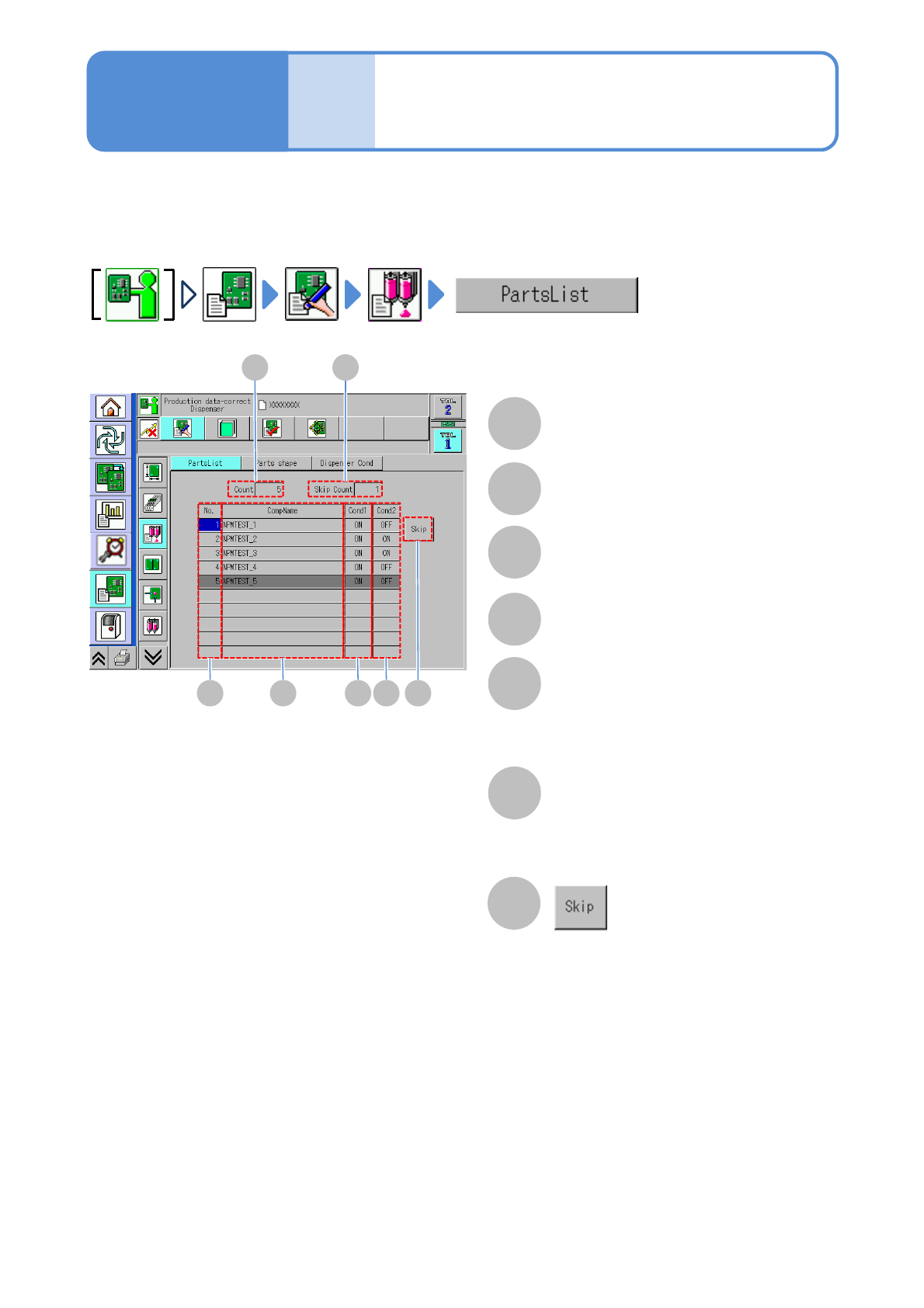
Sets or resets the skipping operation.
A
A
Component list
confirmation and edit
(dispensing head)
Count
How to confirm and modify component list information for dispensing is described here.
C
B
D E F G
B
Skip Count
C
No.
Component list number.
D
CompName
E
Cond1
The existence/non-existence of the
dispensing condition 1 is displayed.
When dispensed before components,
‘ON’ is displayed.
F
Cond2
dispensing condition 2 is displayed.
When dispensed after components, ‘ON’
is displayed.
Data
editing
Operating procedure
6-1-14

NPM-W2 EJM7DE-MB-06O-00
6-1-14-2
Setting
change