N7201A616E00_0317.pdf - 第403页
NPM-W 2 EJM7DE-MB-06O-0 0 6-1-14 -2 Setting change
NPM-W2 EJM7DE-MB-06O-00
6-1-14-1
G
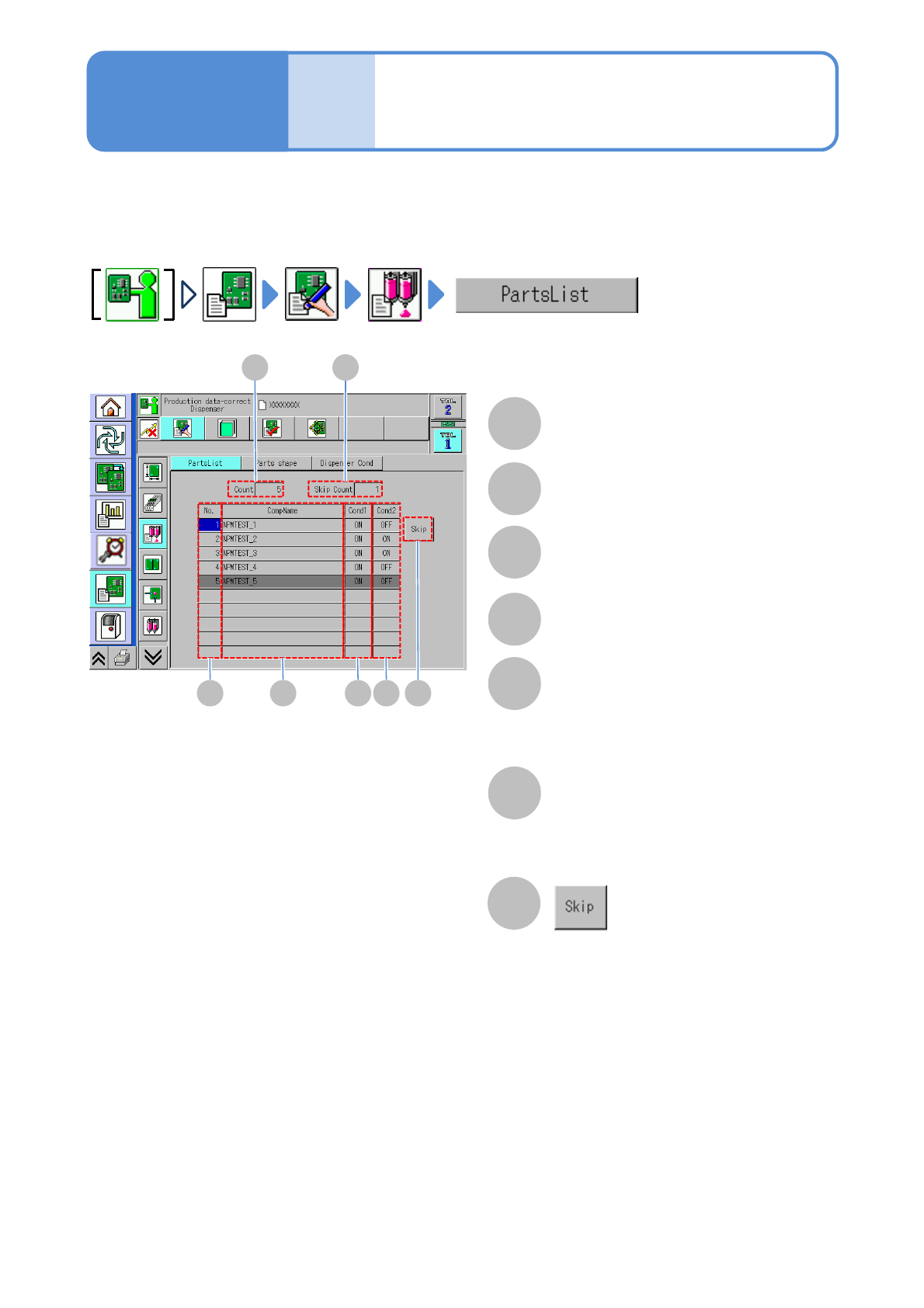
Sets or resets the skipping operation.
A
A
Component list
confirmation and edit
(dispensing head)
Count
How to confirm and modify component list information for dispensing is described here.
C
B
D E F G
B
Skip Count
C
No.
Component list number.
D
CompName
E
Cond1
The existence/non-existence of the
dispensing condition 1 is displayed.
When dispensed before components,
‘ON’ is displayed.
F
Cond2
dispensing condition 2 is displayed.
When dispensed after components, ‘ON’
is displayed.
Data
editing
Operating procedure
6-1-14

NPM-W2 EJM7DE-MB-06O-00
6-1-14-2
Setting
change
NPM-W2 EJM7DE-MB-06O-00
6-1-15-1
A
A
Data
editing
Dispensing condition
data edit 1 (dispensing head)
Operating procedure
6-1-15
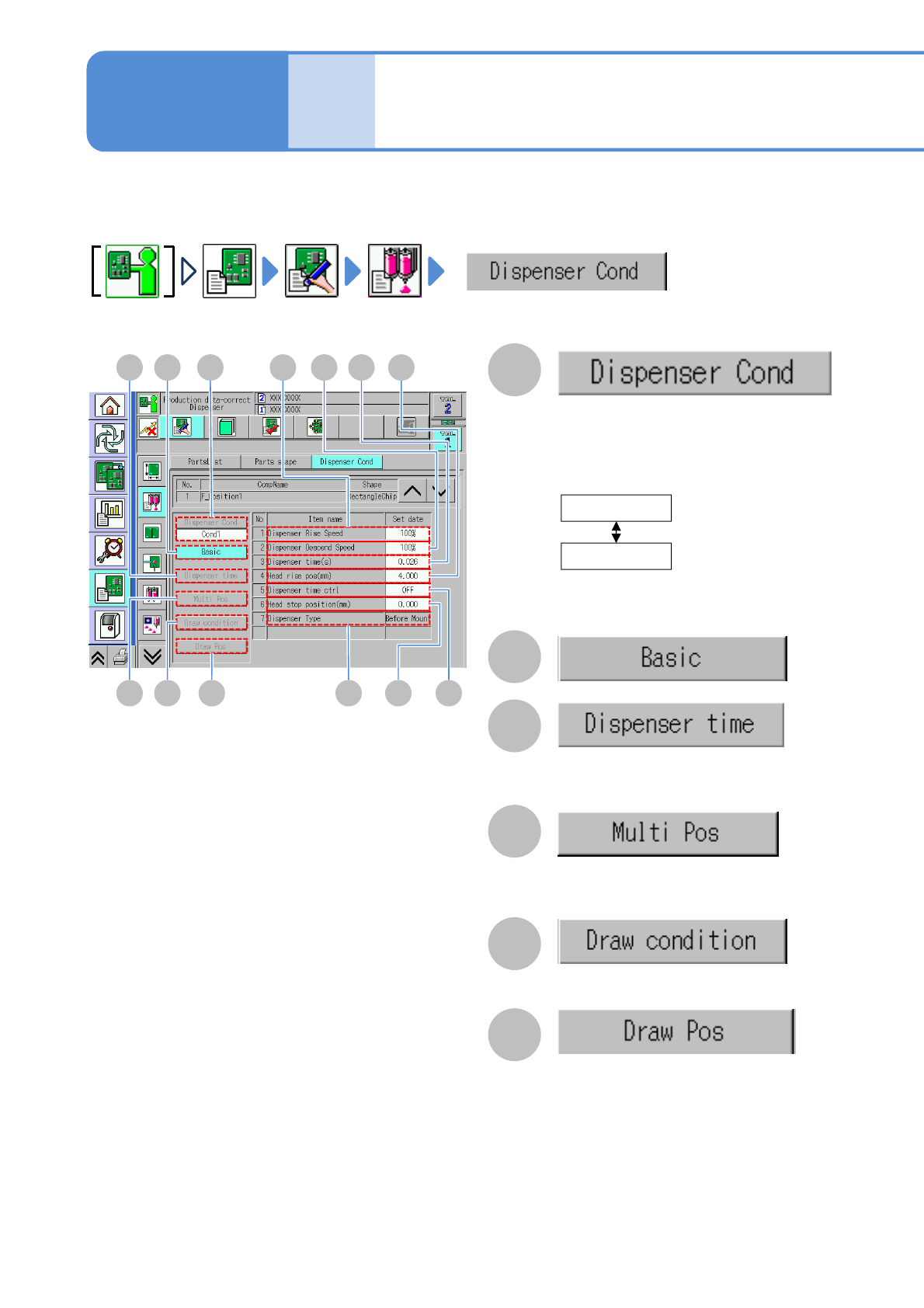
You can view and set the conditions of dispensing adhesives onto a PCB.
D
H
B
C
The dispensing timing condition setting
items are displayed. (Available when the
dispensing timing control is set “ON”)
E F
BC G I J
M L K
The basic condition setting items are displayed.
D
The setting items of the multipoint coordinate
data are displayed. (Available when there is
multipoint dummy dispensing data)
E
The setting items of drawing data are displayed.
(Available when there is drawing data)
F
The coordinates of the drawing data are
displayed.
(Available when there is drawing data)
The setting items of the conditions 1 and 2
are switched.
The conditions 1 and 2 are switched
depending on the order of the component
placement and dispensing.
If the data is not set, the condition is not
allowed to change.
Cond1
Cond2
Perform dispensing before
component placement
(standard)
Perform dispensing after
component placement
■[Dispensing condition] screen