N7201A616E00_0317.pdf - 第431页
NPM-W 2 EJM7DE-MB-06O-0 0 Explains how to check the production data . ● All the data, including uncha ngea ble and hidde n data, t hat influence production are ta rgeted for c hecking. ● Depending on the settings, so me …
NPM-W2 EJM7DE-MB-06O-00
A
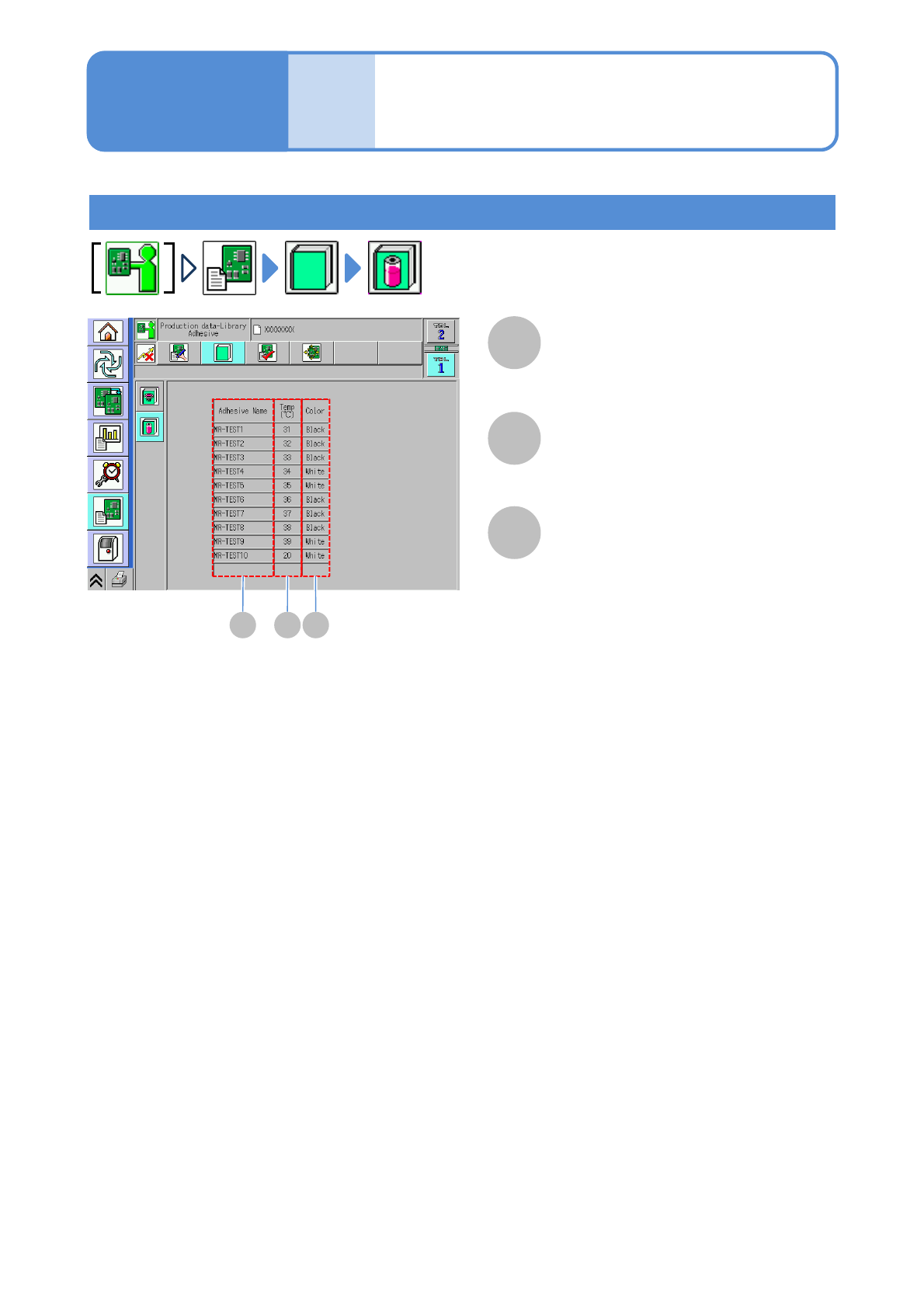
Adhesive Name
Temp (℃)
B
Color
C
Adhesive library (dispensing head)
A
The temperature of the temperature control
Unit.
The color of the adhesive.
6-1-21-7
B C
Data
editing
Library check 4
Operating procedure
6-1-21
NPM-W2 EJM7DE-MB-06O-00
Explains how to check the production data.
●All the data, including unchangeable and hidden data, that influence production are targeted for checking.
●Depending on the settings, some data will not be checked.
6-1-22
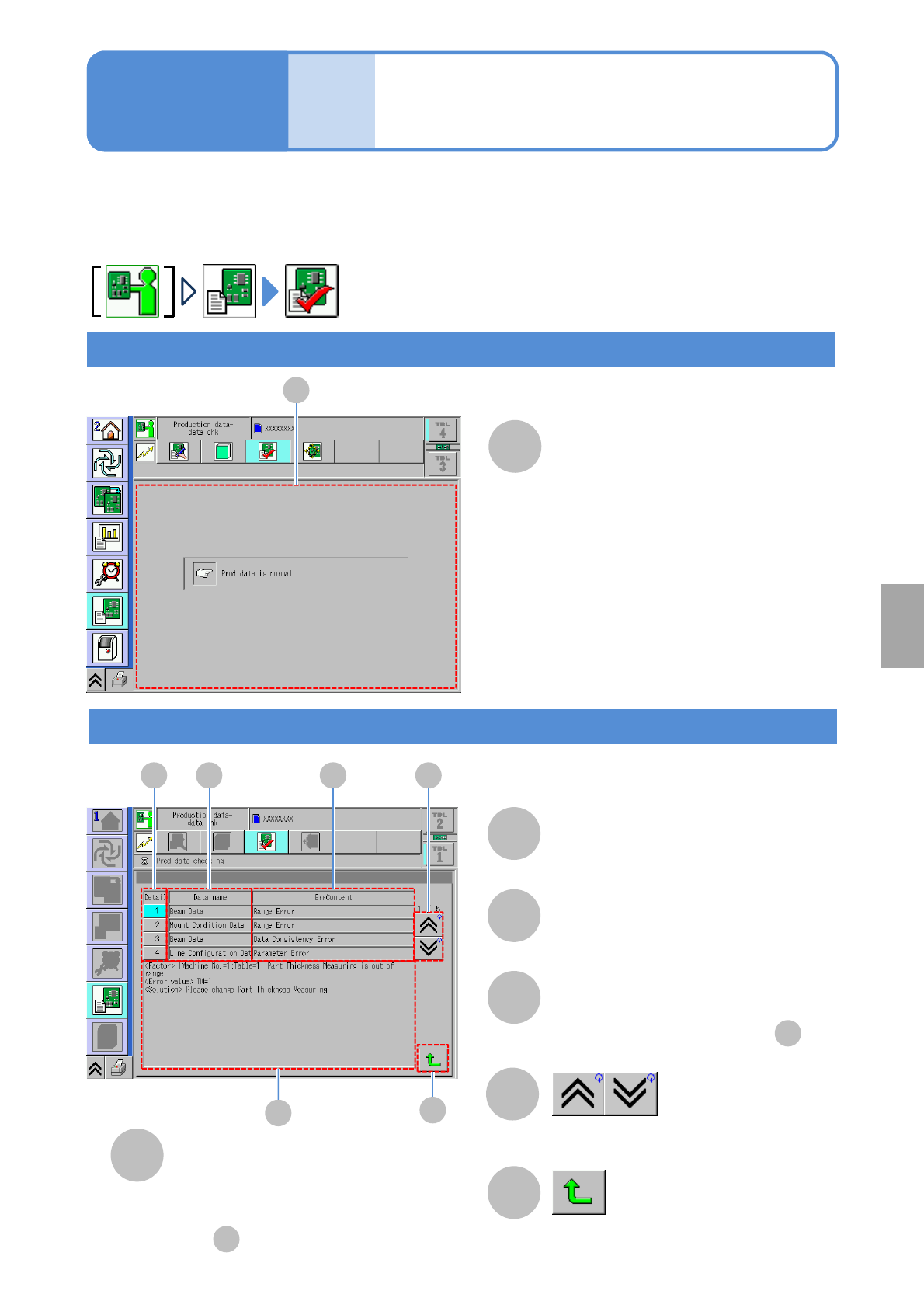
Check result
A B C
D
F
E
C
A
B
Detail
D
E
Detailed information
Data name
Returns to the previous screen.
F
Error information
A
A
D
●Pressing this button shows details
in .
Data
editing
Data check
Normal
Shows the previous or next table.
Detailed of the selected error in .
A
Abnormal
Choose the error to display detail
information.
Operating procedure
6-1-22
Setting
change
NPM-W2 EJM7DE-MB-06O-00
6-2-1-1
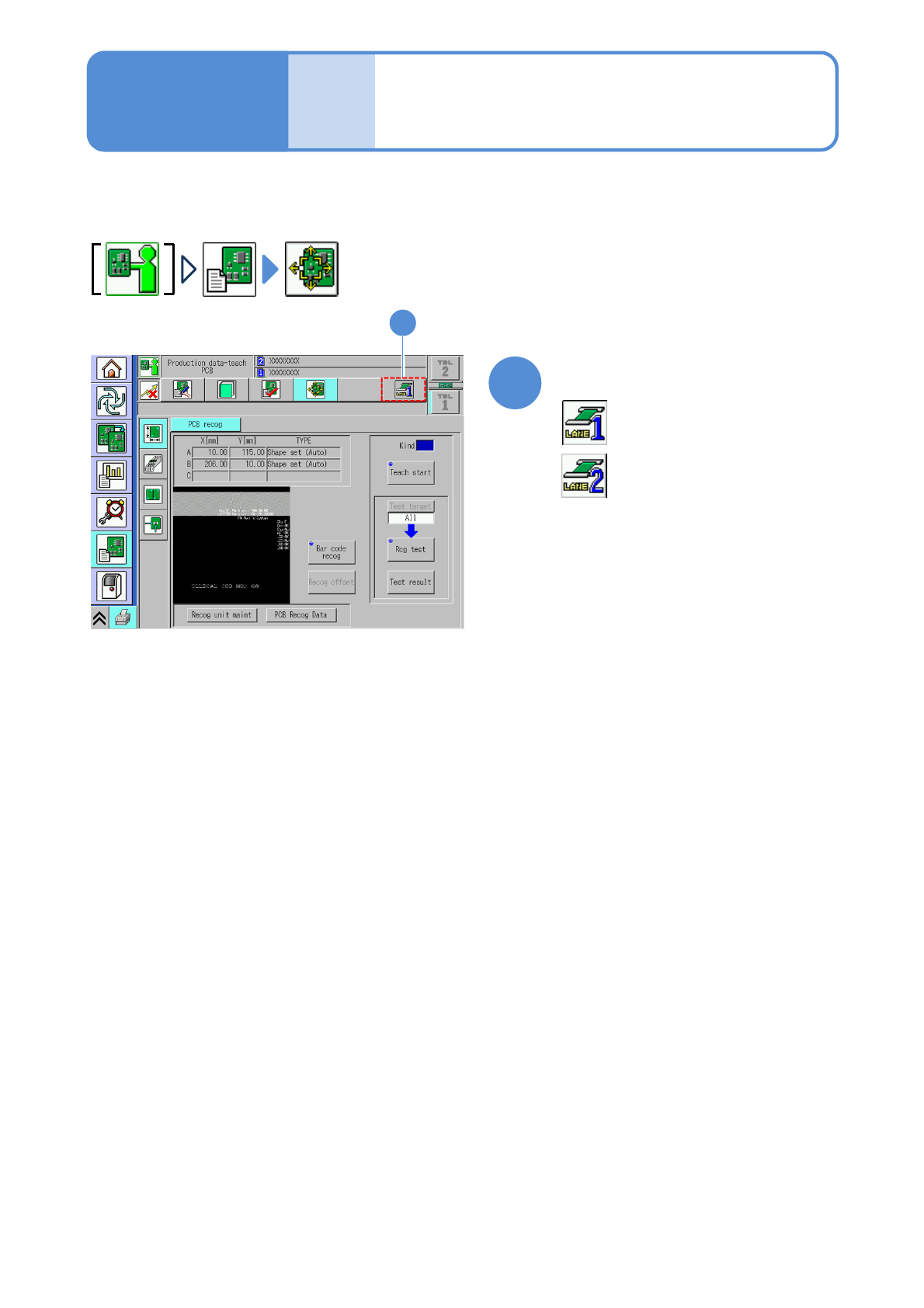
■For dual lane
1
Select a lane
:Lane 1
1
Describes how to operate production data teach.
: Lane 2
Produc-
tion data
teaching
Before starting
teaching operations 1
Operating procedure
6-2-1