N7201A616E00_0317.pdf - 第457页
NPM-W 2 EJM7DE-MB-06O-0 0 3 3 6-2-4 -4 (The s etting scr een of pic kup condition is displayed) Choose a component to recognize 2 ■ T o cancel Setting change 2 ● An item in the “ADR” field shown in green color means a co…
NPM-W2 EJM7DE-MB-06O-00
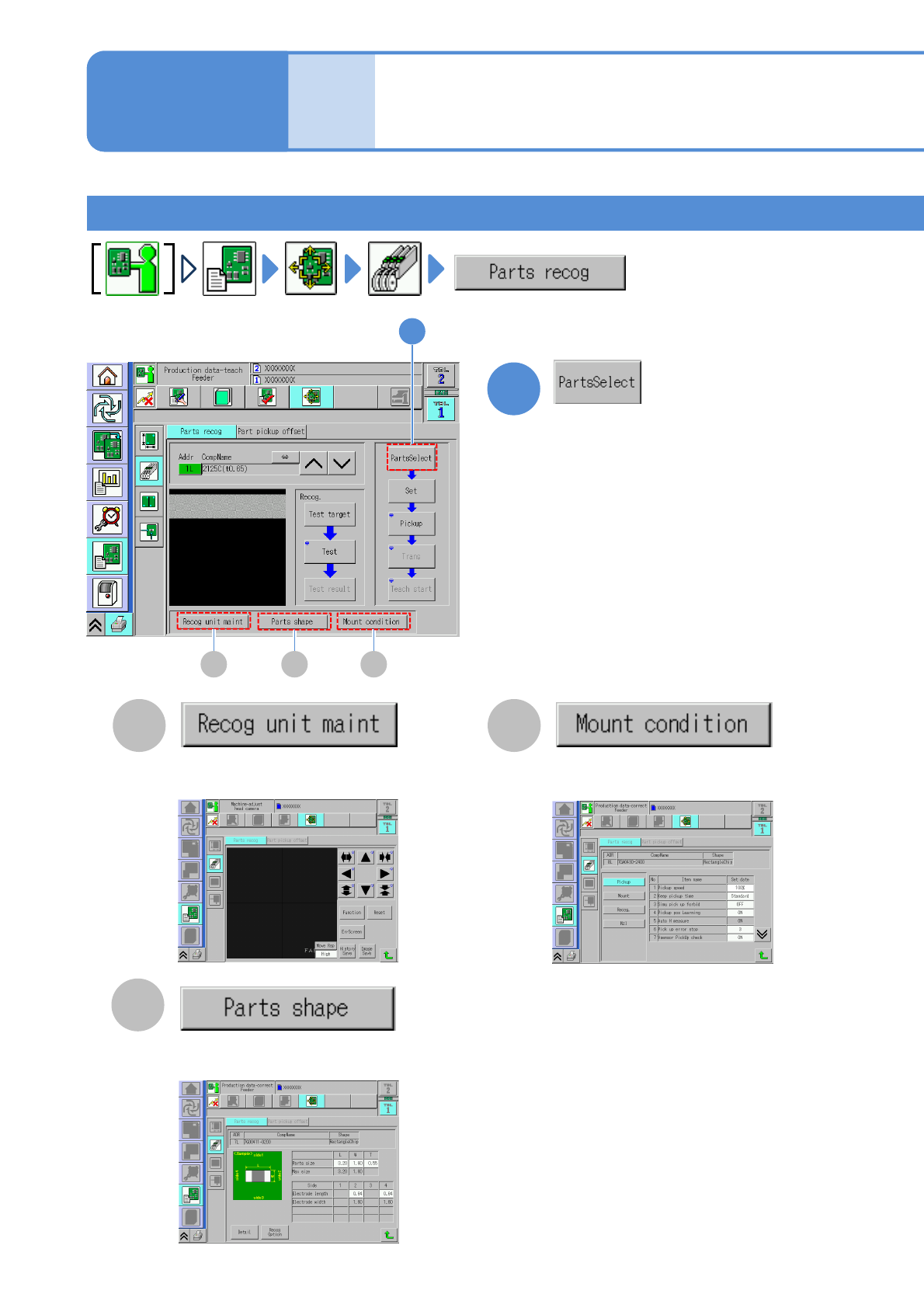
Component recognition teach 1
1
1
You can enter and edit the placement
condition. (→P.6-1-9)
CA
B
CA B
You can enter and edit the component
shape data.(→P.6-1-8)
You can confirm all recognition
processes. (→ P.7-2-11)
6-2-4-3
Produc-
tion data
teaching
Component recognition
teach 2
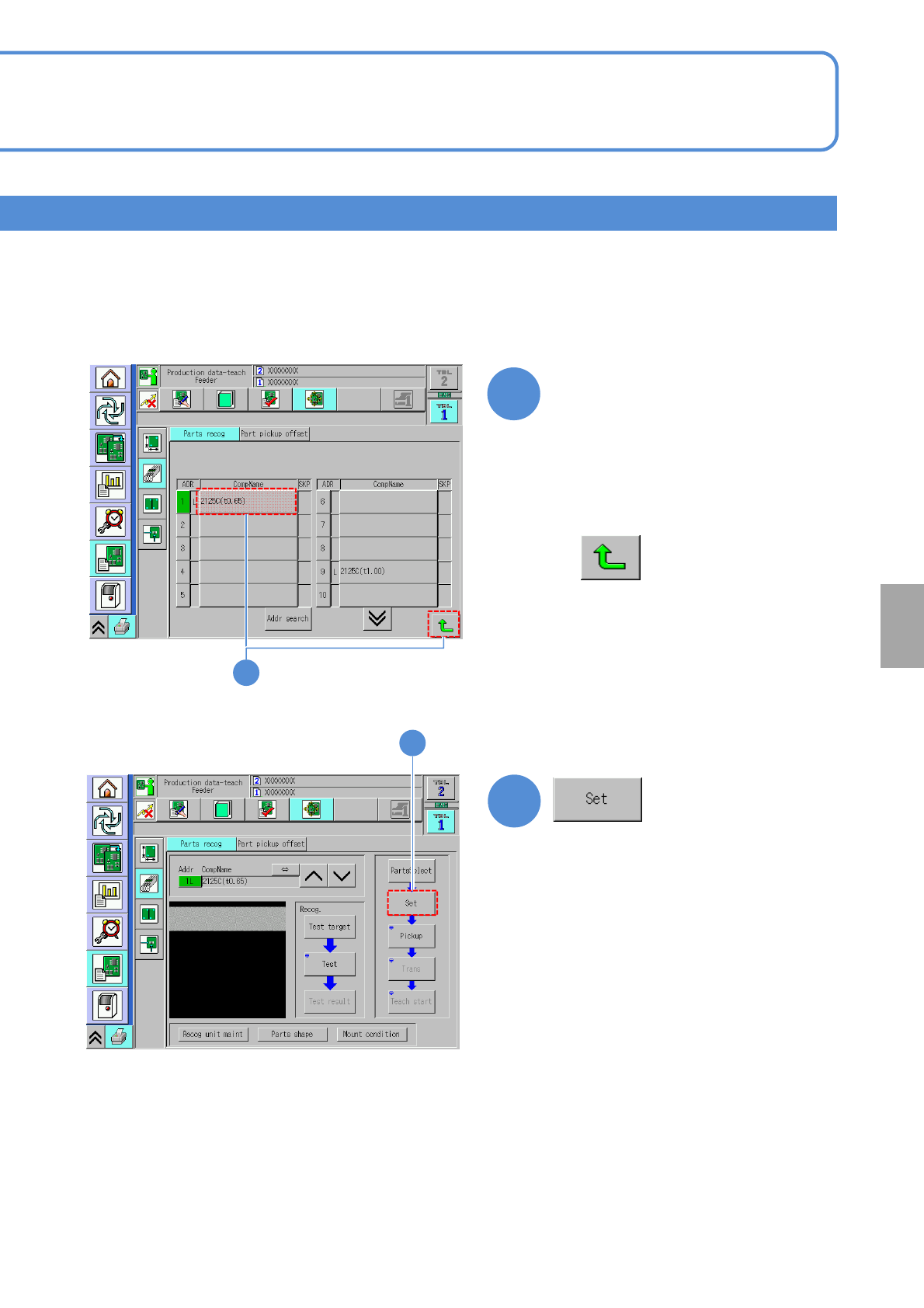
The screen for choosing a component to
recognize is displayed.
Operating procedure
6-2-4
NPM-W2 EJM7DE-MB-06O-00
3
3
6-2-4-4
(The setting screen of pickup condition is
displayed)
Choose a component to
recognize
2
■To cancel
Setting
change
2
●An item in the “ADR” field shown in
green color means a component
which requires part recognition teach.
NPM-W2 EJM7DE-MB-06O-00
D
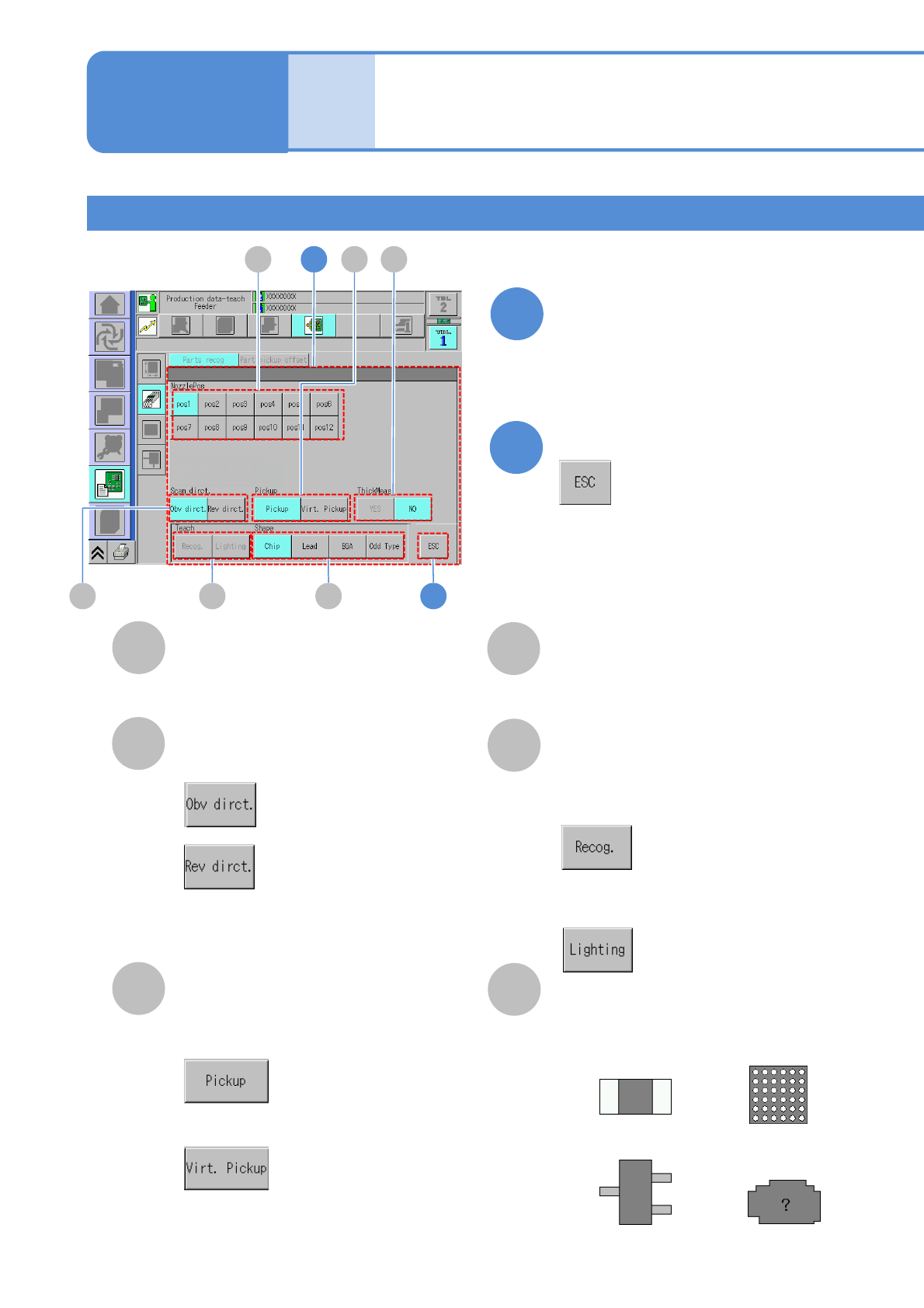
ThickMeas
Displayed only when the multi-recognition
camera is enabled
E
Teach
Teaching target
F
Shape
Four shape patterns of teaching component.
4
5
Choose a pickup condition
Complete the setting
B
A
NozzlePos
Nozzle position to pick up.
Scan direct.
Recognition direction
: From left to right
: From right to left
C
Pickup
■To automatically pickup a
component
■To manually pickup a component
Produc-
tion data
teaching
Component recognition
teach 3
6-2-4-5
Component recognition teach 2
■To recognize a component by
the multi-recognition camera
■To change the brightness of a
recognition image
●Shape: Chip
●Shape: Lead
●Shape: BGA
●Shape: Odd type
Operating procedure
6-2-4
4
5
A
B E F
DC