N7201A616E00_0317.pdf - 第460页
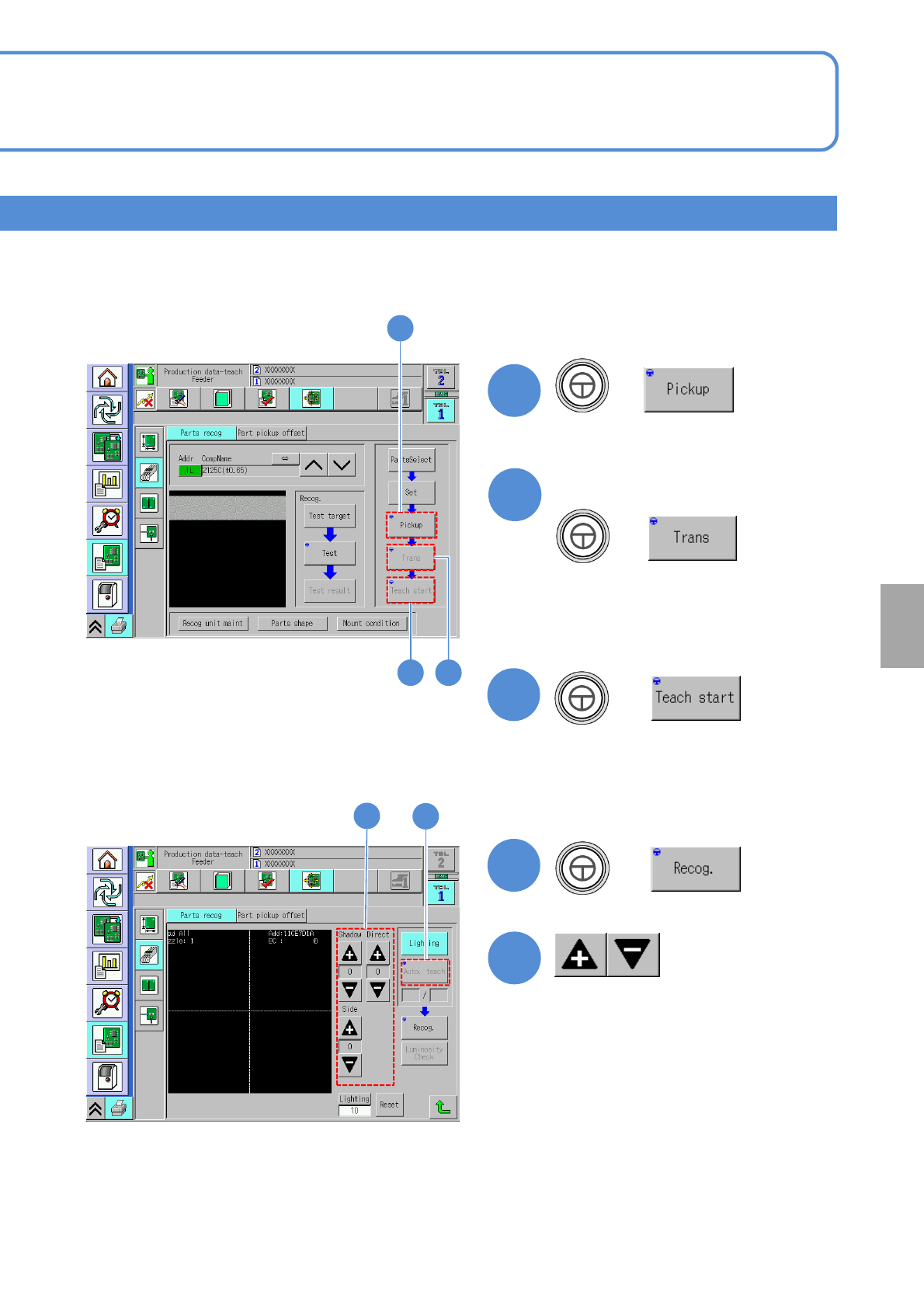
NPM-W 2 EJM7DE-MB-06O-0 0 11 + 6-2-4 -7 Produc- tion data teaching Component r ecognition teac h 4 Operating procedure 6-2-4 Component recognition teach 3 (An image recognize d by the multi- recognition camera is display…
NPM-W2 EJM7DE-MB-06O-00
6-2-4-6
6
7
8
+
+
+
(A component is picked up)
Only if you transcript a component
(The recognition screen appears in large
form and teach is started)
(A component transcription is carried out)
●It is available only if the transcription
function is enabled.
9
+
(Suitable lamp value is decided)
6
7
8
10
●Adjust the brightness to see the
bad mark.(→P.6-2-1 ‘How to adjust
the lamp value’)
Setting
change
9
10
NPM-W2 EJM7DE-MB-06O-00
11
+
6-2-4-7
Produc-
tion data
teaching
Component recognition
teach 4
Operating procedure
6-2-4
Component recognition teach 3
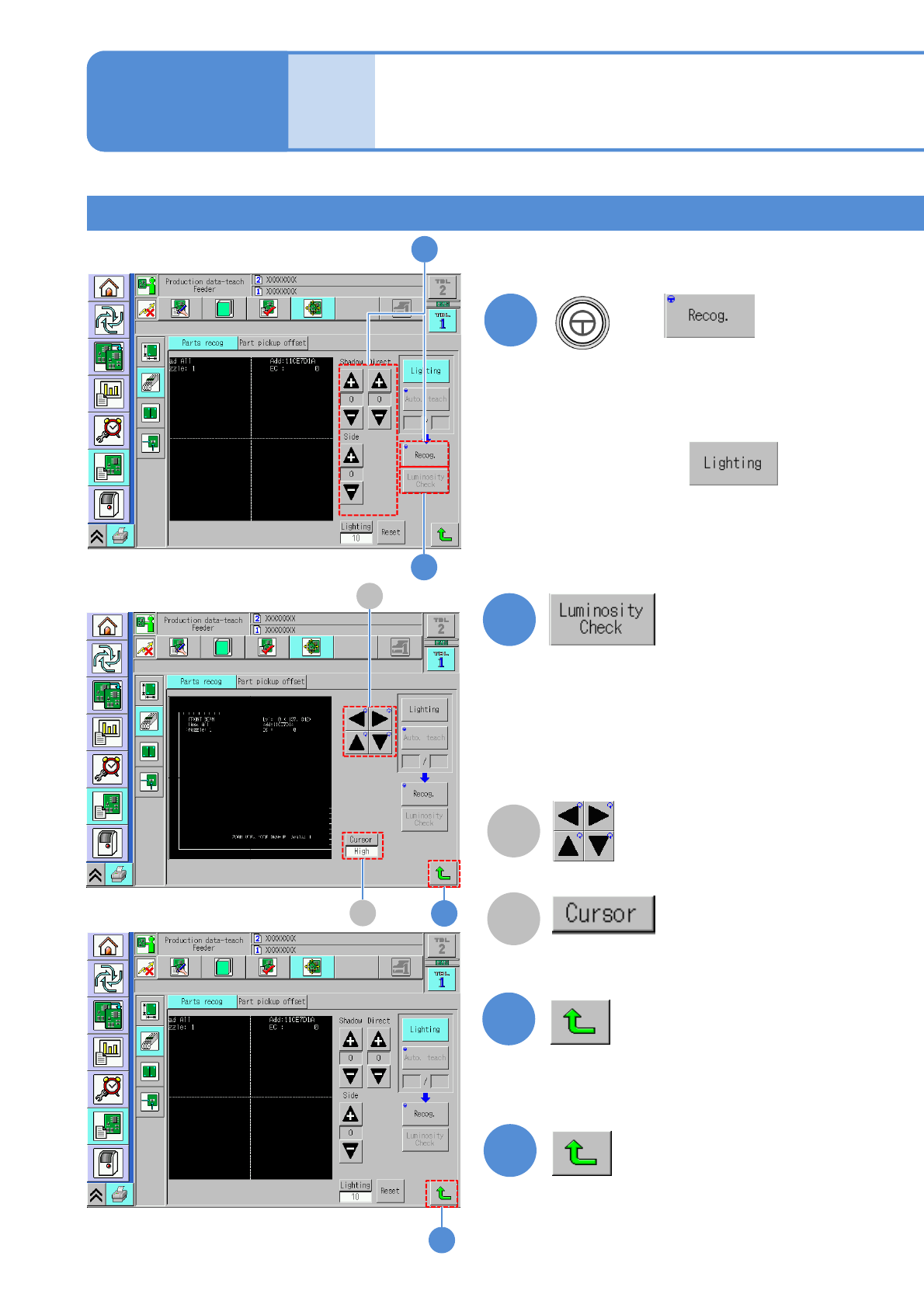
(An image recognized by the multi-
recognition camera is displayed)
■If a component outline is invisible
After pressing ,
adjusts the brightness values using
‘Shadow’, ‘Direct’ and ‘Side’ buttons
as the component outline becomes
visible.
14
B
A
13
13
14
12
A
B
11
12
(Luminance distribution in vertical direction
at the specified position on the screen is
displayed.)
Check by luminance distribution whether
there is enough luminance contrast between
a component and the background.
Cursor movement
Change cursor moving pitch
“High” / “Low”
NPM-W2 EJM7DE-MB-06O-00
6-2-4-8
Setting
change
15
15
16
16
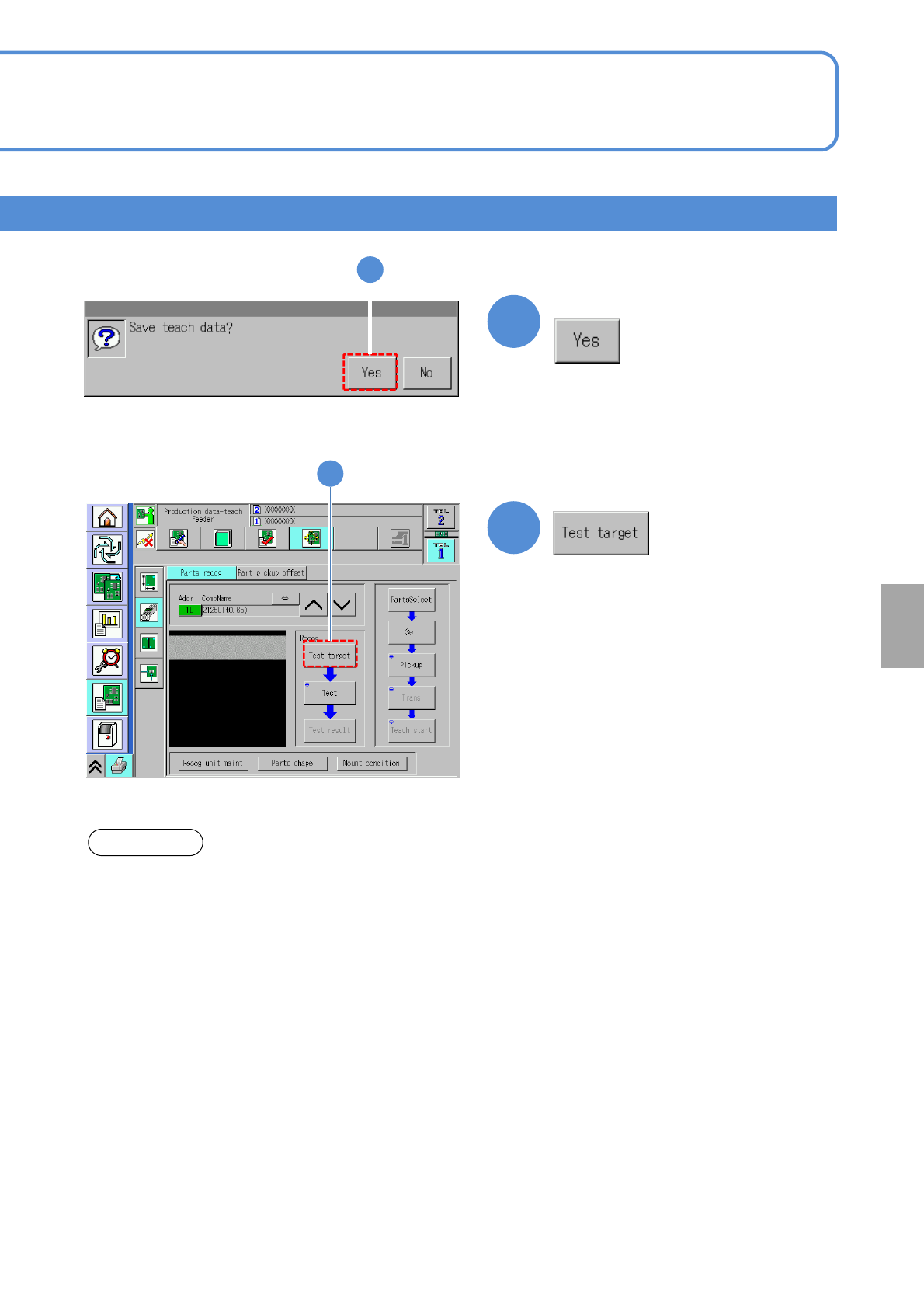
Confirm the message
(Recognition starts)
About the light setting of the multi-recognition camera [Type 3].
1. When the reflecting light is illuminated, the BGA ball height inspection is not performed.
2. The BGA lamp value is automatically converted inside the system. Therefore, when the BGA ball height
inspection is performed, the different value from the one set on the recognition screen may be displayed.
3.To keep the 3D inspection condition, sometimes the recognition system automatically changes the lamp
value.
ATTENTION