N7201A616E00_0317.pdf - 第474页
NPM-W 2 EJM7DE-MB-06O-0 0 Produc- tion data teaching Pic kup position lear ning teac h 1 1 + ● Perform on both and . 3 Choose the data to teach (The head camera moves to the pickup p osition and a c omponent image is dis…
NPM-W2 EJM7DE-MB-06O-00
+
5
5
6-2-7-2
6
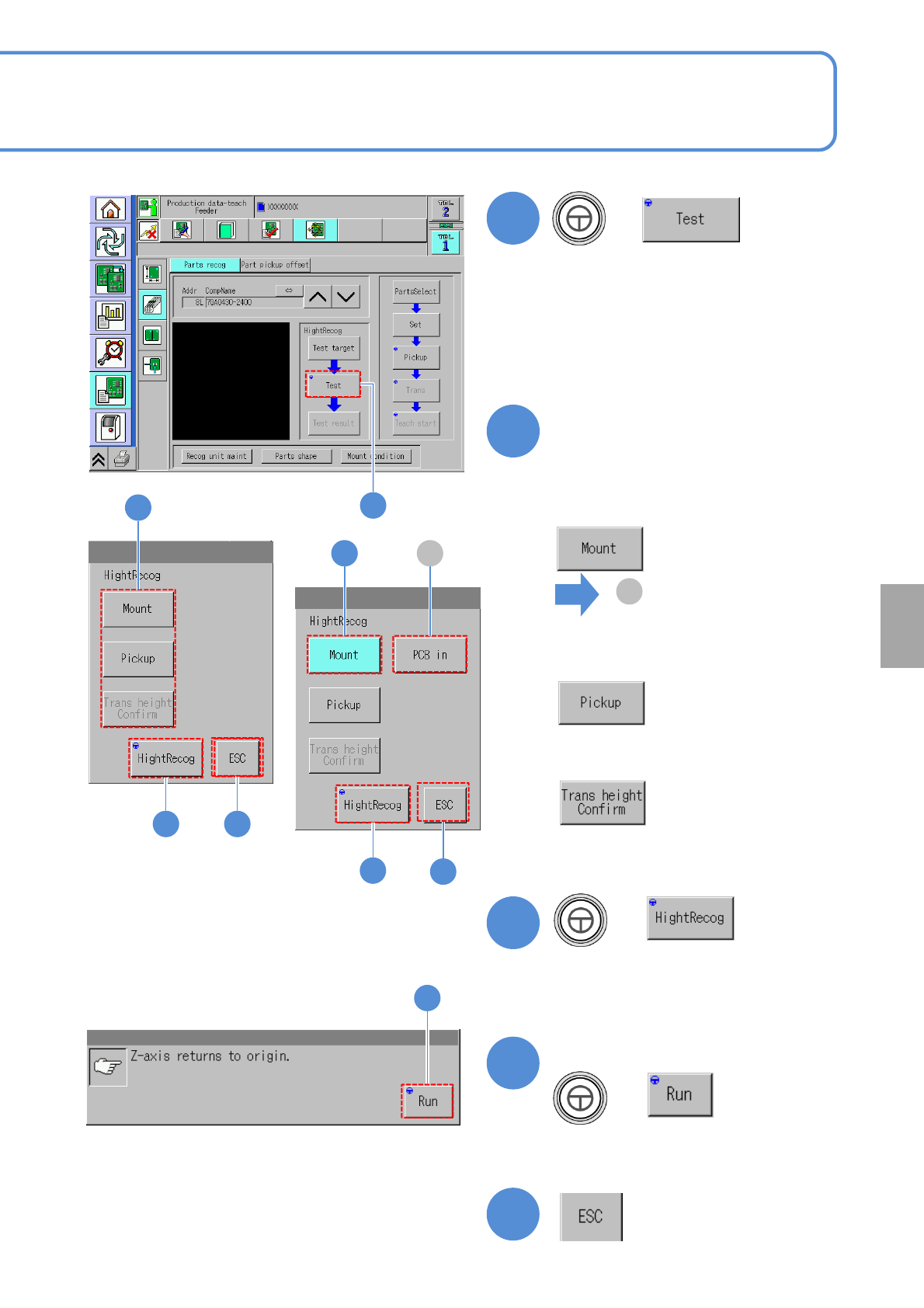
Choose height action
■To check the nozzle height
when a component is placed
on a PCB
■To check the nozzle height for
transcription
●It is available only if the transcription
function is enabled.
A
( is displayed)
■To check the nozzle height when
a component is picked up from
the feeder
A
+
7
6
8
+
Confirm the message
(Z-axis moves to origin)
8
9
7
9
6
7
9
●Visually check that the nozzle is
lowered to a target position
(PCB, a component or
transcription.)
Setting
change
NPM-W2 EJM7DE-MB-06O-00
Produc-
tion data
teaching
Pickup position
learning teach 1
1
+
●Perform on both and .
3
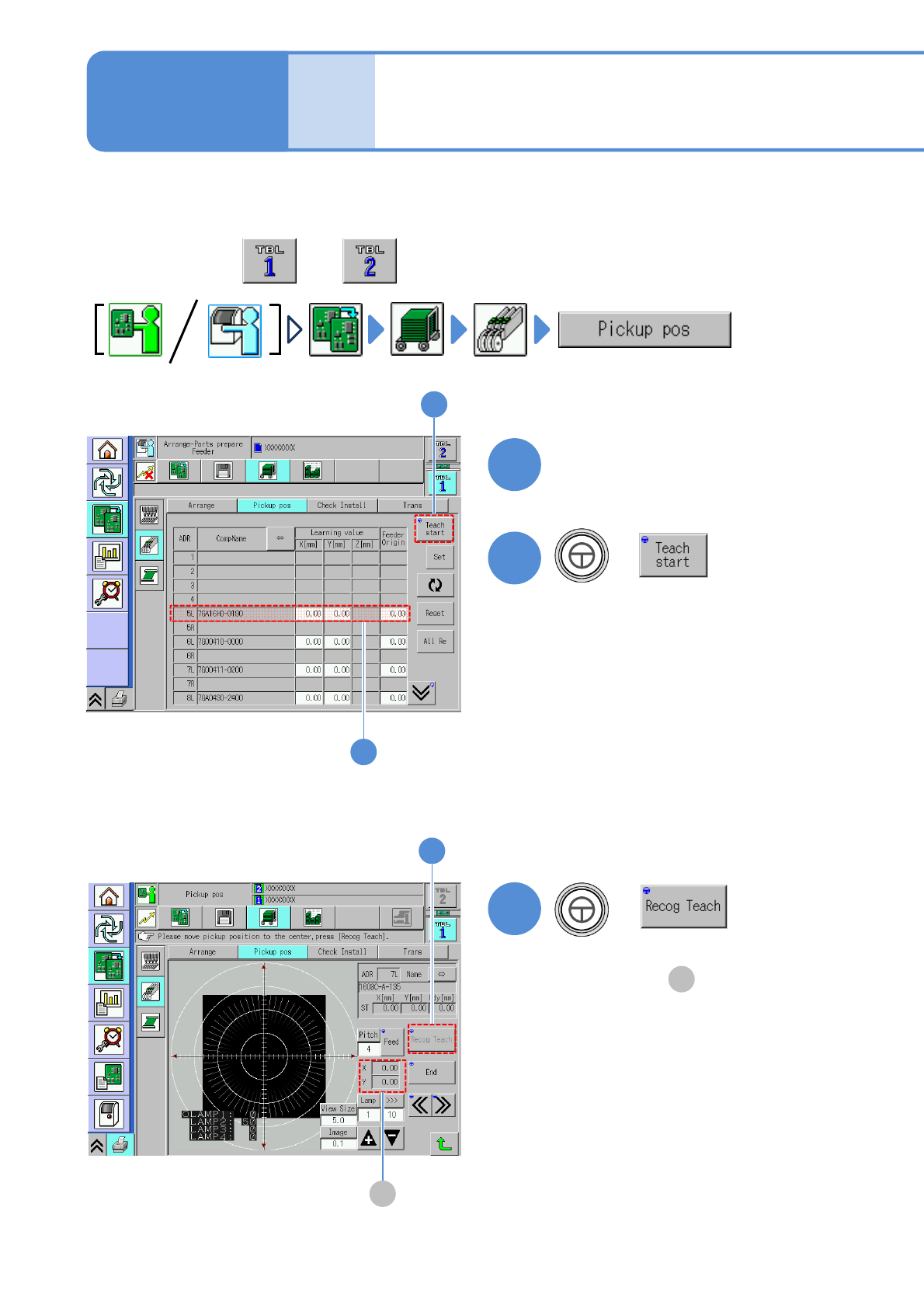
Choose the data to teach
(The head camera moves to the
pickup position and a component
image is displayed)
2
2
6-2-8-1
●Automatic teach is available only for a
component of which tape width is 4mm or 8mm
and having pickup position automatic teach.
■To automatically teach
+
3
Operating procedure
6-2-8
1
A
A
(Recognition teach starts and the result
is displayed in )
The offset value performed by pickup position learning during production can be checked per feeder
address. If there is any problem on the learning value, teach the position.
NPM-W2 EJM7DE-MB-06O-00
5
5
+
6
4
+
(The data is saved)
4
Repeat steps from to
53
6-2-8-2
7
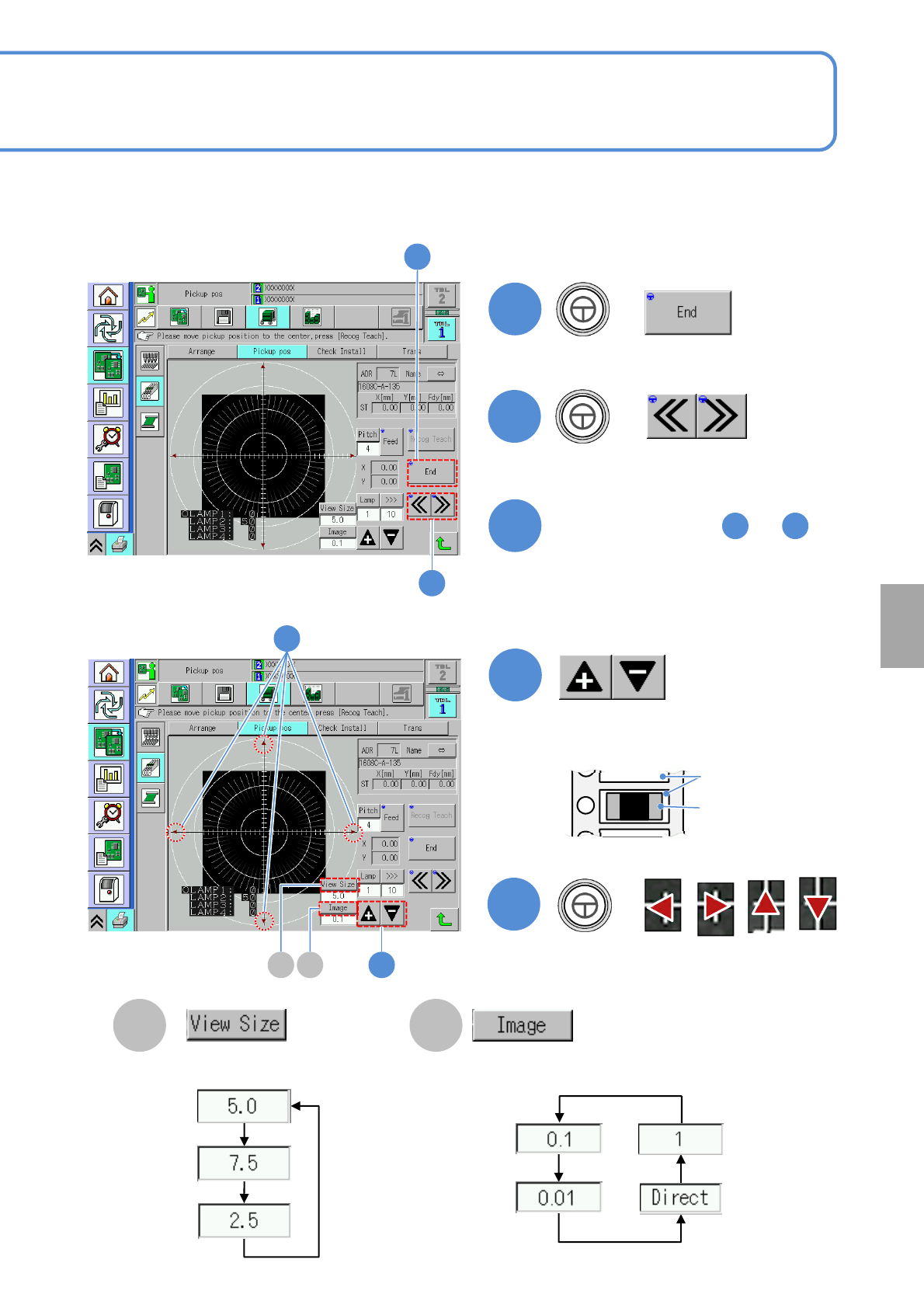
■To manually teach
Adjust the brightness so that you can
view an image of the pocket.
7
8
+
8
Aligns the pocket center (pickup
position) and cross line center.
Adjust the area to view.
Change a moving amount of
an image
B C
Pocket
Component
B C
Setting
change