N7201A616E00_0317.pdf - 第483页
NPM-W 2 EJM7DE-MB-06O-0 0 6-2-9 -6 Setting change 5 Choose SEQ number of a component to evaluate 6 6 + 5 7 7 8 9 8 9 + ● The comp onent shape is d isplayed when both the lengt h and width of the component maximum outer s…
NPM-W2 EJM7DE-MB-06O-00
6-2-9-5
Produc-
tion data
teaching
Placement coordinates
teach 3
Operating procedure
6-2-9
3
+
4
4
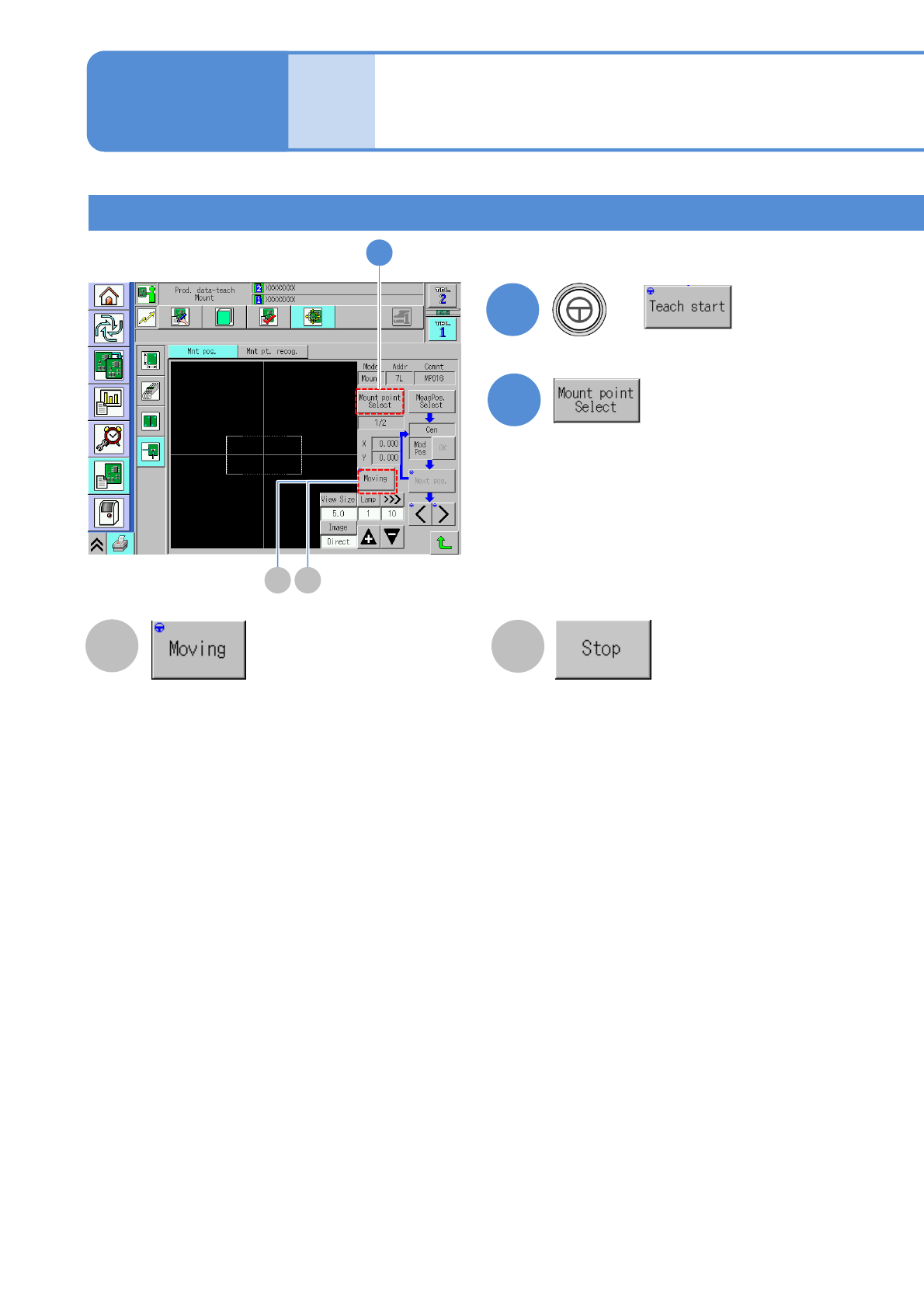
Teaching with component (measuring method: 1 point) 2
A
B
A B
Once an action starts, the button changes to “Stop”.
The head moves to the next coordinates and after it
stops and the time set on Teach image confirm
*1)
has
elapsed, it automatically moves to the next coordinates.
The action is repeated until the last coordinates
Press the [Stop] button on the coordinate you want
perform teach.
*1) (→ 7-1-2
-2 “Teach image confirm”)
If you press this button, the head stops on the
coordinate and you can perform teach.
Once an action starts, the button changes to
“Moving”.
Pressing the [Moving] button starts moving from
next coordinates.
●Movement also stops by pressing the [STOP]
key. However, if independent placement is
performed, the machine stops as single stop.
NPM-W2 EJM7DE-MB-06O-00
6-2-9-6
Setting
change
5
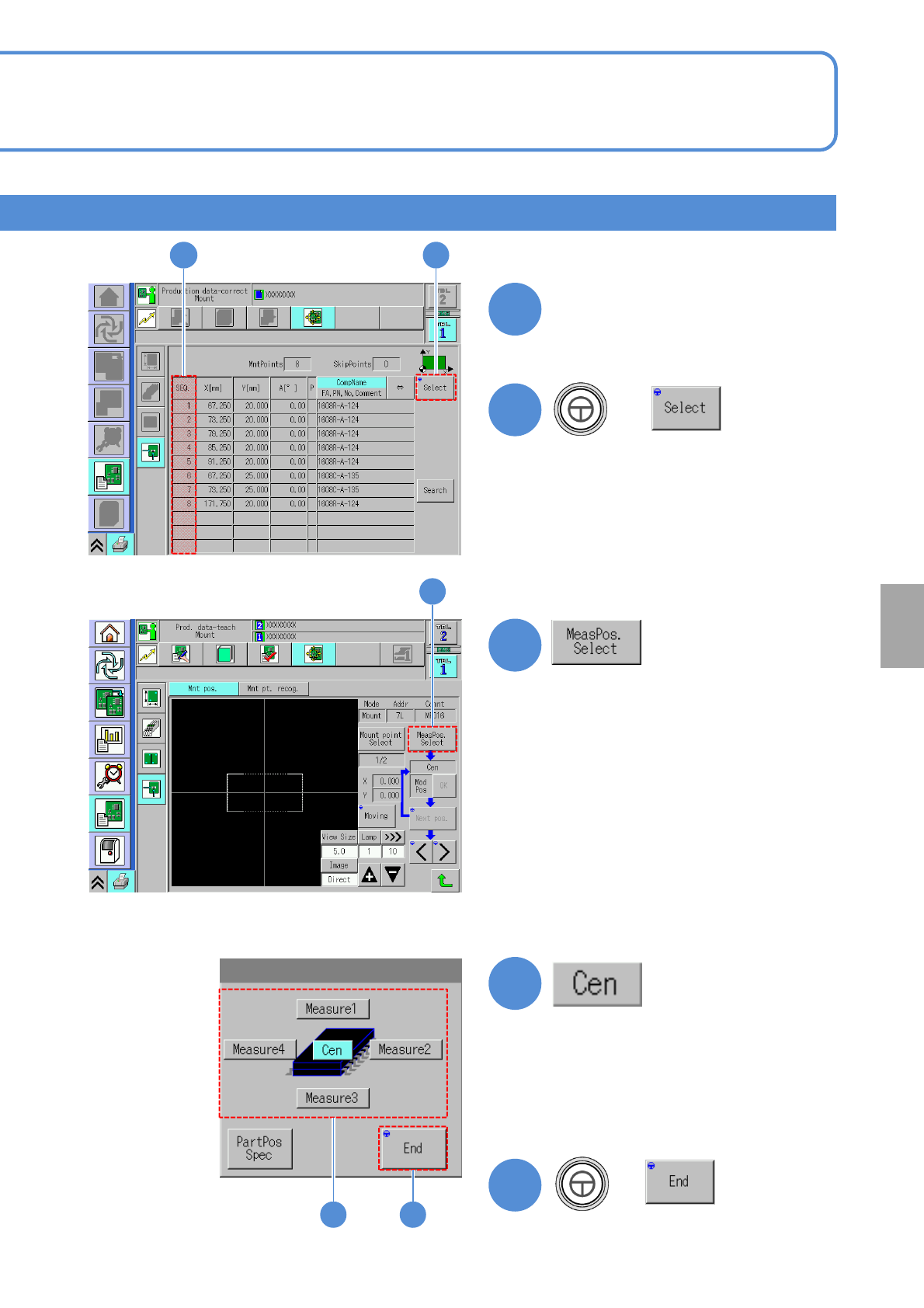
Choose SEQ number of a
component to evaluate
6
6
+
5
7
7
8
9
8 9
+
●The component shape is displayed
when both the length and width of
the component maximum outer size
are below 2.0 mm and the
placement angle is 45 degree basis.
NPM-W2 EJM7DE-MB-06O-00
6-2-9-7
Produc-
tion data
teaching
Placement coordinates
teach 4
Operating procedure
6-2-9
10
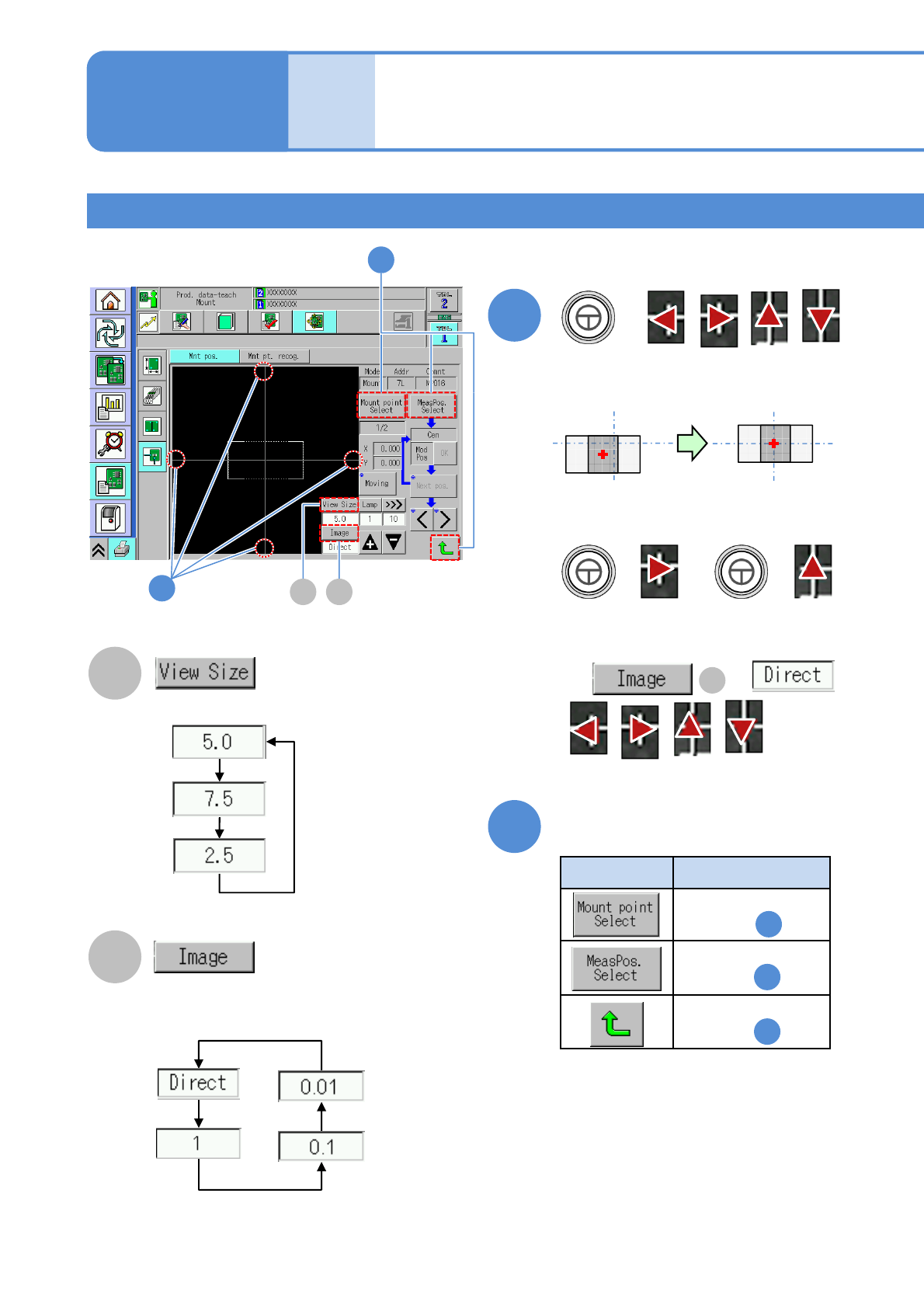
■If the component center is displaced
10
+
●Aligns the component center to the
cross line center.
The following two buttons are used for
the above example.
+ +
Type Action
11
11
Press any of the following buttons
1
5
8
Returns to the
screen in
Returns to the
screen in
Returns to the
screen in
A
B
A B
Adjust the area to view.
Change a moving amount of
an image
If is ,
are not
displayed.
B
Teaching with component (measuring method: 1 point) 3
● Notice1