N7201A616E00_0317.pdf - 第495页
NPM-W 2 EJM7DE-MB-06O-0 0 6-2-9 -18 Setting change 6 ■ When a component is picked up to the nozzle manually 7 To + ■ When a component is picked up to the nozzle automatically 14 To + 7 Prepare for component installation …
NPM-W2 EJM7DE-MB-06O-00
6-2-9-17
Produc-
tion data
teaching
Placement coordinates
teach 9
Operating procedure
6-2-9
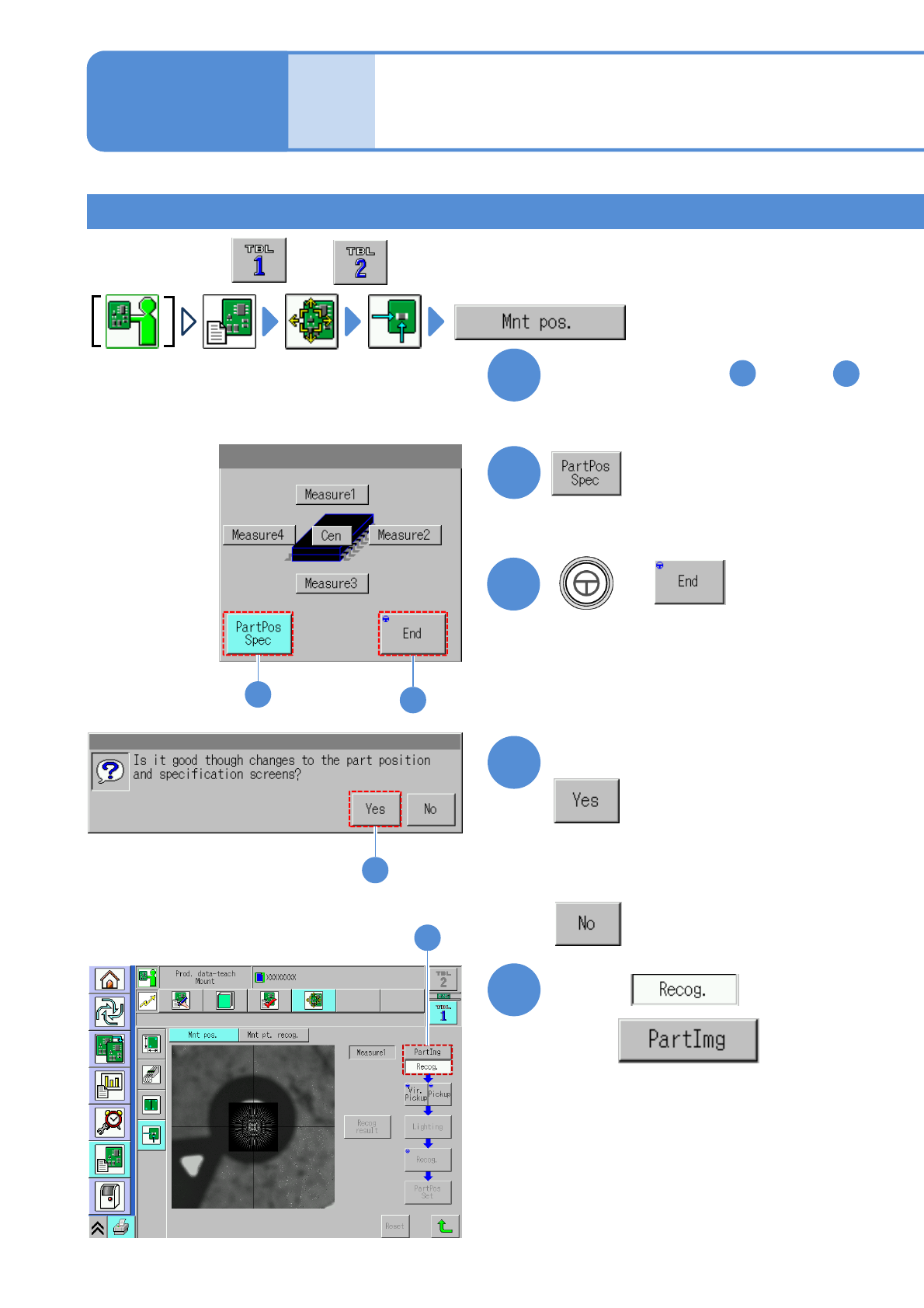
Teaching by specifying component position 1
1
Perform steps from through
in [Teaching with component
(measuring method: 1 point)]
1
7
2
2
4
Confirm the message
5
with
Choose
5
●Perform on both and .
4
■When you do not want to transition to
the component position selection
screen
3
3
+
NPM-W2 EJM7DE-MB-06O-00
6-2-9-18
Setting
change
6
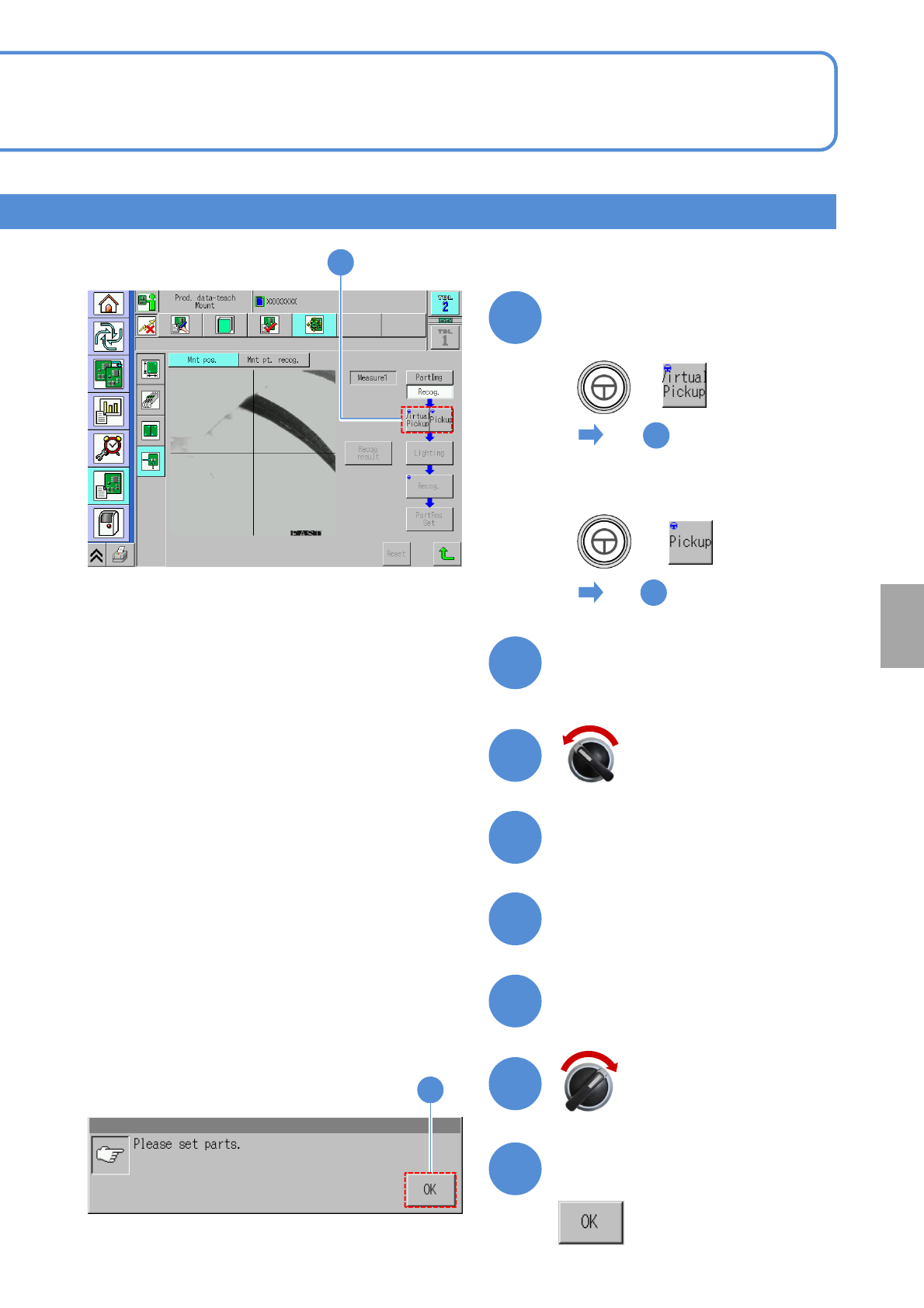
■When a component is picked
up to the nozzle manually
7
To
+
■When a component is picked
up to the nozzle automatically
14
To
+
7
Prepare for component
installation
8
9
10
11
12
Open the safety cover
Servo switch OFF
Install components
Close the safety cover
13
Confirm the message
13
6
Servo switch ON
NPM-W2 EJM7DE-MB-06O-00
6-2-9-19
Produc-
tion data
teaching
Placement coordinates
teach 10
Operating procedure
6-2-9
Teaching by specifying component position 2
+
14
13
15
15
17
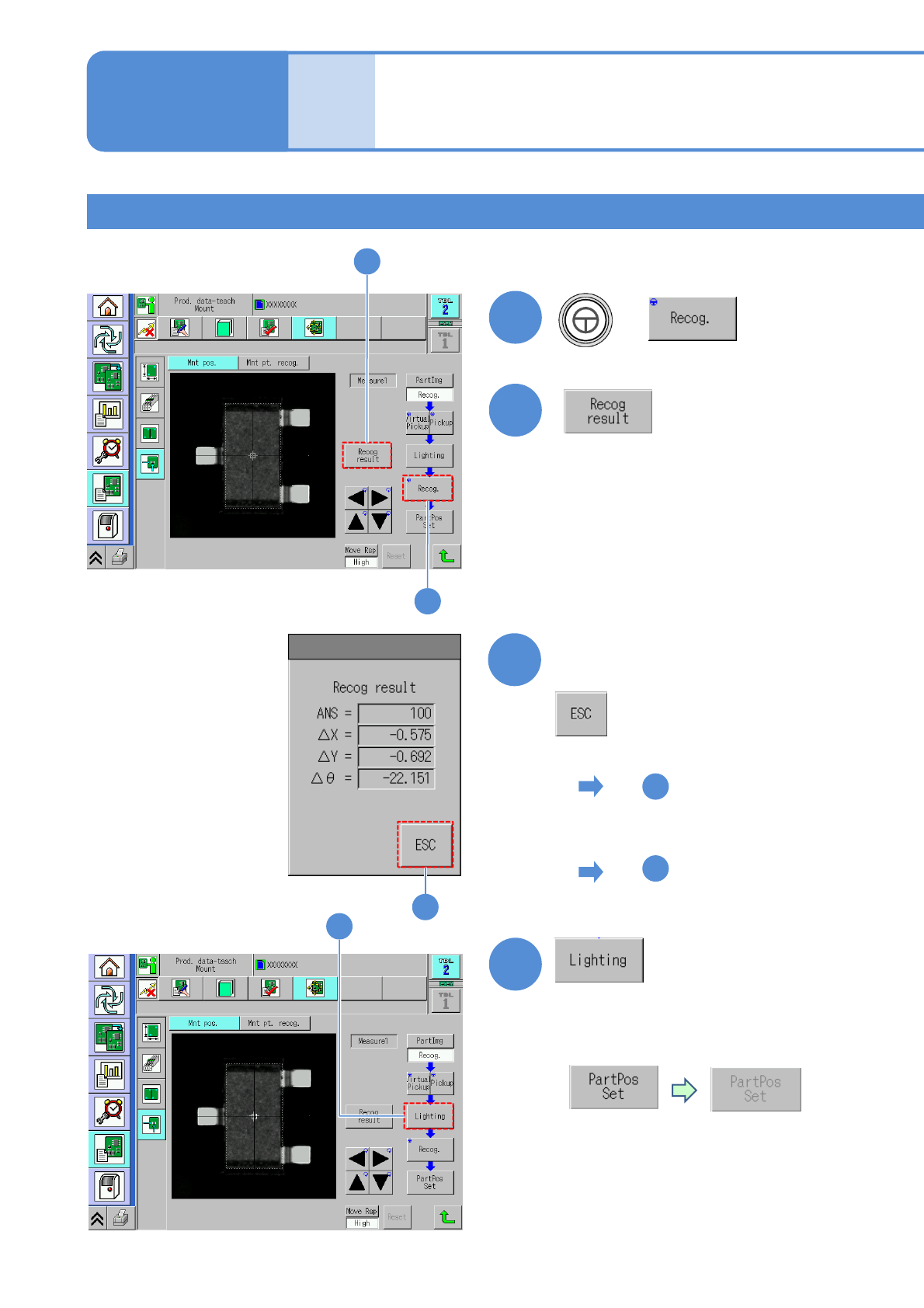
■When an image is recognizable
18
To
■In the case of recognition
error, or unclear image
17
To
17
(→P.6-2-1 ‘How to adjust the lamp value’)
■For recognition error, the button
is grayed out
and becomes disabled
■Adjustment is necessary
since pins for insertion
components are not easy to
recognize
16
Confirm the recognition result
16