N7201A616E00_0317.pdf - 第508页
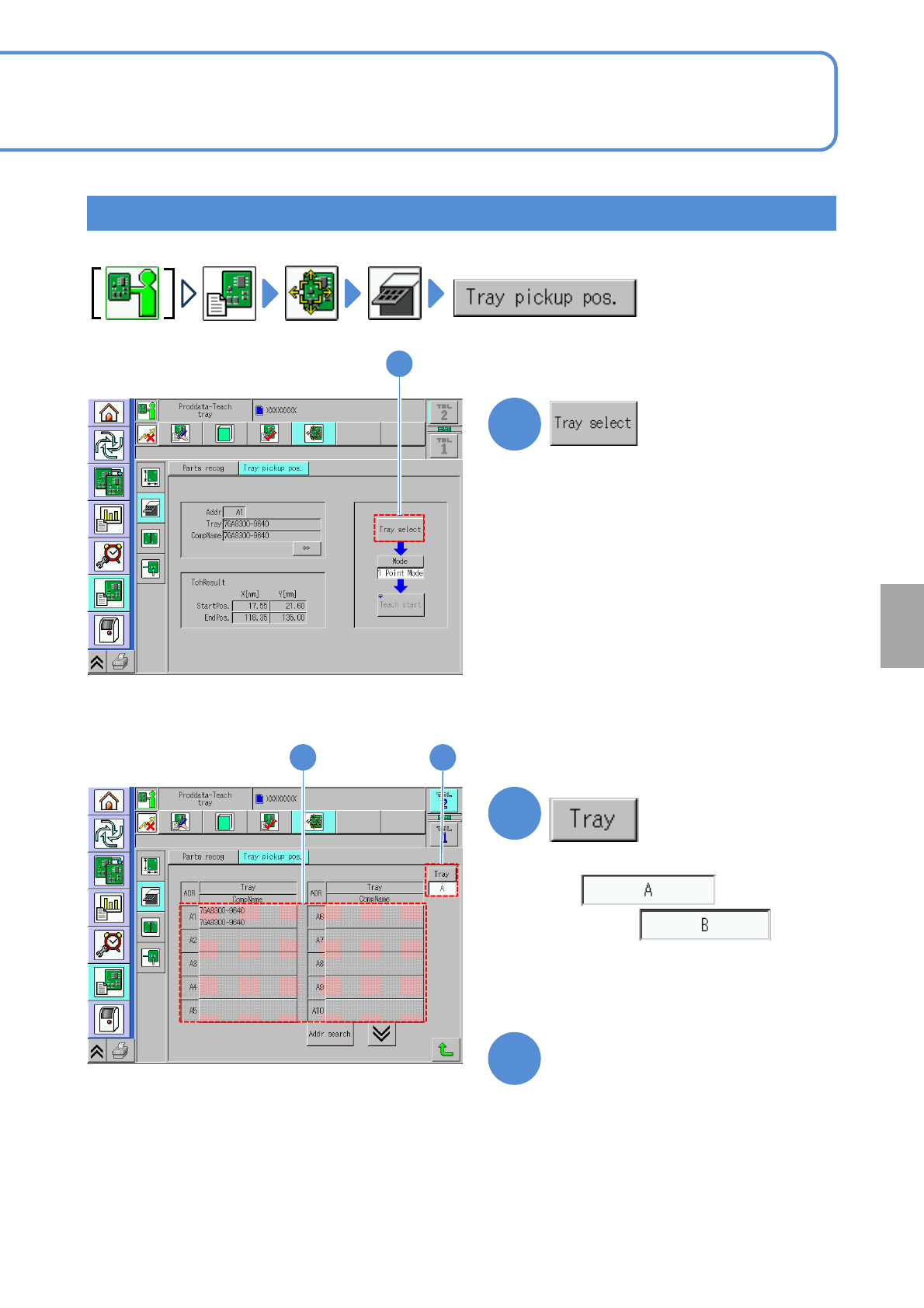
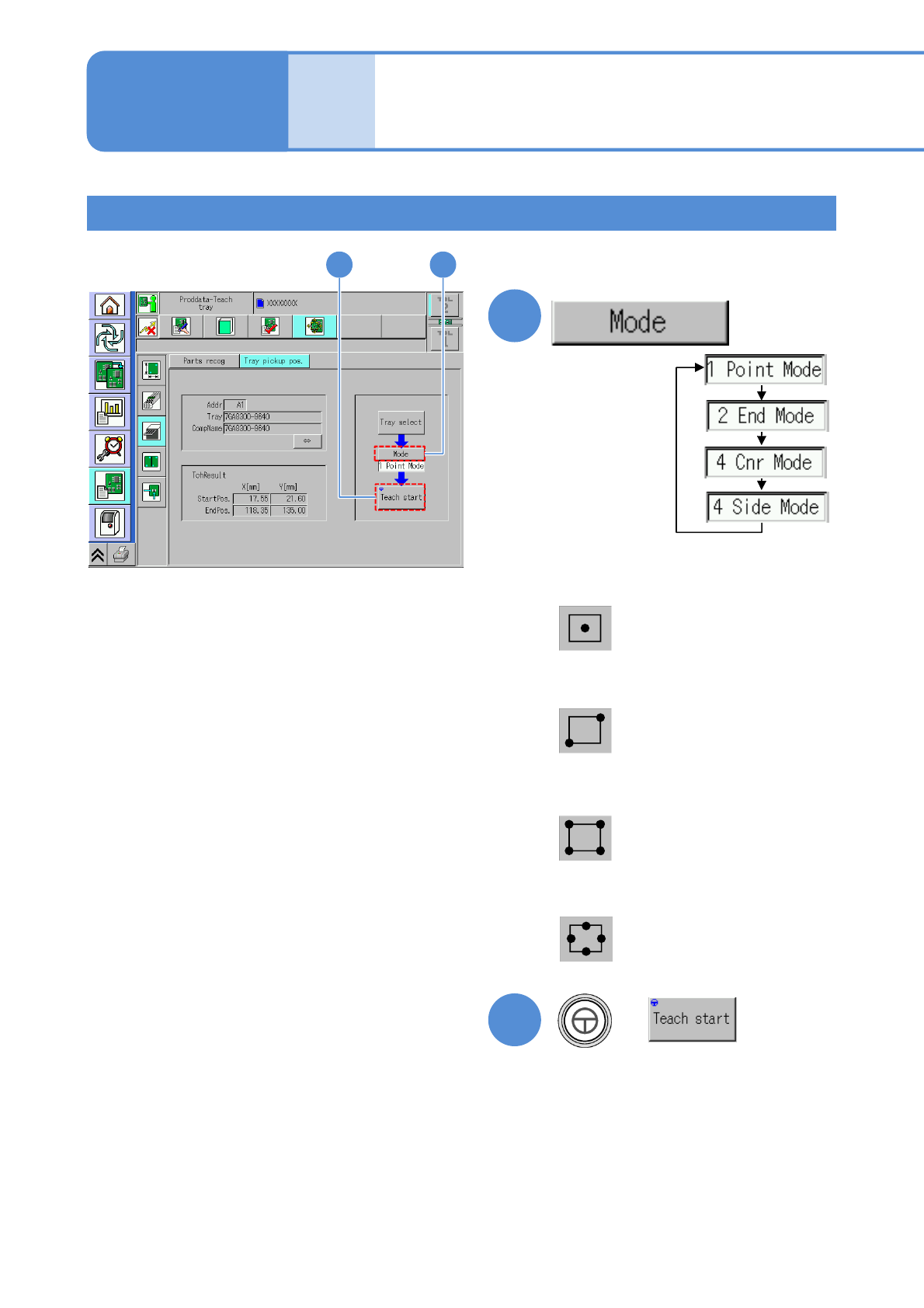
NPM-W 2 EJM7DE-MB-06 O-00 Produc- tion data teaching T r ay pickup position teac h 2 6-2-1 1 -3 Operating procedure 6-2-1 1 The position viewed throug h the camera becomes the pickup position. 4 4 5 + 5 Centers of the fo…
NPM-W2 EJM7DE-MB-06O-00
6-2-11-2
Setting
change
1
1
Teaching procedure 1
2
3
2
■For a twin tray feeder
or
■For a single tray feeder
Not displayed.
3
Choose the tray address
NPM-W2 EJM7DE-MB-06O-00
Produc-
tion data
teaching
Tray pickup position
teach 2
6-2-11-3
Operating procedure
6-2-11
The position viewed through
the camera becomes the
pickup position.
4
4
5
+
5
Centers of the four sides are
taught by the camera to
calculate the pickup position.
Four corners are taught by
the camera to calculate the
pickup position.
Two points at diagonally
opposite corners are taught by
the camera to calculate the
pickup position.
■1 point mode
■2 edges mode
■4 corners mode
■4 sides mode
(The recognition screen appears in large
form and teach is started)
Choose a mode
Teaching procedure 2
NPM-W2 EJM7DE-MB-06O-00
6-2-11-4
Setting
change
6
6
+
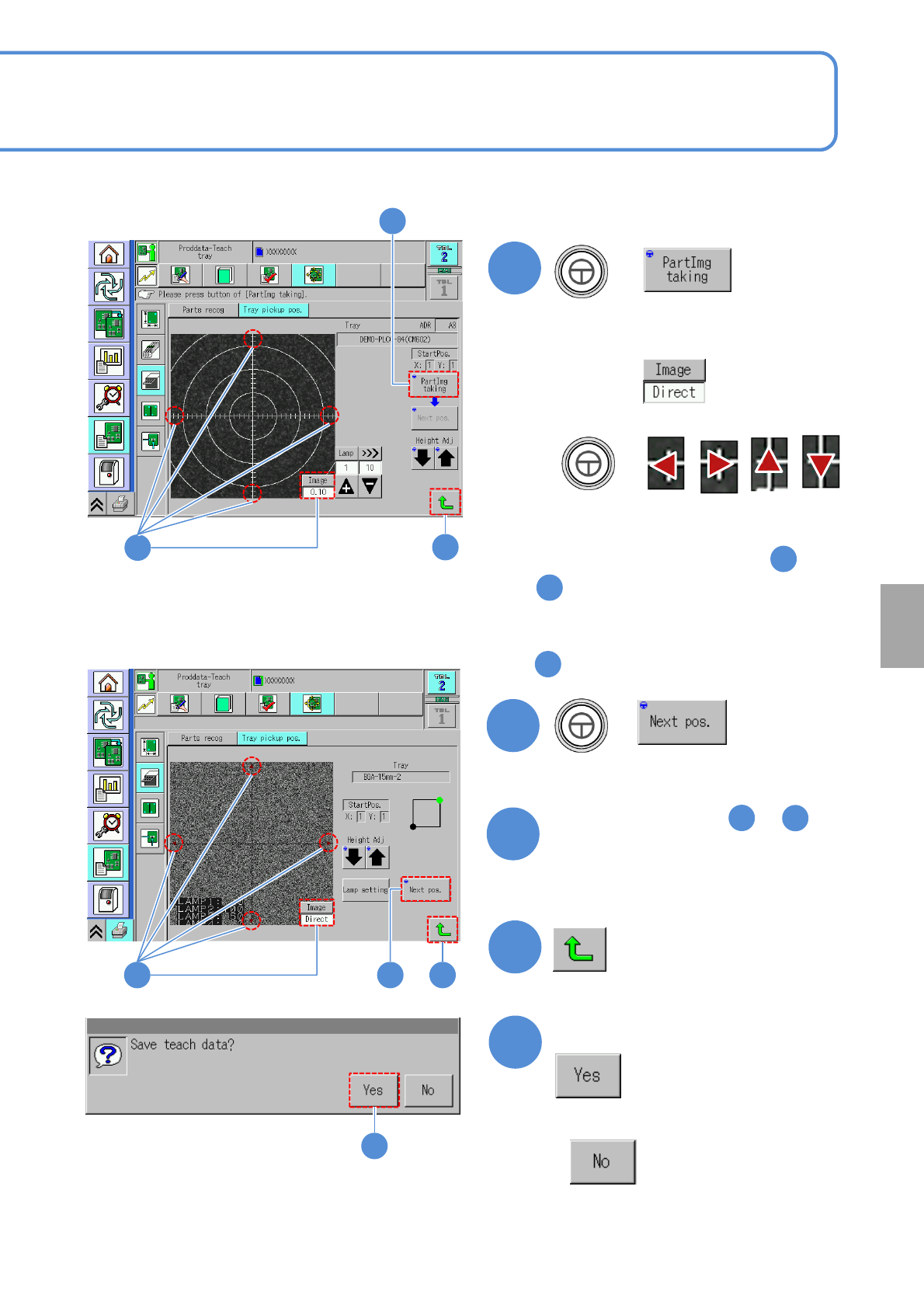
●If the tray stock pocket center is not
aligned to the cross line center
Align to the center with
Switch to
+
■‘1 point mode’ is selected in
■Other than ‘1 point mode’ is selected
in
7
+
(Moves to the next teach position)
8
Repeat steps from to
as many times as there are
recognition points
4
3
9
6
7
6
To
9
■ When 1 point mode is selected
■ When other than 1 point mode is selected
976
10
Confirm the message
■When you do not save the data
9
10