N7201A616E00_0317.pdf - 第516页
NPM-W 2 EJM7DE-MB-06O-0 0 Dispensing coor dina tes teac h 1 6-2-13 -1 Dispensing p osition misalignme nts, which have taken place on a pr oduction board, can be corr ected through dispensing c oordinates te aching. Dispe…

NPM-W2 EJM7DE-MB-06O-00
6-2-12-6
Setting
change

NPM-W2 EJM7DE-MB-06O-00
Dispensing coordinates
teach 1
6-2-13-1
Dispensing position misalignments, which have taken place on a production board, can be corrected through
dispensing coordinates teaching.
Dispensing position misalignments taking place consistently on the same pattern of a production board
can be corrected through dispensing coordinates teaching.
For dispensing coordinates teaching, there are three types of teaching modes, so they can be used as the
misalignment situation demands. For your information, the dispensing and the placement coordinates are
controlled as a single coordinates on a board; therefore, teaching or rectification of data of one coordinates is
reflected on the other.
■Dispensing
Uses when dispensing position misalignment is taking place only in a particular sequence.
Changes the coordinate of dispensing data of the sequence taught.
As parts are placed at the dispensing coordinates taught, the coordinates of placement data is
changed as well.
■Dispensing /Pattern
Uses when dispensing position misalignment takes place at the same location of each pattern.
Changes all the dispensing data with the same pattern number as the parts taught and the appropriate
pattern data.
As parts are placed at the dispensing coordinates taught, the coordinate of placement data is also
changed.
■Origin offset
Uses when dispensing position misalignment is taking place across the board even though PCB
recognition has been performed with normal data. After setting zero offset and changing the PCB
recognition coordinates, the amount of the changed coordinates of parts taught will be reflected on all
parts.
*The origin or zero offset taught will be reflected in all components.
●Before these teaching, make sure the data registered in the machine is correct.
●Save the data properly for use of the data after teaching as the production data.
NOTICE
Choosing the measurement position
Specify a dispensing position with reference to the image of a board.
Regardless of whether a PCB is placed or unplaced (dispensed), specify a given, current location on
the PCB and a position (location of modification) to be dispensed, and then teach the relative
misalignment amount to reflect it on data.
The measuring position can be selected freely since it is not required to be centrally symmetric.
For multiple selections, the average misalignment amount is reflected on the coordinate data.
The component positioning function that you can select in the placement coordinates teaching is not
available for the dispensing coordinates teaching.
Produc-
tion data
teaching
Operating procedure
6-2-13
NPM-W2 EJM7DE-MB-06O-00
6-2-13-2
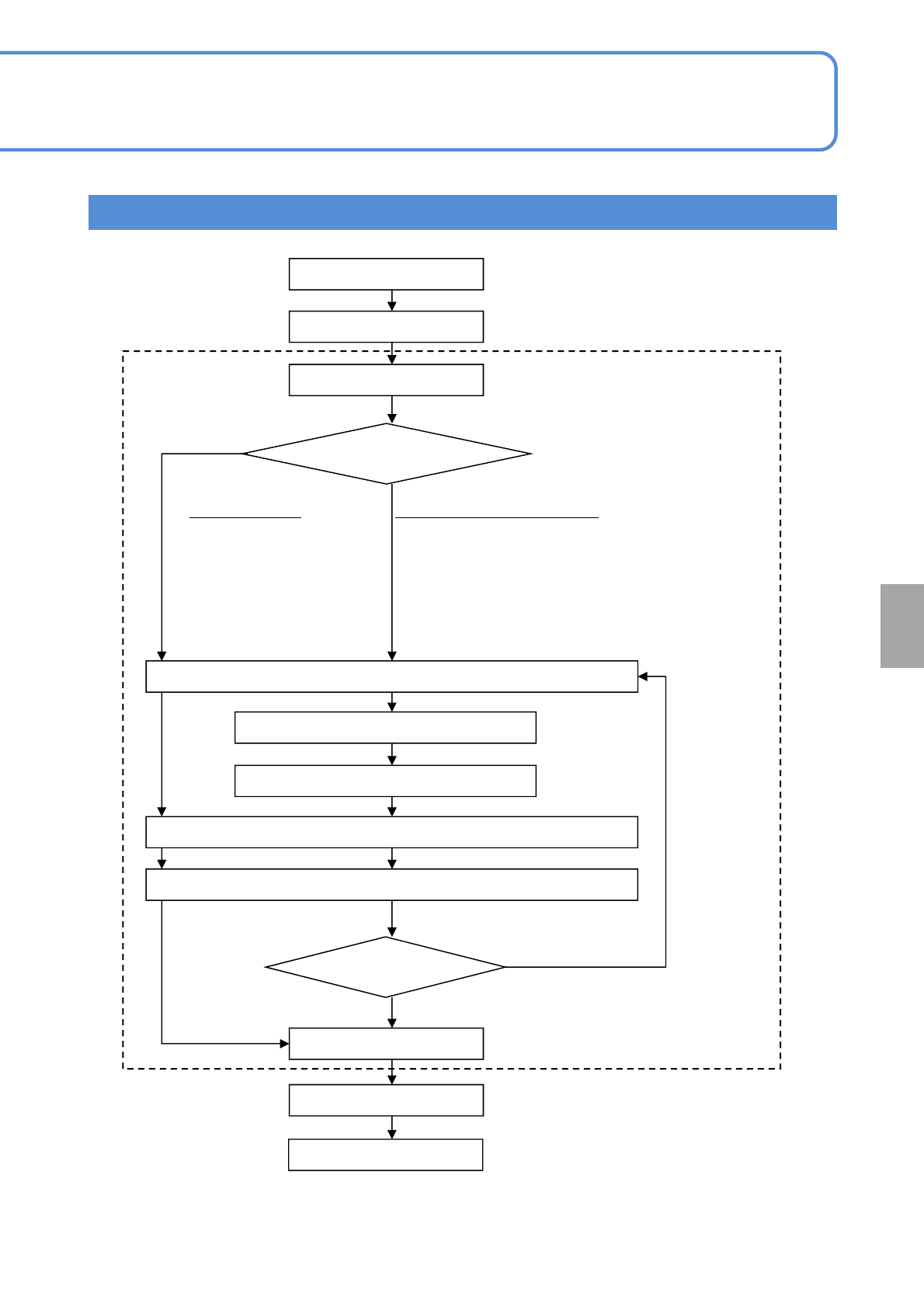
Teaching flow
Teach start
PCB transfer
Dispensing point set
A PCB is transferred.
Step from 1 through 7
Set the dispensing point to teach
dispensing coordinates.
Measurement 1 to 4 selection
Adjusts the positions of 4 measuring points such
as four corners of a component.
Meas. position
set
Center selection
■Adjusts the center
position of a
component
Moving the head camera
Inching
Present position confirmed
Inching
Modified position confirmed
Using a PCB, adjust a
placement position.
NO
YES
PCB transfer
Teach end
Last meas.
*)
Offset value calculation
*) Last measurement position
Selection of Meas.1,3: Meas.1→3(last)
Selection of Meas.2,4: Meas.2→4(last)
Selection of Meas.1,2,3,4:
Meas.1→2→3→4(last)
Selection of Part position specification:
Meas.1 →2(last)
Setting
change