N7201A616E00_0317.pdf - 第520页
NPM-W 2 EJM7DE-MB-06O-0 0 6-2-13 -5 ■ When the position is misaligned + Adjust the lamp value X/Y Displays the inching amount of positioning. The view size of the recognition image is switched. The inch ing amount of po …
NPM-W2 EJM7DE-MB-06O-00
6-2-13-4
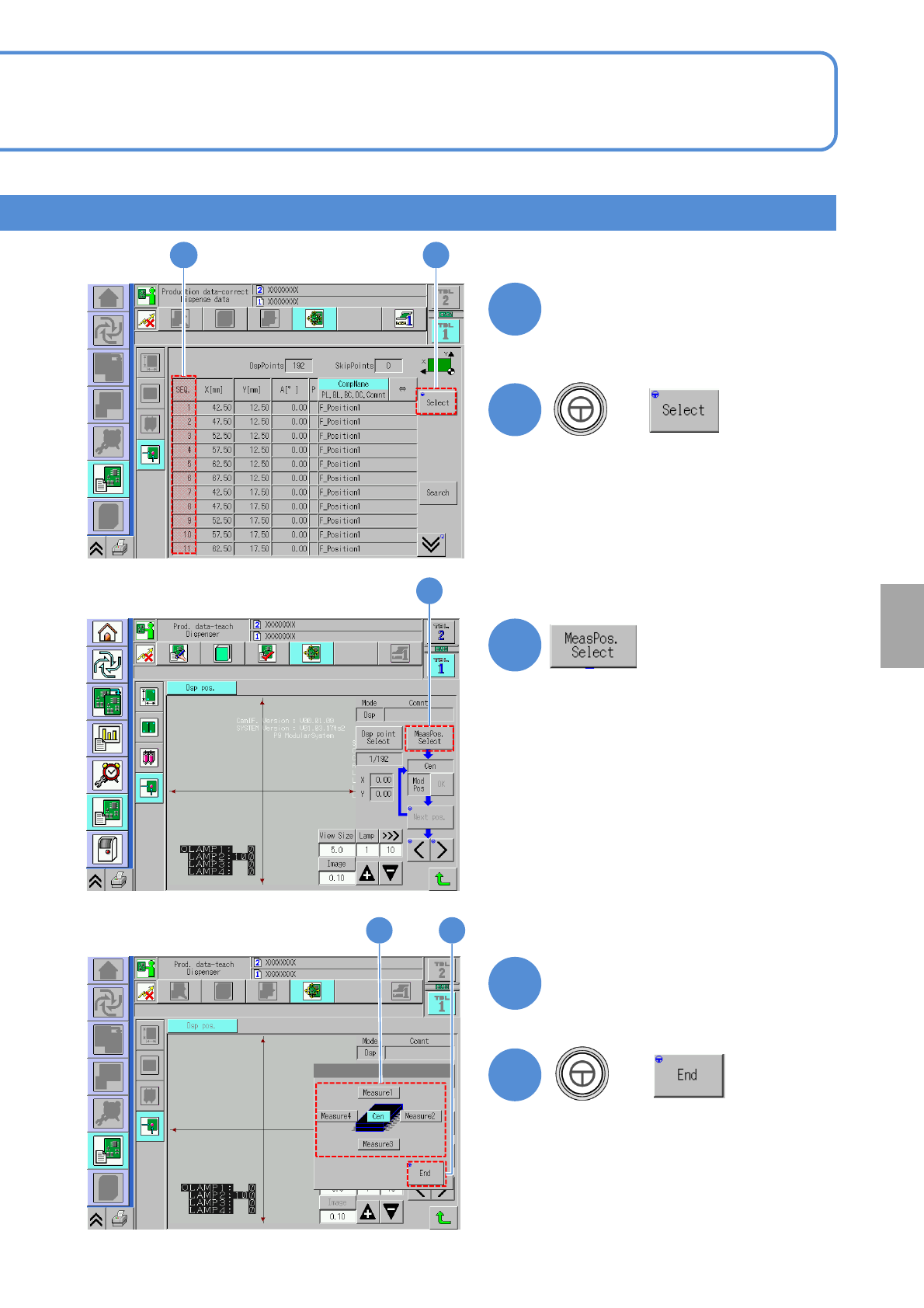
Select the SEQ number of a
component to evaluate
+
+
Choose the measurement
position
65
7
5
6
7
8
9
8 9
Setting
change
NPM-W2 EJM7DE-MB-06O-00
6-2-13-5
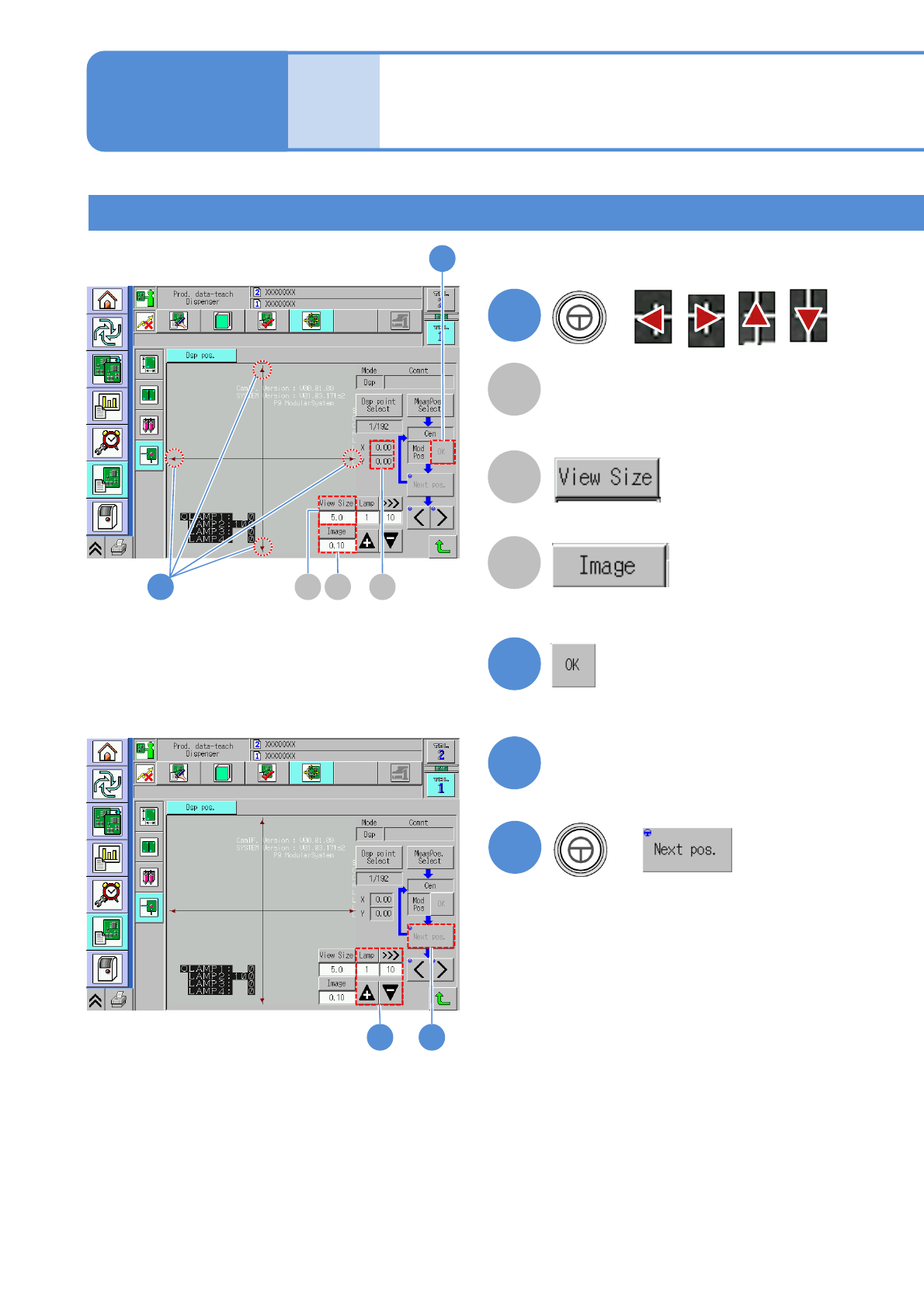
■When the position is misaligned
+
Adjust the lamp value
X/Y
Displays the inching amount of
positioning.
The view size of the recognition image is
switched.
The inching amount of positioning is
switched.
+
Creation procedure 2
Dispensing coordinates
teach 3
Produc-
tion data
teaching
Operating procedure
6-2-13
10
12
A
B
C
11
13
10
11
CB A
1312
NPM-W2 EJM7DE-MB-06O-00
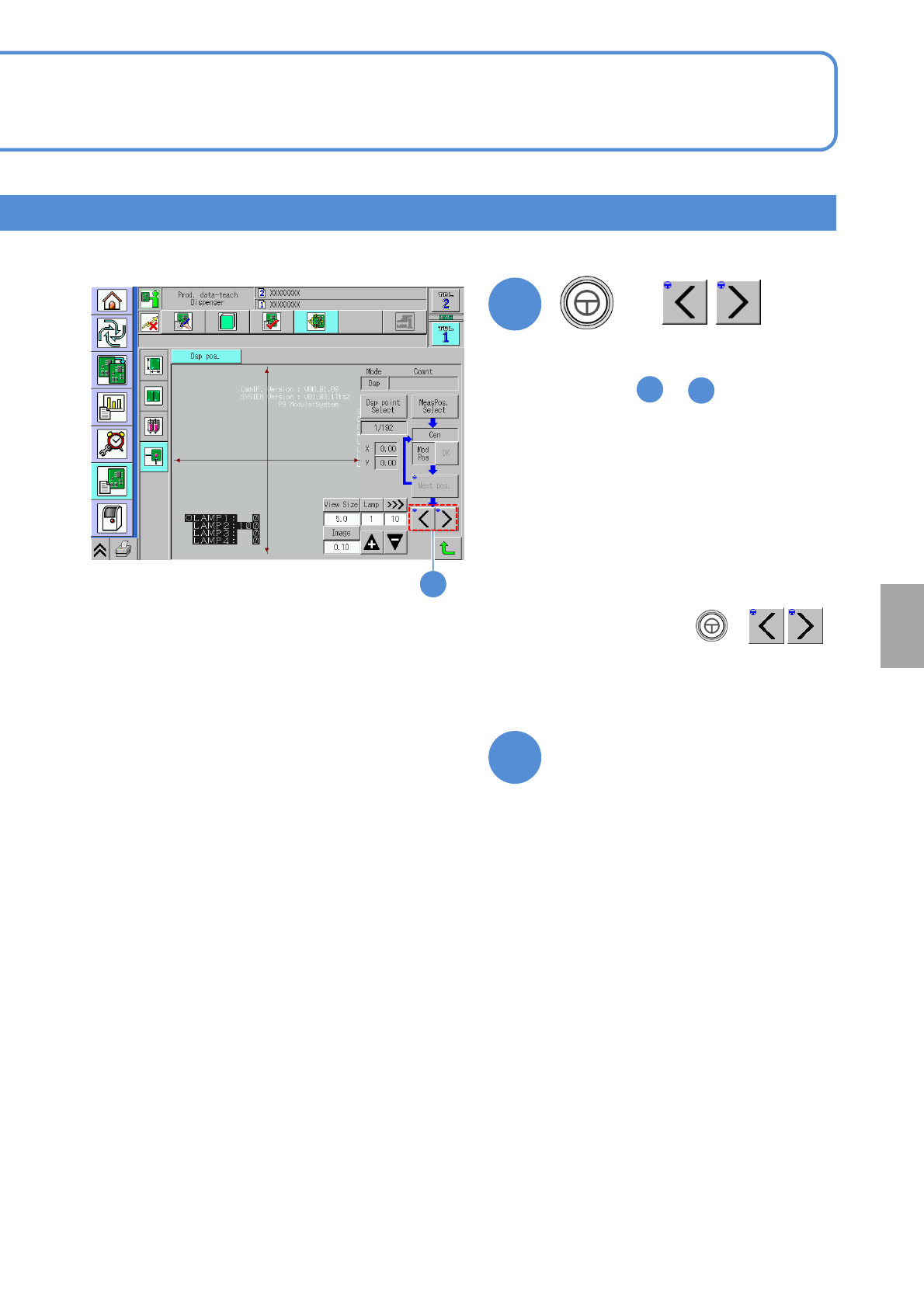
●After changing the dispensing
coordinates, press + ,
which allows you to perform the
dispensing coordinate position teaching
on the next coordinates without any
interruption.
6-2-13-6
The dispensing position teach
screen is exited, transitioning
to another screen
+
●The camera moves to the next
measurement position. Go though the
step from to as well.
6
7
●When the teaching of all the
measurement points is complete, the
center is calculated on the basis of the
taught coordinates, the data is saved,
and then the message indicating the
completion of measurement appears.
15
15
14
Setting
change