N7201A616E00_0317.pdf - 第522页
NPM-W 2 EJM7DE-MB-06O-0 0 6-2-14 -1 Dummy dispensing teac h 1 (dispensing head) Produc- tion data teaching Operating procedure 6-2-14 Inputting the dummy dispensing data Inputting the dummy dispensing recognition data St…
NPM-W2 EJM7DE-MB-06O-00
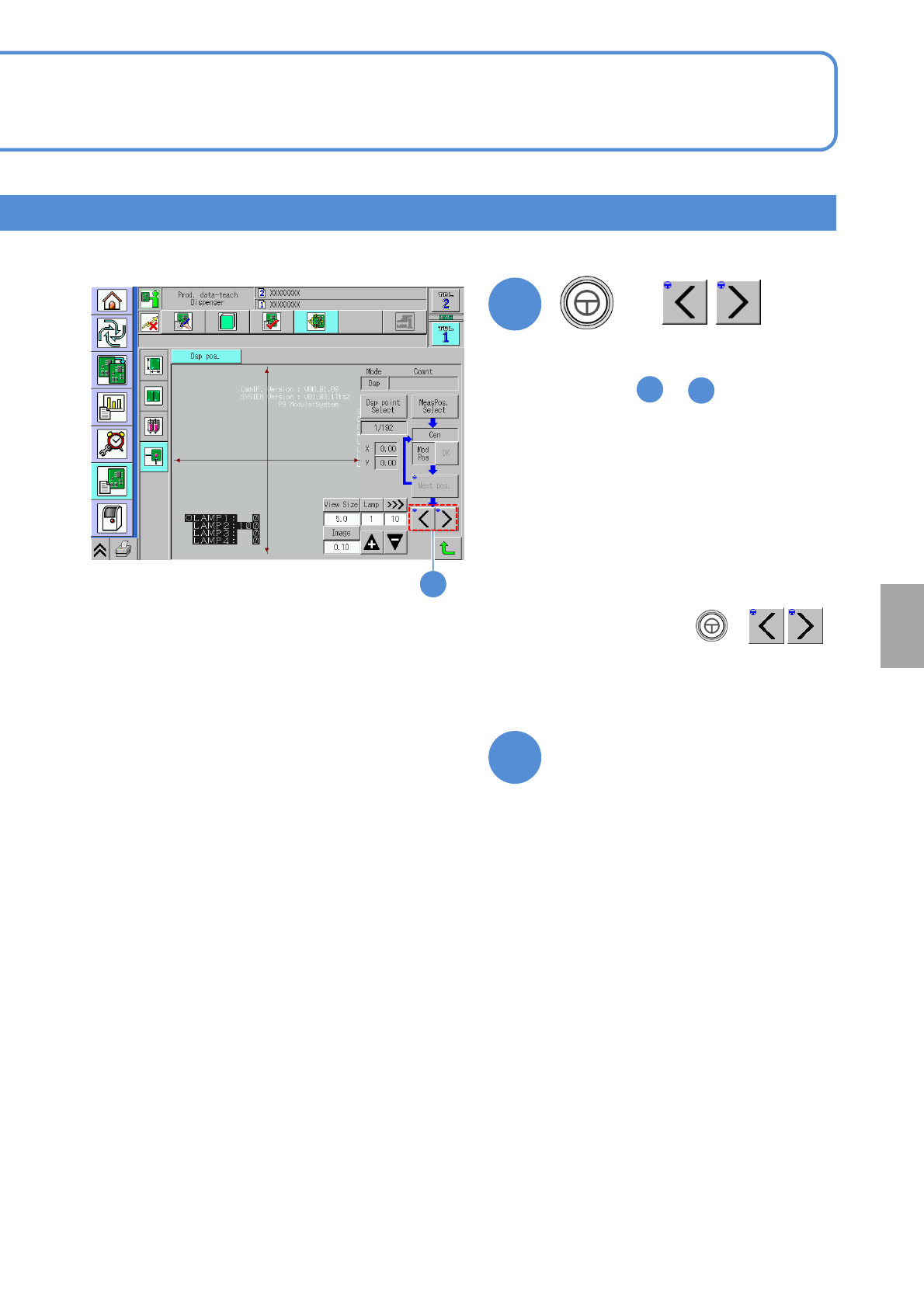
●After changing the dispensing
coordinates, press + ,
which allows you to perform the
dispensing coordinate position teaching
on the next coordinates without any
interruption.
6-2-13-6
The dispensing position teach
screen is exited, transitioning
to another screen
+
●The camera moves to the next
measurement position. Go though the
step from to as well.
6
7
●When the teaching of all the
measurement points is complete, the
center is calculated on the basis of the
taught coordinates, the data is saved,
and then the message indicating the
completion of measurement appears.
15
15
14
Setting
change
NPM-W2 EJM7DE-MB-06O-00
6-2-14-1
Dummy dispensing
teach 1 (dispensing head)
Produc-
tion data
teaching
Operating procedure
6-2-14
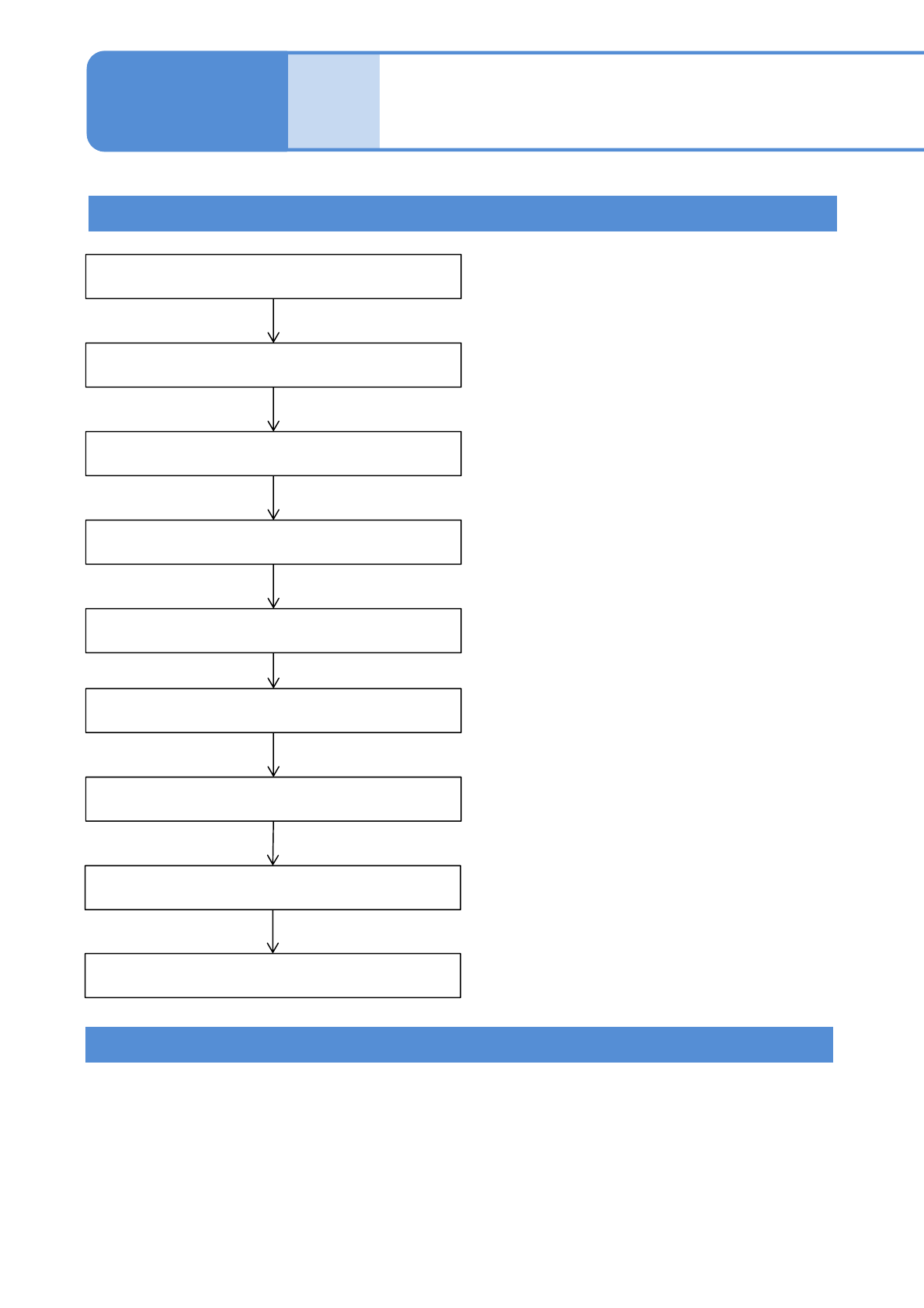
Inputting the dummy dispensing data
Inputting the dummy dispensing
recognition data
Starting the teaching
Setting the lamp values
Setting the area
Recognition
Saving data
Rechecking dummy dispensing
Unnecessary if the automatic
lamp setting is selected
Teaching is complete.
Checking dummy dispensing during production stop
Teaching Flow
Even while production is in progress after automatic operation starts, dummy dispensing
teaching is enabled only if the machine is at a standstill (single or immediate stop, cycle
stop, or single error stop).
●Only when the dummy dispensing pattern is the unit, it can be performed in the same manner as in the
usual case.
●If dummy dispensing is set to be performed on board, teaching is not available.
●[Recog unit maintenance] operation cannot be performed on the priming shot confirm screen during
production stop.
NPM-W2 EJM7DE-MB-06O-00
6-2-14-2
Setting
change
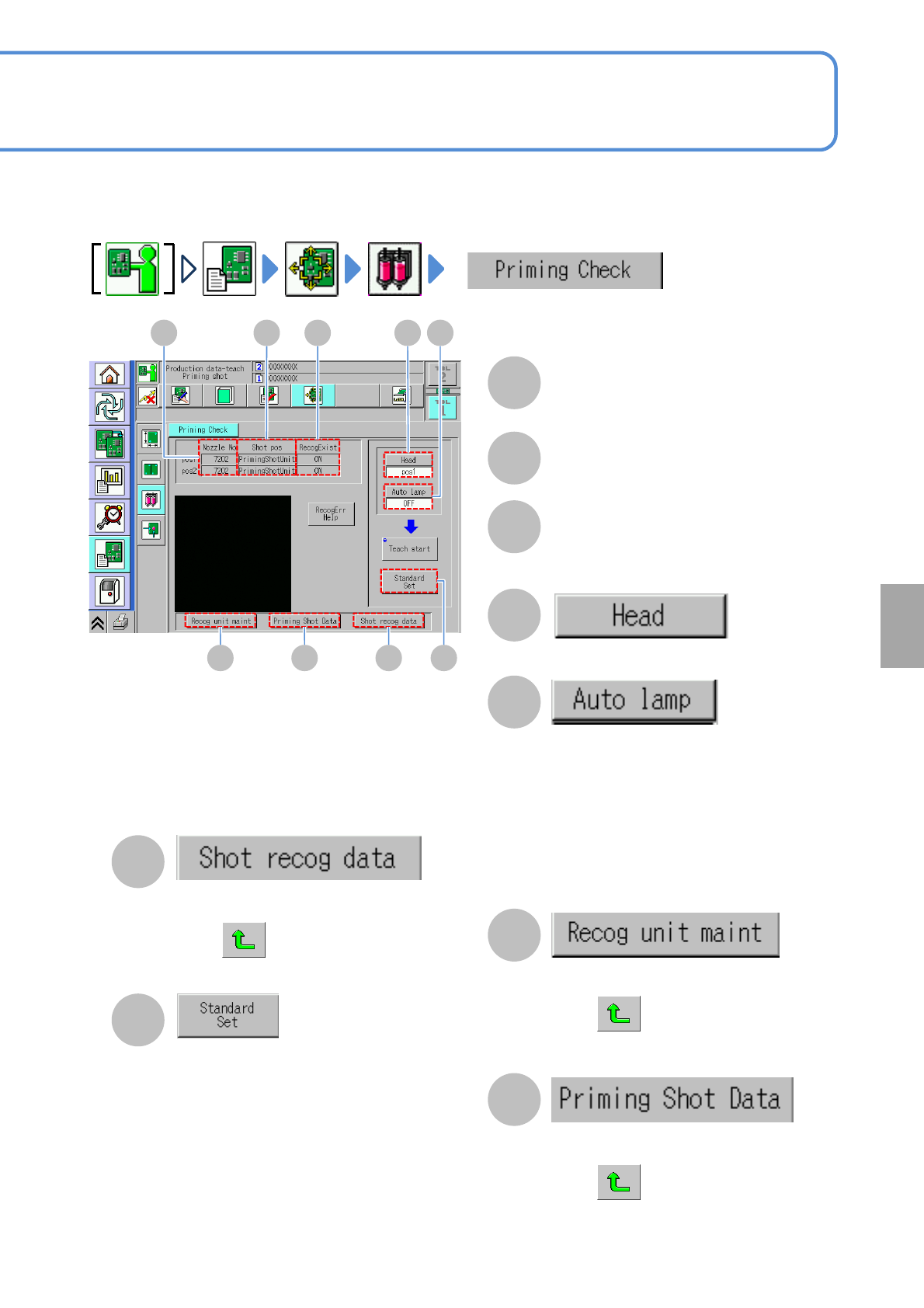
Adhesive dummy dispensing is checked for each head. When there are problems, you can change the set
values and recheck the operation.
A B C D E
F G H I
A
Nozzle No
B
Shot pos
The dummy dispensing position (PCB,
dummy dispensing unit).
C
RecogExist
Whether to perform recognition or not
during dummy dispensing.
D
Choose the head to check dummy
dispensing.
E
Choose whether or not to automatically
adjust the lamp value before dummy
dispensing recognition.
Yes:
Recognition is
carried out with the optimal lamp value
adjusted automatically.
No:
Recognition is carried out with the set lamp
value.
F
The recognition device maintenance
screen is displayed.
Press after displayed.
The screen cannot enter into other
screens.
G
The dummy dispensing data screen of
the target data (to modify) is displayed.
Press after displayed.
The screen cannot enter into other
screens.
H
The recognition unit maintenance screen is
displayed. When the screen is displayed,
press . The screen cannot enter into
other screens.
I
The reference area check screen is
displayed.
The total area value to be the reference
is displayed as a result of adhesive
recognition.
This can be reflected on the production
data in comparison to the set data.