N7201A616E00_0317.pdf - 第552页
NPM-W 2 EJM7DE-MB-07 O-00 7-1-1 -13 No. Item name Function when [ON] is sel ected 1 Production report clear at auto product change Clear s the pr oduction repor t at pr oduction ch angeover. 2 Production report clear at …
NPM-W2 EJM7DE-MB-07O-00
7-1-1-12
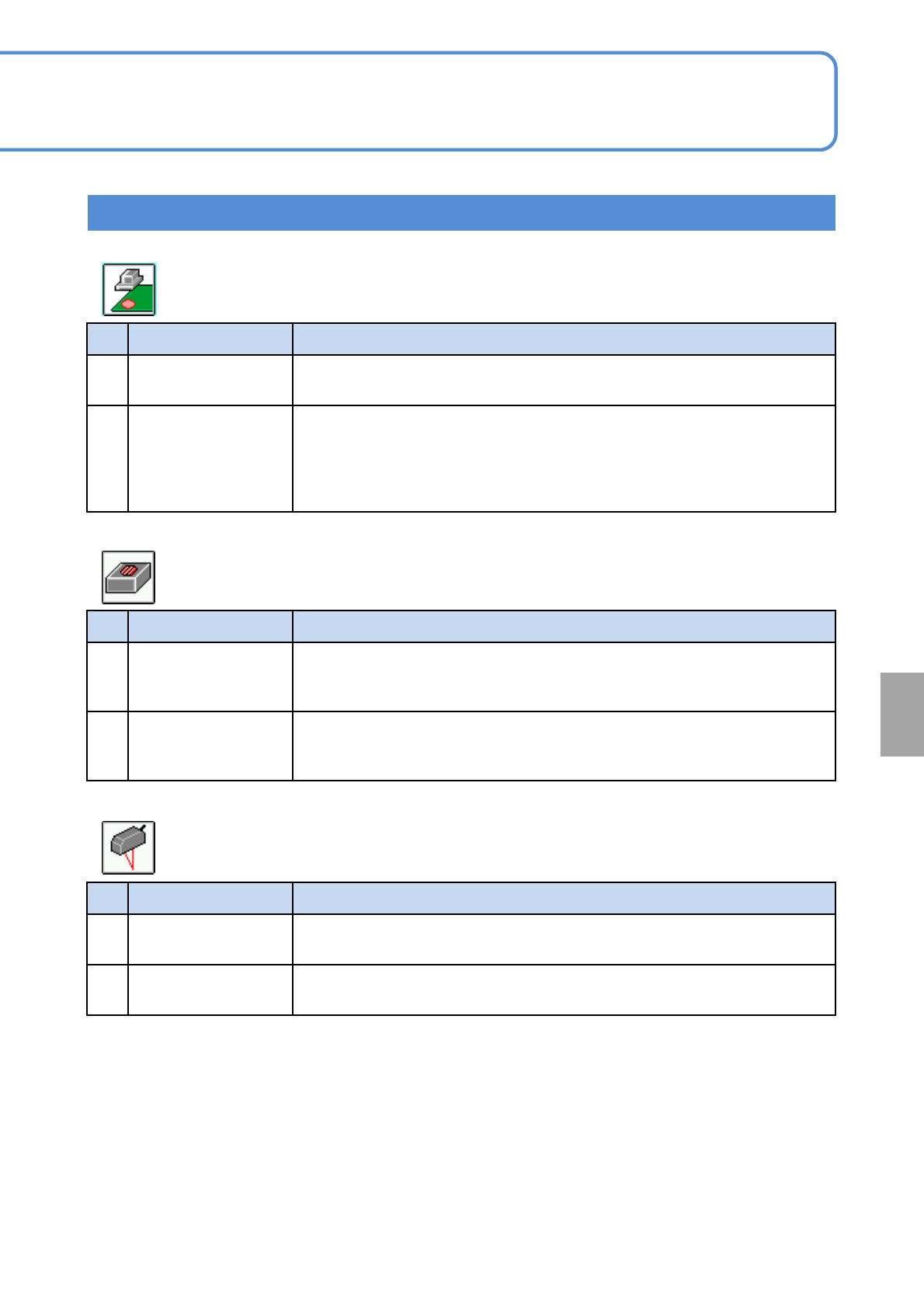
No. Item name Function when [ON] is selected
1
One Side Mark
Recog
When a part of recognition mark on PCB is hidden behind the conveyor rail,
this option enables recognition with visible area of the mark.
2
Detect mark
appropriate
determine
Prevents false detection of marks in the following cases:
(1) Uneven luster in area other than mark
(2) Land patterns open on one side
(3) Similar shape patterns other than mark
(4) Thru-holes of similar size other than mark
No. Item name Function when [ON] is selected
1
Save recognize
screen in time
Saves all images of the parts for which “Force to save the recognition OK
image” has been set in the production data, regardless the result of
recognition.
2
Micro parts takeout
detection
Recognizes the end of nozzle by the recognition camera and makes checks
by the vacuum sensor after mounting a part. If “part takeout” has occurred,
“mount error” is displayed.
No. Item name Function when [ON] is selected
1
Measure by the
height sensor (front)
Measures the board height (warp) by the height sensor, in order to control the
nozzle height during mounting or dispensing.
2
Measure by the
height sensor (rear)
Measures the board height (warp) by the height sensor, in order to control the
nozzle height during mounting or dispensing.
Setting information 11
● Default :OFF
■ Head camera
● Default :OFF
■ Multi-recognition camera
● Default :OFF
■ Height sensor
System
administration
NPM-W2 EJM7DE-MB-07O-00
7-1-1-13
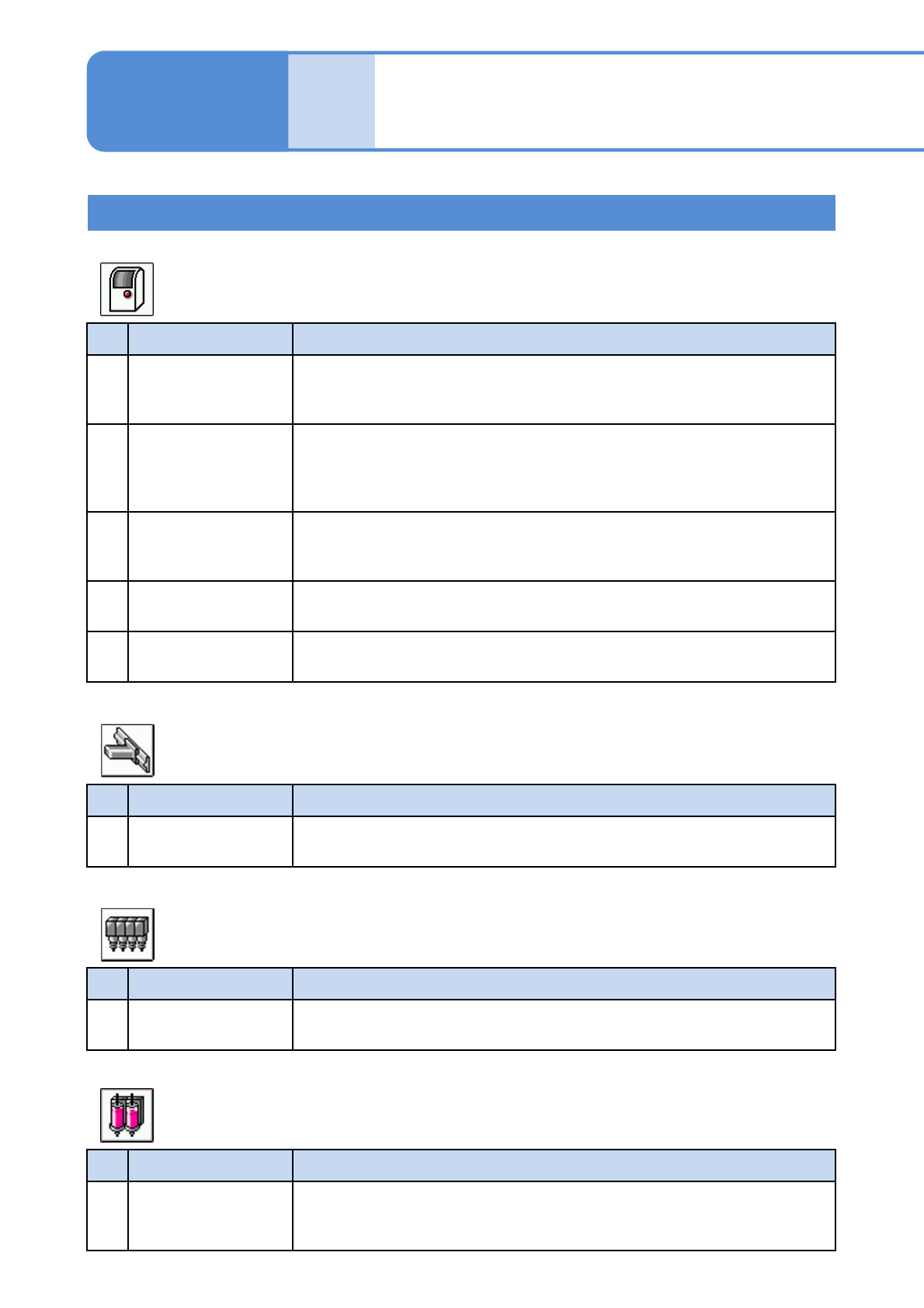
No. Item name Function when [ON] is selected
1
Production report
clear at auto product
change
Clears the production report at production changeover.
2
Production report
clear at the other lot
name auto product
change
Clears the production report only when changing production to a different lot
name.
The report is cleared also when the MJS ID differs.
3
Display transfer
direction of status
monitor PCB
Displays the PCB flow direction on the Status monitor screen.
4
Buzzer stop button
auto change
Changes the function button to [Buzzer stop] automatically when the buzzer
sounds.
5 PCB warp correction
Estimates the board warp based on the heights measured by sensor at
several points on the board, in order to control the mounting height.
No. Item name Function when [ON] is selected
1
Time-lapse change
calibration
Performs calibration for time-lapse change.
No. Item name Function when [ON] is selected
1
Vacuum sensor error
detection
Detects error by the vacuum sensor during automatic operation.
No. Item name Function when [ON] is selected
1
Nozzle center
measure
Measures the center of rotation and eccentricity of the nozzles used for
production by priming shot recognition during automatic operation in order to
improve the correction accuracy.
Setting information 12
● Default :ON
■Whole (Suspension)
● Default :ON
■ XY-axes (Suspension)
● Default :ON
■ Head (Suspension)
● Default :ON
■ Dispensing head (Suspension)
Unit
setting
Option setting 7
Operating procedure
7-1-1
NPM-W2 EJM7DE-MB-07O-00
7-1-1-14
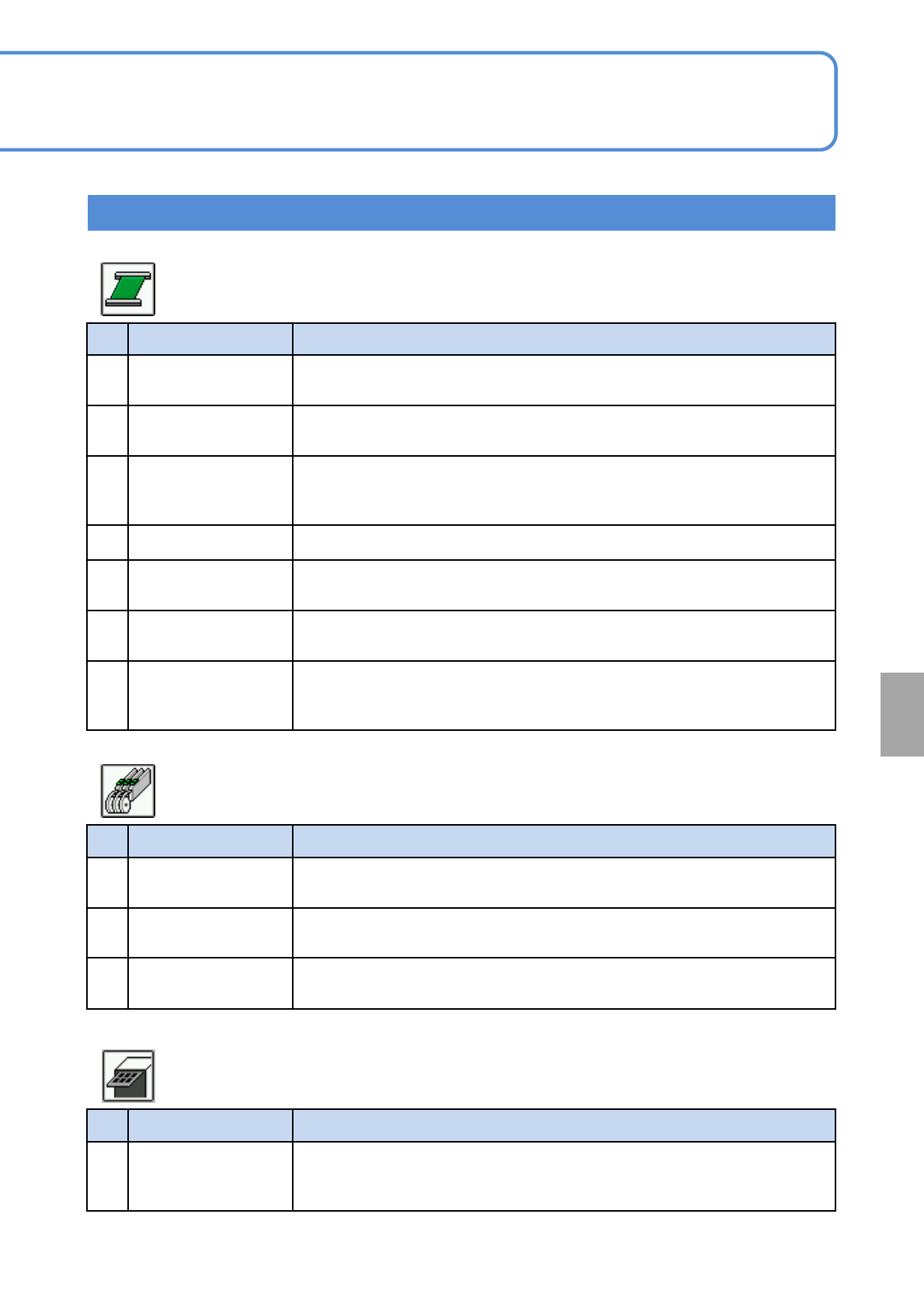
No. Item name Function when [ON] is selected
1 PCB in when stop
Prohibits the loading of next PCB from the upstream process during single
stop or cycle stop.
2 PCB out when stop
Carries out the PCB waiting in the machine to the downstream process
during single stop or cycle stop.
3 Wait between MC
Determines whether or not to have a PCB held in between the machines in
the line where the NPM is directly connected upstream or downstream the
machine.
4 Simultaneous transfer Enables PCB unloading and loading of the next PCB at the same time.
5
Support action time
being shortened
Lowers the support to the “both sides mount height”, and raises it after the
next PCB is loaded.
6
Keep clamping in
cycle stop
Keeps the clamp engaged during cycle stop.
7
Decelerate in the pre
waiting position while
carrying out
Activates the timer whenever a PCB is transferred from the third‐party
conveyor to the loading conveyor, to allow the PCB to stop in the loading
conveyor.
No. Item name Function when [ON] is selected
1
Top tape error
detected
Detects top tape exhaust and tape jamming error.
2
Tape joint error
detect
Detects tape joint error.
3
Component remains
input
Allows the part remainder to be input manually after splicing.
No. Item name Function when [ON] is selected
1
Tray pre supply of
exceeding priority
Supplies pallets during inspection and prepares for the next mounting
preferentially when the inspection head and mount head have been set on
the machine and the order of their tasks has been fixed.
Setting information 13
● Default :ON
■ Conveyor (Suspension)
● Default :ON
■ Feeder (Suspension)
● Default :ON
■ Tray (Suspension)
System
administration