N7201A616E00_0317.pdf - 第554页
NPM-W 2 EJM7DE-MB-07 O-00 Unit setting Action par ameter setting 1 7-1-2 -1 You can set the parameters for system actions. 1 2 A B Operating procedure 7-1-2 Choose the ty pe of action parameter ■ To set the size ■ To set…
NPM-W2 EJM7DE-MB-07O-00
7-1-1-14
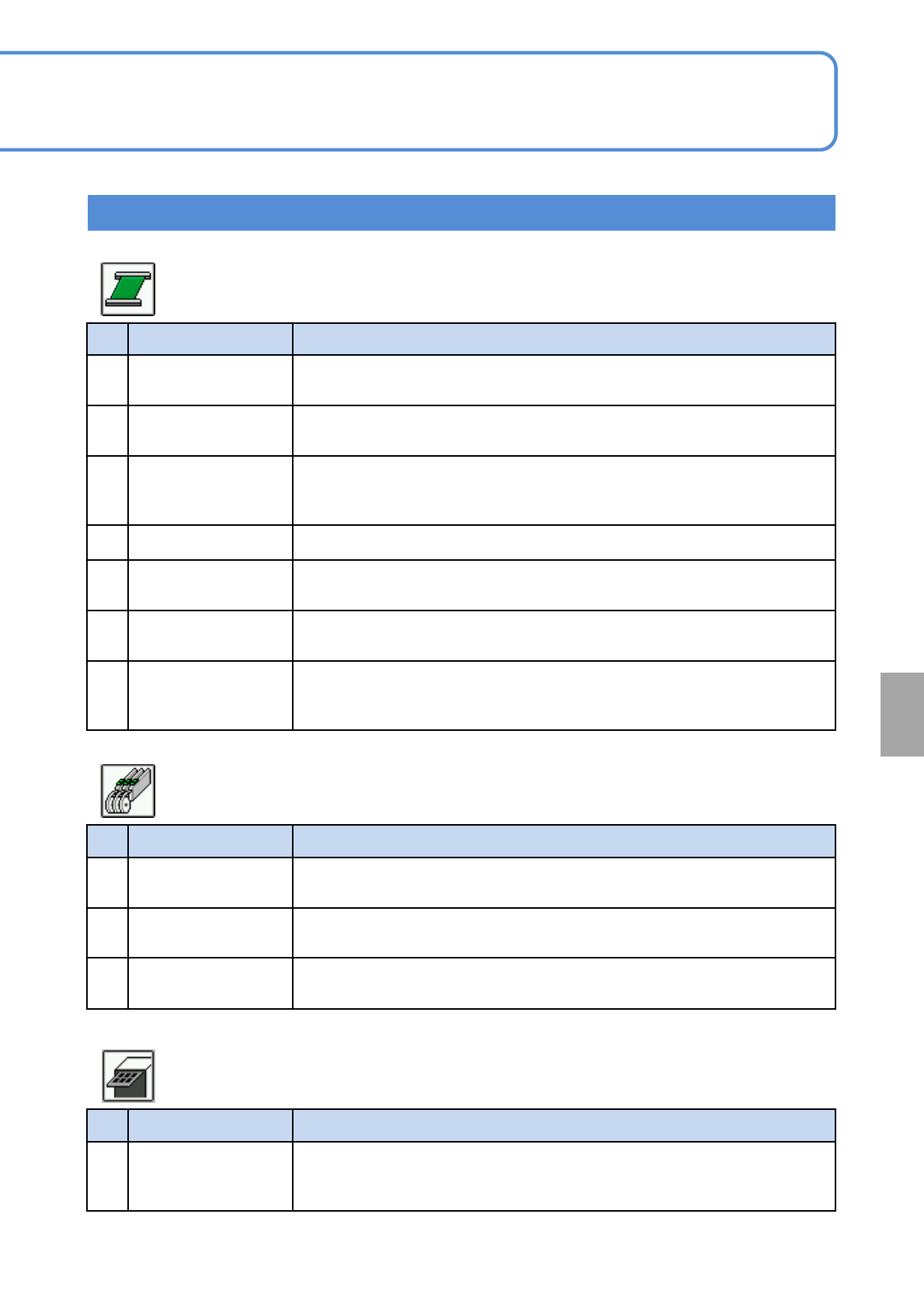
No. Item name Function when [ON] is selected
1 PCB in when stop
Prohibits the loading of next PCB from the upstream process during single
stop or cycle stop.
2 PCB out when stop
Carries out the PCB waiting in the machine to the downstream process
during single stop or cycle stop.
3 Wait between MC
Determines whether or not to have a PCB held in between the machines in
the line where the NPM is directly connected upstream or downstream the
machine.
4 Simultaneous transfer Enables PCB unloading and loading of the next PCB at the same time.
5
Support action time
being shortened
Lowers the support to the “both sides mount height”, and raises it after the
next PCB is loaded.
6
Keep clamping in
cycle stop
Keeps the clamp engaged during cycle stop.
7
Decelerate in the pre
waiting position while
carrying out
Activates the timer whenever a PCB is transferred from the third‐party
conveyor to the loading conveyor, to allow the PCB to stop in the loading
conveyor.
No. Item name Function when [ON] is selected
1
Top tape error
detected
Detects top tape exhaust and tape jamming error.
2
Tape joint error
detect
Detects tape joint error.
3
Component remains
input
Allows the part remainder to be input manually after splicing.
No. Item name Function when [ON] is selected
1
Tray pre supply of
exceeding priority
Supplies pallets during inspection and prepares for the next mounting
preferentially when the inspection head and mount head have been set on
the machine and the order of their tasks has been fixed.
Setting information 13
● Default :ON
■ Conveyor (Suspension)
● Default :ON
■ Feeder (Suspension)
● Default :ON
■ Tray (Suspension)
System
administration
NPM-W2 EJM7DE-MB-07O-00
Unit
setting
Action parameter
setting 1
7-1-2-1
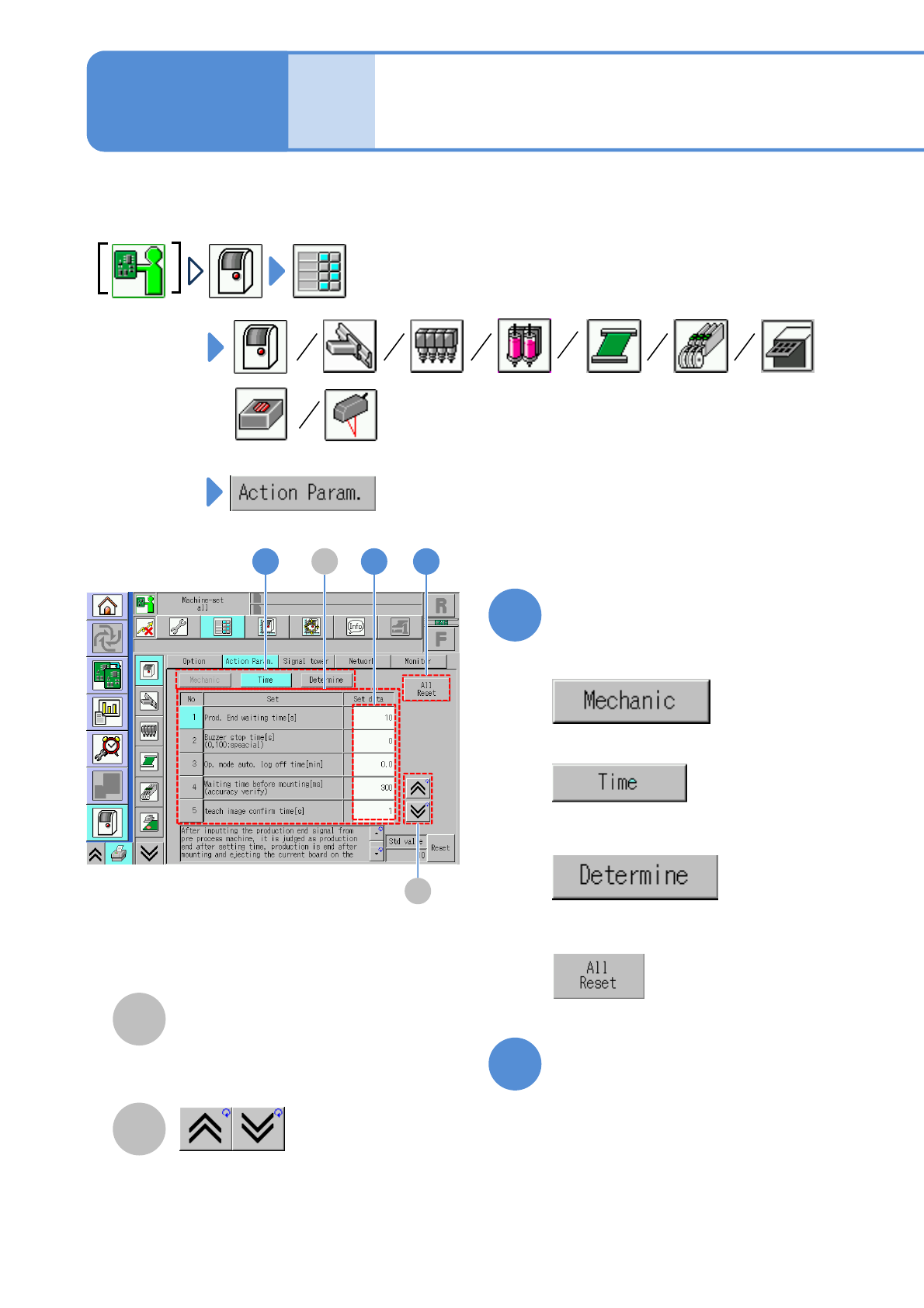
You can set the parameters for system actions.
1
2
A
B
Operating procedure
7-1-2
Choose the type of action
parameter
■To set the size
■To set the timer
■To determine
Setting status of action
parameter
The previous or next table is
displayed.
Edit data on the screen as
needed
●Touching the screen opens the input
window.
■To set to PFSC standard specifications
(Initialize)
B
11 2
A
NPM-W2 EJM7DE-MB-07O-00
7-1-2-2
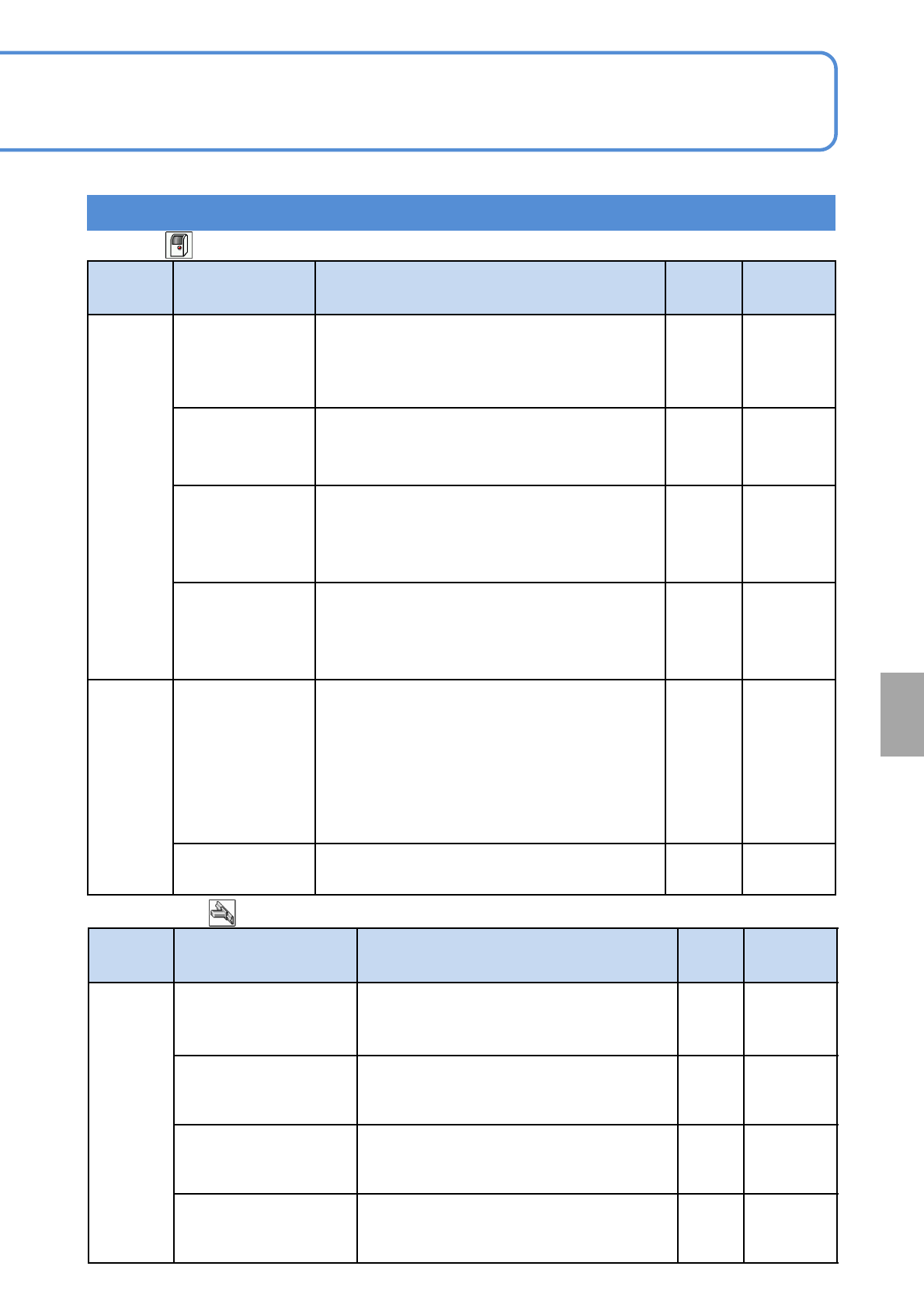
Type Item Description Initial
value
Setting
range
Timer
Prod. end waiting
time [s]
When this set time elapses after the entry of the
production end signal, or when a PCB is loaded,
the machine judges it as the completion of
production. Thus, all the PCBs inside the
machine are unloaded, and auto run ends.
10 0 to 60
Buzzer stop time[s]
(0,100: special)
When this set time has elapsed, the buzzer stops
automatically.
●When ‘0’ is set, it does not stop until the buzzer stop
key is pressed. When ‘100’ is set, it does not stop.
0 0 to 100
Op. mode auto. log
off time [min]
The current mode is automatically changed to the
operator mode if no action is taken within the set
time period. (Except during production or calibration)
●When ‘0’ is set, it is not changed to the operator
mode.
0.0 0 to 60.0
Teach image
confirm
time[s]
If ‘Auto feed mode’ is used for checking an image on
the placement coordinate teach screen, each time the
specified amount of time set here has passed, the
head automatically moves to the next placement
point .
11 to 10
Determine
Max value of
operate
ratio icon[%]
The operating rate of face icons on the
indication monitor screen is defined.
The operating rate is displayed with 5 types
of face icons in case the maximum operating
rate is to 100.
(For example)If enter the 60 icon display changes as
the threshold 15/30/45/60.)
(→P. 3-2-1 ‘How to check the screen in production
when stationary’)
80 0 to 100
Accuracy judge
value Cpk
Modify the value of accuracy judge value Cpk. 1
0.01 to
3.00
Setting information 1
■Whole
System
administration
■XY unit (1/2)
Type Item Description Initial
value
Setting
range
Timer
Time-lapse change
calibration interval
time(min)[s]
Set the minimum measure interval time in
time-lapse change calibration. There is initial
value of measure interval time.
180 1 to 5400
Time-lapse change
calibration interval
time(max)[s]
Set the maximum measure interval time in
time-lapse change calibration.
5400 1 to 5400
Time-lapse change
calibration machine stop
elapsing time[s]
Do time-lapse change calibration when
machine stop time exceeds this time.
300 1 to 1200
Time-lapse change
calibration machine stop
elapsing time(reset)[s]
Do time-lapse change calibration and
initialize interval time when machine stop
time exceeds this time.
1200 1 to 1200