N7201A616E00_0317.pdf - 第570页
NPM-W 2 EJM7DE-MB-07 O-00 7-1-3 -3 Unit setting Signal to wer s setting 2 Operating procedure 7-1-3 Confirm the message Components empty ● You can c onfigure a tab le lamp for each c omponent shortage status. 3 1 1 2 4 2…
NPM-W2 EJM7DE-MB-07O-00
7-1-3-2
System
administration
1 1
D
C
1
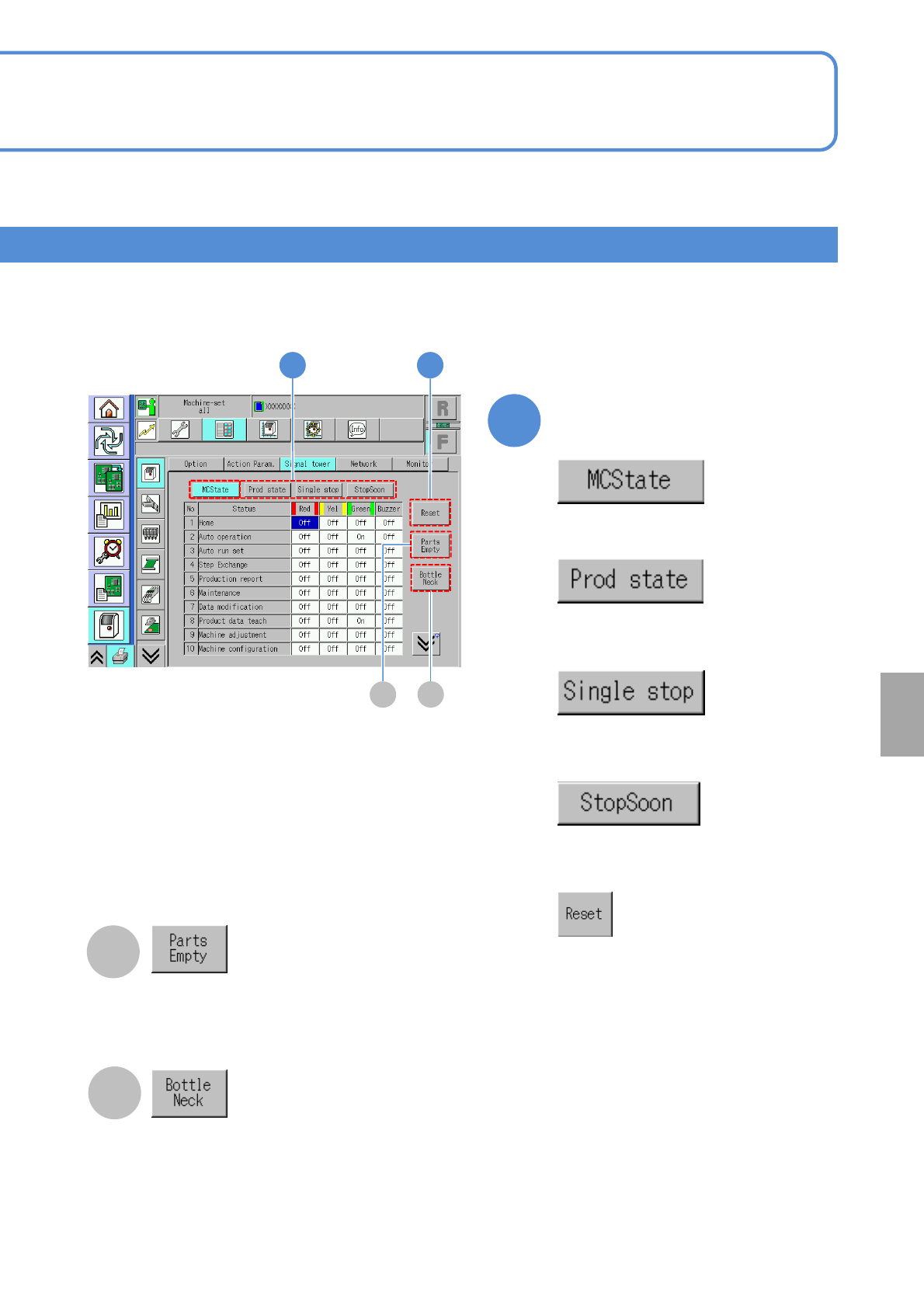
Choose a setting type
■To set for each status during
production
■To set for each type during single
stop
■To set for each machine status
■To set for each type during immediate
stop
■To change to PFSC standard
specifications
(Initialize)
C
D
The parts empty information is displayed.
The window for setting the bottleneck lamp
condition is displayed.
NPM-W2 EJM7DE-MB-07O-00
7-1-3-3
Unit
setting
Signal towers setting 2
Operating procedure
7-1-3
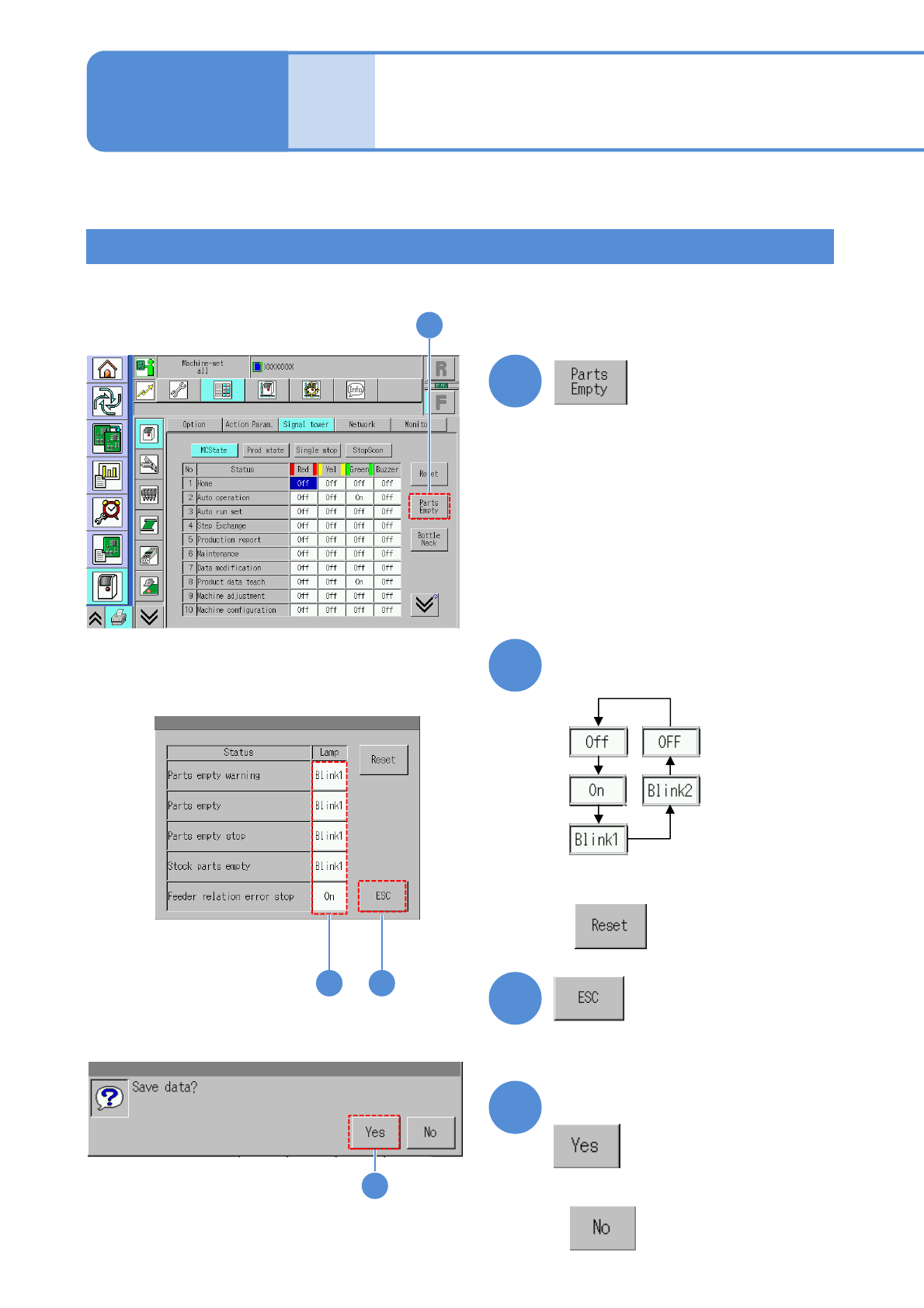
Confirm the message
Components empty
●You can configure a table lamp for each component shortage status.
3
1
1
2
4
2 3
(Returns to the previous screen)
Choose the lamp settings for
each status
■Press the next operation button
■To change to PFSC standard
specifications
(Initialize)
4
■When you do not save the data
NPM-W2 EJM7DE-MB-07O-00
7-1-3-4
System
administration
Bottle neck
1
4
2 3
1
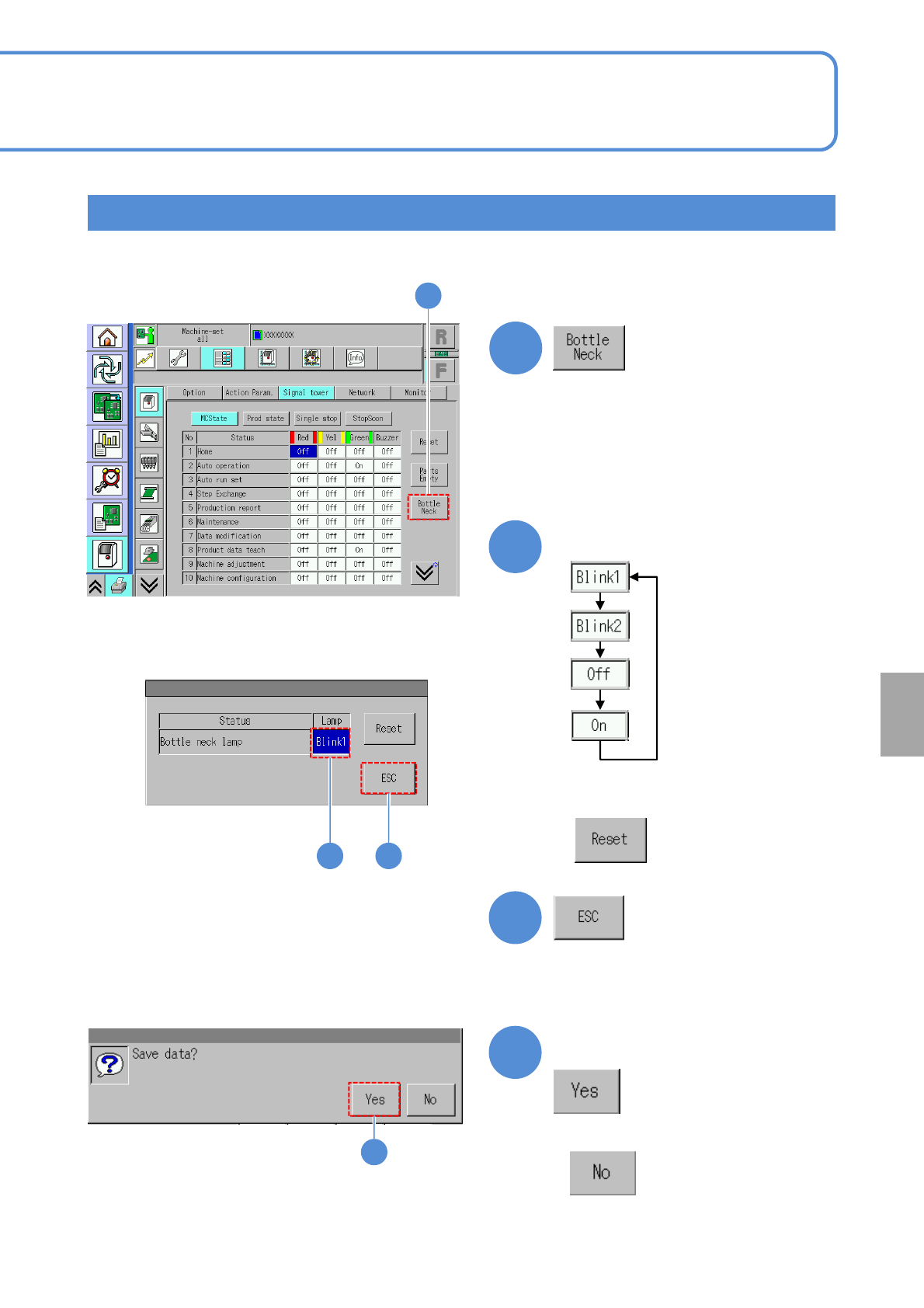
Confirm the message
3
2
4
(Returns to the previous screen)
Choose the lamp settings
■Press the next operation button
■When you do not save the data
●You can configure a bottleneck lamp condition of a bottleneck machine in line.
■When you set to “Blink 1” of initial status,