N7201A616E00_0317.pdf - 第576页
NPM-W 2 EJM7DE-MB-07 O-00 Choose with Choose the defect status of the head using Only when [Action Bad] is chosen, confirm the message Unit setting Bad head setting 7-1-6 -1 You can configure the bad head setting s. Oper…
NPM-W2 EJM7DE-MB-07O-00
7-1-5-2
6
3
4
5
4
4
3
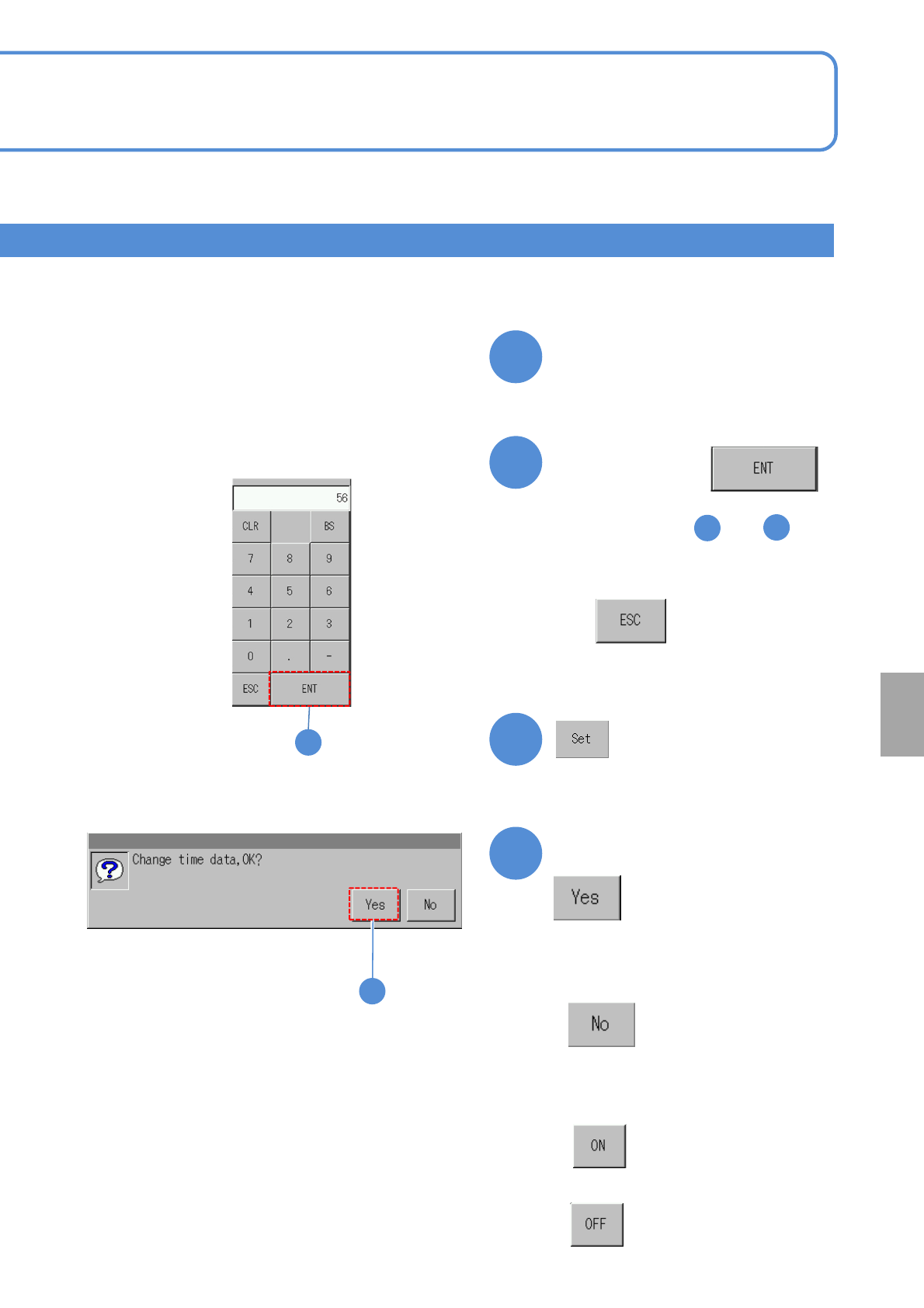
Confirm the message
(Ti
me starts)
Enter the
numerical value,
●Repeat the steps and
and enter year/month/date/time.
Change the numerical number
on the screen
●Touching the screen displays the
input window.
6
■When you do not enter
■To change the language
■To enable
■When you do not set time
■To disable
System
administration
NPM-W2 EJM7DE-MB-07O-00
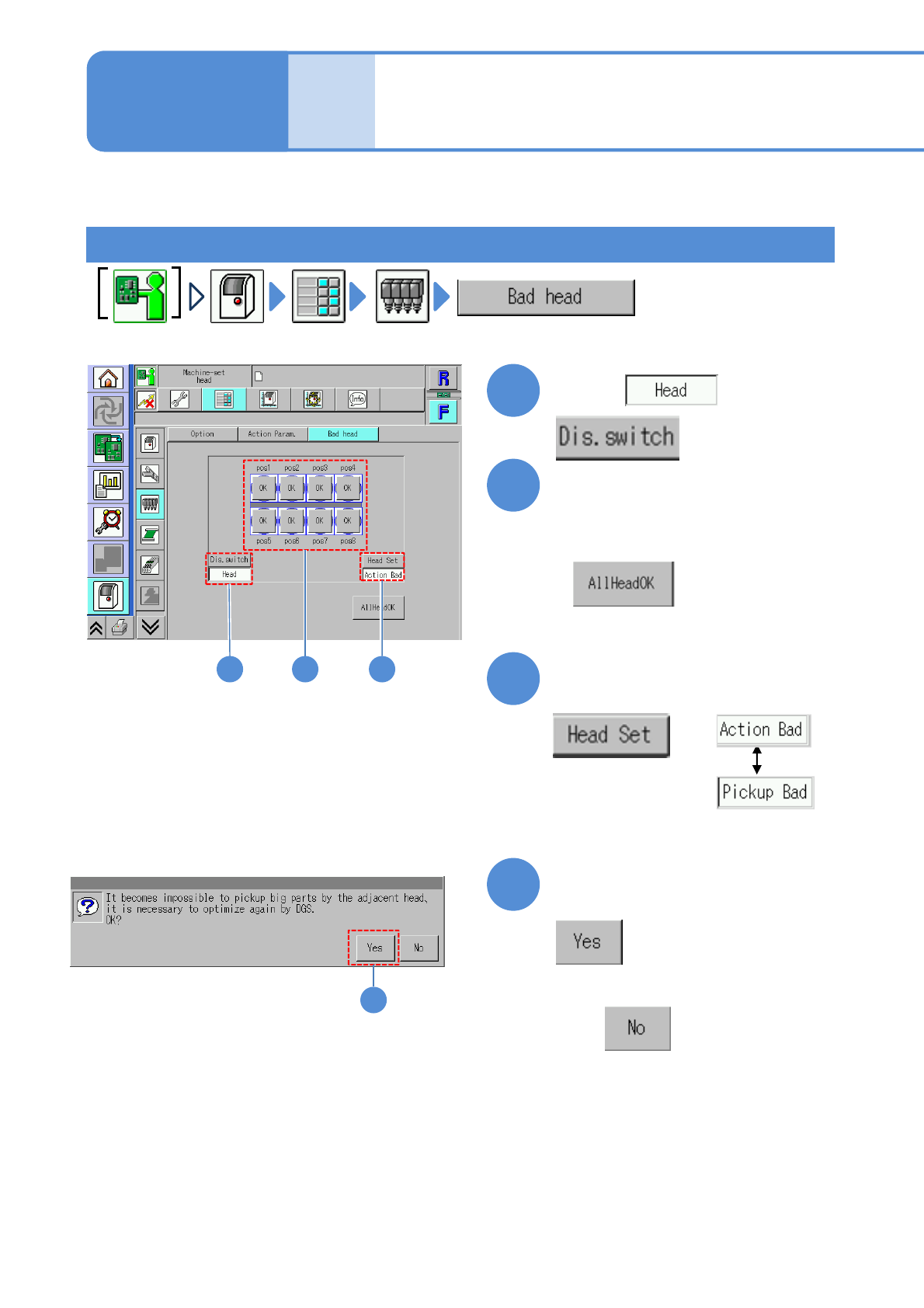
Choose with
Choose the defect status
of the head using
Only when [Action Bad] is chosen,
confirm the message
Unit
setting
Bad head setting
7-1-6-1
You can configure the bad head settings.
Operating procedure
7-1-6
Choose nozzle head position
For a placement head
3
4
1
2
(Operation ends)
■When all heads are to [Normal]
4
1 2 3
■When you do not optimize DGS
●”Pickup Bad” appears when the rate of
pickup or recognition errors exceeds
20%.
It is reset after changeover.
●”Action Bad,” which cannot be reset
even after changeover, is not used in
production.
NPM-W2 EJM7DE-MB-07O-00
A
7-1-6-2
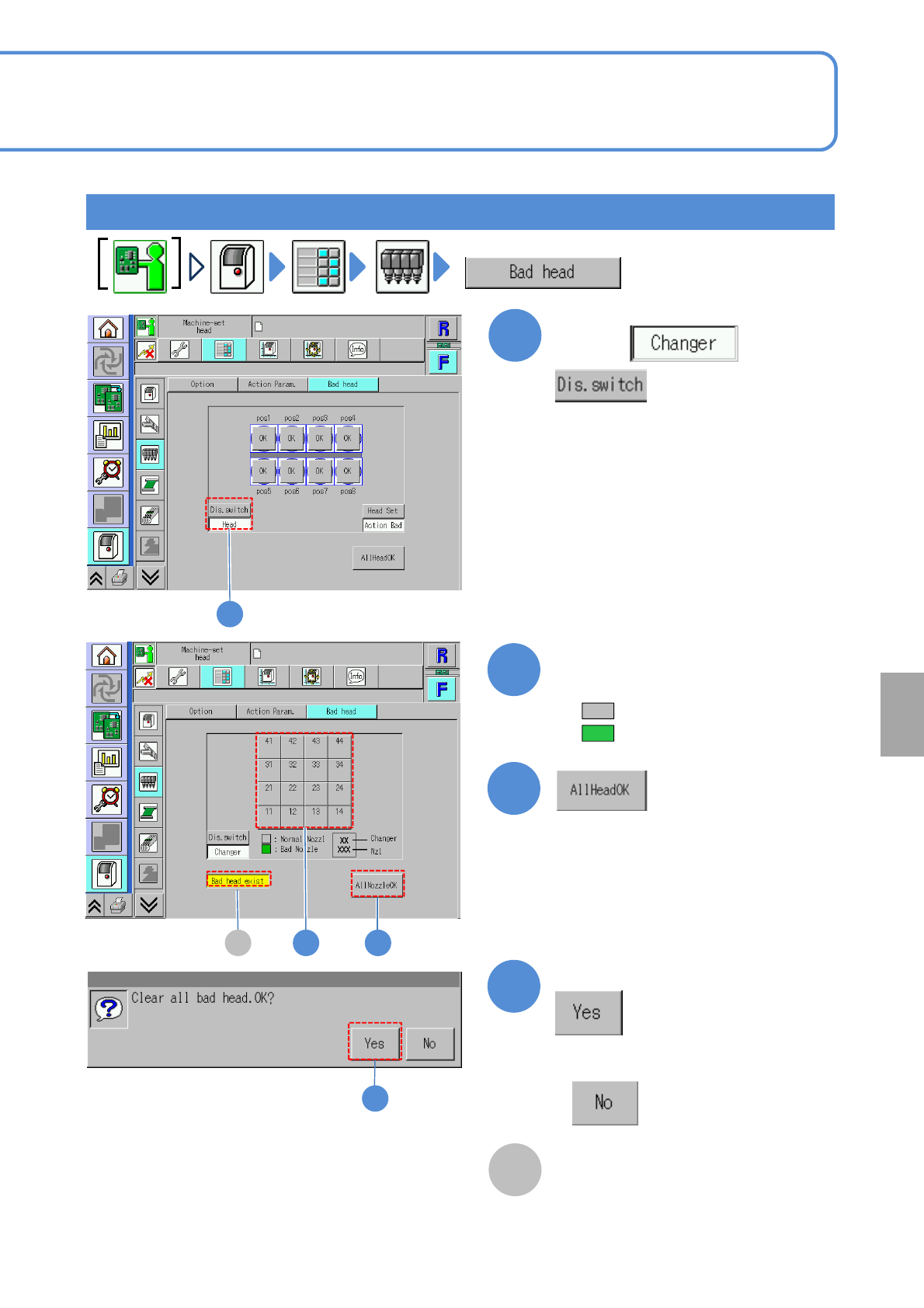
For a nozzle changer
1
2
1
Confirm the message
3
4
4
● (Gray): Normal
● (Green): Defective
(All nozzles become [Normal])
3
Confirm a defective nozzle and
replace it with the normal nozzle
2A
Choose with
Bad head display
●Displayed when there is any bad
head.
■When you do not want to normalize all
heads
System
administration