N7201A616E00_0317.pdf - 第581页
NPM-W 2 EJM7DE-MB-07 O-00 E F I I H E F H Choose [Axis]. Choose a code. Bit table Shows the status indicated by each Bit. Axis information check item Error code detail screen Icon Axis check item Selectable axis type XY …
NPM-W2 EJM7DE-MB-07O-00
Unit
adjust-
ment
Axis information check
7-2-2-1
B
C
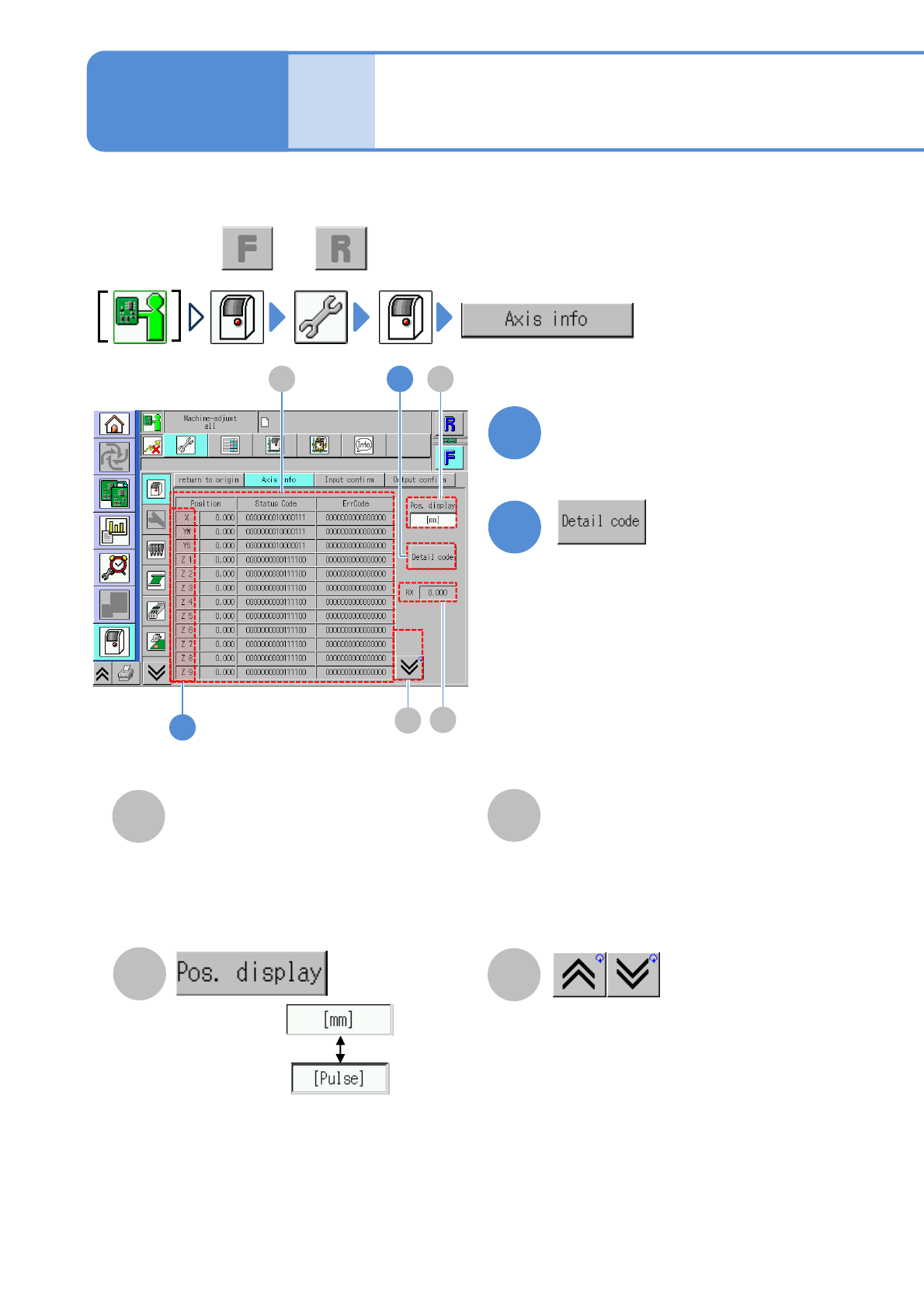
You can check the current positions and status of all the axes controlled by the machine.
●Perform on both and .
B
D
C
D
2
1
2
A
1
A
Operating procedure
7-2-2
Axis status code/error
code
Choose a unit.
RX
Encoder rate value of the multi-
recognition camera is displayed.
The previous or next table is
displayed.
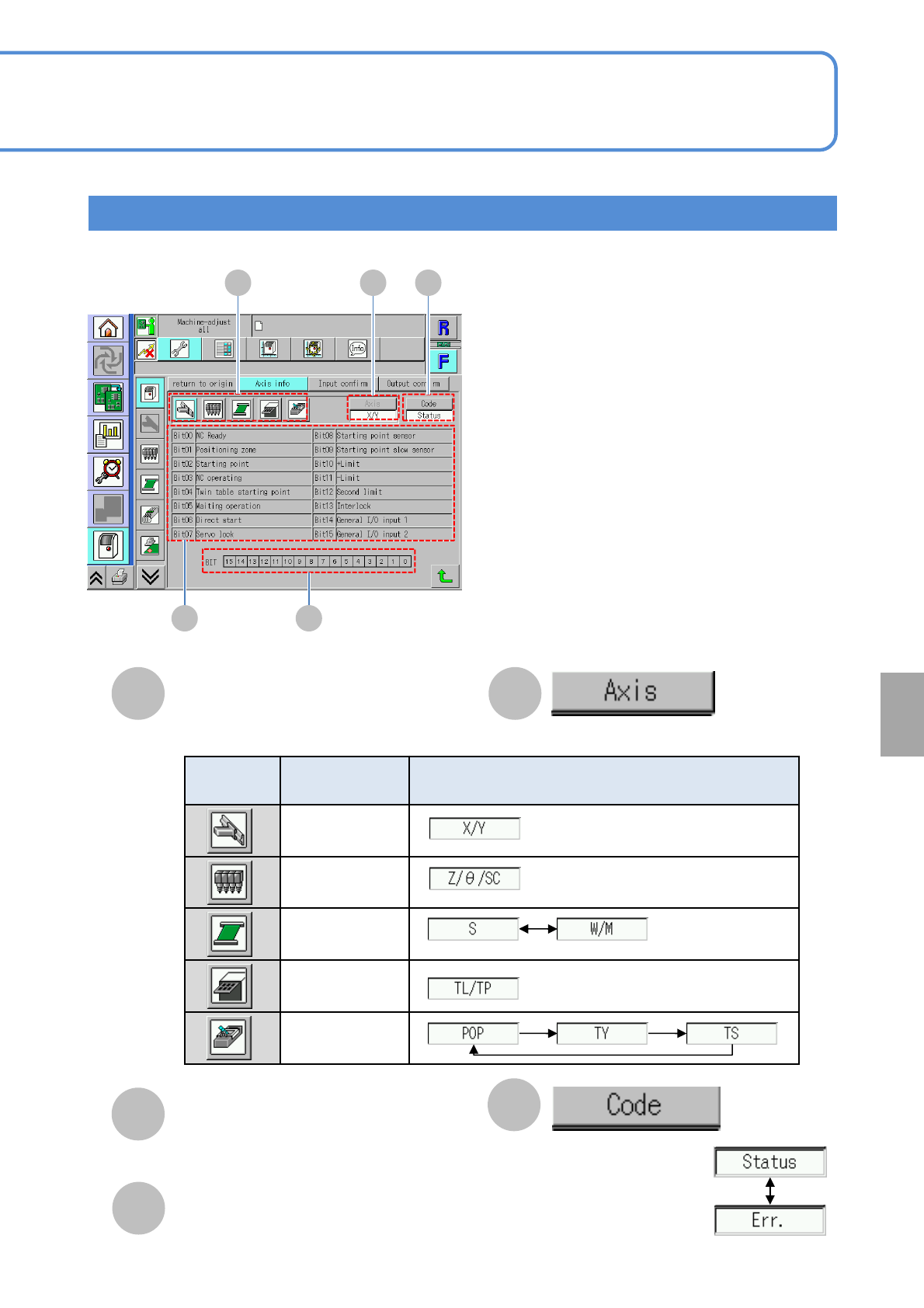
(Detail information on the status code
or error code is displayed)
●Status code: Axis information is
expressed in the unit of Bit.
●Error code: Error information is
expressed in the unit of Bit.
Choose an axis
The screen of axis information is displayed.
・Position
・Status Code
・Err Code
NPM-W2 EJM7DE-MB-07O-00
E
F
I
IHE
F
H
Choose [Axis].
Choose a code.
Bit table
Shows the status indicated by each Bit.
Axis information check item
Error code detail screen
Icon
Axis check
item
Selectable axis type
XY unit
Head
PCB transfer
Tray
Transcription
unit
G
G
Bit line
Shows the position of each Bit.
7-2-2-2
System
administration
NPM-W2 EJM7DE-MB-07O-00
Unit
adjust-
ment
Input check
7-2-3-1
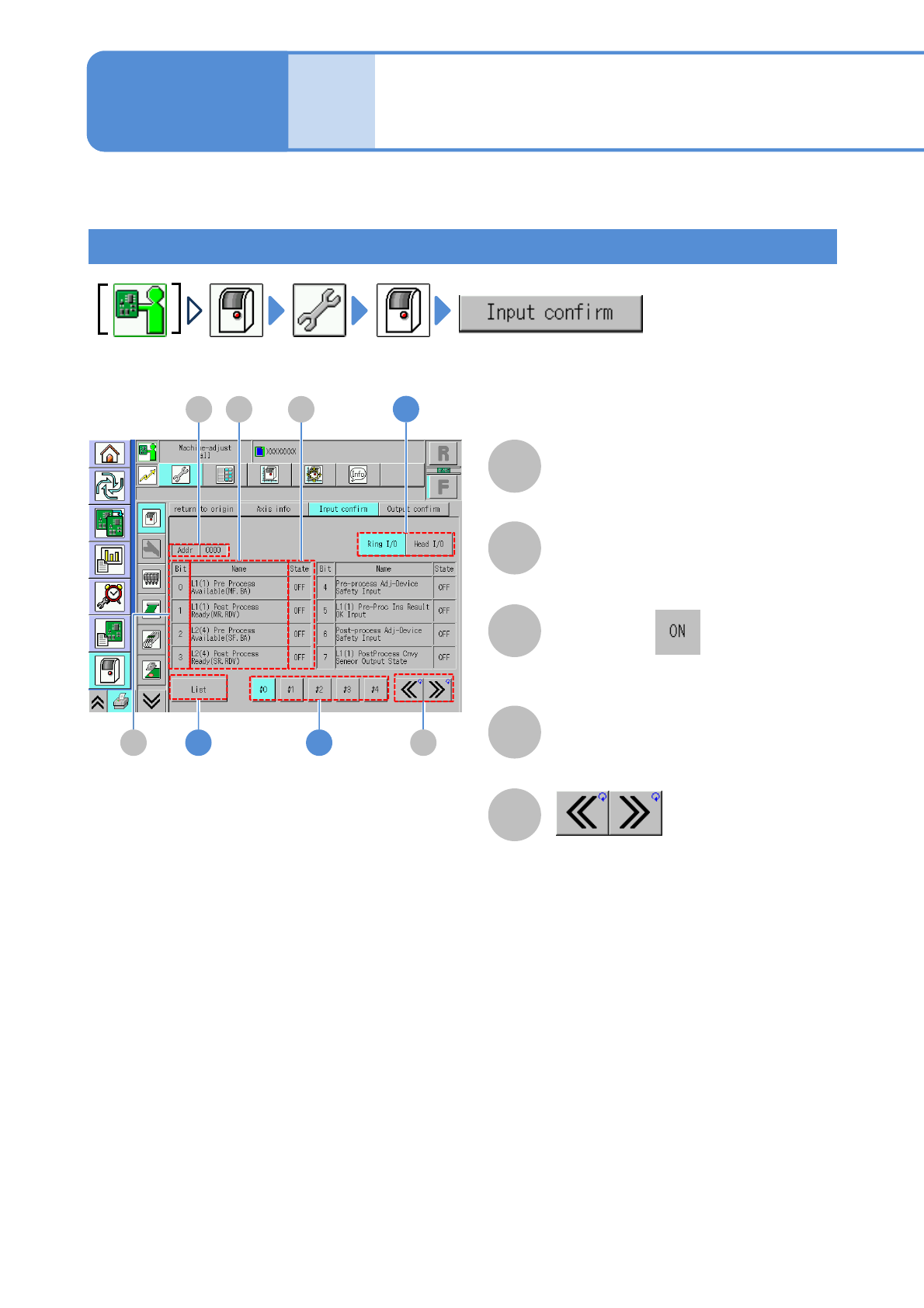
You can check the status of all input addresses per second.
B
A
C
D
E
How to view the screen
Operating procedure
7-2-3
Address
Scroll the table right and left.
Bit
Index number
Name
●When Bit is , it is displayed in
blue color.
Status
I/O status (ON/OFF)
A D
B
C
E1
1
2