N7201A616E00_0317.pdf - 第589页
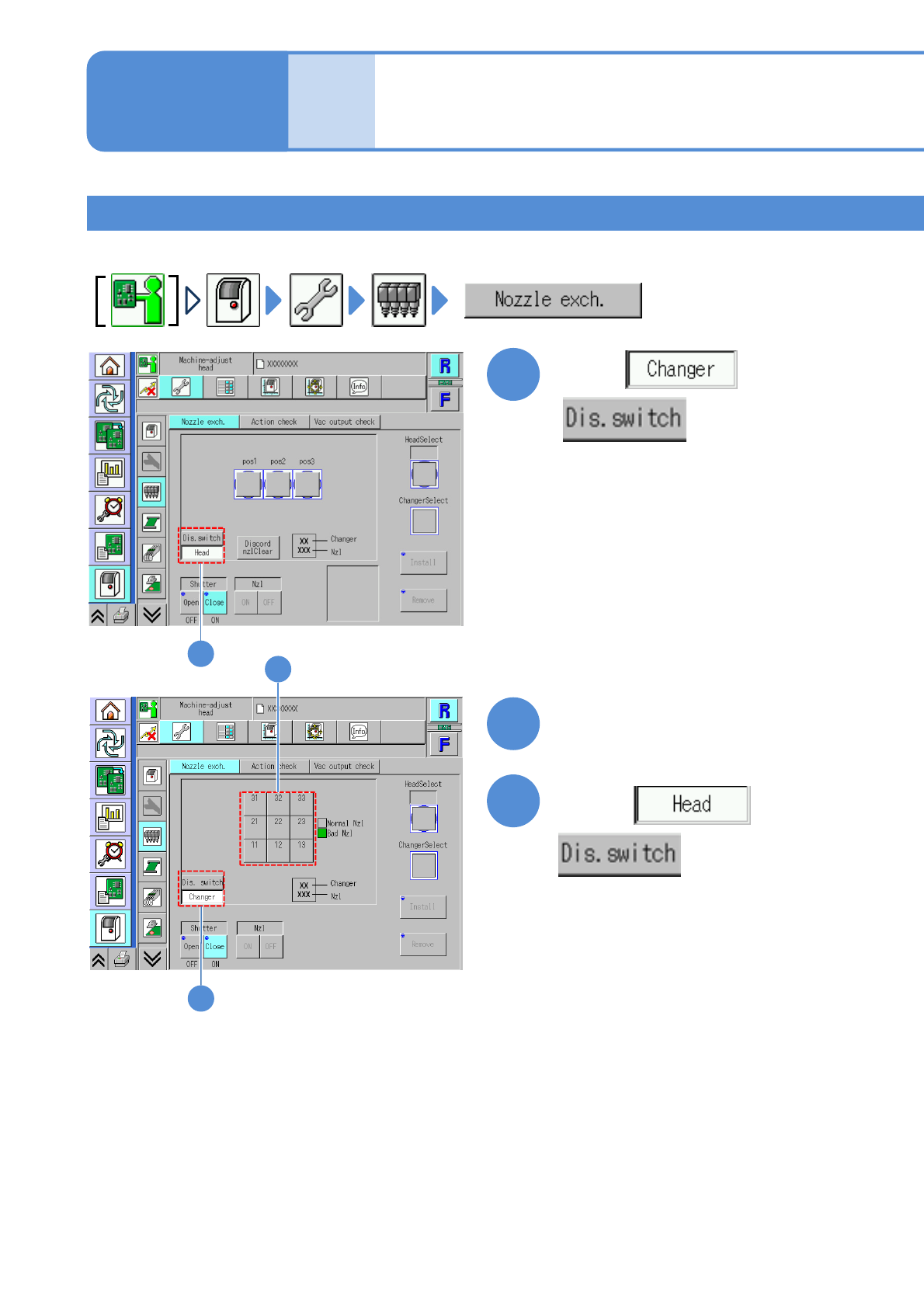
NPM-W 2 EJM7DE-MB-07 O-00 7-2-5 -4 Choose the head to install the nozzle 4 (The button turns in blue color) + 5 5 4 System administration
NPM-W2 EJM7DE-MB-07O-00
7-2-5-3
Installing nozzles
Install nozzles in the nozzle changer to the placement head.
1
2
3
Choose with
Choose with
Choose a nozzle to install
(The button turns in blue color)
Replacing the nozzle of
the placement head 2
Unit
adjust-
ment
Operating procedure
7-2-5
1
2
3
NPM-W2 EJM7DE-MB-07O-00
7-2-5-4
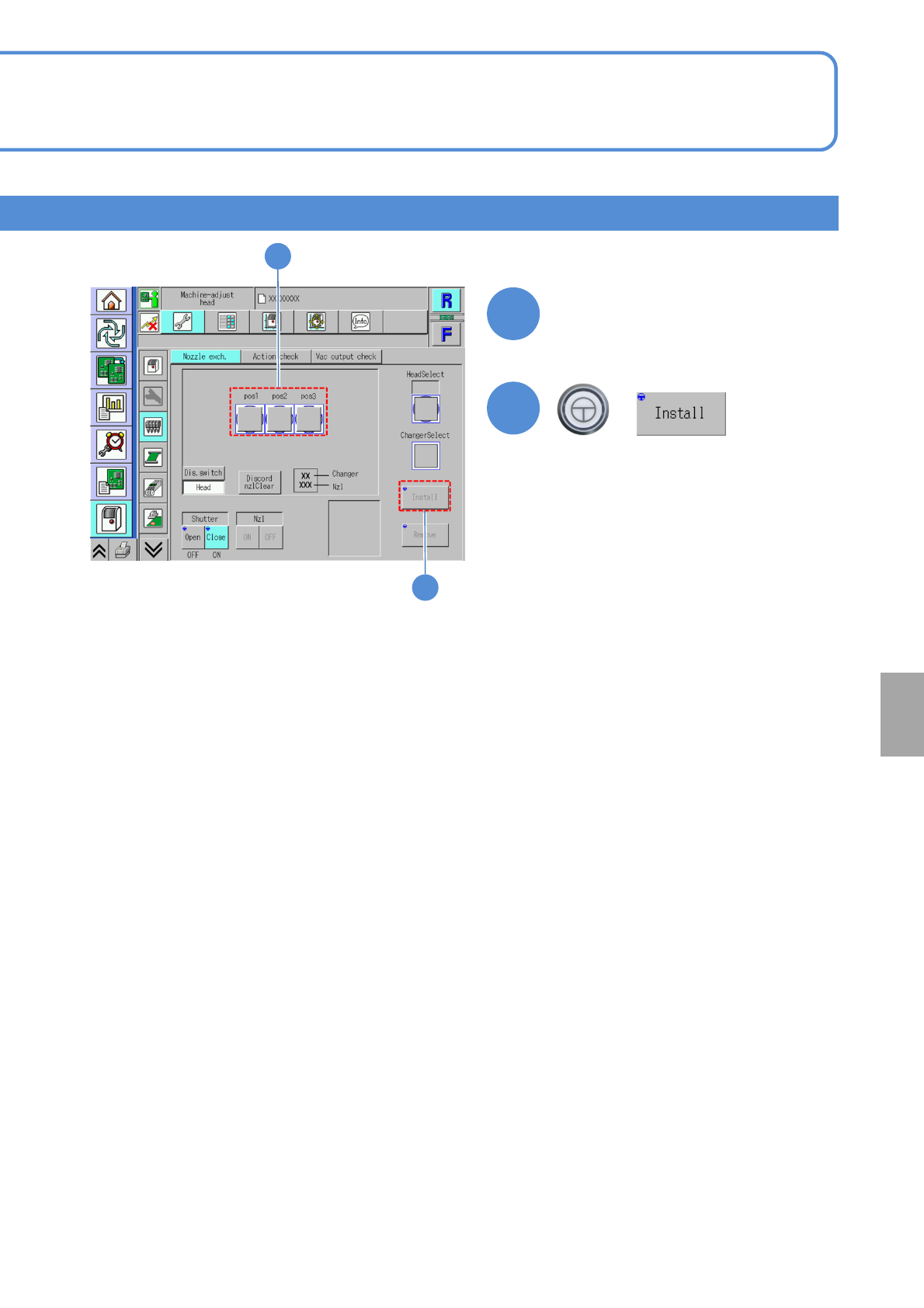
Choose the head to
install the nozzle
4
(The button turns in blue color)
+
5
5
4
System
administration
NPM-W2 EJM7DE-MB-07O-00
Unit
adjust-
ment
Operating procedure
7-2-5
Describes how to attach the nozzle for the support pin to the placement head after setting it to the nozzle
changer for the support pin.
Attachment of the nozzle for the support pin
1
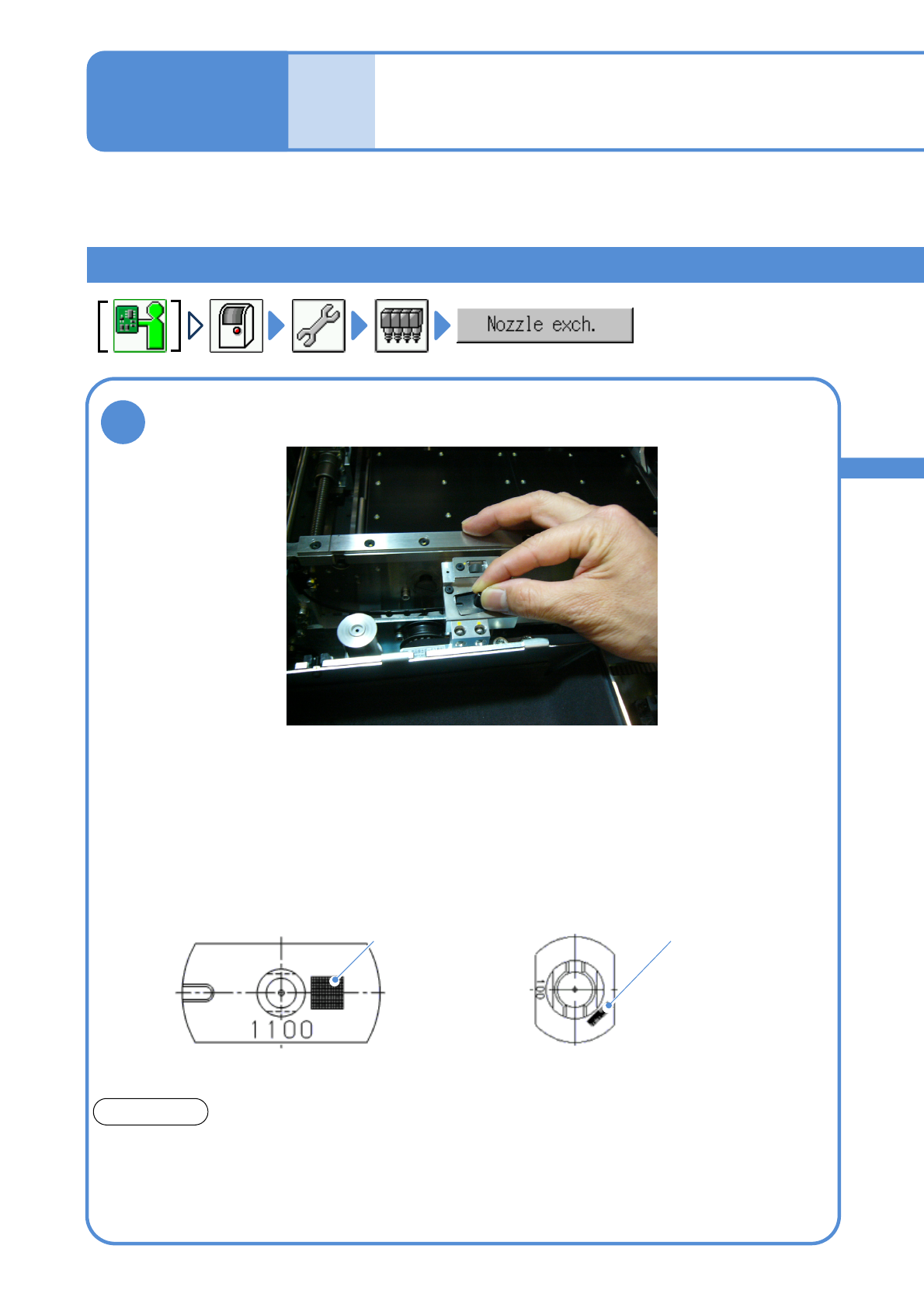
●Pay attention to the position of the
groove of the nozzle for the 3-
nozzle head.
Feeder table side
●Set the nozzle for the light weight 16-, 12-, or 8-nozzle head,
positioning it as shown below.
●The option setting can be used to read 2D codes and detect
nozzle types so as to prevent the wrong nozzle from being set.
Feeder table side
100-nozzle
(for light weight 16-, 12-, 8-nozzle head)
1100-nozzle
(for 3-nozzle head)
2D code
Set the nozzle intended for support pin use to the nozzle changer
intended for support pin use
2D code
Support pin use nozzles
ATTENSION
The support pin use nozzles differ in shape from the ones specifically used for picking up
components.
Make sure to attach the support pin use nozzle to the support pin use nozzle changer and, the
component pickup use nozzle, to the component pickup use nozzle changer.
Attachment of a wrong nozzle may damage the shaft of the head unit.
7-2-5-5
Replacing the nozzle of
the placement head 3