N7201A616E00_0317.pdf - 第595页
NPM-W 2 EJM7DE-MB-07 O-00 2 3 Syringe sta tus c hec k (dispensing head) 7-2-8 1 You can check the status of each unit installed on the dispensin g head. 1 F G Confirm the stat us of each unit B A C D E A Thermal Regulato…
NPM-W2 EJM7DE-MB-07O-00
Unit
adjust-
ment
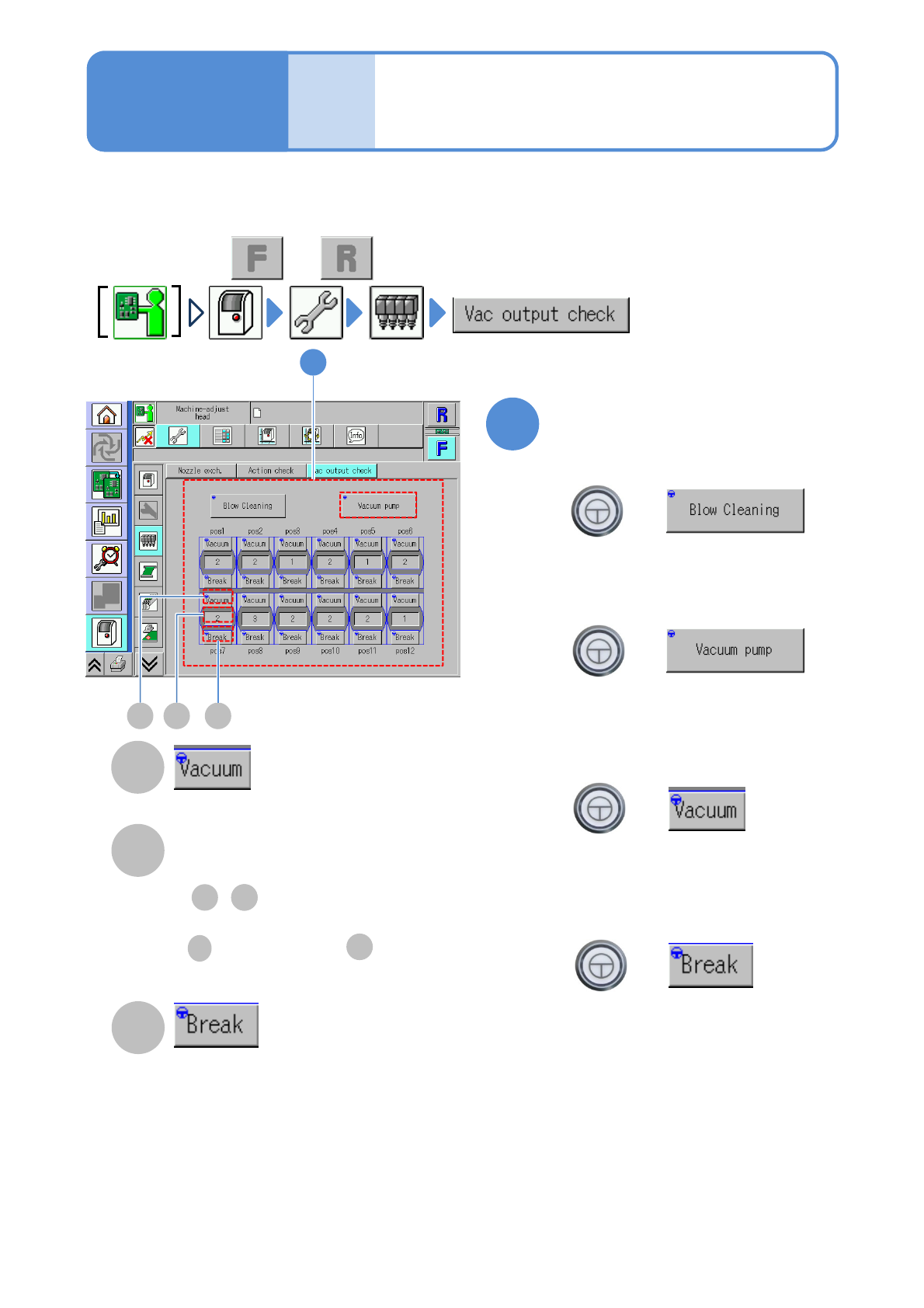
Vacuum output check
(placement head)
7-2-7
1
You can change the valve and check whether each of the vacuum pumps and air blows operates normal
individually.
+
1
+
+
+
BA C
A
B
C
BC
Operating procedure
7-2-7
Air flow value
Nozzle air flow value.
Check the air flow value during
vacuuming or blowing
■To turn ON/OFF the vacuum pump
(The vacuum pump is switched ON/OFF)
■With the vacuum pump turned ON, to
turn ON/OFF only the vacuum valve
of a specified nozzle
(The vacuum pressure is displayed in the
field below)
■With the vacuum pump turned ON,
to turn ON/OFF only the vacuum
break valve of a specified nozzle
(The pressure for the vacuum break is
displayed in the field above)
■To turn ON/OFF the cleaning blow
(The cleaning blow valve is switched
ON/Off)
Vacuum valve
Vacuum break valve
● , in 7-2-6 is displayed in
terms of 8-bit.
B
B
C
:“Sensor value” :“Full”
●Perform on both and .
NPM-W2 EJM7DE-MB-07O-00
2 3
Syringe status check
(dispensing head)
7-2-8
1
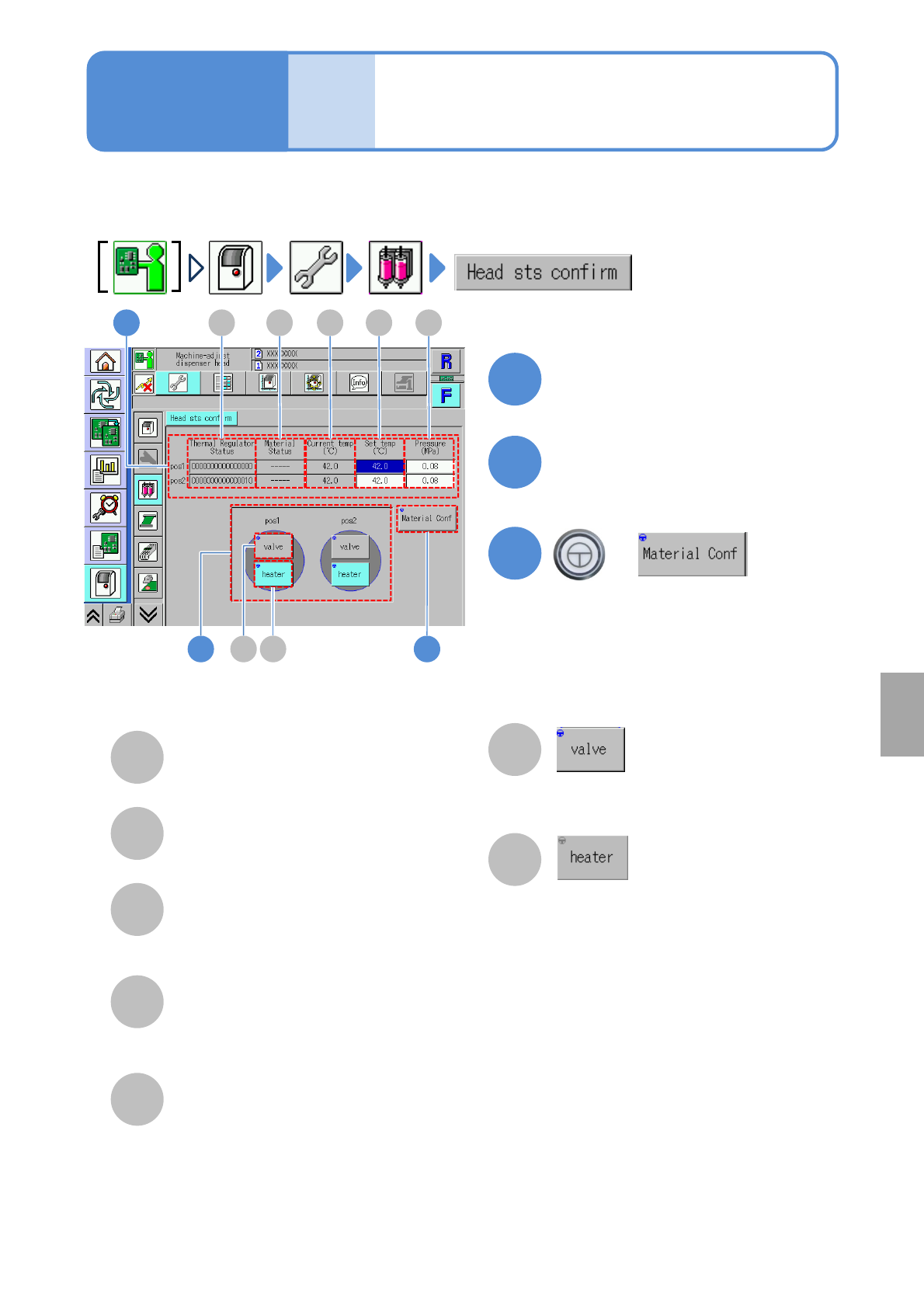
You can check the status of each unit installed on the dispensing head.
1
F G
Confirm the status of each unit
BA C D E
A
Thermal Regulator Status
The temperature control status of each
nozzle.
B
Material Status
The parts-empty detection status of each
nozzle.
C
Current temp(℃)
The current temperature of the
temperature control unit attached to the
syringe of each nozzle.
D
Set temp(℃)
The desired temperature for the
temperature control unit attached to the
syringe of each nozzle.
E
Pressure(MPa)
The electropneumatic regulator pressure
applied to the syringe of each nozzle
2
Choose the desired syringe pos.
to check action
F
The dispensing valve turns ON/OFF for
the nozzle
G
The heater control of the temperature
control unit turns ON/OFF for the nozzle.
3
+
●Checks the material-empty status.
Unit
adjust-
ment
Operating procedure
7-2-8
System
administration
NPM-W2 EJM7DE-MB-07O-00
Unit
adjust-
ment
PCB transfer check
7-2-9
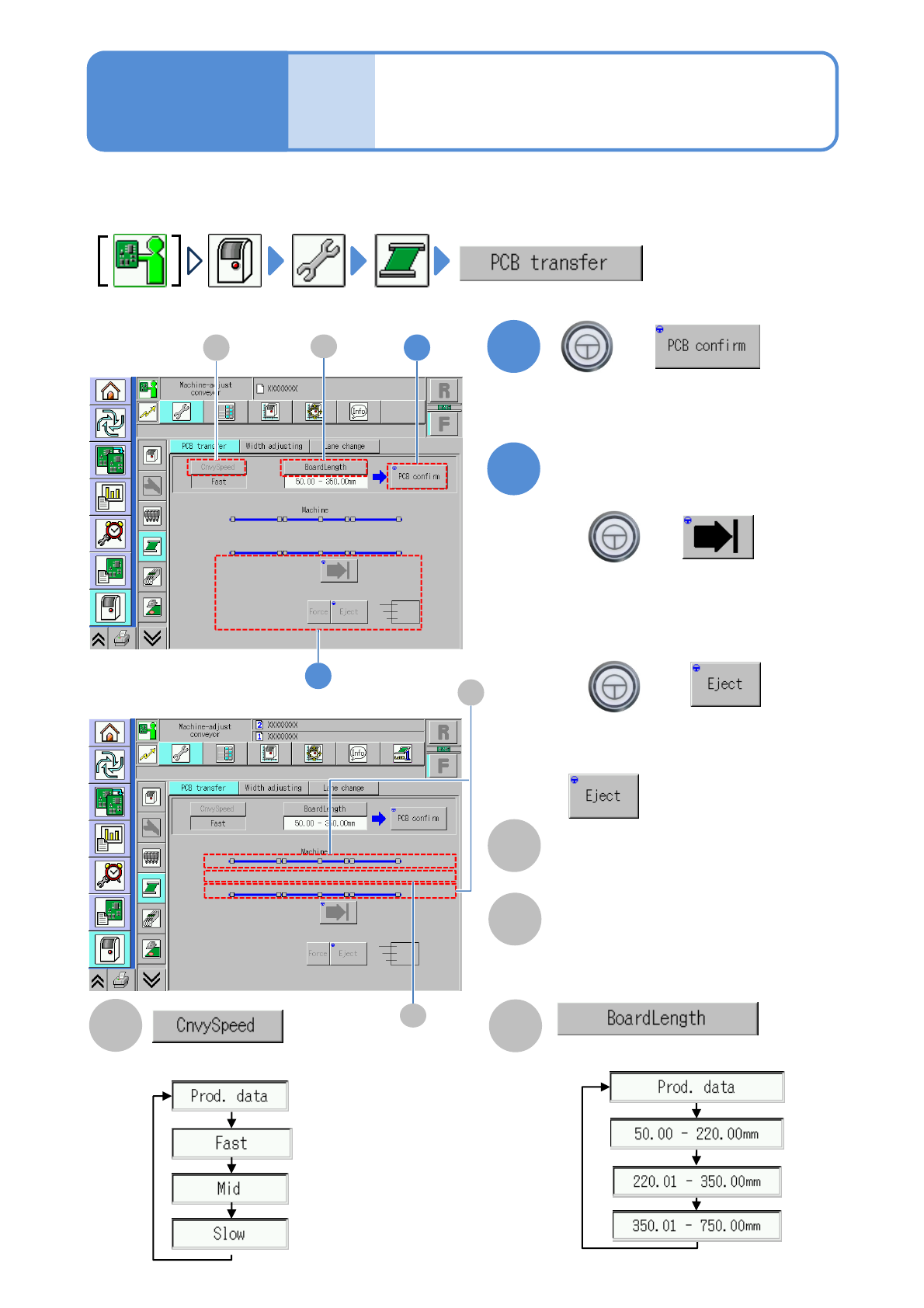
You can check whether PCBs are transferred normally.
●For dual lane mode, you need to choose a lane in advance.
1
B
+
A
2
+
+
Operating procedure
7-2-9
Choose a PCB length.
(When a PCB is present on the transfer
conveyor, its position is displayed)
Choose a transfer speed.
■To unload a PCB without the request
signal from the post process
becomes enabled.
(The PCB is transferred to a selected
position)
Transfer
■To load a PCB into the machine
■To unload a PCB outside of the
machine
1
C
2
A
B
■In single lane mode
D
■In dual lane mode
C
Sensor
Displays the status of the board sensor.
D
Transfer position
Displays presence or absence of the
current board.