N7201A616E00_0317.pdf - 第601页
NPM-W 2 EJM7DE-MB-07 O-00 Checking head camera status 7-2-1 1 -4 A B Status and error of each item Updates to the latest information . (The a ction/image test sc reen is displayed) A C B D D C Switches the display type. …
NPM-W2 EJM7DE-MB-07O-00
7-2-11-3
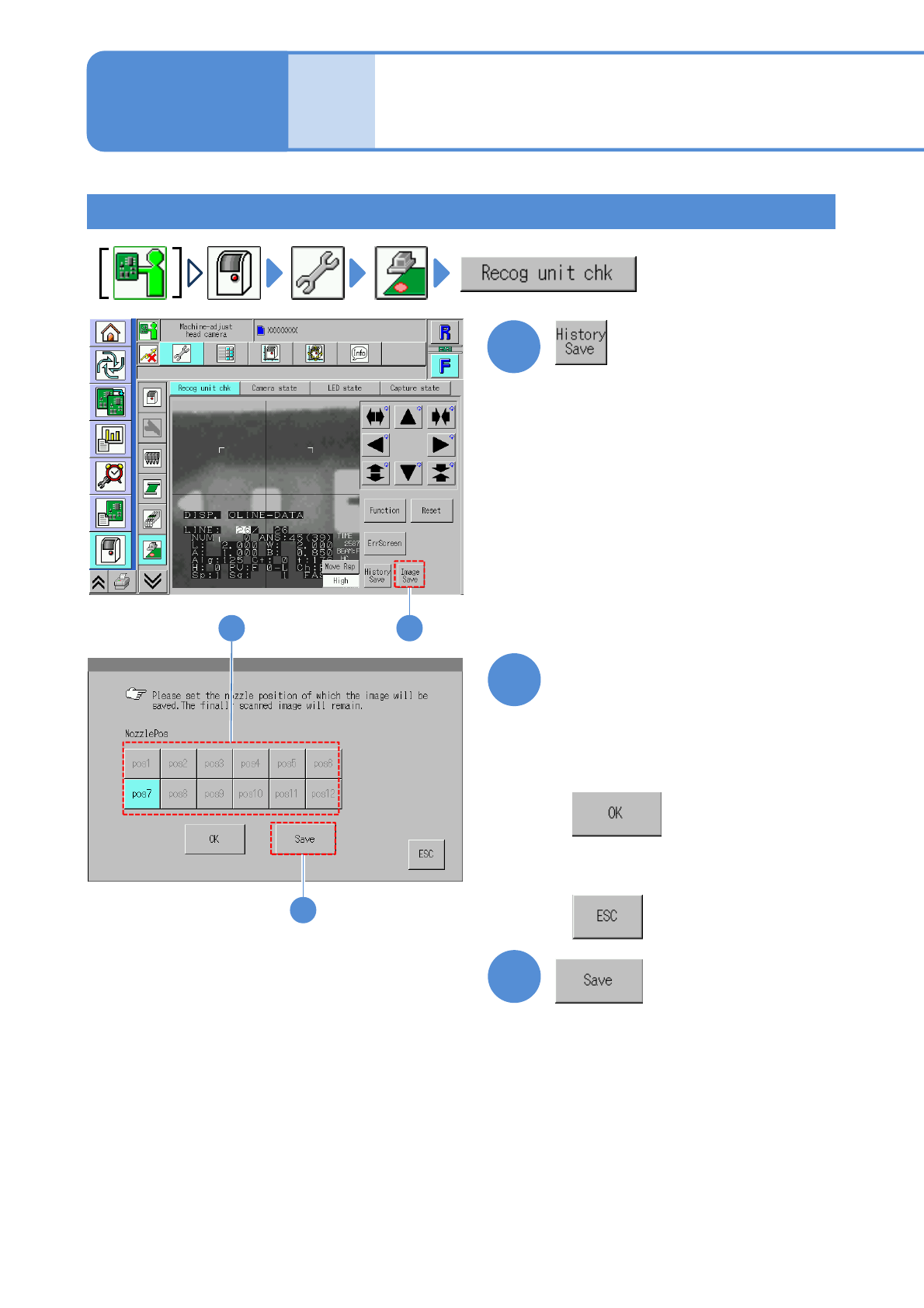
Saving the error image history
1
2
3
1
Choose the nozzle position
with error
3
2
●Black: Nozzle position on which error
occurred just before
■To confirm the error image
■When you do not neither save
nor confirm
Unit
adjust-
ment
Head camera
information check 2
Operating procedure
7-2-11
NPM-W2 EJM7DE-MB-07O-00
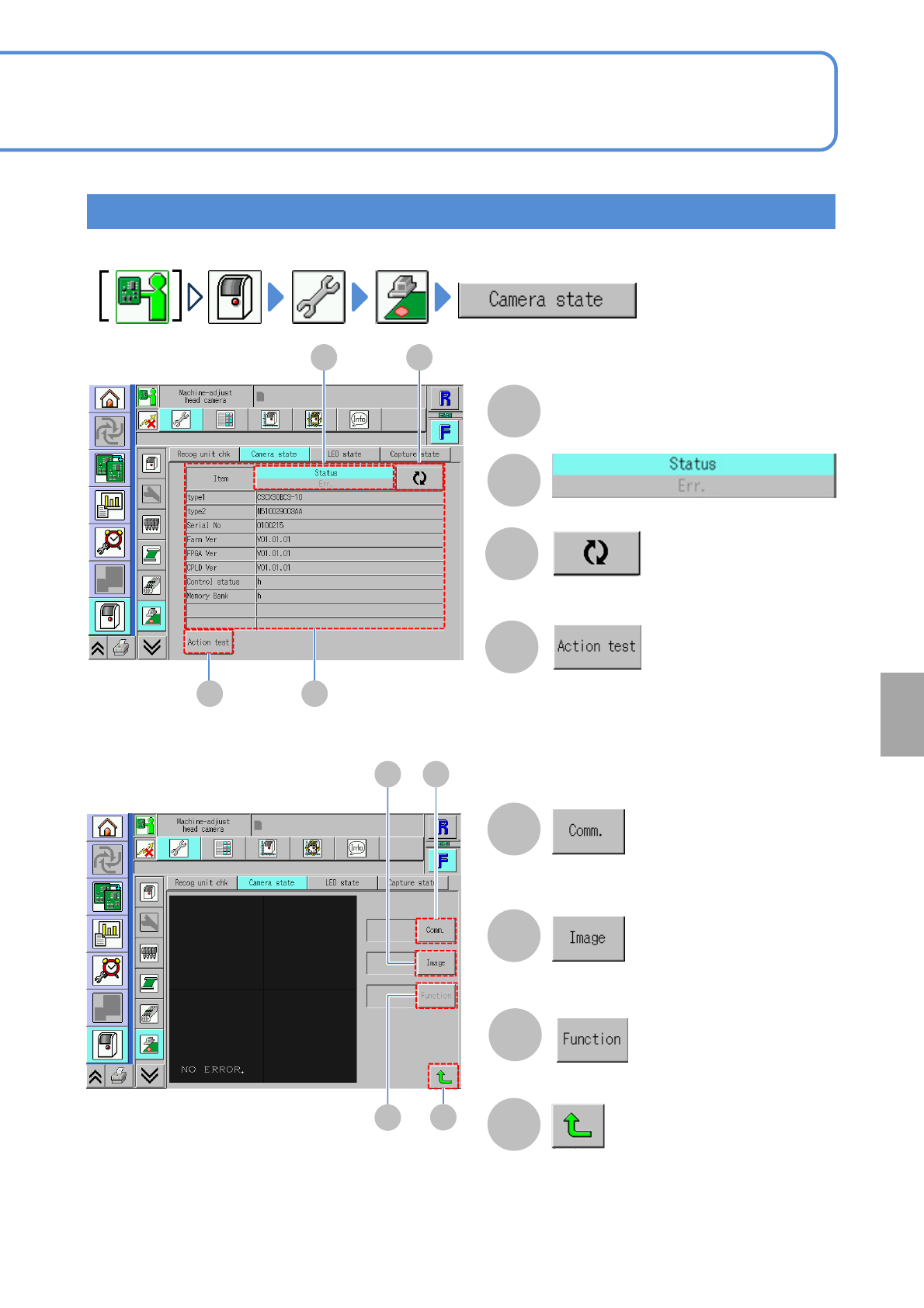
Checking head camera status
7-2-11-4
A
B
Status and error of each item
Updates to the latest information.
(The action/image test screen is displayed)
A
CB
D
D
C
Switches the display type.
System
administration
E
F
H
Communication status is displayed.
Test pattern status is displayed.
Returns to the previous screen.
EF
■[Action test] screen
H
G
Function status is displayed.
G
NPM-W2 EJM7DE-MB-07O-00
7-2-11-5
Unit
adjust-
ment
Head camera
information check 3
Operating procedure
7-2-11
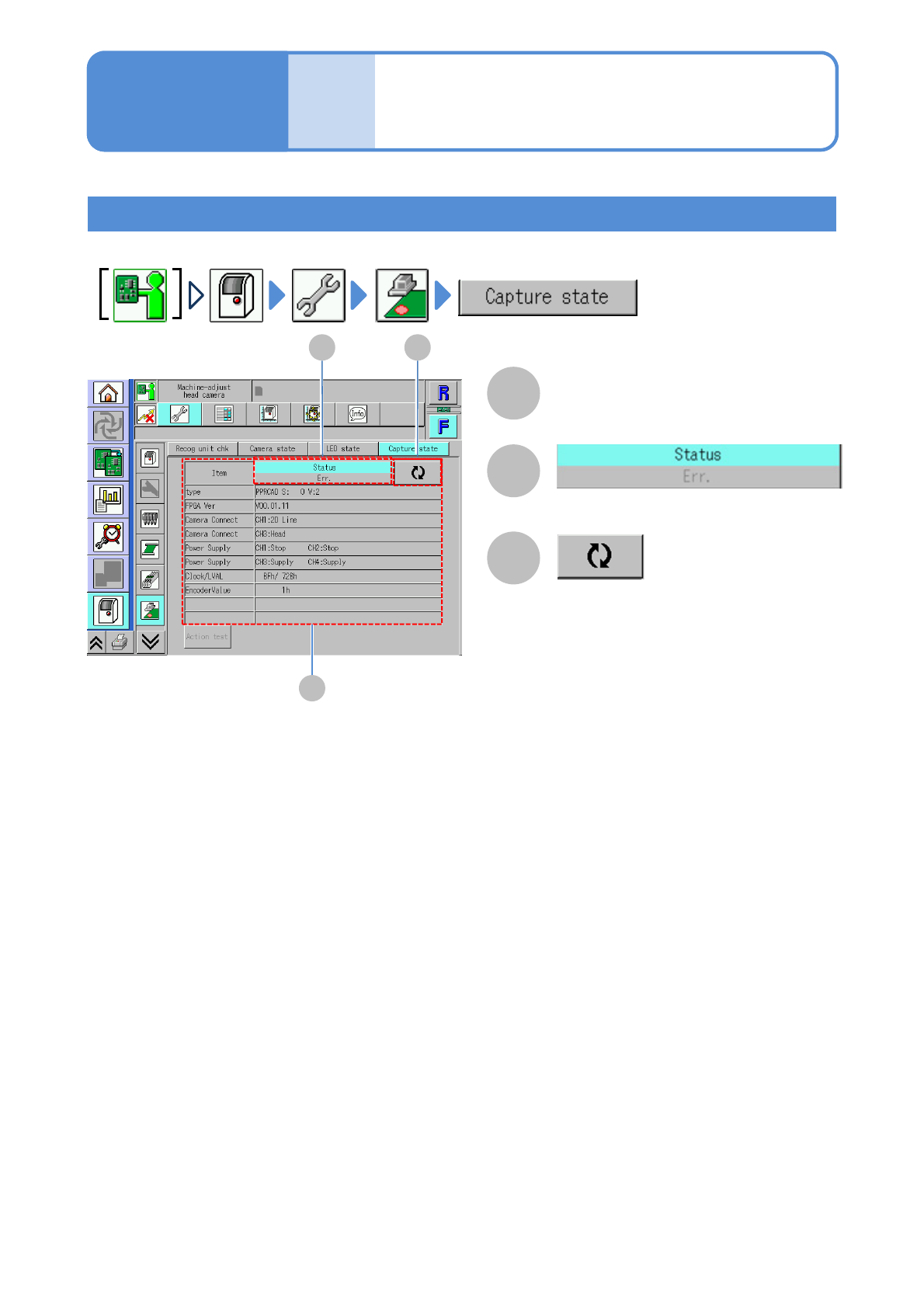
Checking capture status
Status and error of each item
●Updates to the latest information.
Switches the display type.
A
B C
A
B
C