N7201A616E00_0317.pdf - 第613页
NPM-W 2 EJM7DE-MB-07 O-00 3 1 1 3 7-3-3 -2 ■ T o change the offset display area using a matrix 2 4 5 B 3 2 5 T ouch the display area (Matrix moves right or left) (Offset of the area select ed in is displayed in ) ■ When …
NPM-W2 EJM7DE-MB-07O-00
Display area of is displayed in light
blue color.
The front/rear/right/left of the display
areas of and are displayed.
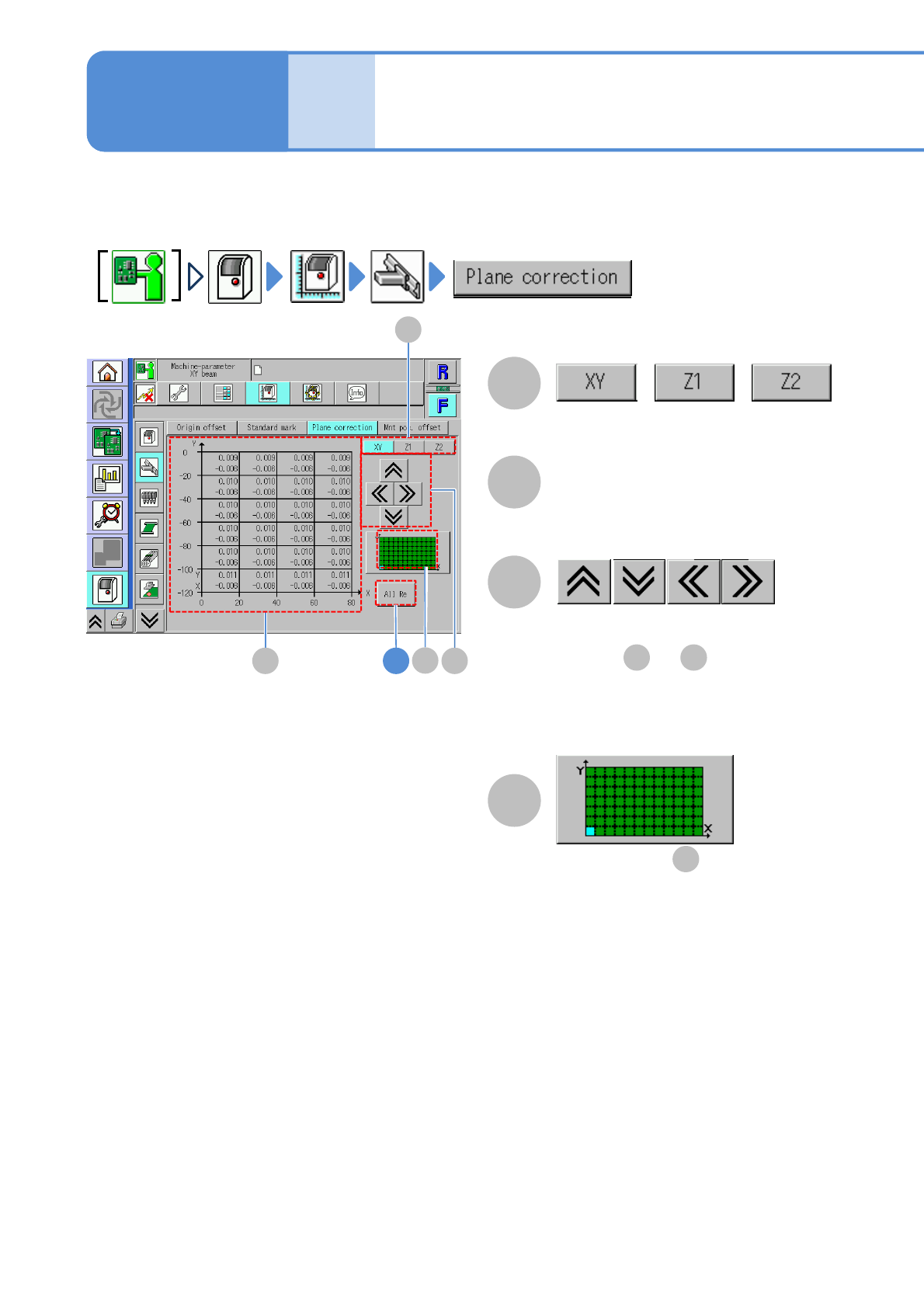
You can check the placement surface offset (calibration result) used in correcting PCB recognition and
placement positions.
7-3-3-1
Machine
parame-
ter
XY/Z plane correction
check
A
C
C
B
A
B 4
//
D
B D
B
Operating procedure
7-3-3
Switches between offset displays.
Offset
Placement surface offset.
●Displayed at intervals of 20 mm.
D
NPM-W2 EJM7DE-MB-07O-00
31
1
3
7-3-3-2
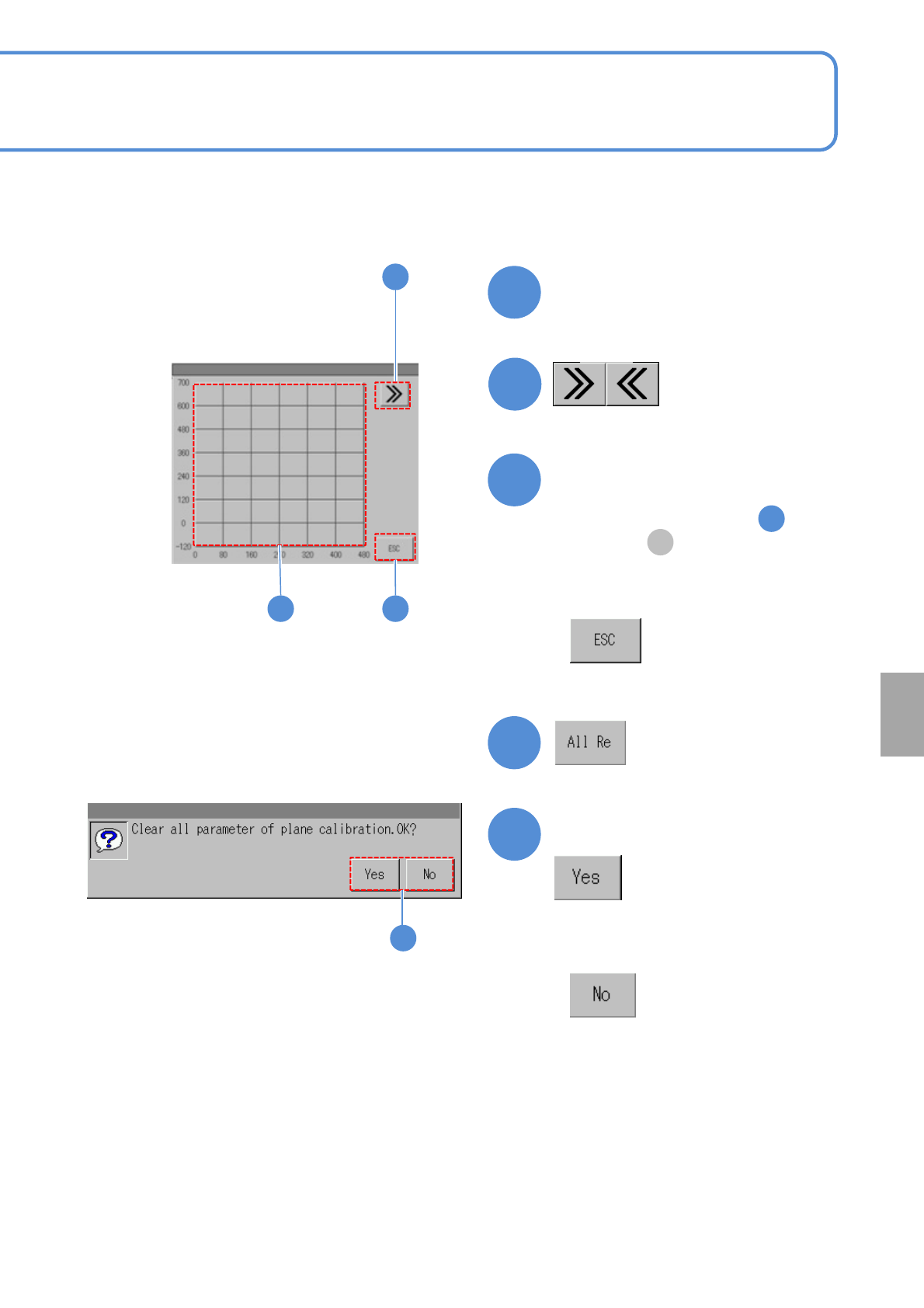
■To change the offset display area using a matrix
2
4
5
B
3
2
5
Touch the display area
(Matrix moves right or left)
(Offset of the area selected in is
displayed in )
■When you do not select the area to
display the offset
Choose an area to display the
offset
■When you do not clear plane
correction parameters
Confirm the message
System
administration
NPM-W2 EJM7DE-MB-07O-00
7-3-4-1
Machine
parame-
ter
Head origin offset
check
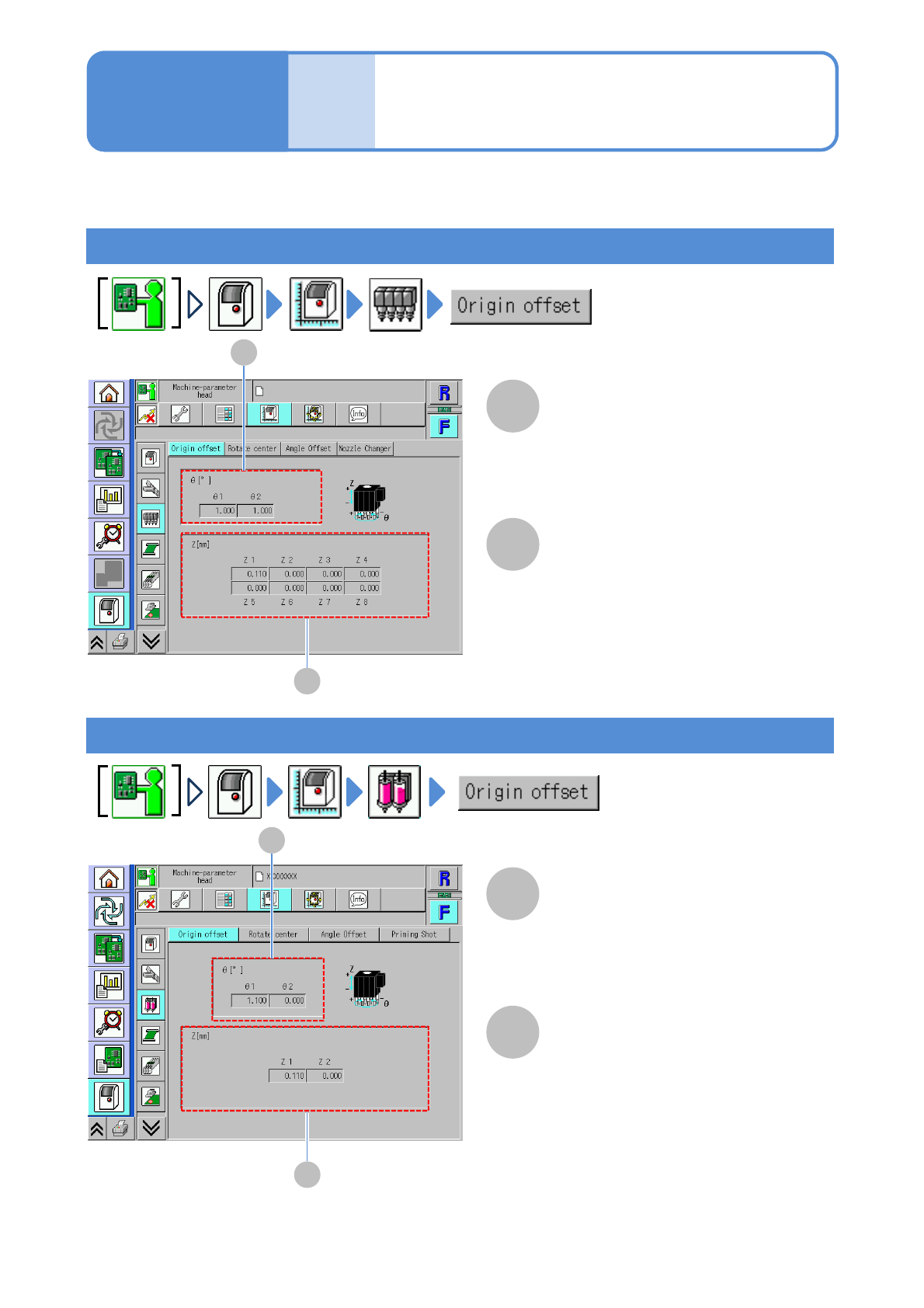
You can check the origin offset values (calibration result) of θ-/Z-axes.
A
B
B
A
Operating procedure
7-3-4
θ [°]
Offset angle on head origin.
Z [mm]
Offset of the height direction of Z-axis
of each loading head.
Placement head
A
B
B
A
θ [°]
Offset angle on head origin.
Z [mm]
Offset of the height direction of Z-axis
of each dispensing head.
Dispensing head