N7201A616E00_0317.pdf - 第81页
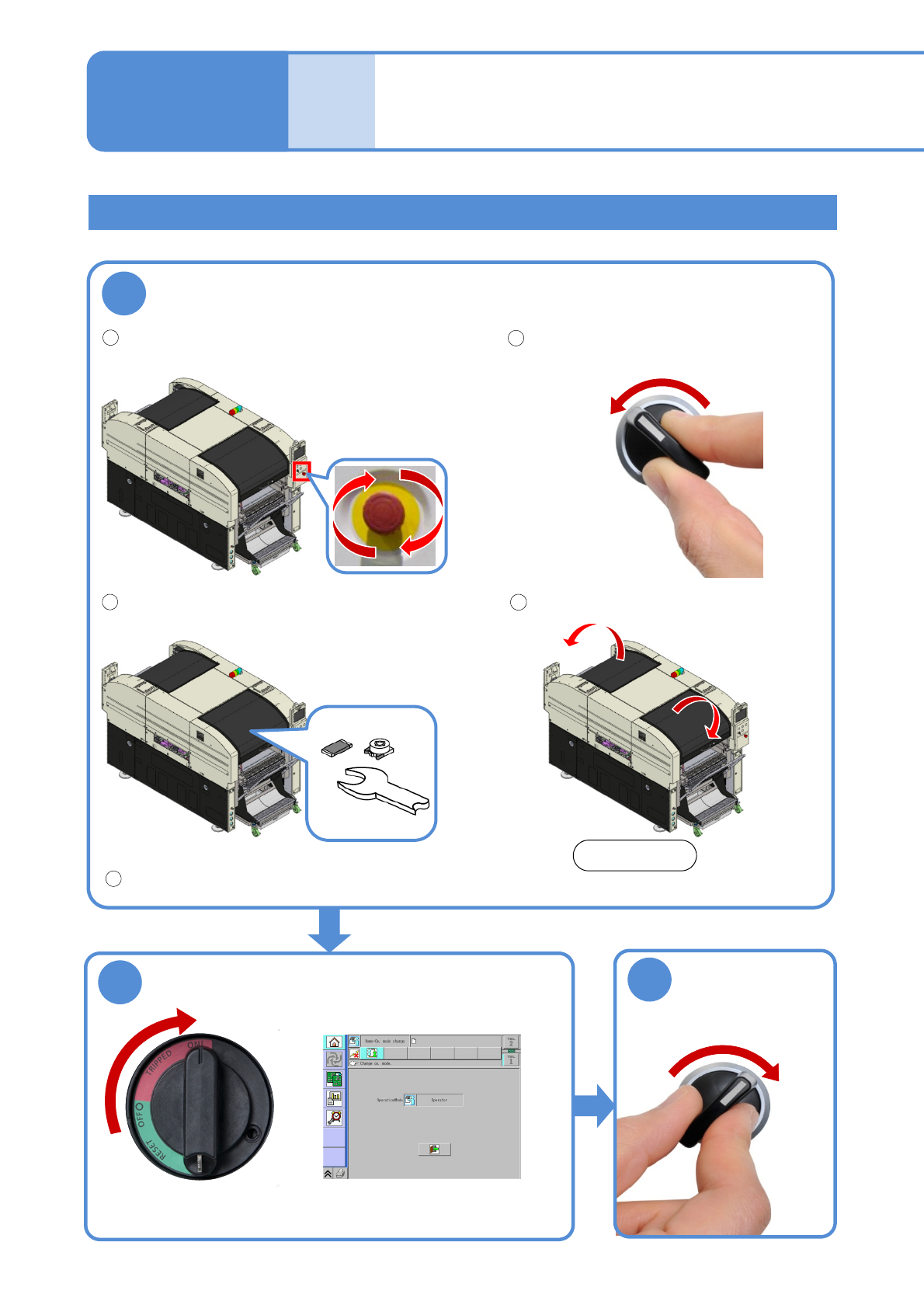
NPM-W 2 EJM7DE-MB-02O-0 0 1 2-1-1 -2 Stopping the machine Return all axes to the origin ( → [Operating pr ocedure] P.7-2-1) Lock the machine after turning OFF the main power switch. 2 Preparatio n
NPM-W2 EJM7DE-MB-02O-00
SERVO
ON
3
●Wait for 2 to 3 minutes after turning
ON the main power switch. (Once
the system starts, the screen below
is displayed)
2
2-1-1-1
●Keep the main power switch in
the OFF state for over 10 seconds
when turning it ON.
The emergency stop switch is released.
●Make sure that any risk
or trouble is eliminated
and then turn the
emergency stop switch
right to release it.
1
No foreign material is present on the conveyor or the
feeder table.
The safety covers are closed.
1
3
4
Front side
5
The main pressure is appropriate.
(→[Maintenance] P.4-1-1)
Basic
opera-
tion
Starting and stopping
the machine
Operating procedure
2-1-1
Starting the machine
OFF
SERVO
Checks before operation
The servo switch is turned OFF.
2
SERVO
ON
NPM-W2 EJM7DE-MB-02O-00
1
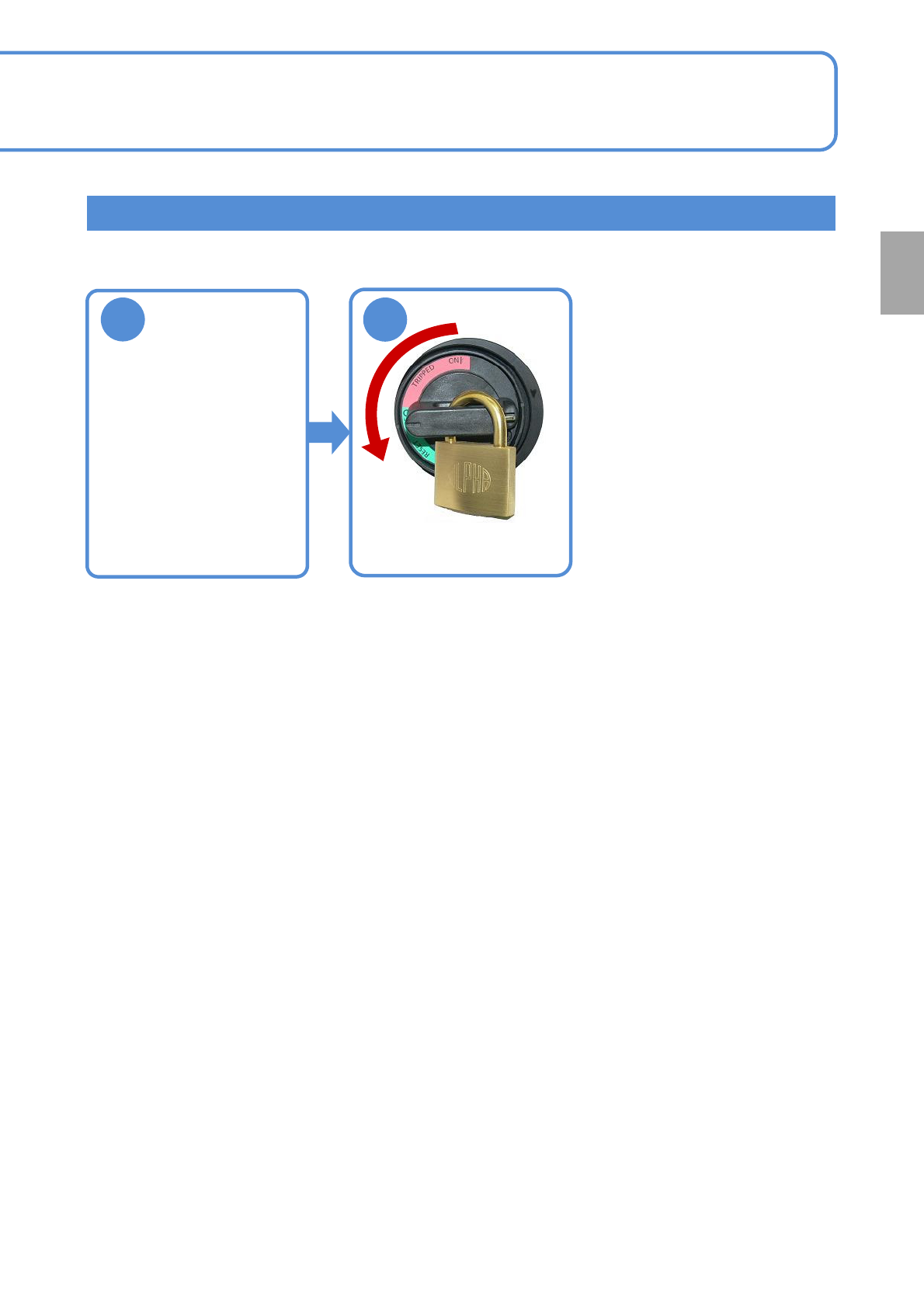
2-1-1-2
Stopping the machine
Return all axes
to the origin
(→[Operating procedure]
P.7-2-1)
Lock the machine after
turning OFF the main power
switch.
2
Preparation
NPM-W2 EJM7DE-MB-02O-00
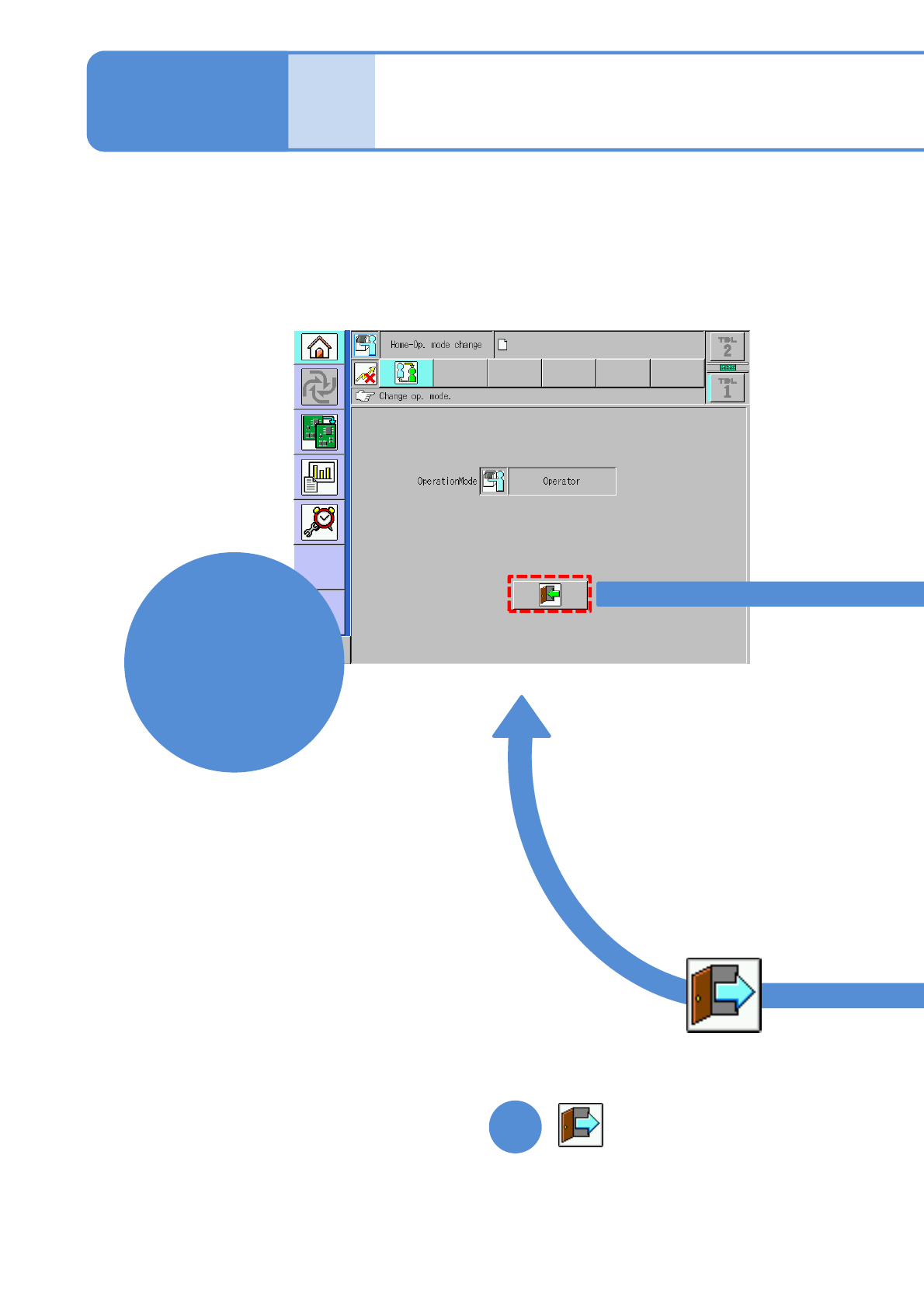
2-1-2-1
■Operator mode screen
Basic
opera-
tion
Mode selection
Operating procedure
2-1-2
■To switch to Operator mode
1
Operator
mode