N7201A616E00_0317.pdf - 第89页
NPM-W 2 EJM7DE-MB-02O-0 0 2-1-5 -1 1 1 ● Set operating auth ority given to the operator. 2 2 Touch the blank space Basic opera- tion Customize setting 1 Operating procedure 2-1-5 3 Select an operator to whom you give ope…
NPM-W2 EJM7DE-MB-02O-00
2-1-4-2
9
10
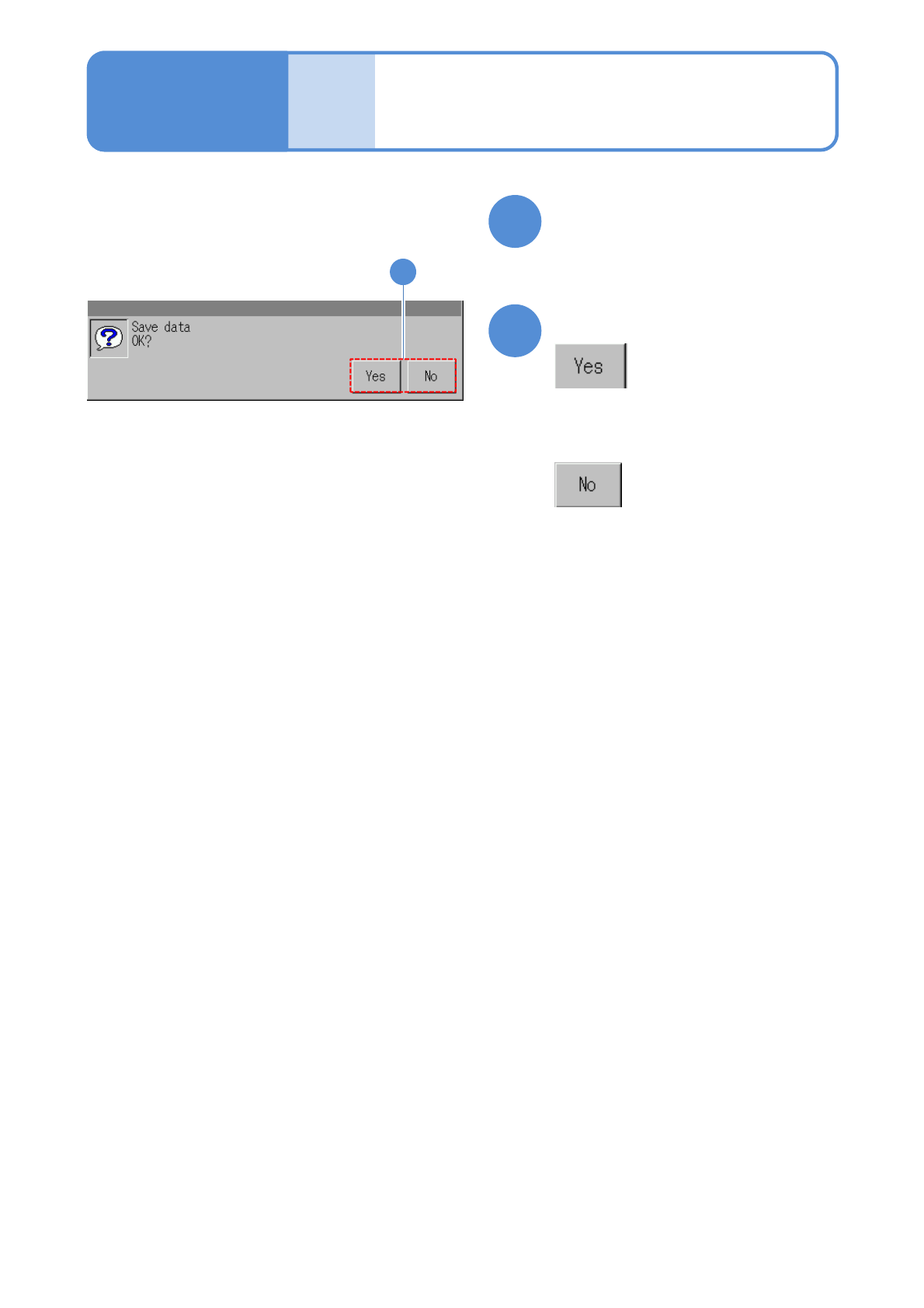
Confirm the message
(The password is set)
■If you do not save data
Press the operation button
●Press any button.
Basic
opera-
tion
Password setting 2
Operating procedure
2-1-4
10
NPM-W2 EJM7DE-MB-02O-00
2-1-5-1
1
1
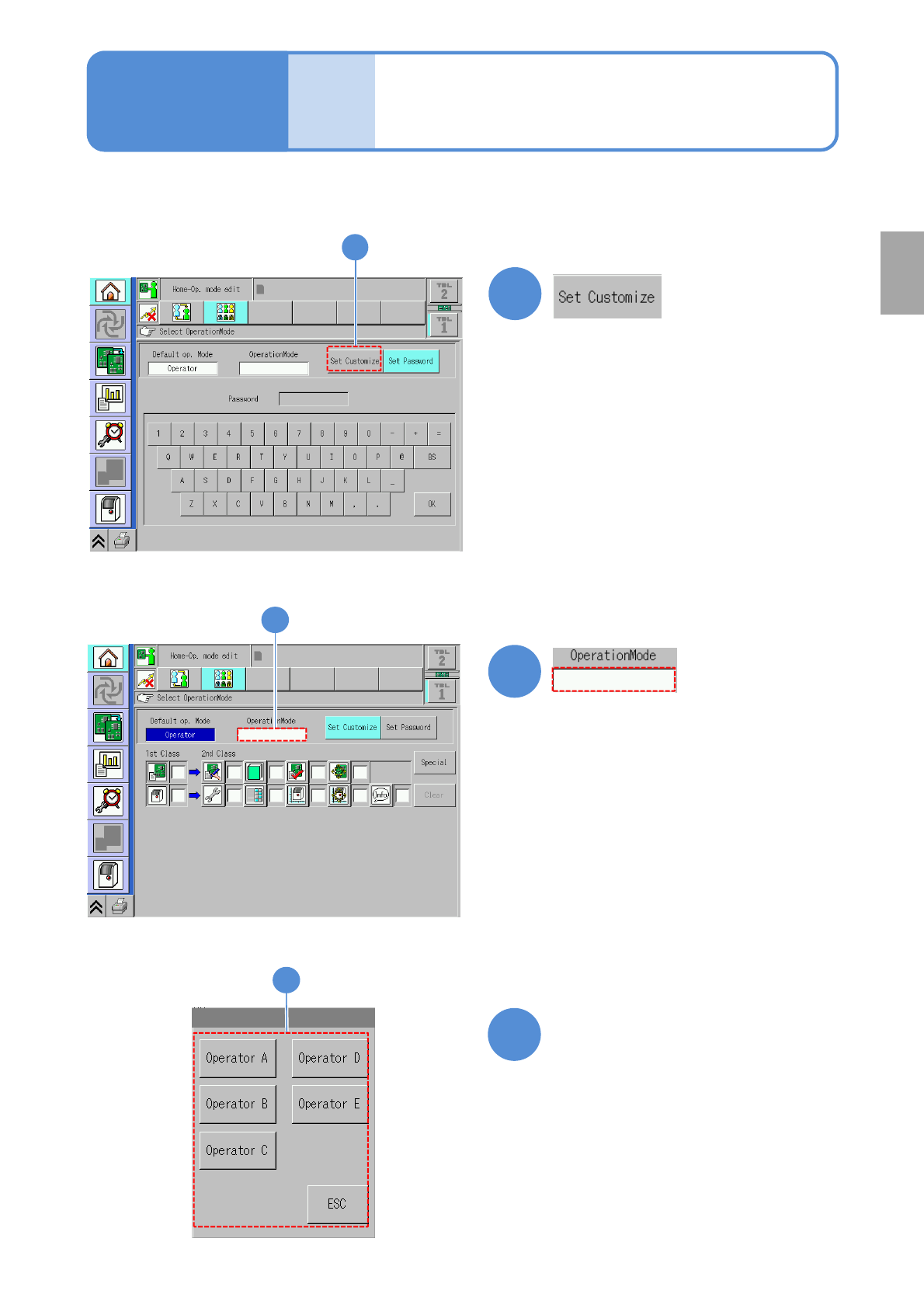
●Set operating authority given to the operator.
2
2
Touch the blank space
Basic
opera-
tion
Customize setting 1
Operating procedure
2-1-5
3
Select an operator to whom
you give operating authority
3
Preparation
NPM-W2 EJM7DE-MB-02O-00
2-1-5-2
C D
4
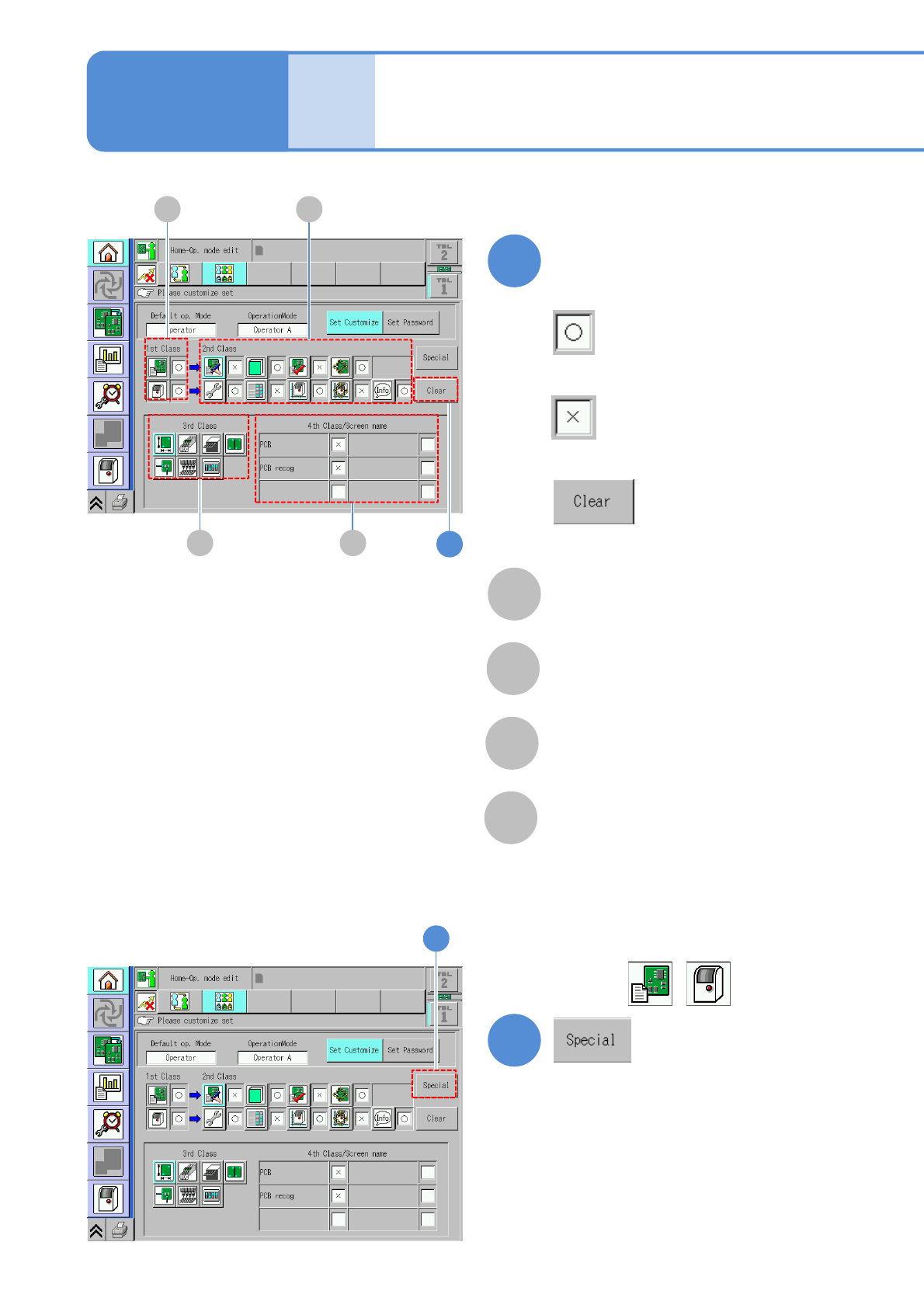
Define the scope of operating
authority
A
Scope of operating authority of
1st class
B
Scope of operating authority of
2nd class
C
Scope of operating authority of
3rd class
D
Scope of operating authority of
4th class
■To give operating authority
■Not to give operating authority
4
■To restore the default settings
A B
5
■To give operating authority to 1st
class besides .
5
Basic
opera-
tion
Customize setting 2
Operating procedure
2-1-5