N7201A616E00_0317.pdf - 第91页
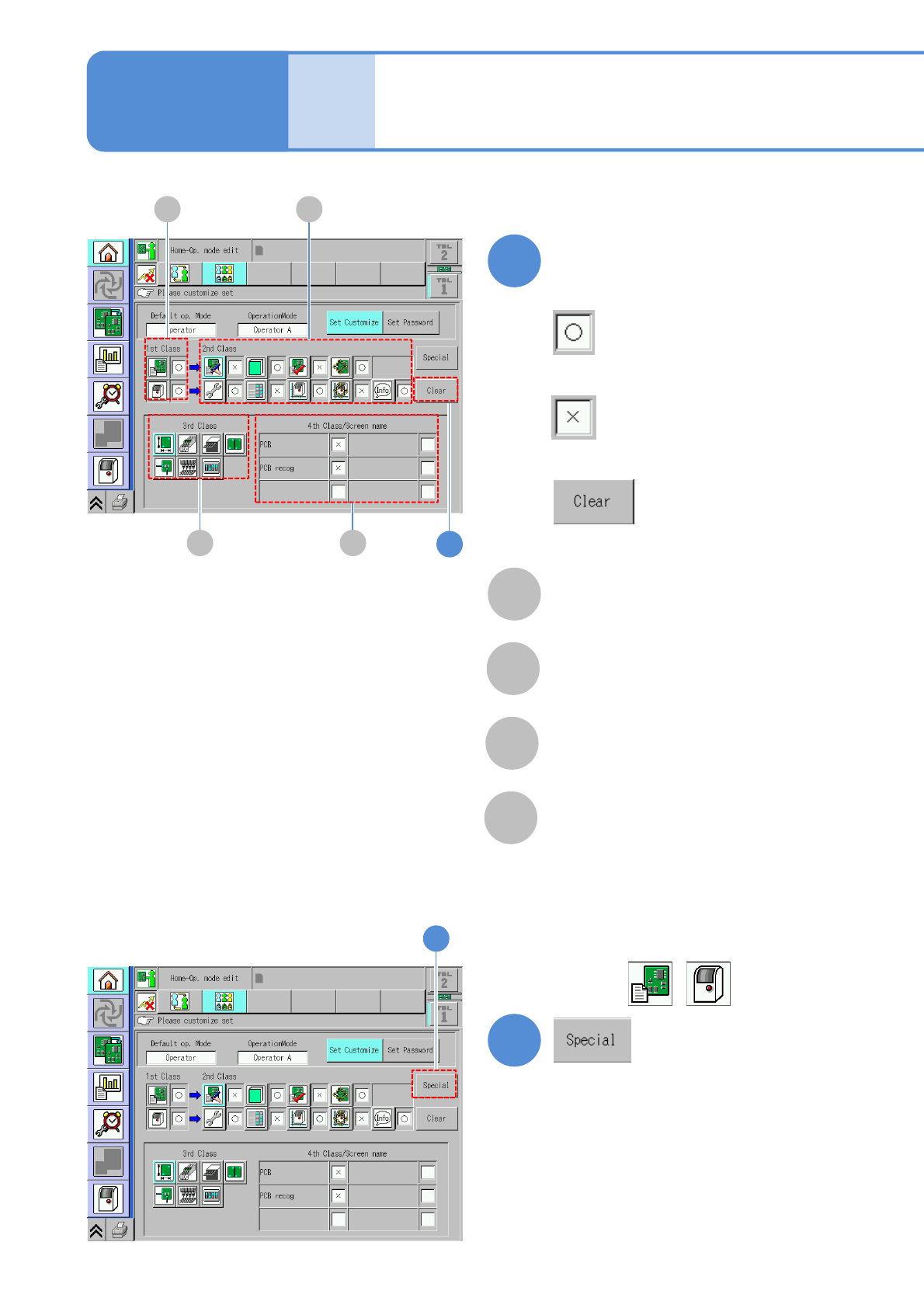
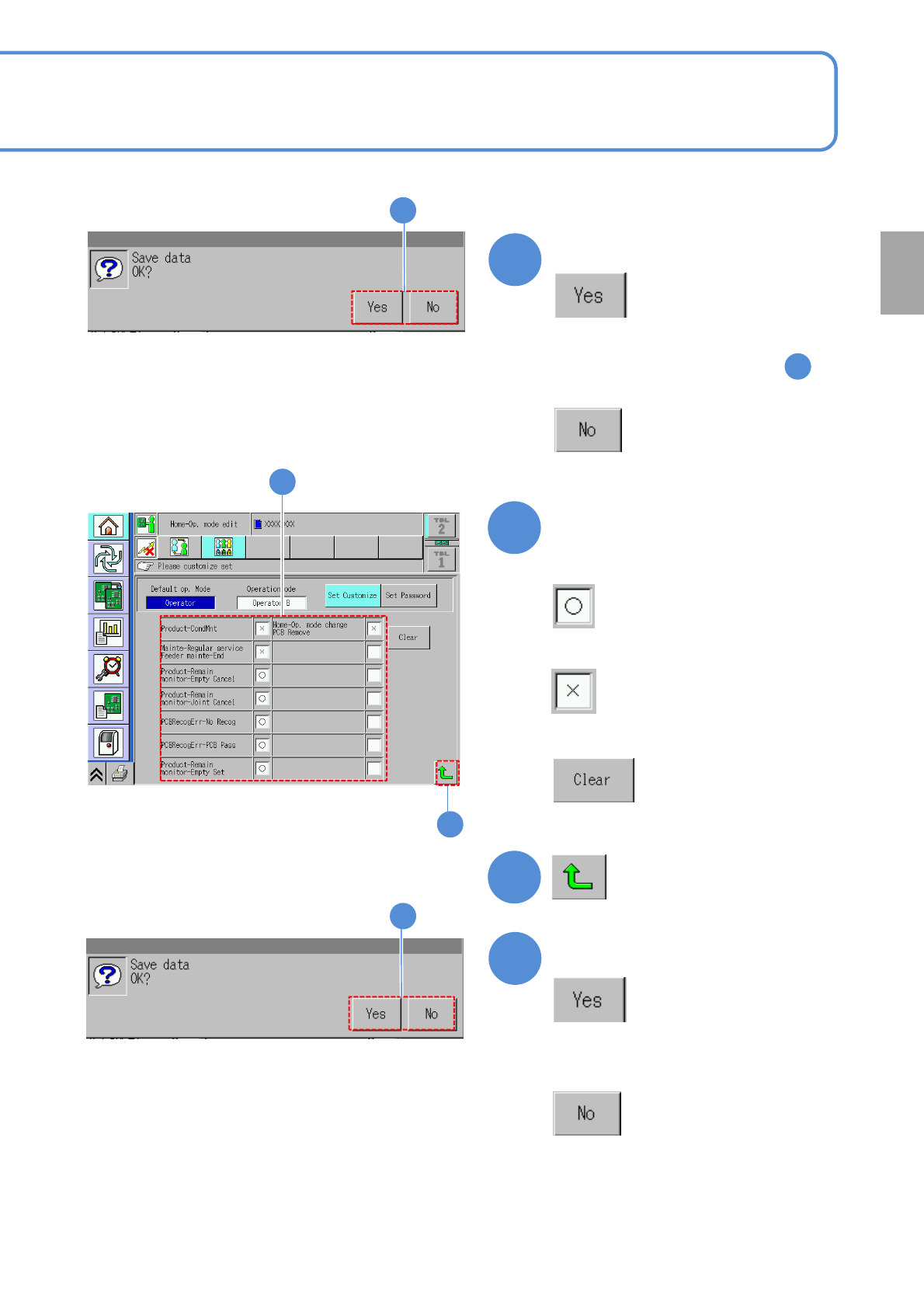
NPM-W 2 EJM7DE-MB-02O-0 0 2-1-5 -3 7 ■ To give operating authority ■ Not to give operating authority ■ To restore the default settings Define the scope of operating authority 7 8 9 Confirm the message ■ If you do not sav…
NPM-W2 EJM7DE-MB-02O-00
2-1-5-2
C D
4
Define the scope of operating
authority
A
Scope of operating authority of
1st class
B
Scope of operating authority of
2nd class
C
Scope of operating authority of
3rd class
D
Scope of operating authority of
4th class
■To give operating authority
■Not to give operating authority
4
■To restore the default settings
A B
5
■To give operating authority to 1st
class besides .
5
Basic
opera-
tion
Customize setting 2
Operating procedure
2-1-5
NPM-W2 EJM7DE-MB-02O-00
2-1-5-3
7
■To give operating authority
■Not to give operating authority
■To restore the default settings
Define the scope of operating
authority
7
8
9
Confirm the message
■If you do not save data
9
(Returns to the previous screen)
6
Confirm the message
■If you do not save data
6
●The same message is displayed even
by pressing another button in
5
8
Preparation
NPM-W2 EJM7DE-MB-02O-00
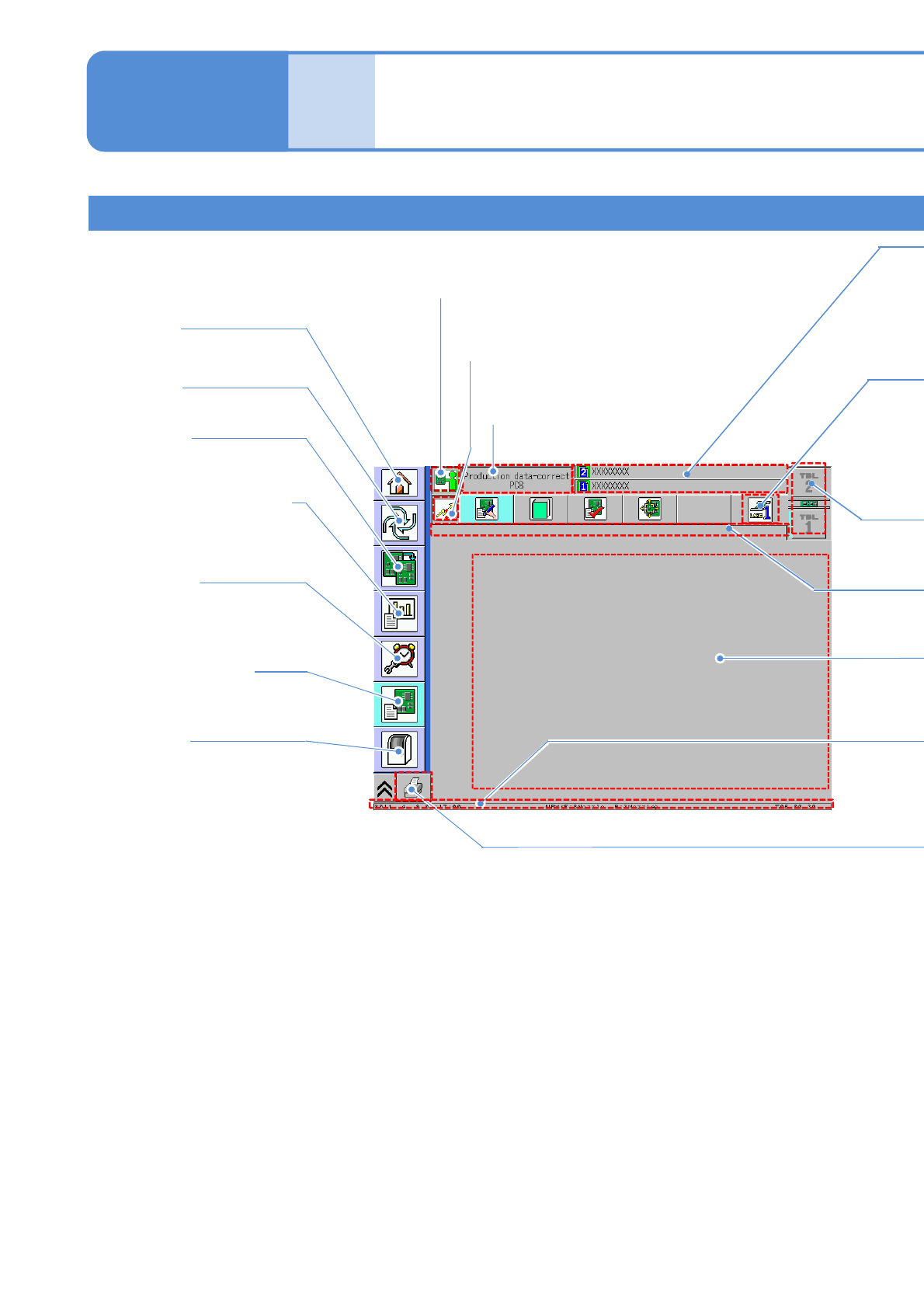
Explains the contents displayed in each area on the touchscreen.
Basic screen structure
Mode Icon
●Current mode.
Network status icon
●Current network status.
Screen name
●Name of the screen
currently displayed.
Home
●Changes the operation mode.
Production information
●Displays information obtained
during automated production.
Maintenance
●Confirms maintenance
information and performs
maintenance.
Production data *1)
●Creates, modifies or
teaches production data.
Production
●Starts automatic production.
Preparation
●Prepares for production.
Machine *1)
2-2-1-1
*1) Displayed only in Engineer mode
or the customized Operator mode.
Compo-
nent
names
Touchscreen 1
Operating procedure
2-2-1
●Confirms information or
performance of each machine
part and configures various
settings.