M1_ServiceManual_e.pdf - 第30页
3 Mechanical Section 3-6 Nozzl e Recognition Sti ckers Labeling a Nozzle ID Sticker t o a Nozzle ACTION: ① Wipe off oi l, dust, or w ater f rom th e upper side of the nozzle f lange w ith alcohol. ② Slide the ring of the…
3 Mechanical Section
3-5
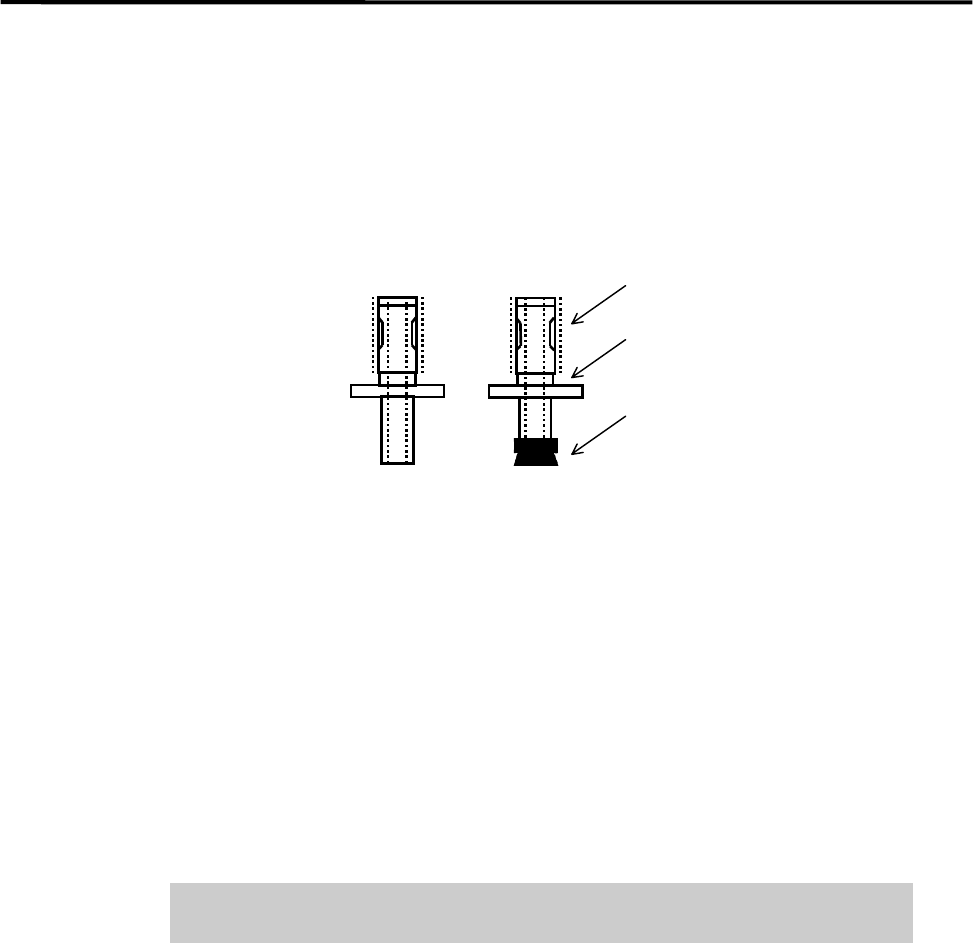
■ Checking of Suction Pad (for nozzle No. M017, M018, M019, M020)
Check the rubber suction pad at the tip of the nozzle for flaws and cracks. If you find a flaw or crack, replace
the pad with a new one.
First, pull off the old pad, and then apply some grease to the inner surface of the new pad to fit it to the
nozzle.
Apply silicone grease.
Identification Mark
Suction Pad
■ Applying Silicone Grease
After cleaning a nozzle, be sure to apply grease to the nozzle.
● Outer Surface
Apply small amount of silicone grease to the outer surface (indicated by thick dotted line). And then wipe
off the grease with a dry cloth to make a very thin film of grease.
● Suction Pad
Use grease to prevent the rubber suction pad from degrading. Apply small amount of silicone grease to the
outer surface of the pad. And then wipe off the grease with a dry cloth.
Do not apply excessive grease, which may cause the nozzle to clog with dirt
and result in the placement error.
3 Mechanical Section
3-6
Nozzle Recognition Stickers
Labeling a Nozzle ID Sticker to a Nozzle
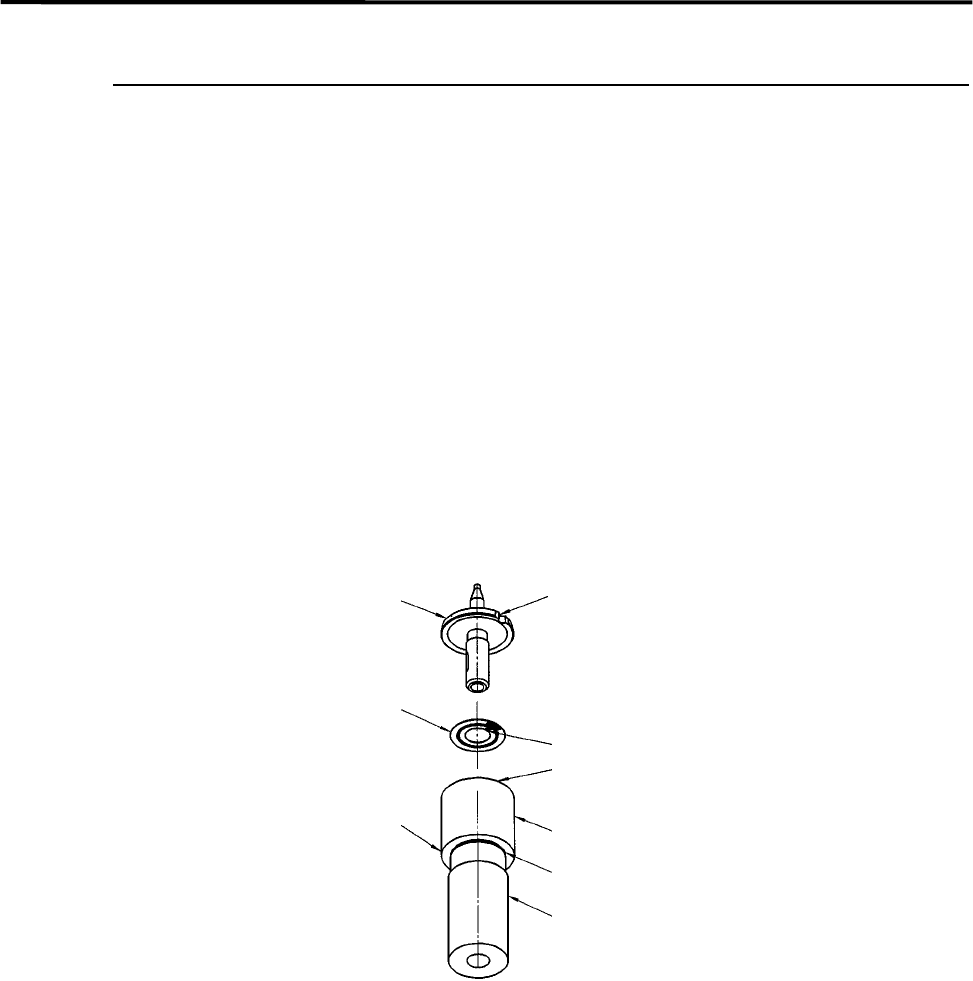
ACTION:
① Wipe off oil, dust, or water from the upper side of the nozzle flange with alcohol.
② Slide the ring of the labeler until the groove in the labeler shaft appears.
③ Peel off the sticker from its slip sheet using tweezers.
④ With the sticker’s adhesive side upward, align the sticker’s angle mark to the ring’s positioning mark.
Set the sticker into the ring, being careful not to touch the sticker’s adhesive side.
⑤ Make sure the sticker is properly placed in the ring.
⑥ Insert the nozzle upside down into the hollow of the labeler shaft, while aligning the nozzle cutoff to the
ring’s positioning mark.
⑦ Push up the labeler shaft so that the sticker sticks to the nozzle flange.
Nozzle
Cutoff
Nozzle ID sticker
Positioning mark
Ring
Groove
Shaft
Labeler for
nozzle ID sticker
Angle mark

3 Mechanical Section
3-7
Cleaning Nozzle Recognition Stickers
Dirt on nozzle ID/presence stickers can be a cause of vision recognition failure. Regularly clean the nozzle
ID/presence stickers.
ACTION:
① Clean the sticker with cotton swab soaked with alcohol.
② Wipe off the remaining alcohol on the sticker with dry cotton swab.
NOTE: Particularly the nozzle ID stickers are liable to get dirty. If a nozzle ID sticker becomes too dirty to be
cleaned, replace it with new one.
NOTE: The nozzle ID/presence stickers are easily peeled off when they get wet. Be sure to dry them with cotton
swab whenever they get wet.