1015802_F10015B150G200L_EN.pdf
Gener al Design Basic Cont act Pr obe Family F100 Pitch [mm/mil] 2.54 / 100 Additional definition L Electrical specific ations T ypical cont act resistance […
General
Design Basic Contact Probe
Family F100
Pitch [mm/mil] 2.54 / 100
Additional definition L
Electrical specifications
Typical contact resistance [mOhm] 20.00
Mechanical specifications
Spring force [cN] 200.00
Nominal travel [mm] 4.30
Maximum travel [mm] 6.40
Dimensions
Total length [mm] 35.40
Tip style diameter [mm] 1.50
Barrel diameter [mm] 1.37
Materials & surfaces
Tip style 15
Plunger material Beryllium copper
Plunger plating Gold
Barrel material Bronze
Barrel plating Gold
Spring material Spring steel
Spring plating Silver
Accessories
Basic Contact Probes
F10015B150G200L
Order code 1015802
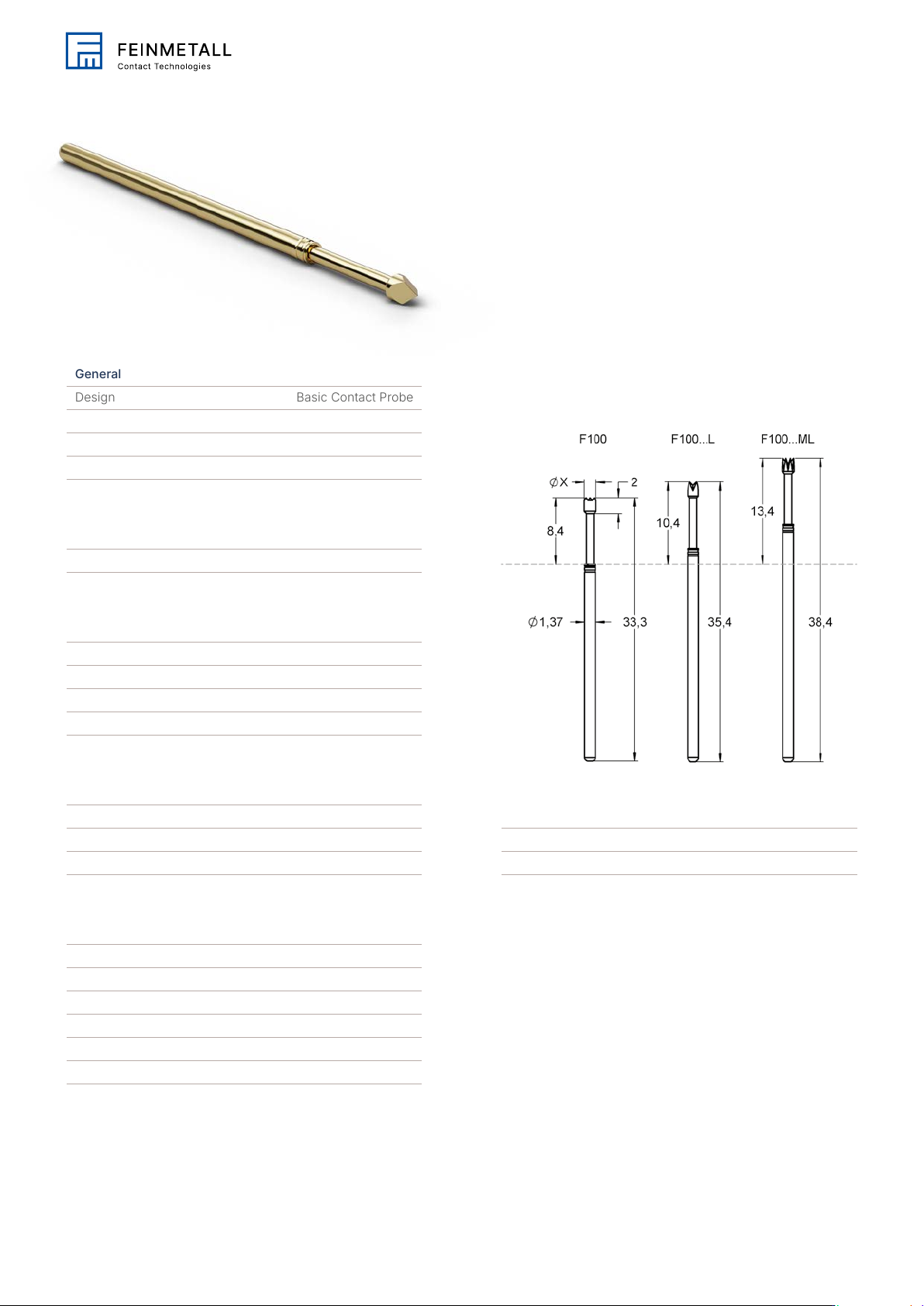
Family drawing
All measurements are in mm.
This is an Adobe® Illustrator® File that was
saved without PDF Content.
To Place or open this le in other
applications, it should be re-saved from
Adobe Illustrator with the "Create PDF
Compatible File" option turned on. This
option is in the Illustrator Native Format
Options dialog box, which appears when
saving an Adobe Illustrator le using the
Save As command.
This is an Adobe® Illustrator® File that was
saved without PDF Content.
To Place or open this le in other
applications, it should be re-saved from
Adobe Illustrator with the "Create PDF
Compatible File" option turned on. This
option is in the Illustrator Native Format
Options dialog box, which appears when
saving an Adobe Illustrator le using the
Save As command.
This is an Adobe® Illustrator® File that was
saved without PDF Content.
To Place or open this le in other
applications, it should be re-saved from
Adobe Illustrator with the "Create PDF
Compatible File" option turned on. This
option is in the Illustrator Native Format
Options dialog box, which appears when
saving an Adobe Illustrator le using the
Save As command.
This is an Adobe® Illustrator® File that was
saved without PDF Content.
To Place or open this le in other
applications, it should be re-saved from
Adobe Illustrator with the "Create PDF
Compatible File" option turned on. This
option is in the Illustrator Native Format
Options dialog box, which appears when
saving an Adobe Illustrator le using the
Save As command.
This is an Adobe® Illustrator® File that was
saved without PDF Content.
To Place or open this le in other
applications, it should be re-saved from
Adobe Illustrator with the "Create PDF
Compatible File" option turned on. This
option is in the Illustrator Native Format
Options dialog box, which appears when
saving an Adobe Illustrator le using the
Save As command.
This is an Adobe® Illustrator® File that was
saved without PDF Content.
To Place or open this le in other
applications, it should be re-saved from
Adobe Illustrator with the "Create PDF
Compatible File" option turned on. This
option is in the Illustrator Native Format
Options dialog box, which appears when
saving an Adobe Illustrator le using the
Save As command.
This is an Adobe® Illustrator® File that was
saved without PDF Content.
To Place or open this le in other
applications, it should be re-saved from
Adobe Illustrator with the "Create PDF
Compatible File" option turned on. This
option is in the Illustrator Native Format
Options dialog box, which appears when
saving an Adobe Illustrator le using the
Save As command.
This is an Adobe® Illustrator® File that was
saved without PDF Content.
To Place or open this le in other
applications, it should be re-saved from
Adobe Illustrator with the "Create PDF
Compatible File" option turned on. This
option is in the Illustrator Native Format
Options dialog box, which appears when
saving an Adobe Illustrator le using the
Save As command.

Tip style 1