DFD6361-Maintenance.pdf - 第173页
B-101 Procedur es for c hanging the frame c lamp siz e (Contin ued) Step No. Do This 5 (Continue d) The locations of the frame size positioning holes are as shown bellow. for 2-6-1,2-6 for 2-5-1 for 2-8-1 [DFD6351] for 2…
B-100
3-5. Changing the Frame Clamp Size
Procedures for changing the frame clamp size
Step No. Do This
(Continued from the previous section)
1
Press the <F1> button on the CHANGE FRAME SIZE screen
[screen 6.1].
- The upper arm moves to above the spinner table.
2
Press the <F2> button on the CHANGE FRAME SIZE screen
[screen 6.1].
- The lower arm moves to above the spinner table.
3
Visually make sure that all drive sections stop completely.
4
Open the front arm section cover.
5
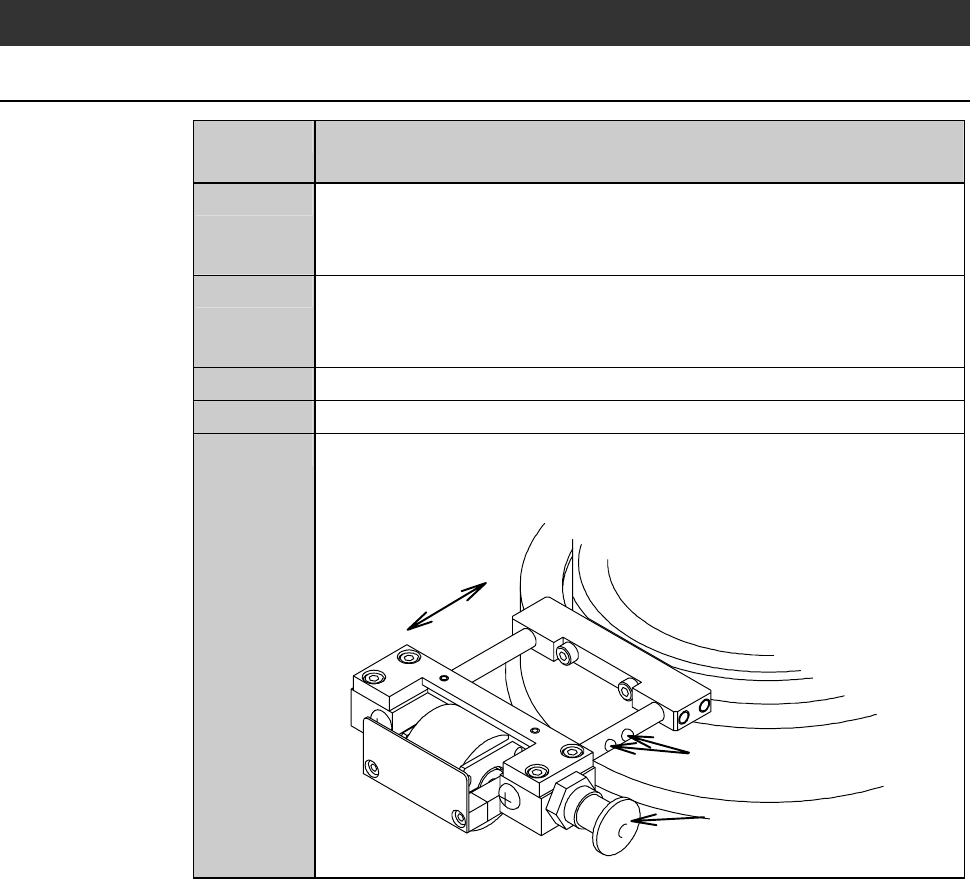
While pulling the frame clamp handle, which is located at the
side of the chuck table, slide the frame clamp to change its
position to suit the frame size to be used.
Frame size positioning holes
Frame clamp handle
* The frame clamp is unlocked
when the handle is pulled.
Sliding direction
B-101
Procedures for changing the frame clamp size (Continued)
Step No. Do This
5
(Continued)
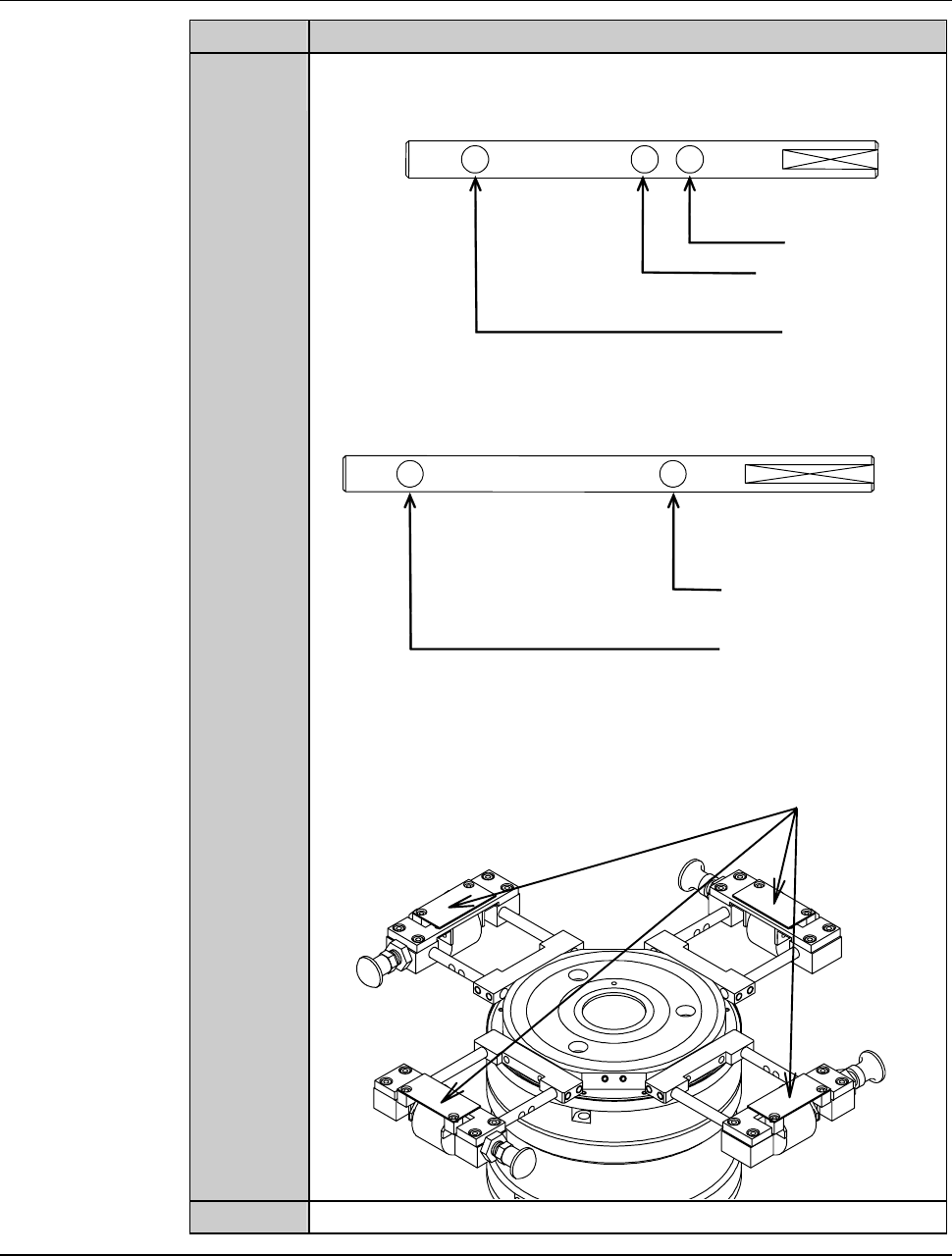
The locations of the frame size positioning holes are as shown
bellow.
for 2-6-1,2-6
for 2-5-1
for 2-8-1
[DFD6351]
for 2-8-1
for 212
[DFD6361]
Table base Table base
Four frame clamps are mounted on the chuck table.
Frame clamps
6
Close the front arm section cover.
Continued in the next section.
B-102
3-6. Completion of Frame Size Change
Procedures for completion of frame size change
Step No. Do This
(Continued from the previous section)
1
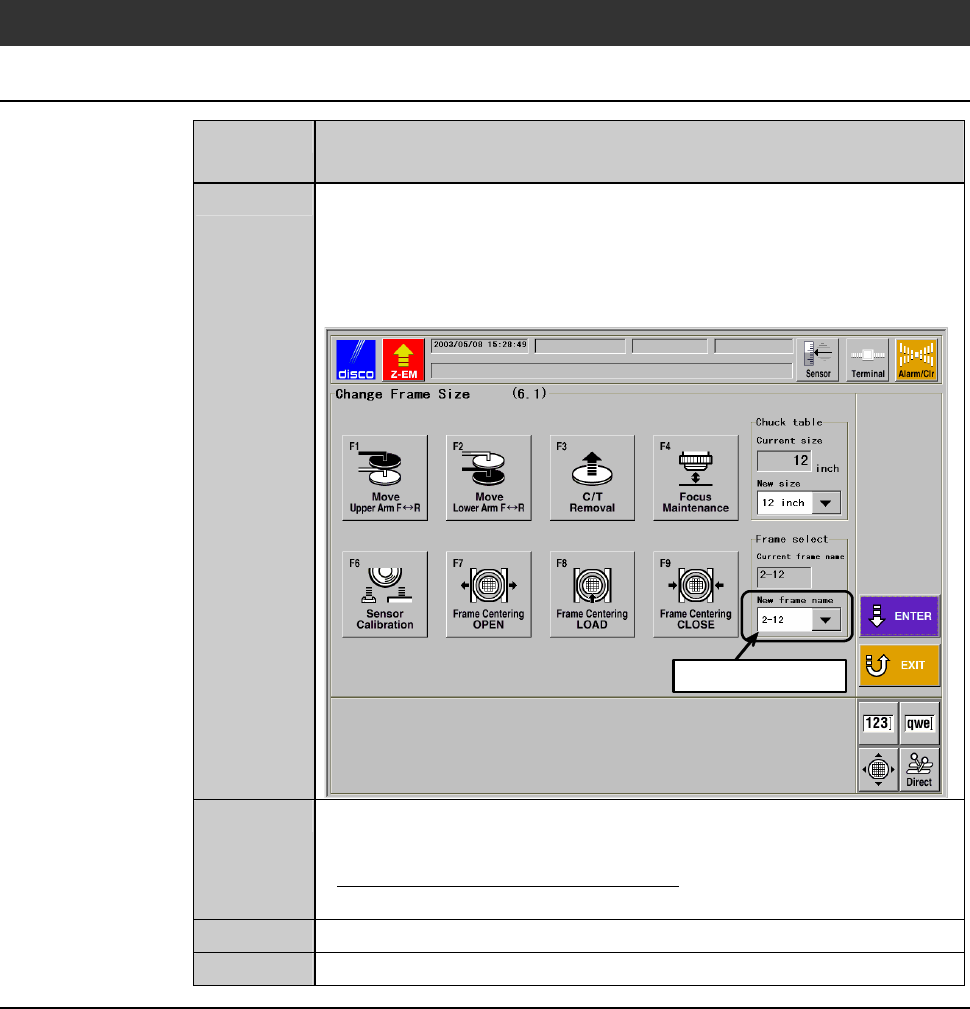
Specify the frame name at the [New frame name] column on the
CHANGE FRAME SIZE screen [screen 6.1]
- In the example screen shown below, the new frame name is
"2-12".
Press the <ENTER> button to finalize the data.
ÿ
Select data here
2
When the chuck table replacement is required, replace the chuck
table.
- About the chuck table replacement;
See the section 1 of this chapter, [Chuck Table Replacement].
3
After completion of maintenance, close the arm section cover.
4
Press the <System Initial> button to effect system initialization.