DFD6361-Maintenance.pdf - 第175页
B-103 3-7. Changi ng the UV Irra diation Unit Frame Size [Optional Accessory] Safety prec autions for chang ing the U V irradi ation unit frame siz e W ARNING - Since t he UV irradi ation uni t has the N 2 purg e specifi…
B-102
3-6. Completion of Frame Size Change
Procedures for completion of frame size change
Step No. Do This
(Continued from the previous section)
1
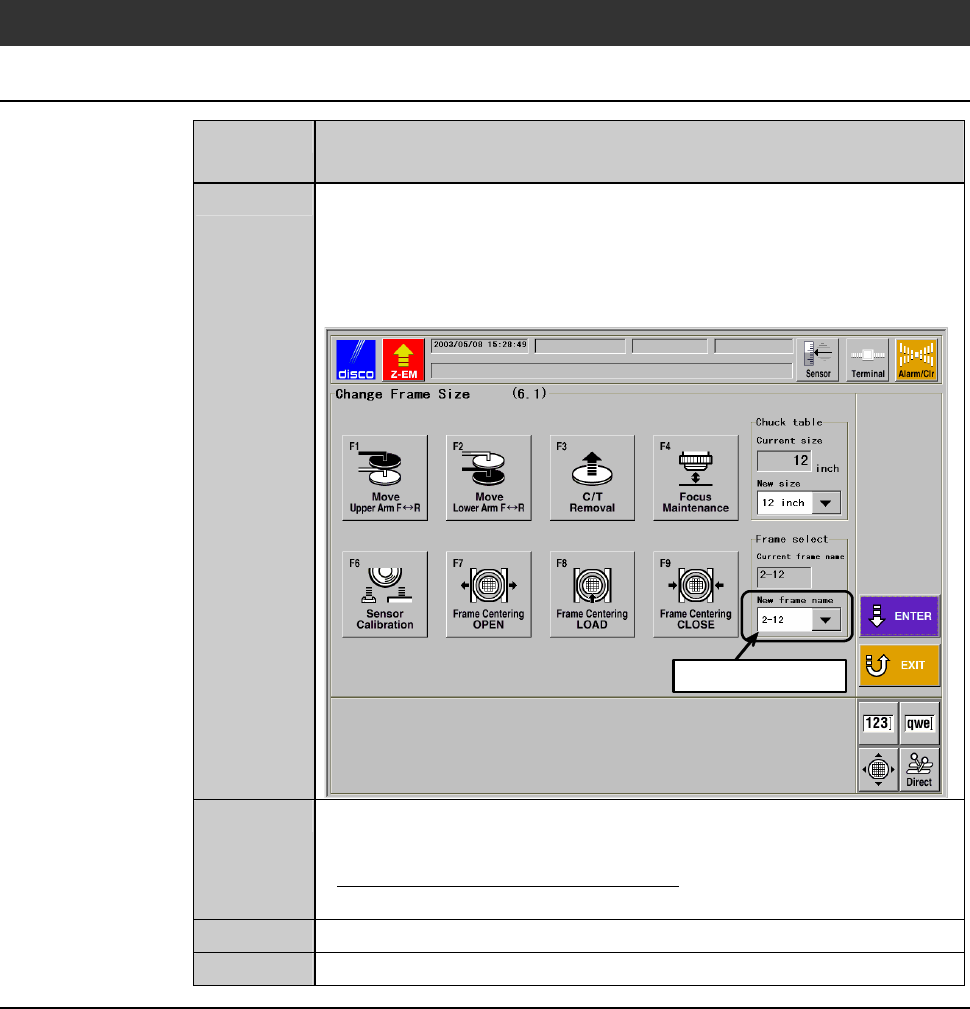
Specify the frame name at the [New frame name] column on the
CHANGE FRAME SIZE screen [screen 6.1]
- In the example screen shown below, the new frame name is
"2-12".
Press the <ENTER> button to finalize the data.
ÿ
Select data here
2
When the chuck table replacement is required, replace the chuck
table.
- About the chuck table replacement;
See the section 1 of this chapter, [Chuck Table Replacement].
3
After completion of maintenance, close the arm section cover.
4
Press the <System Initial> button to effect system initialization.
B-103
3-7. Changing the UV Irradiation Unit Frame Size
[Optional Accessory]
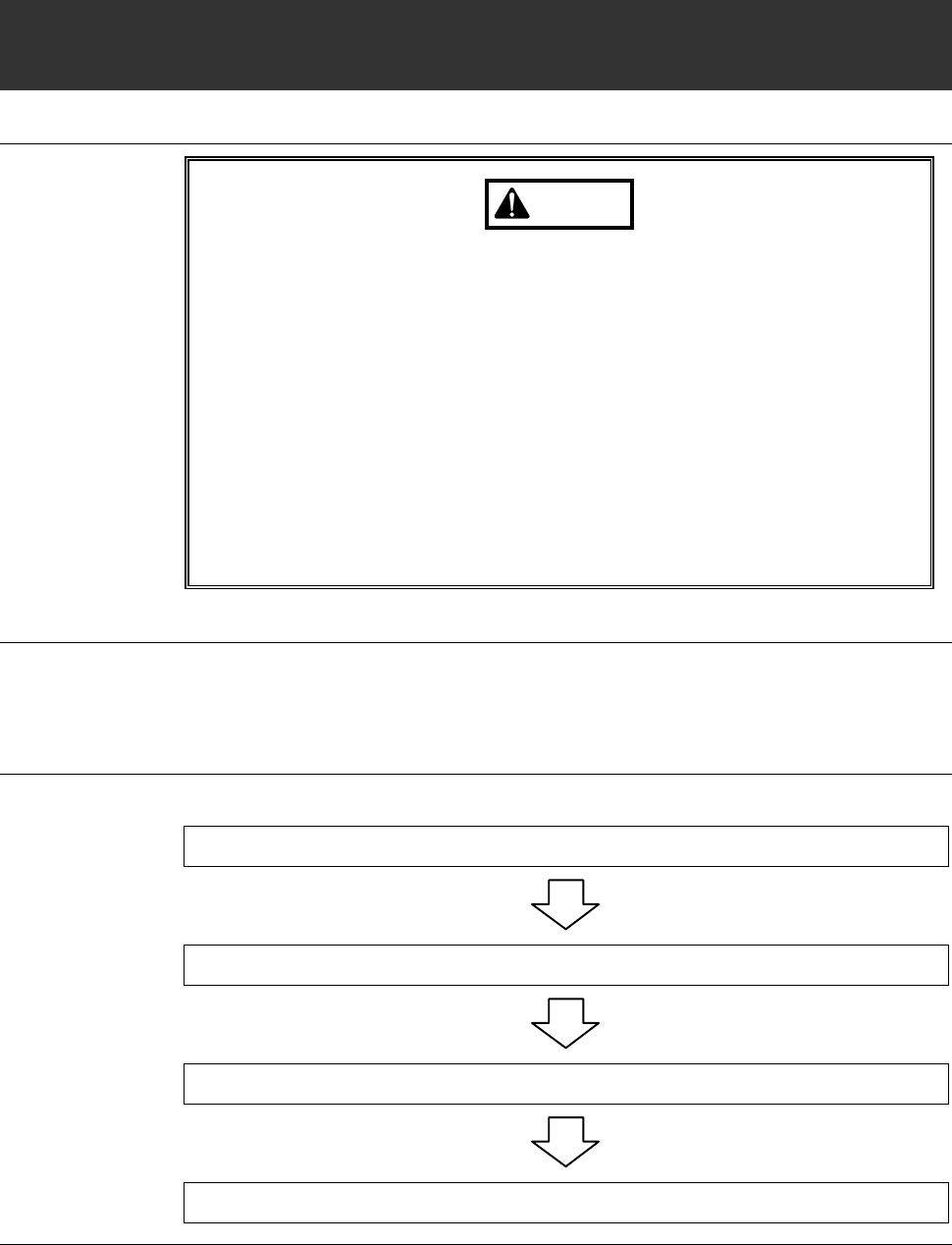
Safety precautions for changing the UV irradiation unit frame size
WARNING
- Since the UV irradiation unit has the N
2
purge specification. If the N
2
gas is filled and cause oxygen deficiency, it may lead to critical
condition or death.
To maintain proper oxygen concentration, sufficiently ventilate the
purge section before performing maintenance.
The oxygen concentration lowers while N
2
gasissuppliedor
immediately after stopping its supply. During such periods, do not
position your face near the N
2
gas discharge section.
- If the operation described in this section is performed while the UV
irradiation lamp is illuminated, exposure under the harmful
ultraviolet rays and ozone may cause vision and skin disorders.
Before starting the work, be sure to turn OFF the machine power.
Before operation
Have on hand the following tool.
- 3 mm Allen wrench
Operation flow
The operational procedures are summarized as follows.
3-7-1 Shutting off power
3-7-2 Removing the inspection plate
3-7-3 Changing the frame size
3-7-4 Completion of the frame size change
B-104
3-7-1. Shutting off power
Procedure for shutting off power
Step No. Do This
1
Press the <System Initial> button to effect system initialization.
- Each axis moves to its origin position.
2
Turn OFF the main switch and then pull out the key.
3
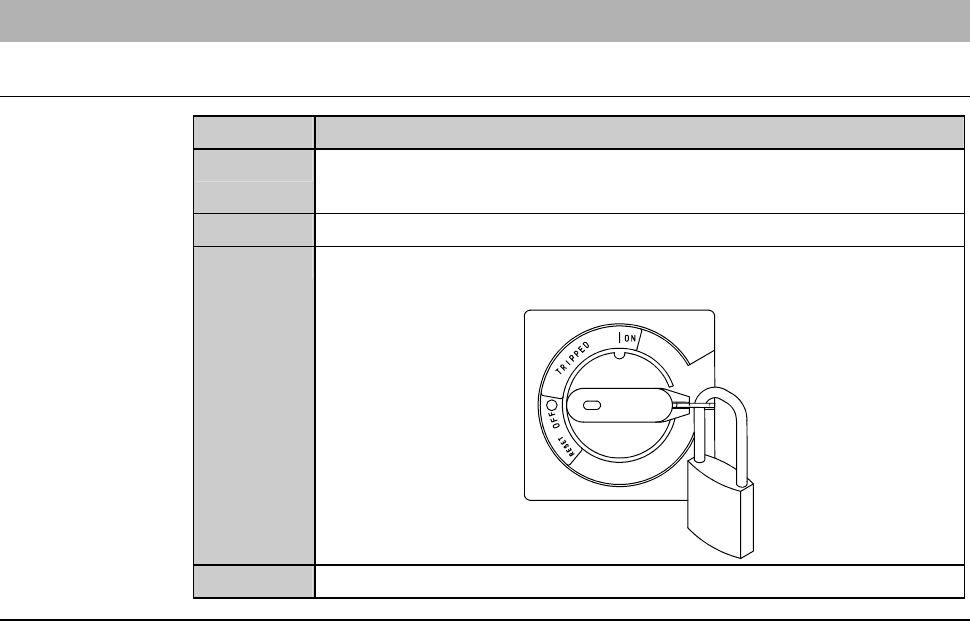
Turn OFF the circuit breaker at the rear of the machine. Then
lock out the circuit breaker lever with a padlock or the like.
4
Shut off the facility power supply.
Continued in the next section.