DFD6361-Maintenance.pdf - 第177页
B-105 3-7-2. Rem oving the ins pection pl ate Procedur es for re moving the ins pection plate Step No. Do This (Continued from the previous section) 1 Loosen the retaining screw of t he cassette stage. Retai ning screw C…
B-104
3-7-1. Shutting off power
Procedure for shutting off power
Step No. Do This
1
Press the <System Initial> button to effect system initialization.
- Each axis moves to its origin position.
2
Turn OFF the main switch and then pull out the key.
3
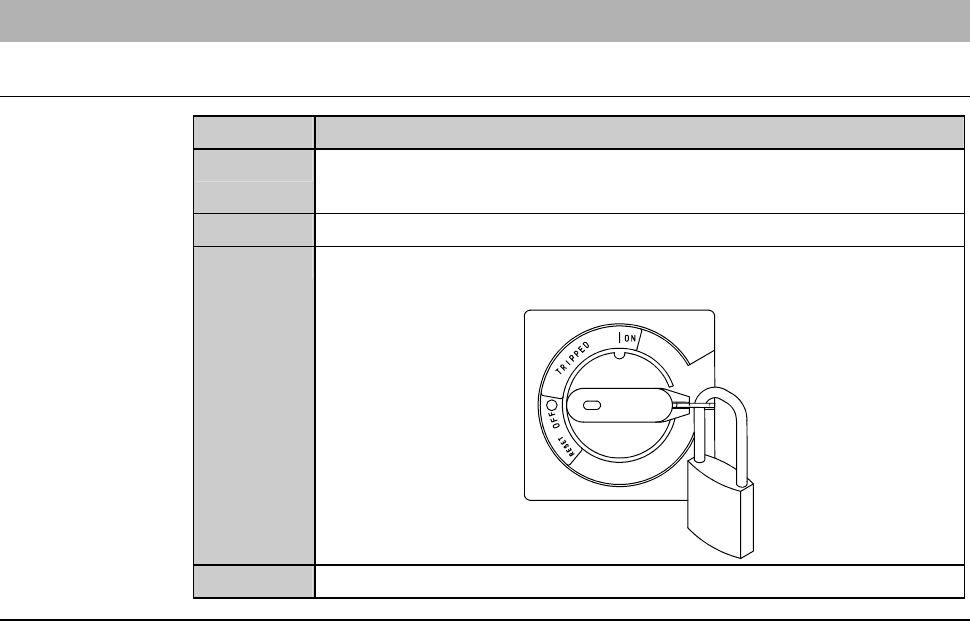
Turn OFF the circuit breaker at the rear of the machine. Then
lock out the circuit breaker lever with a padlock or the like.
4
Shut off the facility power supply.
Continued in the next section.
B-105
3-7-2. Removing the inspection plate
Procedures for removing the inspection plate
Step No. Do This
(Continued from the previous section)
1
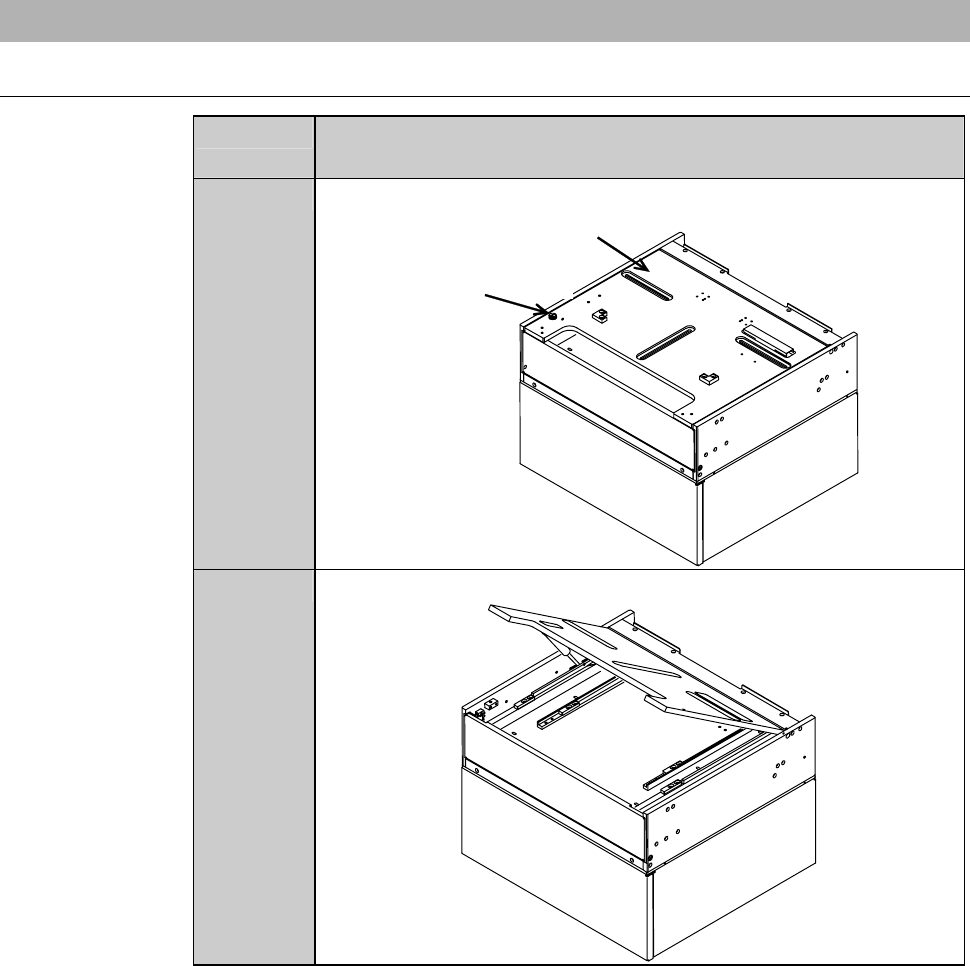
Loosen the retaining screw of the cassette stage.
Retaining screw
Cassette stage
2
Hold up the front edge of the cassette stage.
B-106
Procedures for removing the inspection plate (Continued)
Step No. Do This
3
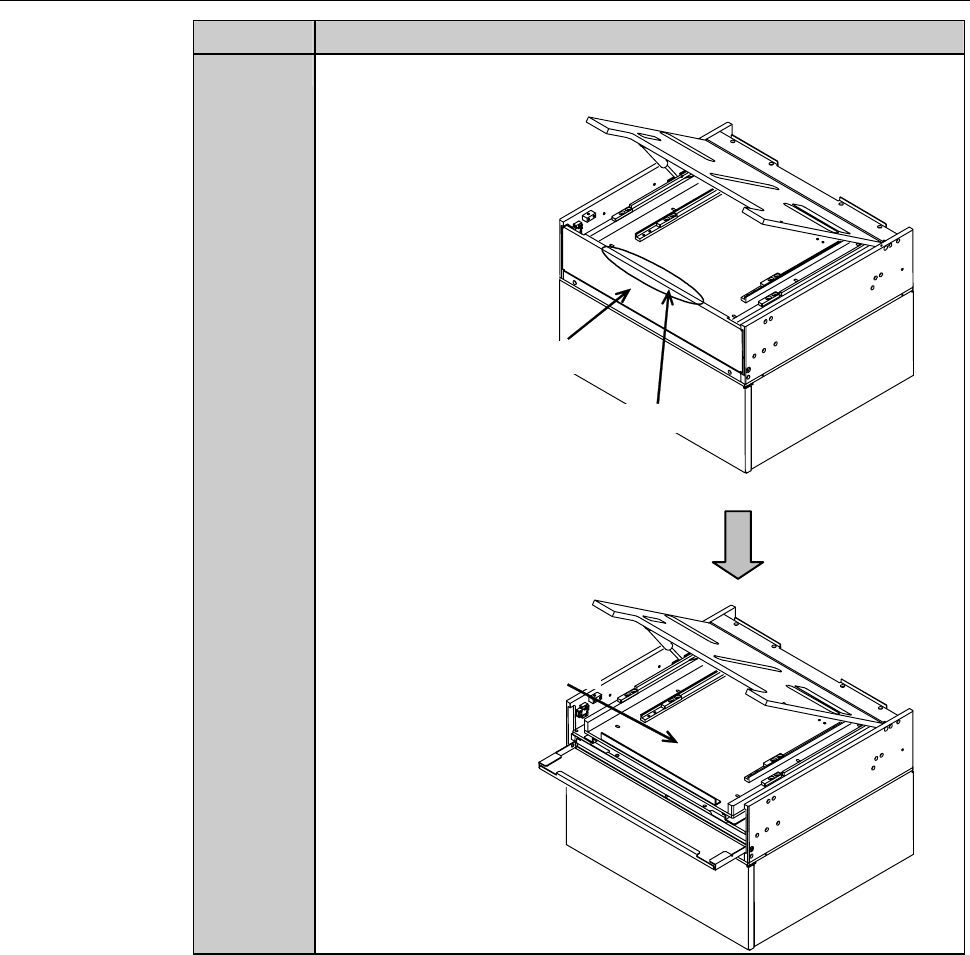
Hold the part of the inspection cover, as shown below, and then
pull the cover to open it.
Hold this part.
Inspection cover
Inspection plate