DFD6361-Maintenance.pdf - 第186页
B-114 Procedur e of initial setti ng (Continue d) Step No. Do This 2 Check the position of the pressure sensor to be adjusted. - Every pressure sensor i s in the "measurement mode". - Each pressure sensor r ead…
B-113
Operation flow
This setting procedure is required only for the air pressure sensor. The
adjustment of the air pressure sensor consists of the following steps.
4-1-1 Initial setting
4-1-2 Pressure setting
4-1-3 Zero clearance
4-1-1. Initial setting
Procedure of initial setting
Step No. Do This
1
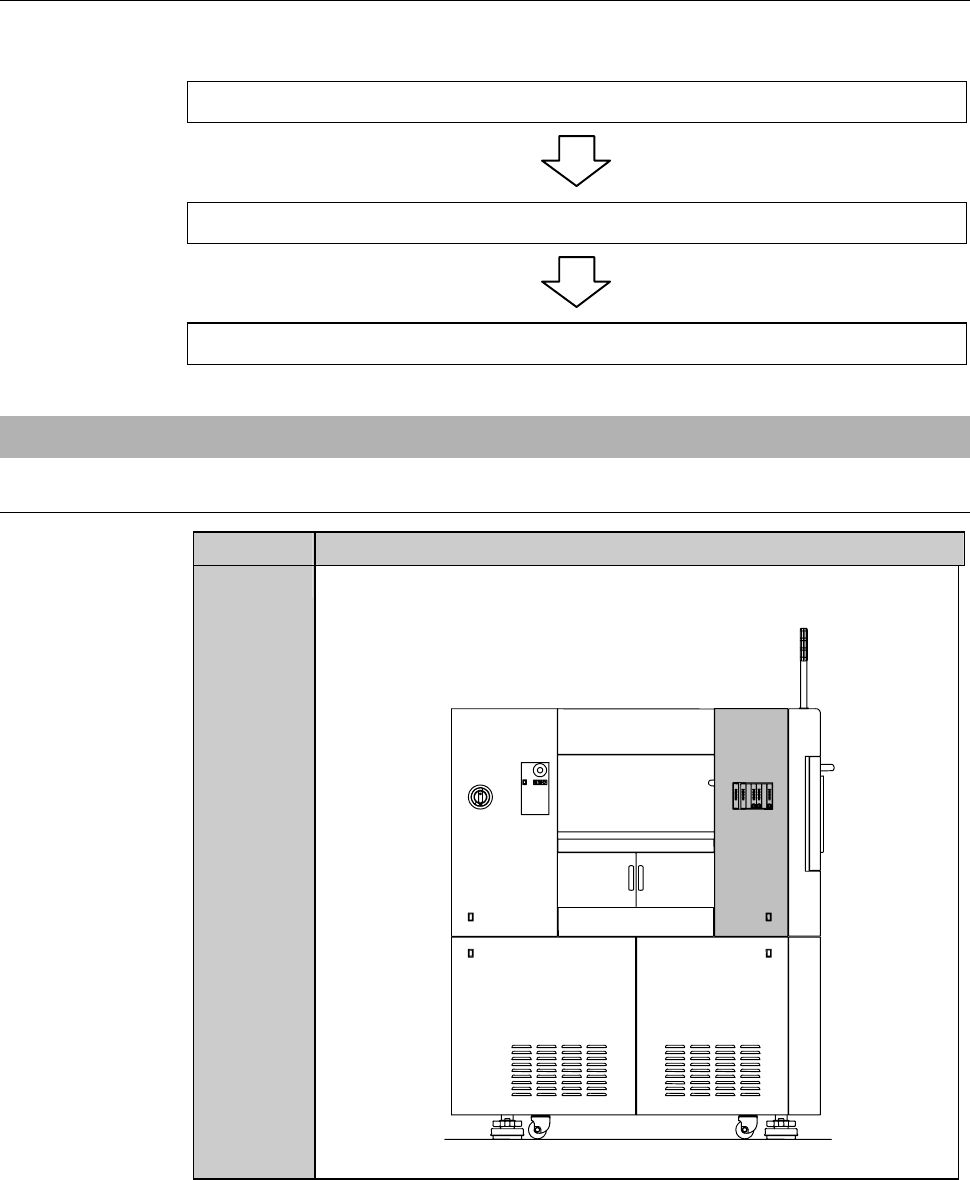
Remove the cover [U]. The store it sufficiently away from the
working area.
[U]
LEFT SIDE
B-114
Procedure of initial setting (Continued)
Step No. Do This
2
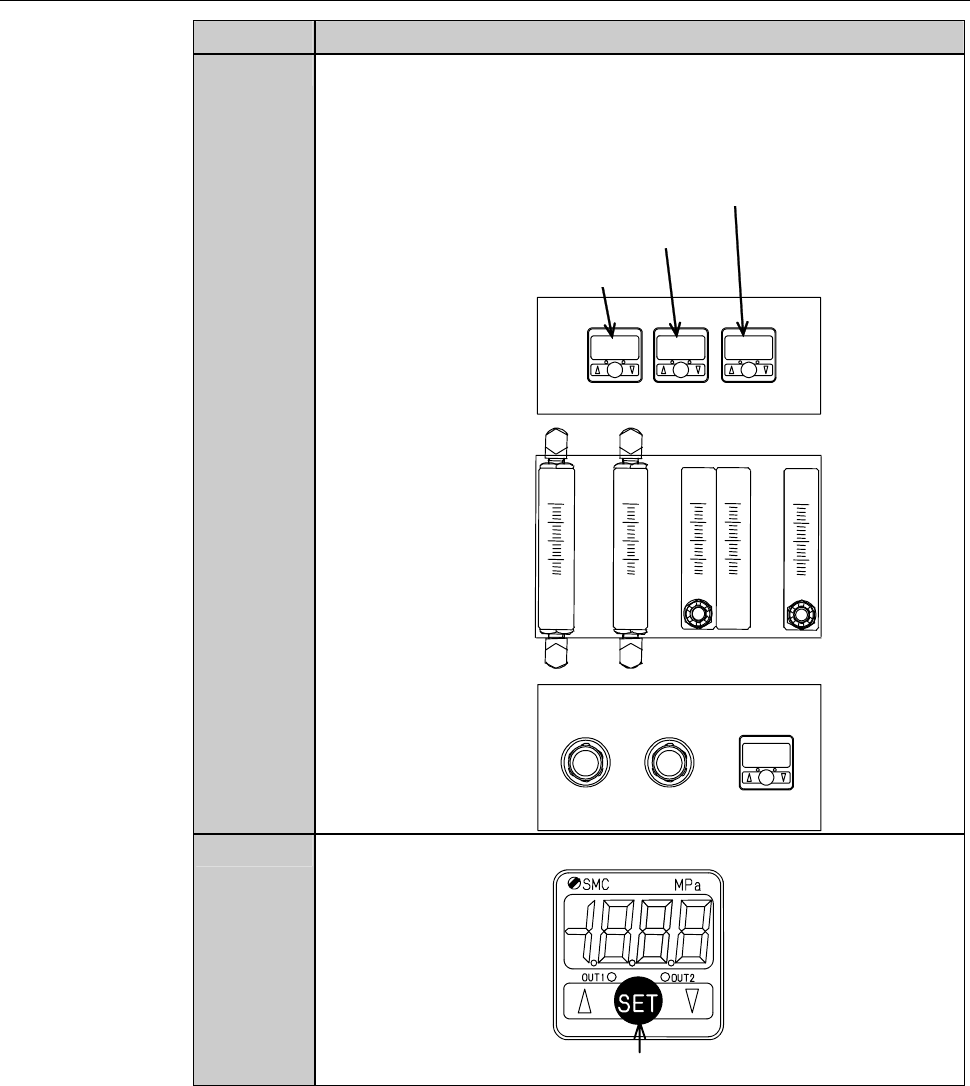
Check the position of the pressure sensor to be adjusted.
- Every pressure sensor is in the "measurement mode".
- Each pressure sensor reads the current supply pressure of
utilities.
ÿ
Air pressure sensor
Clean air pressure sensor
Deionized water pressure sensor
3
Press the SET button for at least two seconds.
SET button
B-115
Procedure of initial setting (Continued)
Step No. Do This
4
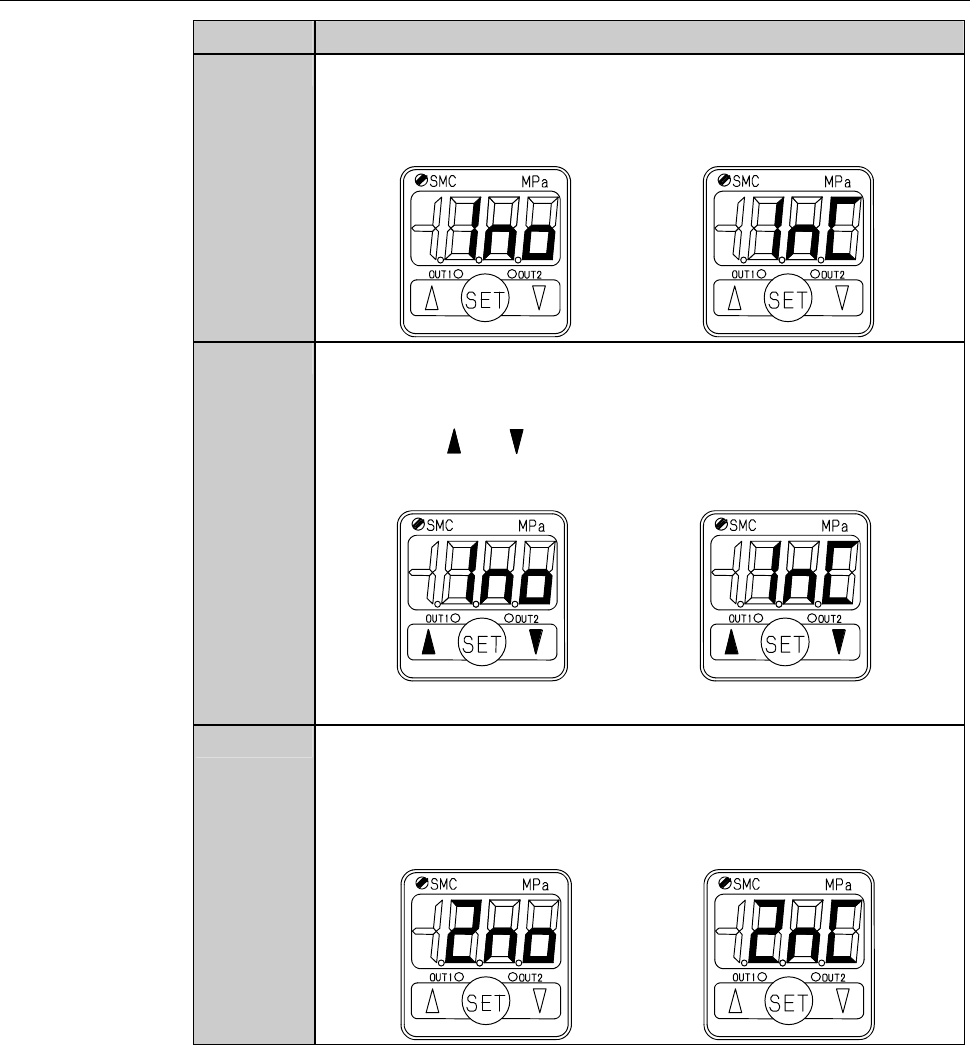
The display of the sensor has changed to the "OUT1 output
pattern setting" mode.
[Positive pressure] [Negative pressure]
5
Make sure that the reading is "normal open" for a positive
pressure sensor or "normal close" for a negative pressure sensor.
- When the reading is not proper,
Press the or button to change the reading.
[Positive pressure] [Negative pressure]
Normal open Normal close
6
Press the SET button to finalize the setting.
- The display has changed to the "OUT2 output pattern setting"
mode.
[Positive pressure] [Negative pressure]