DFD6361-Maintenance.pdf - 第20页
A-4 Machine out er cover lock mec hanism To release the cov er lock, insert the unlock ke y into the cover lock section and unlock the cover as shown below. Insert the key and press it down. Cover lock Unlock key Part No…
A-3
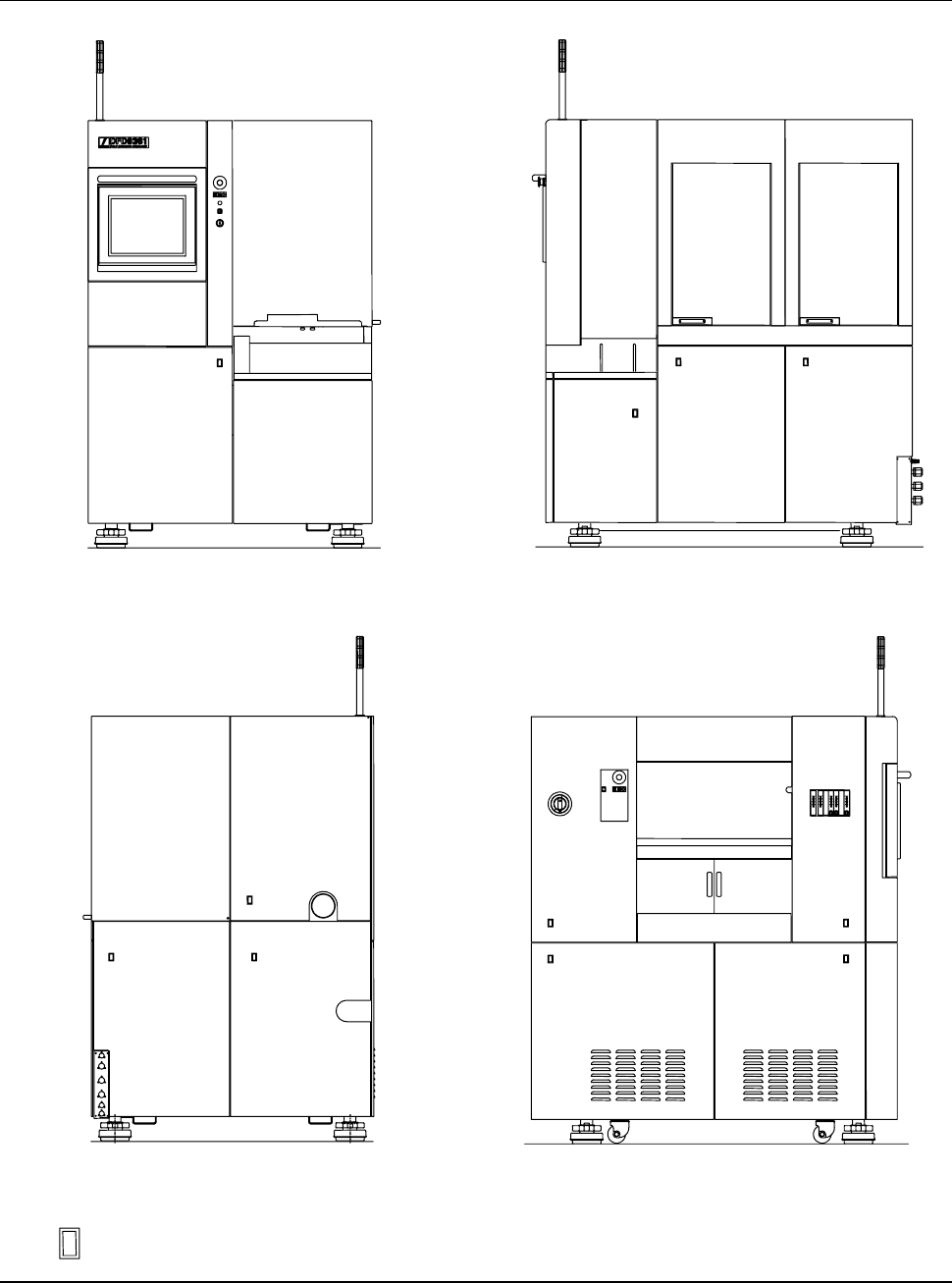
Machine outer cover configuration (Continued)
FRONT SIDE
RIGHT SIDE
REAR SIDE
ÿ
LEFT SIDE
: Outer cover lock position
A-4
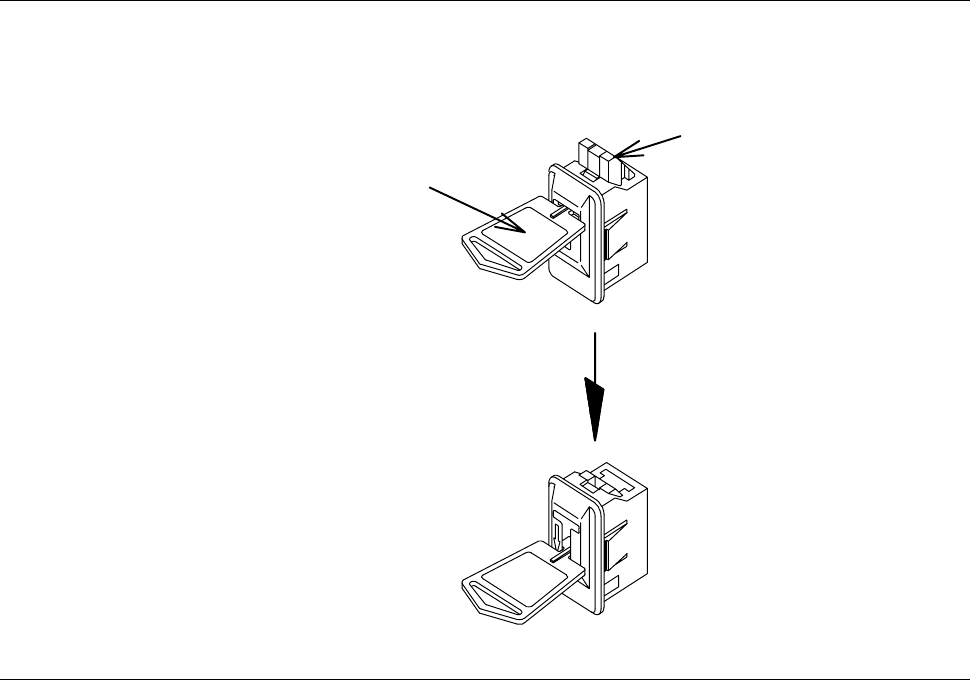
Machine outer cover lock mechanism
To release the cover lock, insert the unlock key into the cover lock section and
unlock the cover as shown below.
Insert the key
and press it down.
Cover lock
Unlock key
Part No. MOHRN001
A-5
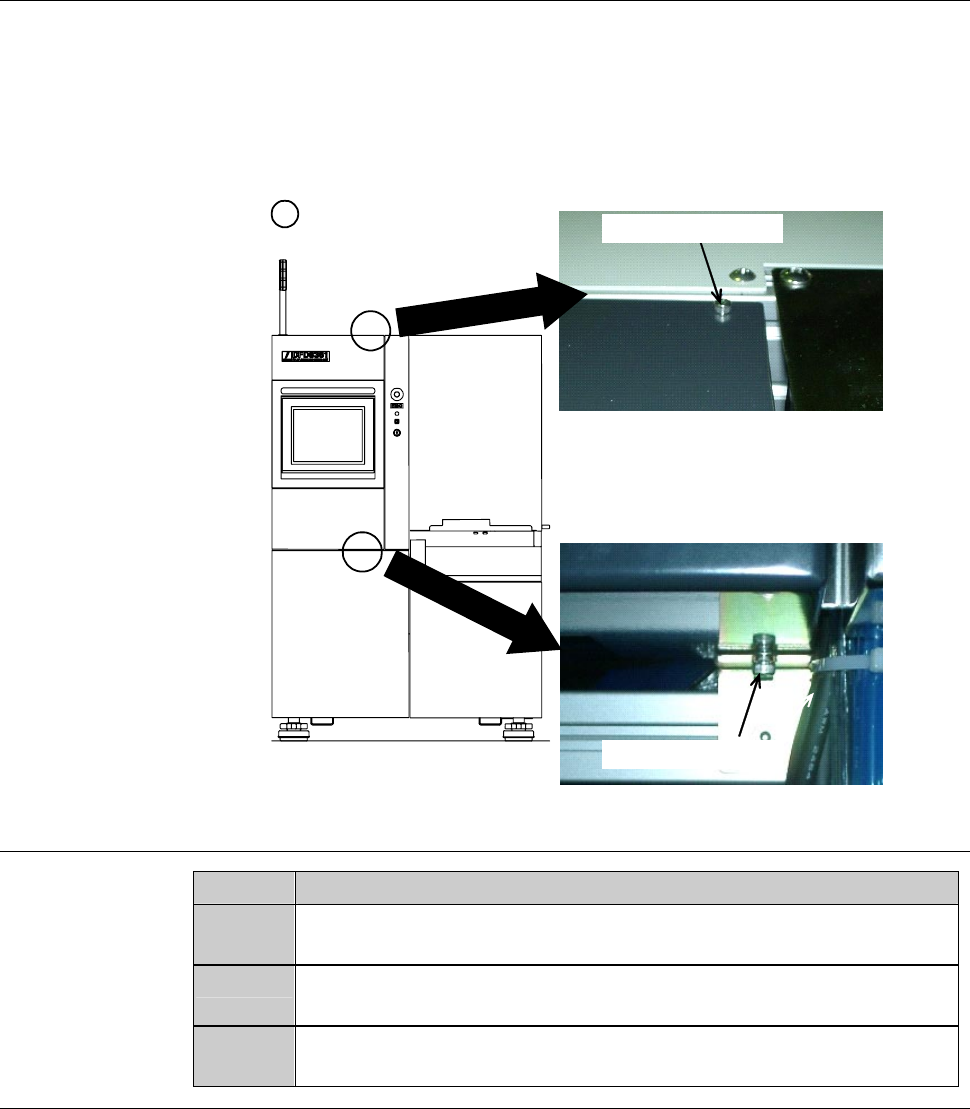
Structure of the machine outer cover of the touch panel section
The machine outer cover [P] of the touch panel section is secured with the
mounting screws.
Since the cover [P] has a hinge on its left side, when the mounting screws are
removed, the cover opens towards the left side of the machine.
FRONT SIDE
[P]
:Positionofthe
mounting screws
Mounting screw (M4)
Mounting screw (M4)
[A]
Procedures for opening the machine outer cover of the touch panel section
Step No.
Do This
1
Remove the cover [A]. Store the removed outer covers sufficiently
away from the working area.
2
Remove the cover [P]'s mounting screws (M4) which are located
at both upper and lower part of the cover.
3
While holding the right edge of the cover [P], open it toward the
left side of the machine.