DFD6361-Maintenance.pdf - 第204页
B-132 Procedur es for setting monitor val ue of deioni zed w ater pressure Step No. Do This 2 Make sure that the curren t supply reading of the deionized water pressure is approximately 0.3MPa. ÿ Deionize d water pres su…
B-131
4-4. Setting a Monitor Value
of Deionized Water Pressure
Procedures for setting monitor value of deionized water pressure
CAUTION
When you perform maintenance with the outer cover removed,
observe the following precaution. If you stand the removed outer
cover against the machine, you may receive injury by the cover if it is
toppled by the earthquake or like that.
When you take off the outer cover for maintenance purposes, store it
sufficiently away from the working area.
Step No. Do This
1
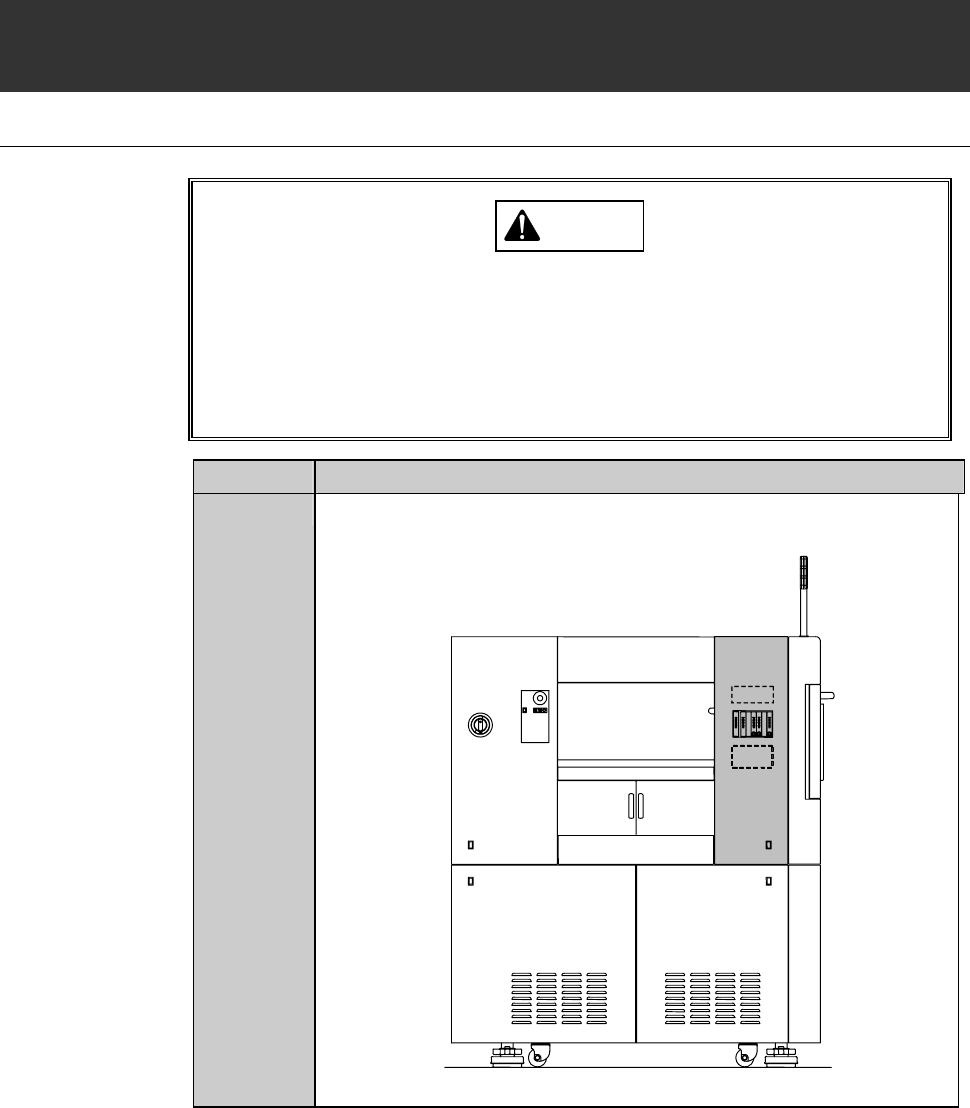
Remove the cover [U]. The store it sufficiently away from the
working area.
[U]
LEFT SIDE
B-132
Procedures for setting monitor value of deionized water pressure
Step No. Do This
2
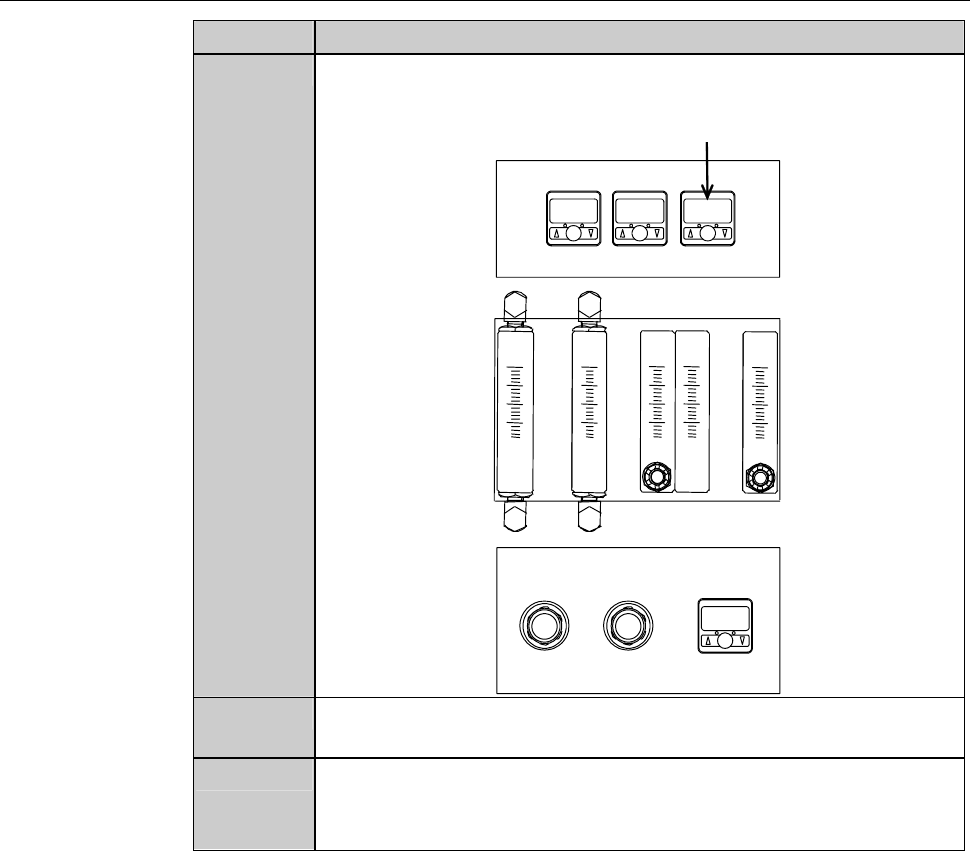
Make sure that the current supply reading of the deionized water
pressure is approximately 0.3MPa.
ÿ
Deionized water pressure sensor
3
Press the <F6> button on the MAIN MENU screen [screen 0.0].
- PASSWORD screen is called up.
4
Type the user password and press the <ENTER> button.
- The MACHINE MAINTENANCE screen [screen 6.0] is called
up.
B-133
Procedures for setting monitor value of deionized water pressure (Continued)
Step No. Do This
5
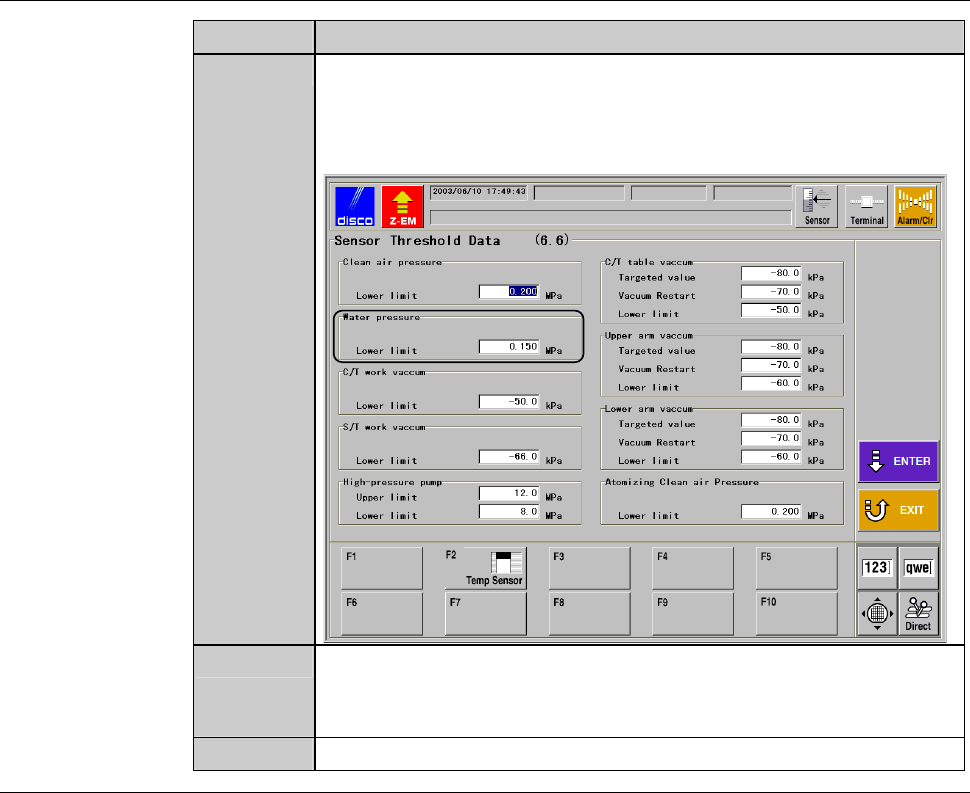
Press the <F6> button on the MACHINE MAINTENANCE
screen [screen 6.0].
- The SENSOR THRESHOLD DATA screen [screen 6.6] is
called up.
6
Set "0.150MPa" as the lower limit of deionized water pressure,
and then press the <ENTER> button.
- The machine updates the data.
7
Reinstall the cover [U].