DFD6361-Maintenance.pdf - 第247页
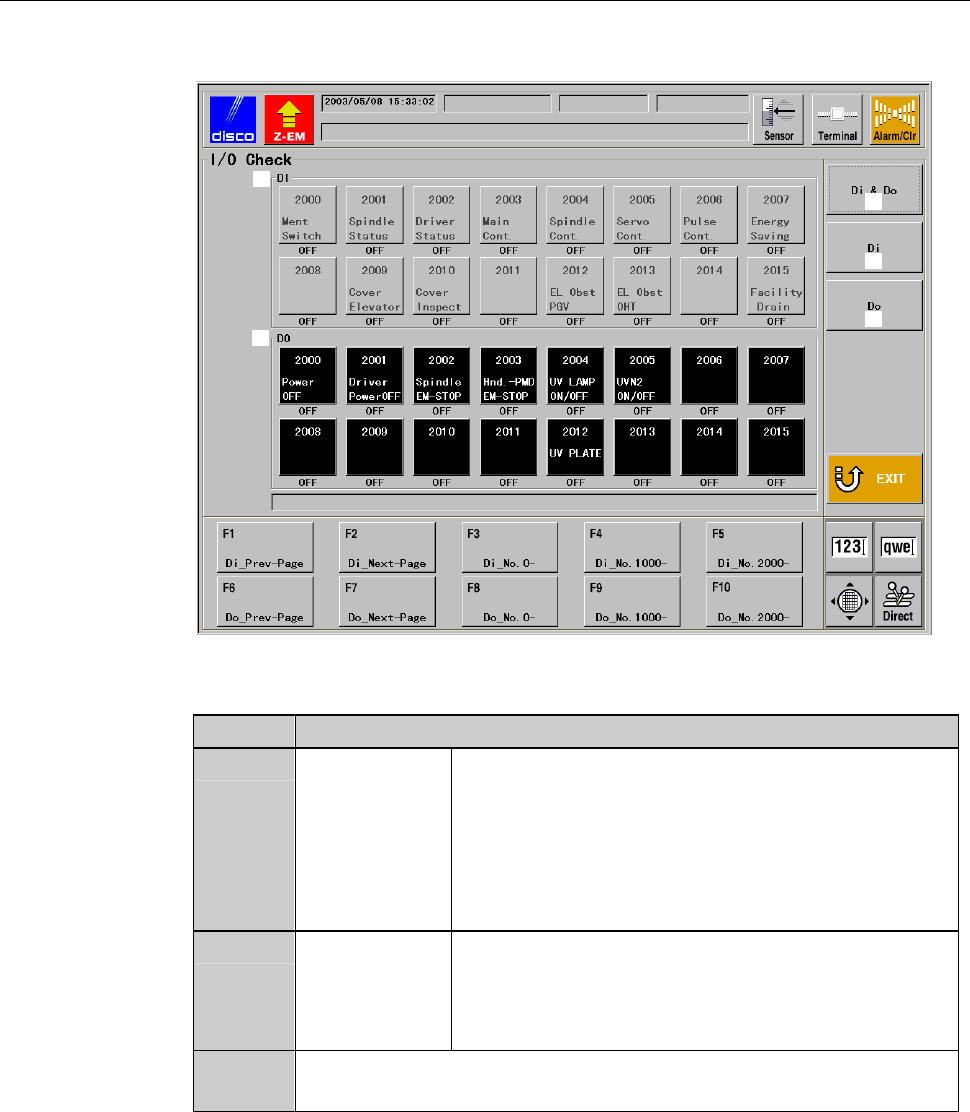
C-35 I/O CHECK screen [Screen] ÿ [1] [2] [3] [4] [5] [Setting Ite m] Item No. Descriptions [1] INPUT Indicates the s ensor name. Displa y s ON/OF F status of each s ensor by color . Blue: ON Gray: O FF * Y ou cannot perf…
C-34
Procedures for I/O check
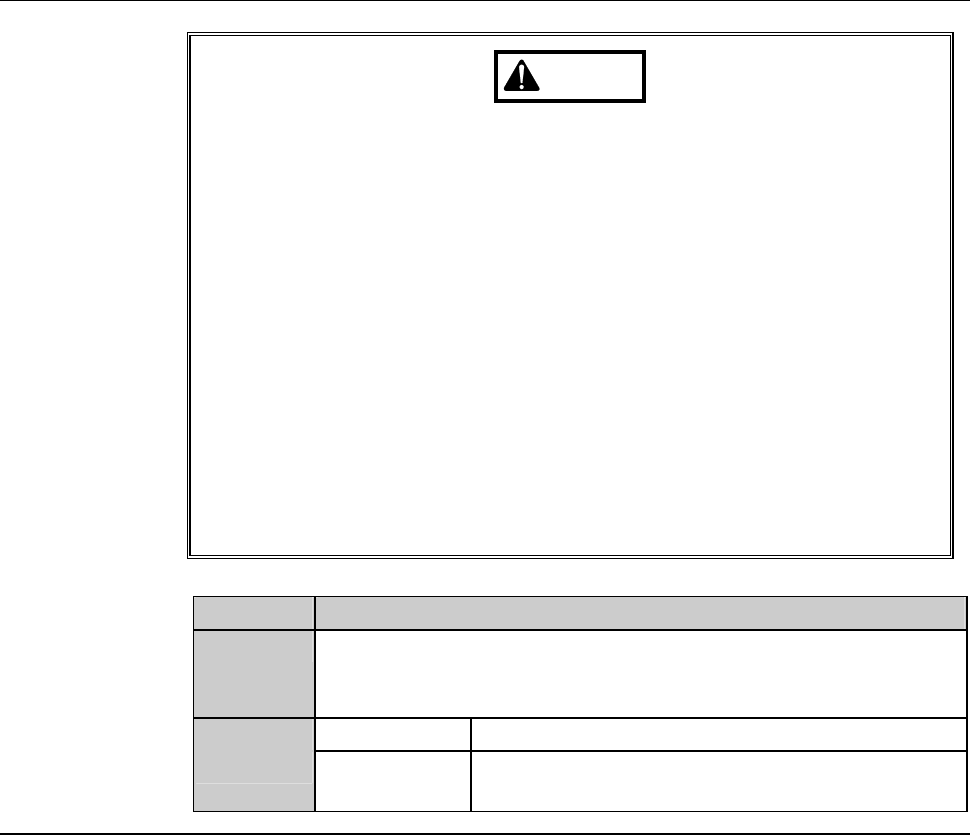
WARNING
- In the I/O check procedures, touch panel buttons are inoperative.
Even if, for example, you press the <Cut Water> button, the wheel
coolant supply does not shut off.
The personnel performing I/O checkout must bear this in mind and
exercise due care to ensure safety.
- In the I/O check procedures, the operation command for solenoid
valves and etc. can be forcibly turned ON and OFF. In some cases,
therefore, a cylinder may be invoked to operate.
Ensure that no person other than the maintenance personnel
touches the machine during this procedure.
- If any unexpected machine operation is inadvertently invoked, the
maintenance personnel may be injured.
While you don't use the touch panel, press the Disco's logo button
located at the upper left of the screen in order to lock up and
deactivate the touch panel.
Step No. Do This
1
From the ENGINEERING MAINTENANCE screen [screen 7.0],
press the <F3> button.
- The I/O CHECK screen then appears.
2
INPUT area Displays INPUT status.
OUTPUT
area
You can perform OUTPUT operation check by
selecting the solenoid valve.
C-35
I/O CHECK screen
[Screen]
ÿ
[1]
[2]
[3]
[4]
[5]
[Setting Item]
Item No. Descriptions
[1]
INPUT Indicates the sensor name. Displays ON/OFF
status of each sensor by color.
Blue: ON
Gray: OFF
* You cannot perform operational check for
INPUT area.
[2]
OUTPUT Indicates the solenoid valve name. Displays
ON/OFF status of each solenoid valve by color.
Red: ON
Black: OFF
[3]
Displays the INPUT area in the upper half of the screen and
OUTPUTinthelowerhalfofthescreen
C-36
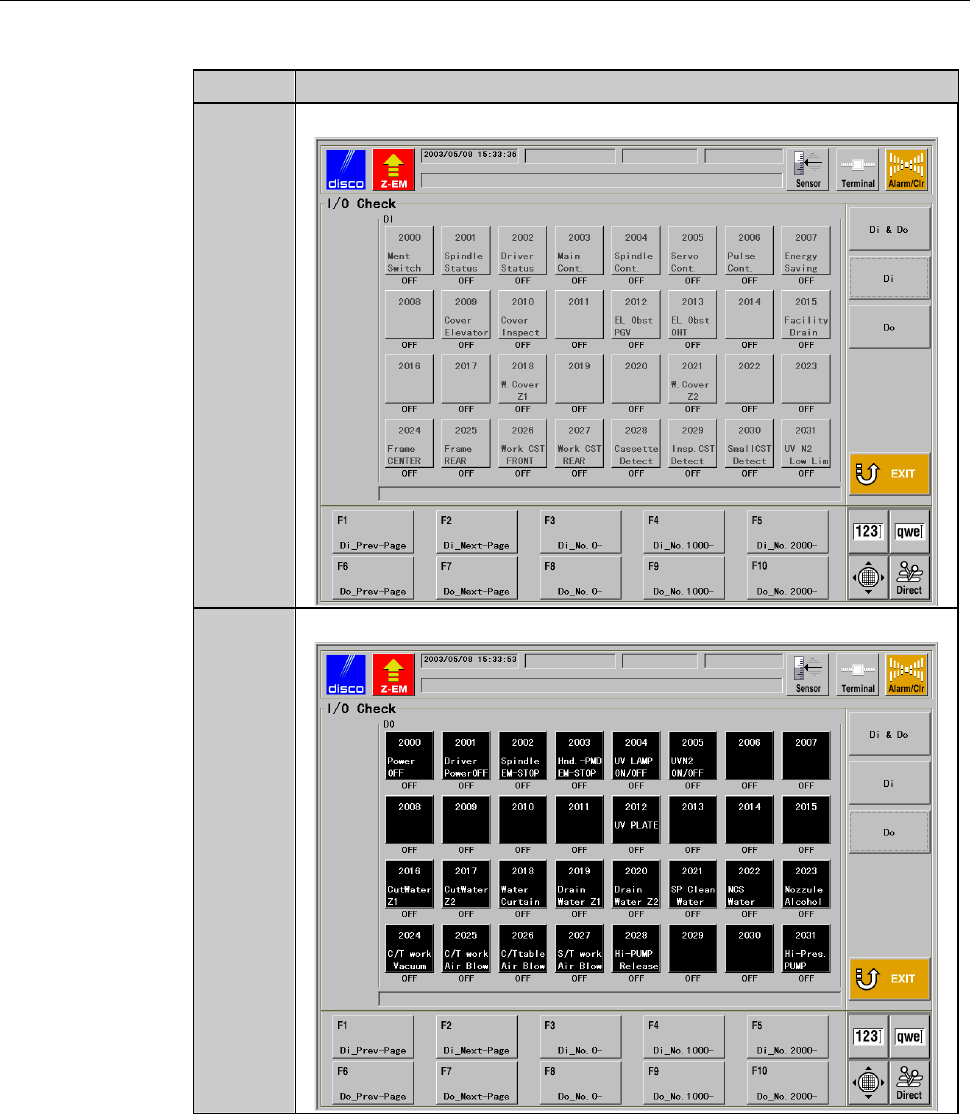
I/O CHECK screen (Continued)
[Setting Item]
Item No. Descriptions
[4]
Displays the INPUT area in the whole screen.
[5]
Displays the OUTPUT area in the whole screen.