DFD6361-Maintenance.pdf - 第248页
C-36 I/O CHECK scr een (C ontinued) [Setting Ite m] Item No. Descriptions [4] Display s the INPUT area in the whole sc reen. [5] Displays the OUTPUT area in the whole screen.
C-35
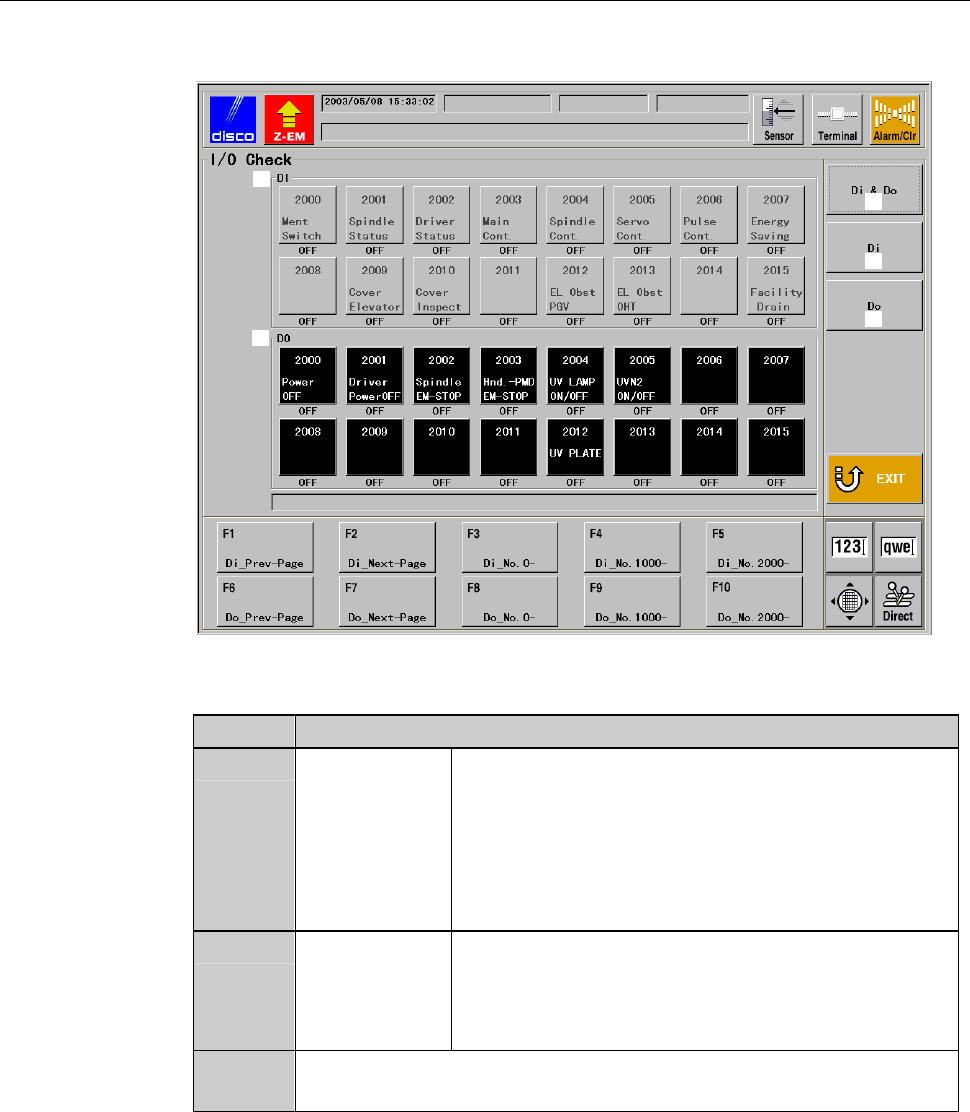
I/O CHECK screen
[Screen]
ÿ
[1]
[2]
[3]
[4]
[5]
[Setting Item]
Item No. Descriptions
[1]
INPUT Indicates the sensor name. Displays ON/OFF
status of each sensor by color.
Blue: ON
Gray: OFF
* You cannot perform operational check for
INPUT area.
[2]
OUTPUT Indicates the solenoid valve name. Displays
ON/OFF status of each solenoid valve by color.
Red: ON
Black: OFF
[3]
Displays the INPUT area in the upper half of the screen and
OUTPUTinthelowerhalfofthescreen
C-36
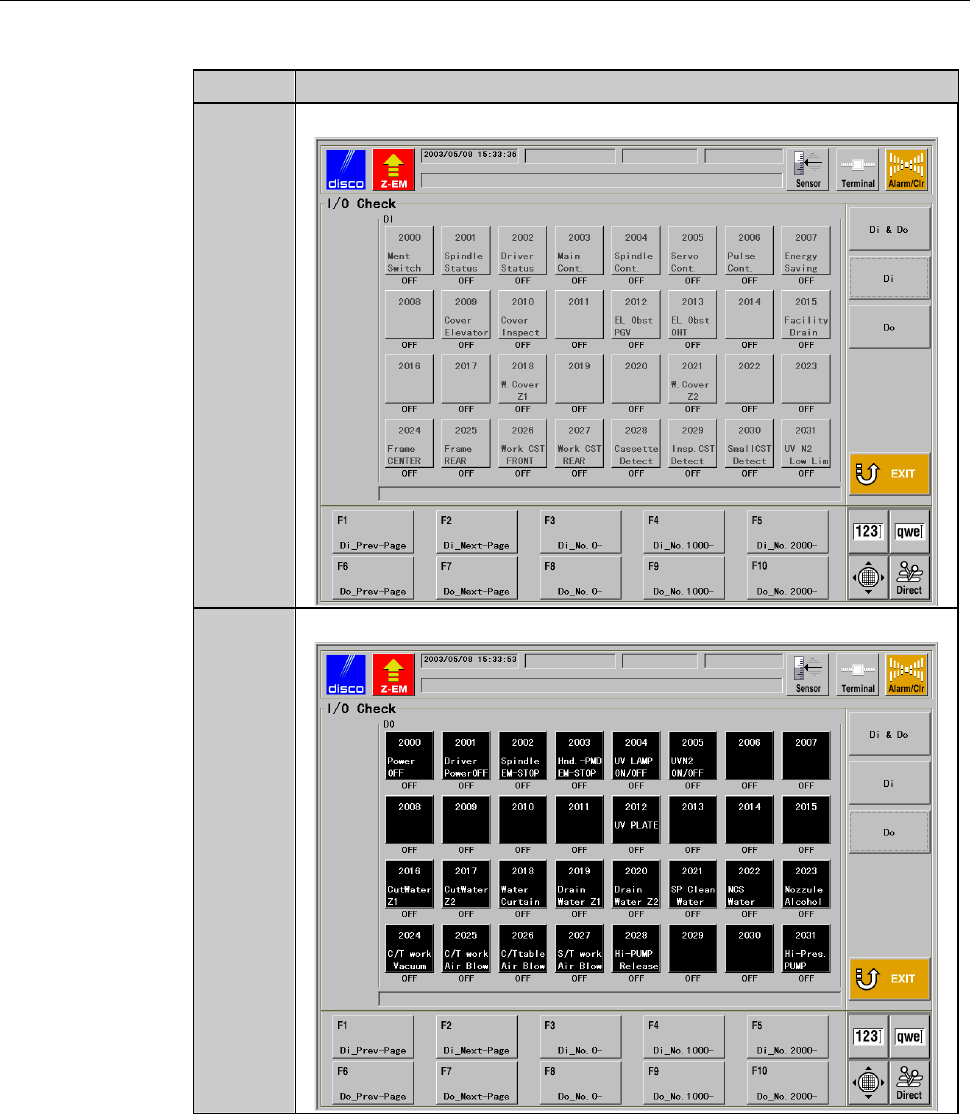
I/O CHECK screen (Continued)
[Setting Item]
Item No. Descriptions
[4]
Displays the INPUT area in the whole screen.
[5]
Displays the OUTPUT area in the whole screen.
C-37
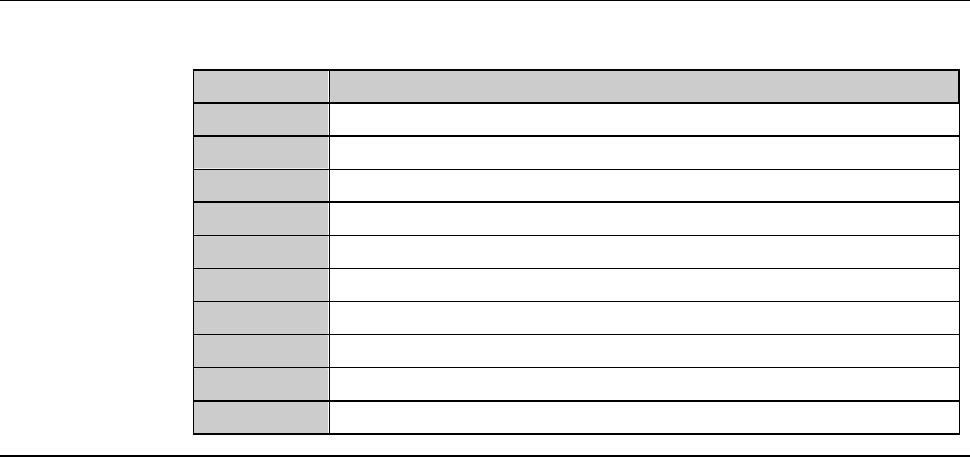
I/O CHECK screen (Continued)
[Function Button]
Press To
F1
Display the previous page of INPUT area.
F2
Display the next page of INPUT area.
F3
Display the address of 0000 of INPUT area.
F4
Display the address of 1000 of INPUT area.
F5
Display the address of 2000 of INPUT area.
F6
Display the previous page of OUTPUT area.
F7
Display the next page of OUTPUT area.
F8
Display the address of 0000 of OUTPUT area.
F9
Display the address of 1000 of OUTPUT area.
F10
Display the address of 2000 of OUTPUT area.